
The three moves that cut Google Kubernetes Engine spend fastest are rightsizing workloads with autoscaling, layering committed use discounts and Spot VMs on top of predictable baseline usage, and turning on cost allocation so every namespace has an owner. Autopilot and Standard mode shift which of these levers matters most, but the sequence stays the same: see the spend, fix the waste, and then lock in discounts.
TL;DR:
- Rightsizing resources and using autoscaling in a production environment require at least a week of observation to avoid outages caused by careless adjustments.
- Spot VMs and committed use discounts deliver the largest savings, especially when baseline usage is stable and predictable.
- Accurate cost attribution depends on enabling detailed billing exports and tagging workloads, as data only starts accumulating from the moment these features are activated.
- Using Autopilot mode is ideal for variable workloads to minimize operational overhead, while Standard mode is better for predictable, high-volume tasks that benefit from tight bin-packing.
- Implementing automated tools like GKE Recommender and establishing strict policies helps manage cost controls effectively at scale.
Table of Contents
- How GKE billing works: Autopilot vs Standard and core pricing components
- Primary cost drivers on GKE and where teams typically waste money
- Rightsizing and autoscaling: practical rules and safe workflows
- Discounts and ephemeral compute: CUDs, flexible commits, and Spot VMs
- Visibility and chargeback: cost allocation, BigQuery export, and granular metrics
- Cluster design and operational choices that change cost profiles
- Automation, guardrails, and governance: Recommenders and policy enforcement
- Practical playbook: prioritized actions for the next 90 days
- How EverythingCloud helps managed teams scale GKE cost optimization
- Best practices for optimizing persistent storage costs in GKE
- Strategies for minimizing network egress charges specific to GKE workloads
- Comparing cost implications of GKE Autopilot vs Standard mode for different use cases
- Integrating third-party cost optimization tools with GKE
- Monitoring and alerting setups focused on cost anomalies in GKE environments
- Author perspective: pragmatic trade-offs and when reliability outranks cost
- How EverythingCloud supports continuous GKE optimization
- FAQ
- Sources
- Key docs and resources used to build this guide
How GKE billing works: Autopilot vs Standard and core pricing components
GKE has two billing models, and picking the wrong one for a workload is often the first cost mistake a team makes. Autopilot uses pod-based billing: you pay for the vCPU, memory, and ephemeral storage your pods actually request, and Google Cloud’s pricing documentation confirms that unrequested pods still get default minimums applied, which can inflate the bill if requests are left unset. Standard mode bills by node, so you pay for provisioned capacity whether or not pods are using it.
Both modes carry a flat cluster management fee of $0.10 per cluster per hour, per Google Cloud. Beyond that fee, the line items that build your bill are:
- Compute: requested or provisioned vCPU and memory
- Ephemeral storage attached to pods
- Persistent disks for stateful workloads
- Network egress, especially cross-zone and cross-region traffic
- Logging and monitoring ingestion beyond included allotments
Autopilot’s convenience comes at the cost of less granular control over bin-packing, while Standard gives you that control in exchange for managing node pools yourself.
Primary cost drivers on GKE and where teams typically waste money
Most GKE waste falls into three buckets: compute, storage and network, and operational overhead. Idle nodes sitting below utilization thresholds, oversized resource requests that never get touched, and poor bin-packing across node pools are the most common compute offenders. On the storage and network side, unattached persistent disks, workloads defaulting to high-performance disk tiers they don’t need, and cross-zone egress between chatty microservices quietly inflate invoices.
Operational waste is subtler: excessive log and metrics ingestion from verbose sidecars, and non-production environments that run 24/7 when nobody touches them after 6 PM.
- Pull a top-10 namespace report by cost and compare it against requested versus actual usage
- Pull a top-10 SKU report to see whether compute, storage, or network dominates your bill
- Check for persistent disks with no attached pod for more than a few days
Running VPA in recommendation mode for at least 24 hours, ideally a full week, before applying any sizing change is the baseline practice Google Cloud recommends for production-like environments. Skipping that observation window is how rightsizing projects turn into incident reviews.
Rightsizing and autoscaling: practical rules and safe workflows
Rightsizing done carelessly causes outages, not savings. The safe sequence starts with observation and ends with a monitored rollout.
- Run Vertical Pod Autoscaler in recommendation mode for 24 hours to seven days in a production-like environment before applying anything, as Google Cloud’s best practices guide advises
- Set explicit min and max bounds on VPA so automated updates can’t swing a workload to an unsafe extreme
- Configure Horizontal Pod Autoscaler with a utilization target that leaves headroom, commonly in the 60 to 80% CPU range, and move to custom metrics (queue depth, request latency) for workloads where CPU is a poor proxy for load
- Set Cluster Autoscaler min and max node counts per pool, and consider the pause Pods pattern, which Google Cloud’s architecture guide describes as a way to reserve scale-up capacity while still letting the autoscaler consolidate idle nodes
- Canary any recommendation change on one namespace before fleet-wide rollout, and define rollback criteria (error rate, latency, pod evictions) before you start
Pro Tip: Baseline your error budget and latency alerts before touching resource requests, so a regression shows up in monitoring before a customer notices it.
Discounts and ephemeral compute: CUDs, flexible commits, and Spot VMs
Committed use discounts and Spot capacity are where the biggest percentage savings live, but only once your baseline usage is stable enough to commit against. Resource-based CUDs lock in specific machine shapes; flexible CUDs commit to a spend level across projects and regions, which suits teams running mixed workloads; Autopilot has its own CUD mechanics tied to pod-based billing.
- Flexible CUDs can reach notably larger discounts on three-year terms, with Google Cloud’s blog citing examples up to nearly half off
- Spot VMs and Spot Pods can cut compute costs by very large percentages for fault-tolerant workloads, according to the same Google Cloud analysis, though preemption means they suit stateless, batch, or retry-friendly jobs rather than anything stateful
- Size commitments off your minimum baseline usage, such as overnight traffic, rather than peak load, to avoid paying for a commitment you don’t use
Spot capacity delivering very large savings on suitable workloads makes it one of the most effective levers available, but it only pays off when paired with retry logic and graceful shutdown handling. Teams that want help sizing commitments without overcommitting can review our guidance on GCP committed use discounts.
Visibility and chargeback: cost allocation, BigQuery export, and granular metrics
You cannot optimize what nobody owns. GKE cost allocation attributes spend to clusters, namespaces, and labels once you enable the detailed billing export to BigQuery, but Google Cloud’s documentation is explicit that the export is not backfilled: data only starts flowing from the date you turn it on, so enabling it today is the only way to have attribution data a month from now.
Once the export is live, joining Cloud Monitoring metrics with billing data gives per-pod and per-workload cost attribution, which Google Cloud’s granular cost insights update describes as a meaningful upgrade over cluster-level estimates.
- Enable GKE cost allocation at the cluster level before enabling the BigQuery export
- Build a Looker Studio dashboard against the exported tables to rank namespaces by daily spend
- Tag workloads with consistent labels so the join between billing and monitoring data stays clean
| Data source | What it shows | Where it lives |
|---|---|---|
| Detailed billing export | Cost by cluster, namespace, label | BigQuery |
| Cloud Monitoring metrics | CPU, memory, request utilization | Cloud Monitoring |
| GKE Recommender | Idle and overprovisioned resources | Console, CLI, Recommender API |
Cluster design and operational choices that change cost profiles
Your cluster’s architecture decides your cost ceiling before a single optimization is applied. Autopilot suits teams that want pod-based billing and less operational overhead; Standard suits teams that need fine-grained node control, and Google Cloud’s documentation on cluster modes notes that you can run Autopilot-style workloads inside a Standard cluster through ComputeClasses, giving you a middle path.
- E2 machine types are generally the cost-optimized default for workloads without specialized CPU or memory needs
- GPU and accelerator billing follows its own meter and rarely benefits from the same discount structures as general compute, so isolate those workloads in dedicated pools
- Regional clusters add resilience but can increase cross-zone traffic costs; single-zone clusters cut that risk for latency-sensitive, non-critical workloads
- Use separate node pools with taints and tolerations to keep Spot workloads from interfering with latency-sensitive production pods
Automation, guardrails, and governance: Recommenders and policy enforcement
Manual cost reviews don’t scale past a handful of clusters. GKE Recommender surfaces idle clusters, overprovisioned clusters, and overprovisioned workloads directly, and Google Cloud’s recommender documentation notes these recommendations are available through the Console, the CLI, or the Recommender API for teams that want to automate the response.
- Pull Recommender output on a schedule and route it into your existing ticketing or alerting system
- Use Policy Controller to enforce resource request and limit templates at admission time, so unsized pods never reach production
- Require cost-allocation labels as an admission policy rather than a best-effort convention
- Run a monthly FinOps review against budget alerts and anomaly detection so spend spikes get caught inside a billing cycle, not after it closes
Pro Tip: Treat Recommender output as a queue to triage weekly, not a one-time audit, since idle and overprovisioned resources reappear as workloads change.
Practical playbook: prioritized actions for the next 90 days
A phased rollout keeps you from making a dozen changes at once and losing the ability to tell which one helped or hurt.
- Days 1 to 30: enable cost allocation and the BigQuery export, identify your top three overspending namespaces, and baseline HPA metrics and alerting
- Days 31 to 60: apply VPA recommendations cautiously with canary rollouts, convert eligible batch jobs to Spot, and run a small CUD pilot sized to baseline load
- Days 61 to 90: implement Policy Controller rules for request and limit enforcement, purchase CUDs against confirmed steady-state usage, and automate recurring rightsizing and reporting
| Phase | Primary focus | Key outcome |
|---|---|---|
| Days 1 to 30 | Visibility | Cost allocation live, top offenders identified |
| Days 31 to 60 | Safe optimization | VPA canaries, Spot conversion, CUD pilot |
| Days 61 to 90 | Lock-in and governance | Policy enforcement, full CUD purchase, automation |
Teams running a lot of non-production environments can shortcut part of day 1 to 30 by scheduling those clusters down overnight, a tactic covered in our non-production scheduling guide.
How EverythingCloud helps managed teams scale GKE cost optimization
Running this playbook by hand works, but it takes recurring engineering time that many teams would rather spend elsewhere. Our solution provides continuous visibility across major cloud platforms and automates low-risk remediation steps, while routing higher-risk changes to specialists for review.
MSPs and technology partners can deploy “FinOps in a Box” through our Founding Partner Membership to launch managed FinOps services without building a platform from scratch. Teams already running a disciplined DIY program should consider a managed layer once manual reviews start slipping past a billing cycle, which is usually the sign that toil has outgrown the team.
Best practices for optimizing persistent storage costs in GKE
Persistent disk costs creep up quietly because nobody deletes a disk once the pod that used it is gone. The first check is simple: scan for persistent volumes with no bound claim and no recent I/O, and delete or snapshot them before the next invoice.
Disk tier matters more than most teams assume. Many stateful workloads default to a high-performance SSD tier because it’s the path of least resistance, when a standard tier would meet the actual latency requirement. Review disk tier assignments against real workload I/O patterns rather than assumptions made at deployment time.
Snapshot policy is another lever. Snapshots accumulate retention cost if nobody prunes old ones, so a lifecycle policy that ages out snapshots past a defined window prevents that from becoming a silent cost center.
For stateful sets that scale up and down, make sure disks are reclaimed when pods scale in, rather than left orphaned under a retained persistent volume claim. And for workloads that don’t need durability guarantees at all, local ephemeral storage or in-memory options avoid persistent disk costs entirely.
Finally, right-size disk capacity the same way you right-size compute: a disk provisioned at double the workload’s actual usage pays for capacity that never gets touched. Track utilization per volume and resize down when the gap is consistent rather than occasional.
Strategies for minimizing network egress charges specific to GKE workloads
Egress charges are one of the least visible line items until a cross-region or cross-zone pattern is already baked into your architecture. The first strategy is topology: keep chatty services in the same zone where latency and architecture allow it, since cross-zone traffic within a region costs more than same-zone traffic, and cross-region traffic costs more still.
Use internal load balancers and private service connectivity for service-to-service traffic that never needs to leave Google Cloud’s network, rather than routing through external IPs that incur public egress pricing. Review NAT gateway configuration, since outbound internet traffic from pods often funnels through a NAT gateway whose data processing charges add up independently of the egress charge itself.
For multi-cluster or multi-region deployments, check whether data replication between regions is necessary for every workload or only for the subset that genuinely needs geographic redundancy. Replicating everything by default is a common and expensive habit.
Content that can be cached or served from a CDN should be, since repeated egress for the same static assets is pure waste. And for batch or analytics workloads that move large volumes of data, co-locating compute with the storage bucket or BigQuery dataset it reads from avoids cross-region transfer costs that scale directly with data volume.
Egress is also where third-party egress from logging and monitoring tools shows up, so check whether observability agents are shipping raw data out of the region before it’s aggregated.
Comparing cost implications of GKE Autopilot vs Standard mode for different use cases
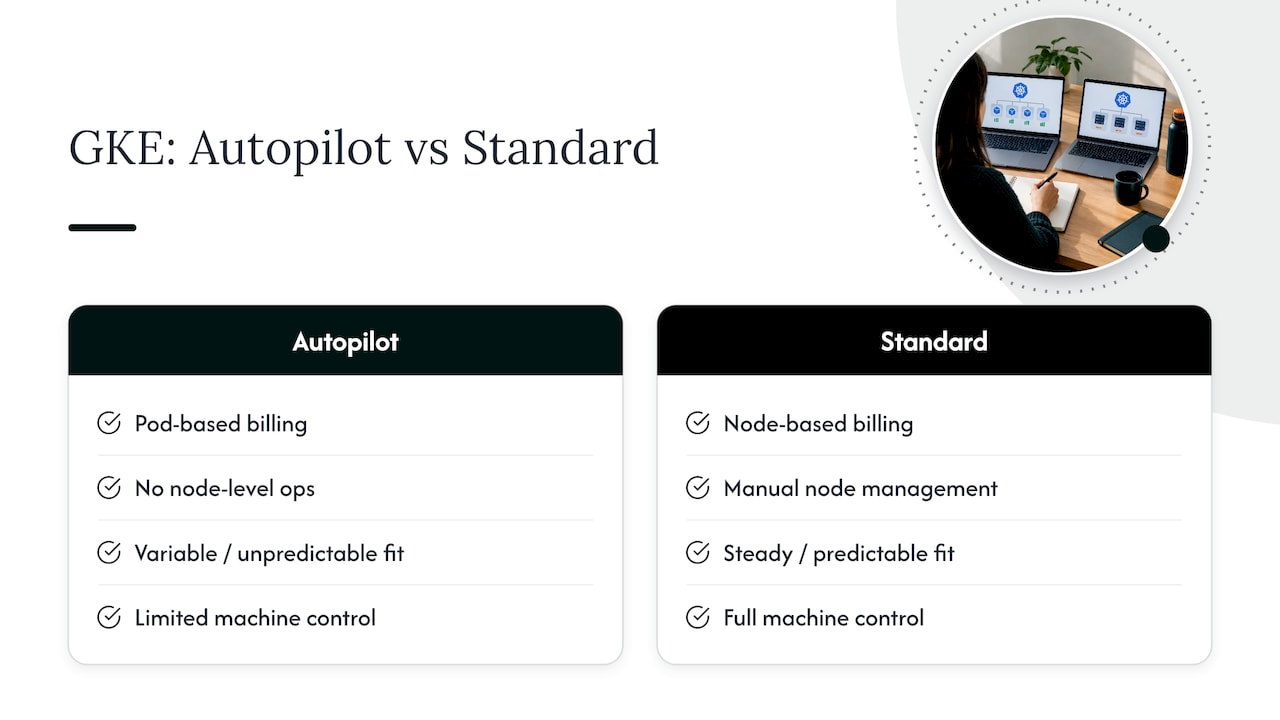
Autopilot and Standard mode produce genuinely different cost curves depending on workload shape. Autopilot’s pod-based billing means you pay for exactly what you request, which suits teams with variable or unpredictable workloads where manual node management would mean constant over-provisioning. It also removes node-level operational overhead, which is itself a cost saving measured in engineering hours rather than invoice dollars.
Standard mode’s node-based billing suits workloads with steady, predictable utilization where you can bin-pack tightly and extract more value per node than Autopilot’s per-pod model would allow. Teams running large batch or GPU-heavy workloads often prefer Standard because it gives direct control over machine types, node pool composition, and Spot allocation strategy.
Google Cloud’s documentation on cluster modes describes a middle path: running Autopilot-style ComputeClasses inside a Standard cluster, which lets a team keep Standard’s control while adopting Autopilot’s automated provisioning for specific workload classes.
As a general pattern, start new or uncertain workloads on Autopilot to avoid under-provisioning risk, and migrate to Standard once usage is predictable enough that manual tuning produces a lower bill than Autopilot’s convenience premium. Mixed estates, common in larger organizations, often run both: Autopilot for variable services, Standard for steady-state, high-volume workloads where every percent of bin-packing efficiency compounds across thousands of nodes.
Integrating third-party cost optimization tools with GKE
Native GKE tooling covers recommendations and allocation, but it stops short of automated remediation and cross-cloud correlation, which is where third-party platforms typically add value. The integration points worth evaluating are the billing export, the Kubernetes API for live resource state, and your identity and access layer for scoping what a third-party tool is allowed to change automatically.
Start by deciding which actions you want automated versus which require a human approval step. Deleting an unattached disk is low risk and a reasonable candidate for automation; changing production resource requests on a customer-facing service usually isn’t, at least not without a canary window first.
Any third-party tool should read from the same BigQuery billing export and cost allocation data you’ve already enabled, rather than maintaining a separate estimate that can drift from your actual invoice. Verify savings claims against invoice-level billing rather than the tool’s own dashboard, since estimated savings and realized savings aren’t always the same number.
For teams managing multiple cloud providers alongside GKE, a platform that unifies visibility across Google Cloud, AWS, and Azure avoids the fragmentation of running a separate point tool per provider. That consolidation is also where managed FinOps services tend to earn their keep: fewer dashboards, one source of truth for spend, and a single team accountable for acting on what the data shows.
Monitoring and alerting setups focused on cost anomalies in GKE environments
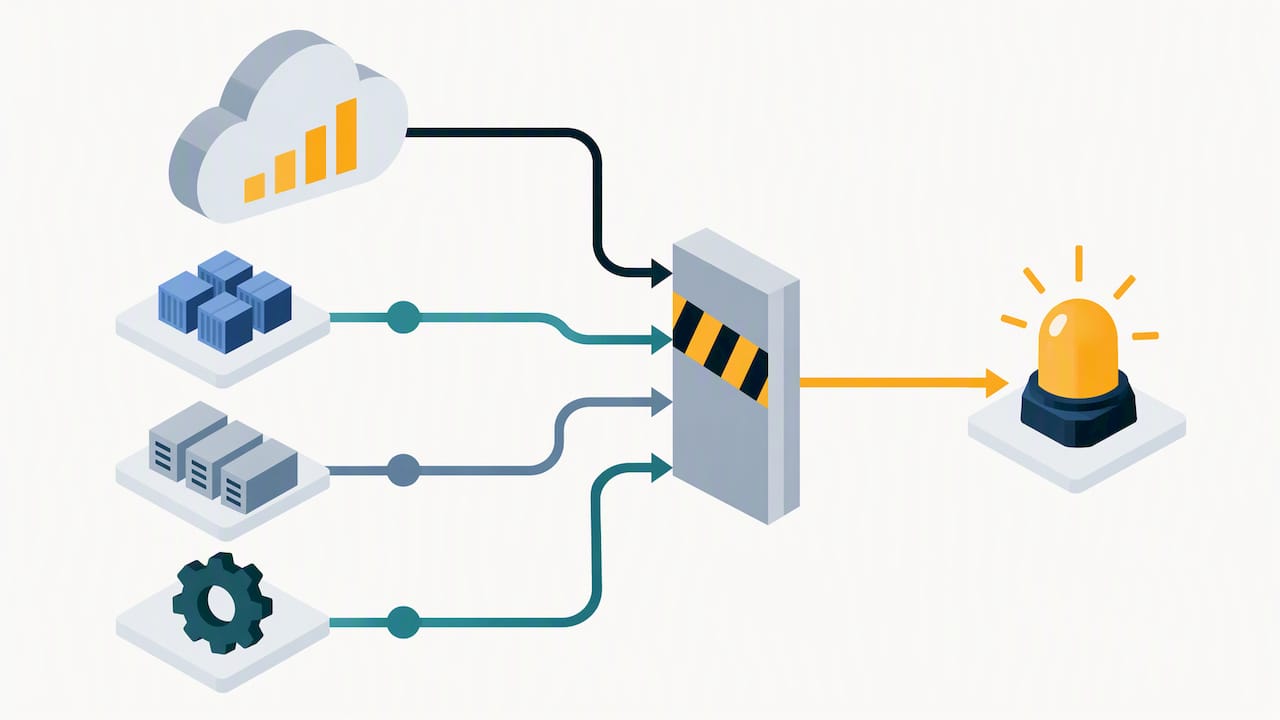
Cost anomalies rarely announce themselves. A misconfigured autoscaler, a forgotten load test, or a runaway logging sidecar can double a namespace’s spend days before anyone notices in the monthly review. The fix is treating cost like any other signal: with thresholds, alerts, and an owner.
Start with budget alerts at the project and, where supported, the label level, set at a percentage of expected monthly spend rather than a flat dollar figure, since that scales naturally as usage grows.
Route cost alerts to the same on-call or Slack channel your engineering team already watches for reliability alerts, rather than a separate finance-only channel that gets checked weekly. A spend spike caught within a day is a configuration fix; the same spike caught at month end is a line item in a postmortem.
Build dashboards that pair cost with the Cloud Monitoring metrics that usually explain it: pod count, node count, and autoscaler scaling events over the same time window. That pairing turns “cost went up” into “cost went up because the Cluster Autoscaler added eight nodes at 2 AM,” which is an actionable finding instead of a mystery.
Finally, review anomaly alert thresholds quarterly. A threshold tuned for last year’s traffic produces noise or silence as your workloads grow, and either failure mode erodes trust in the alerting system faster than having no alerts at all.
Author perspective: pragmatic trade-offs and when reliability outranks cost
Cost optimization that causes an outage isn’t optimization, it’s a trade you made without asking the business first. I favor automation for toil, like disk cleanup or scheduling, but I keep a human in the loop for anything touching production resource limits. My red flag checklist: no staging test, no rollback plan, and no clear owner if it breaks.
— Dan
How EverythingCloud supports continuous GKE optimization
We built our platform so teams don’t have to choose between DIY cost control and reliability. Beyond GKE-native tooling, we provide continuous, cross-cloud visibility and automate the low-risk fixes while our Managed FinOps specialists handle the judgment calls your playbook flags as higher risk.
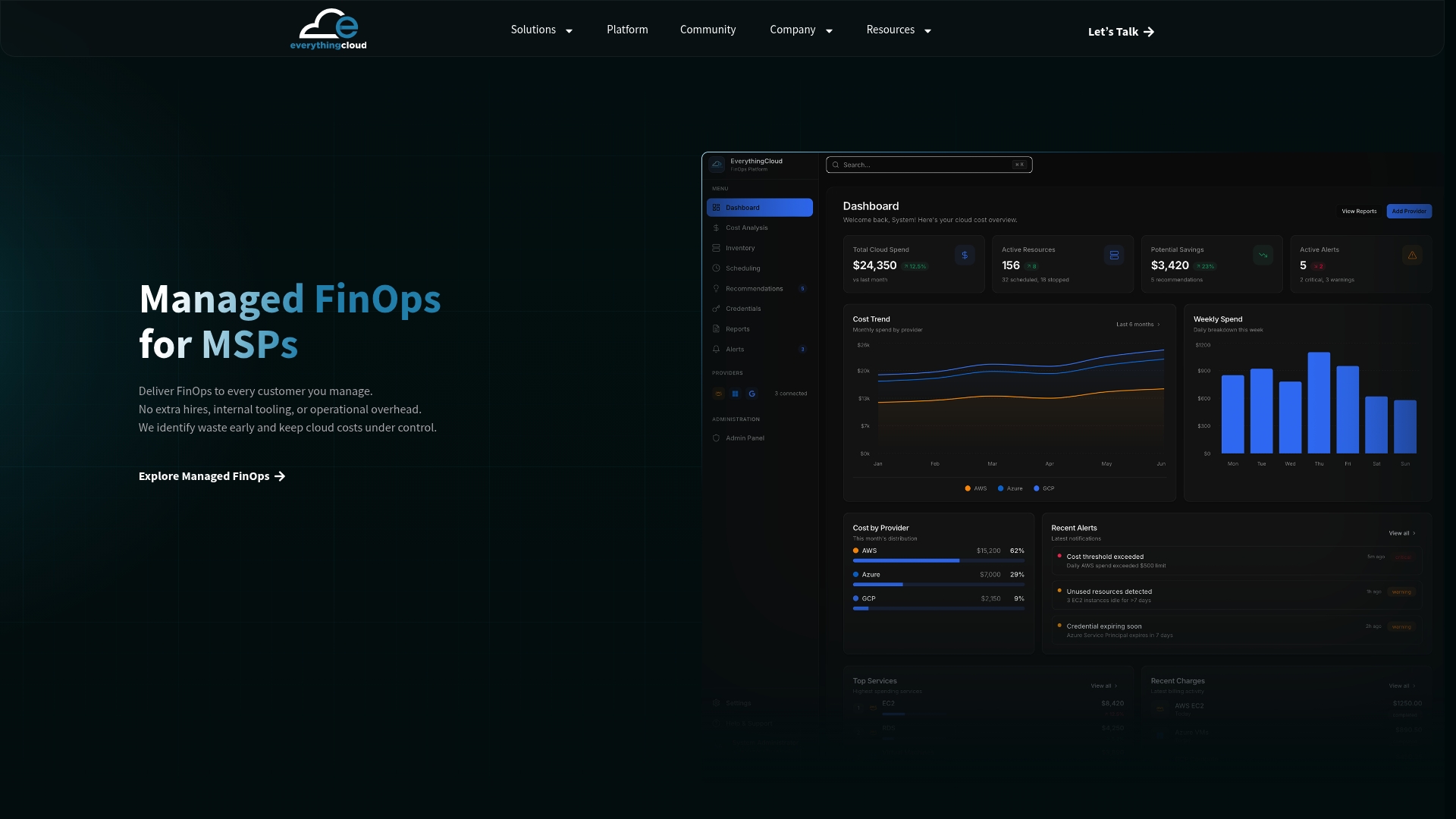
- Continuous Cloud Optimization for ongoing, automated spend management
- Managed FinOps for teams that want expert oversight without hiring in-house
- Founding Partner Membership, at $500 per month, for MSPs ready to launch managed FinOps services under their own brand
If your next step is seeing what continuous optimization looks like for your own environment, start with our Continuous Cloud Optimization page.
FAQ
How expensive is GKE?
GKE cost depends on cluster mode: Autopilot bills per pod resource request plus a $0.10 per hour cluster management fee, while Standard bills per provisioned node plus the same management fee, according to Google Cloud’s pricing page. Actual spend varies widely by workload size, region, and discount mix, so there’s no single “typical” bill.
How do I optimize GCP cost beyond GKE?
The same core levers apply across Google Cloud: rightsize compute based on observed usage, commit to predictable baseline load through committed use discounts, and turn on billing export and cost allocation so every team can see what it spends. A broader cross-service approach is covered in this CIO playbook on IT cost savings.
What is Kubernetes cost optimization?
Kubernetes cost optimization is the ongoing practice of matching compute, storage, and network spend to actual workload demand, using autoscaling, rightsizing, discount commitments, and cost visibility tooling. It’s a continuous process rather than a one-time cleanup, since workloads and traffic patterns keep shifting. Our broader Kubernetes cost optimization guide covers the practice beyond GKE specifics.
How does GKE cost allocation work?
GKE cost allocation attributes spend to clusters, namespaces, and labels once you enable it and link the detailed billing export to BigQuery. The export only captures data from the date you enable it forward, since Google Cloud’s documentation confirms it is not backfilled.
Sources
- Google Kubernetes Engine pricing | Google Cloud
- Structure of Detailed data export | Cloud Billing | Google Cloud Documentation