
The fastest savings come from stopping idle resources, rightsizing compute, moving EBS from gp2 to gp3, shifting eligible workloads to Savings Plans, Spot, and fixing data transfer waste. Quick wins alone can trim a meaningful slice off a monthly bill within weeks, but the larger, lasting reductions come from a phased program paired with ongoing measurement. Without governance, the savings tend to erode within a quarter or two.
TL;DR:
- Stopping non-production resources outside business hours and deleting unattached volumes can yield quick savings within days.
- Rightsizing compute workloads with AWS tools and shifting to Spot Instances and Graviton can significantly reduce ongoing costs.
- Migrating gp2 volumes to gp3, using S3 lifecycle rules, and automating orphan cleanup can cut storage expenses by up to 20 percent or more.
- Auditing and optimizing data transfer by routing through VPC endpoints and implementing caching reduces unpredictable egress charges.
- Implementing continuous monitoring, automated actions, and phased long-term planning prevents cost erosion and achieves savings of up to 39 percent over 12 weeks.
Table of Contents
- Quick wins you can implement this week
- Rightsizing, Spot, and Graviton for compute savings
- Storage optimizations that cut EBS and S3 spend
- Fixing data transfer and networking waste
- Using Savings Plans and Reserved Instances without overcommitting
- Automating monitoring so savings do not drift back
- A reproducible three-phase roadmap for lasting savings
- Optimizing Lambda and serverless function costs
- Reviewing AWS Glue and data pipeline costs
- Using Trusted Advisor and third-party tools for ongoing recommendations
- Tagging strategy for cost allocation and accountability
- Extending Savings Plans beyond EC2
- Rightsizing or moving databases to serverless
- Why continuous FinOps beats a one-time cleanup
- Turning this playbook into an ongoing practice
- FAQ
- Sources
Quick wins you can implement this week
Before any architectural change, clear the obvious waste. These steps carry low risk and often pay back within days.
- Schedule or stop non-production EC2 and RDS instances outside business hours. A dev environment running 10 hours a day instead of around the clock saves a significant percentage of its weekly runtime charges, according to AWS Well-Architected guidance.
- Delete unattached EBS volumes and prune snapshots nobody references anymore.
- Migrate gp2 volumes to gp3 for a cost and performance gain, covered in detail below.
- Turn on S3 Intelligent-Tiering and add lifecycle rules for objects that age out of frequent access.
- Remove idle load balancers and release unattached Elastic IPs that are quietly billing by the hour.
- Shift CI/CD runners, batch jobs, and other fault-tolerant workloads to Spot Instances.
Pro Tip: Run this checklist monthly, not once. Idle resources reappear as teams spin up test environments and forget to tear them down.
Rightsizing, Spot, and Graviton for compute savings
Compute is usually the largest line item, and it is also where recommendations go stale the fastest. Start with AWS’s own tools before reaching for anything else.
- Run Compute Optimizer and the Resource Optimization report in Cost Explorer to identify underutilized instances.
- Treat the recommendations as a starting point, not a mandate: validate against peak traffic windows before downsizing anything customer-facing.
- Build Auto Scaling groups that blend Spot and On-Demand capacity, with Spot handling the elastic portion of fault-tolerant workloads.
- Diversify instance types and sizes within a Spot fleet to reduce the odds of simultaneous interruption.
- Plan a Graviton migration with multi-architecture container images, A/B test performance against your current fleet, and keep a rollback path ready.
Pro Tip: Migrate the least critical service to Graviton first. It gives you real performance data before you touch anything customer-facing.
Storage optimizations that cut EBS and S3 spend
Storage waste accumulates quietly because nobody owns cleanup as a job. A structured pass through EBS and S3 usually finds cost that has been sitting there for months.
- Inventory every gp2 volume, snapshot it as a rollback point, and migrate to gp3, which typically cuts storage cost per GiB by about 20% while letting you tune IOPS and throughput independently instead of paying for performance you do not use.
- Phase the migration through non-production volumes first, then monitor CloudWatch metrics before touching production.
- Use S3 Storage Lens to see which buckets are driving spend, then apply Intelligent-Tiering and lifecycle rules that move cold data into archival tiers automatically.
- Automate orphan snapshot and unattached volume cleanup, but gate it with an approval step so nothing gets deleted that a team still needs.
A deeper walkthrough of tiering and lifecycle rules lives in our S3 cost optimization playbook.
Fixing data transfer and networking waste
Data transfer charges are some of the hardest line items to diagnose because they rarely show up where the traffic originates.
- Audit NAT gateway usage and inter-AZ or inter-region traffic through the Cost and Usage Report and VPC Flow Logs to find where egress is piling up.
- Add Gateway VPC endpoints for S3 and Interface endpoints for ECR so traffic to those services skips the public internet entirely.
- Put CloudFront in front of static content, and evaluate caching for APIs that get hit repeatedly with the same requests.
Our guide to cutting data transfer costs ranks these fixes by return on effort if you want a deeper sequence to follow.
Using Savings Plans and Reserved Instances without overcommitting
Commitment discounts are where a lot of AWS spend either gets optimized well or quietly wasted. AWS’s own cost optimization guidance notes that Savings Plan discounts can reach significant levels and Instance Savings Plans can offer even higher discounts compared with On-Demand pricing, so the upside is real, but so is the risk of committing to usage that shifts.
- Compute Savings Plans apply flexibly across instance families and regions; EC2 Instance Savings Plans go deeper on discount but lock you into a specific family and region.
- Set a coverage target in the 80% to 90% range rather than chasing 100%, and buy in small monthly one-year increments to track usage growth without overcommitting.
- Use Effective Savings Rate as your governing metric.
The Effective Savings Rate (ESR), as defined by the FinOps Foundation, measures the real return a commitment is delivering against On-Demand pricing. It is the number that tells you whether to buy more, hold steady, or let a commitment lapse, rather than guessing from coverage percentage alone.
More on structuring these purchases is in our Savings Plans guide and our RI versus Savings Plans comparison.
Automating monitoring so savings do not drift back
Manual cost reviews catch problems weeks after they started costing money. Automation catches them the same day.
- Query the Cost and Usage Report and Cost Explorer’s CLI on a schedule rather than relying on someone remembering to log in.
- Turn on AWS Cost Anomaly Detection and AWS Budgets so unexpected spend triggers an alert instead of a surprise invoice.
- Automate the safe, repeatable actions, scheduling, lifecycle transitions, small recurring Savings Plan purchases, but put a review gate and a Slack or email alert in front of anything irreversible.
- Add a cost review to sprint planning and define who has authority to approve a new commitment above a set dollar threshold.
Pro Tip: Route anomaly alerts to the engineering channel that owns the resource, not a shared finance inbox nobody checks daily.
A reproducible three-phase roadmap for lasting savings
A documented AWS case study describes one SaaS organization that reduced its AWS bill by 39% over 12 weeks by sequencing changes in order of risk rather than tackling everything at once.
- Weeks 1 to 4: Low-risk, high-impact fixes, instance scheduling, deleting idle resources, S3 tiering, NAT and endpoint corrections.
- Weeks 5 to 8: Architectural changes, rightsizing, load balancer consolidation (particularly in Kubernetes environments where many services each provision their own balancer), Graviton migration, and the gp2 to gp3 shift.
- Weeks 9 to 12: Automation and governance, Savings Plan coverage tuning, anomaly detection, and locking the gains in with recurring review.
Teams running Kubernetes will find the load balancer consolidation details in our Kubernetes cost optimization guide.
Optimizing Lambda and serverless function costs
Lambda bills are driven by two variables: how often a function runs and how much memory it is allocated. Most over-spending comes from over-provisioned memory rather than invocation volume itself.
Start by reviewing memory allocation against actual usage reported in CloudWatch. Lambda bills for memory in fixed increments, and a function provisioned at 1,024 MB that only uses 256 MB is paying for memory it never touches. AWS Lambda Power Tuning, an open-source tool, runs a function at multiple memory settings and reports the cost and duration tradeoff for each, which usually finds a cheaper setting than the default.
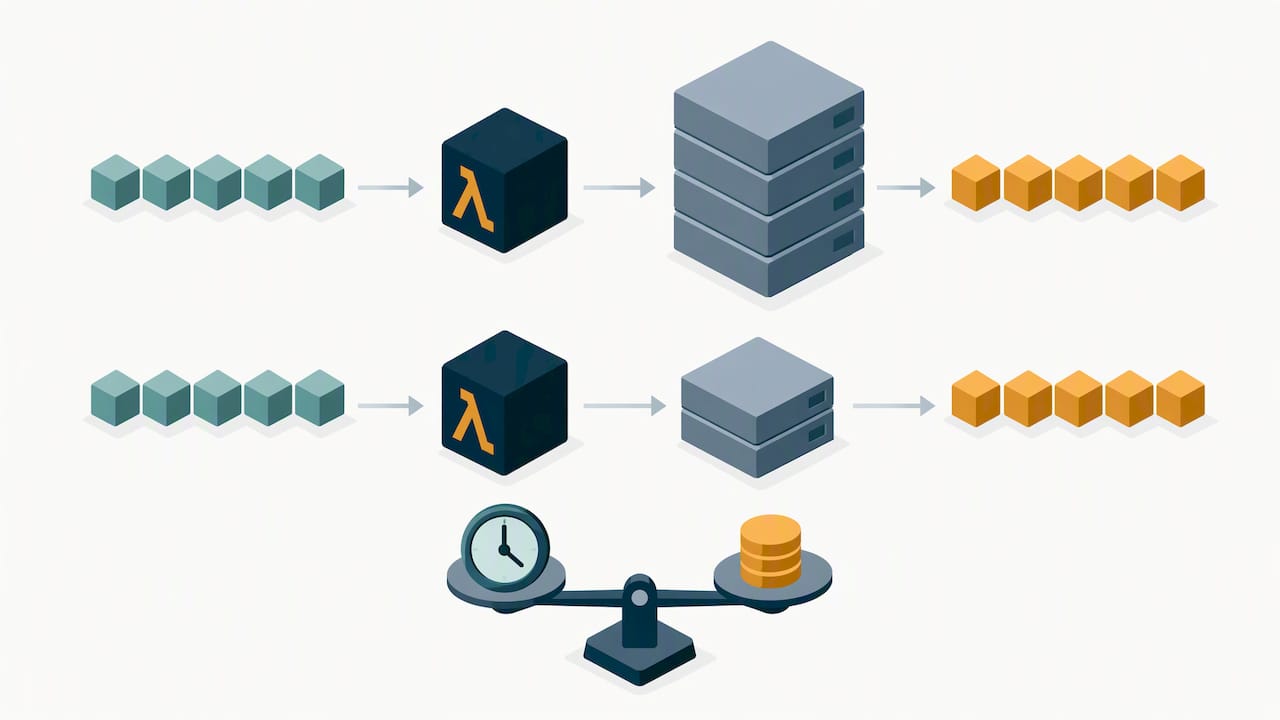
Invocation frequency matters just as much. Functions triggered on every API request or every object upload can often be batched or debounced, especially for non-urgent processing like log aggregation or thumbnail generation. Combining several small, frequently triggered functions into fewer, slightly larger invocations reduces the fixed per-invocation overhead that adds up at scale.
Cold starts also factor into cost indirectly: a function provisioned with more memory than it needs just to shorten cold start time is paying a premium for a problem that provisioned concurrency or a runtime change might solve more cheaply. Review this trade carefully before over-allocating memory as a blanket fix.
Reviewing AWS Glue and data pipeline costs
Glue jobs bill by Data Processing Unit hours, and the two levers that matter most are worker configuration and schedule frequency. A job set to run every 15 minutes because that was the default during initial setup, but that only needs hourly refreshes, is paying for 3 times the runs it needs.
Review worker type and count against actual job duration. Glue’s auto-scaling feature adjusts workers mid-job based on load, which avoids the common mistake of provisioning for peak volume on every run. For jobs with predictable, lighter workloads, Glue’s flexible execution class can run at a lower priority and cost in exchange for a longer completion window, a reasonable trade for overnight ETL that nobody is waiting on.
Audit job scheduling the same way you would audit EC2 runtime. Pipelines built incrementally over time often inherit schedules nobody revisits, and consolidating related jobs into fewer, better-tuned runs usually cuts both compute time and the per-job overhead that comes with job startup.
Using Trusted Advisor and third-party tools for ongoing recommendations
AWS Trusted Advisor’s cost optimization checks flag idle load balancers, low-utilization EC2 instances, and underused RDS instances directly inside the console, and the AWS Cost Optimization Hub consolidates rightsizing, Graviton, and commitment recommendations into one view, ranked by estimated savings and implementation effort.
These native tools are a solid starting point, but they report recommendations. They do not execute them, track whether a recommendation was acted on, or account for the operational judgment needed to decide whether a flagged instance is actually safe to resize. Third-party platforms that add automated execution, cross-account visibility, and ongoing governance close that gap for organizations managing more accounts than a team can review by hand every week.
Tagging strategy for cost allocation and accountability
Cost reports are only as useful as the tags behind them. Without consistent tagging, a bill showing a spike has no obvious owner, and nobody moves fast to fix it.
Build a small, mandatory tag set: environment, team or cost center, and application or service name, enforced at resource creation through policy rather than hoped for after the fact. AWS’s own tagging guidance warns against high-cardinality tags, values that are nearly unique per resource, because they make reporting unwieldy instead of clearer.
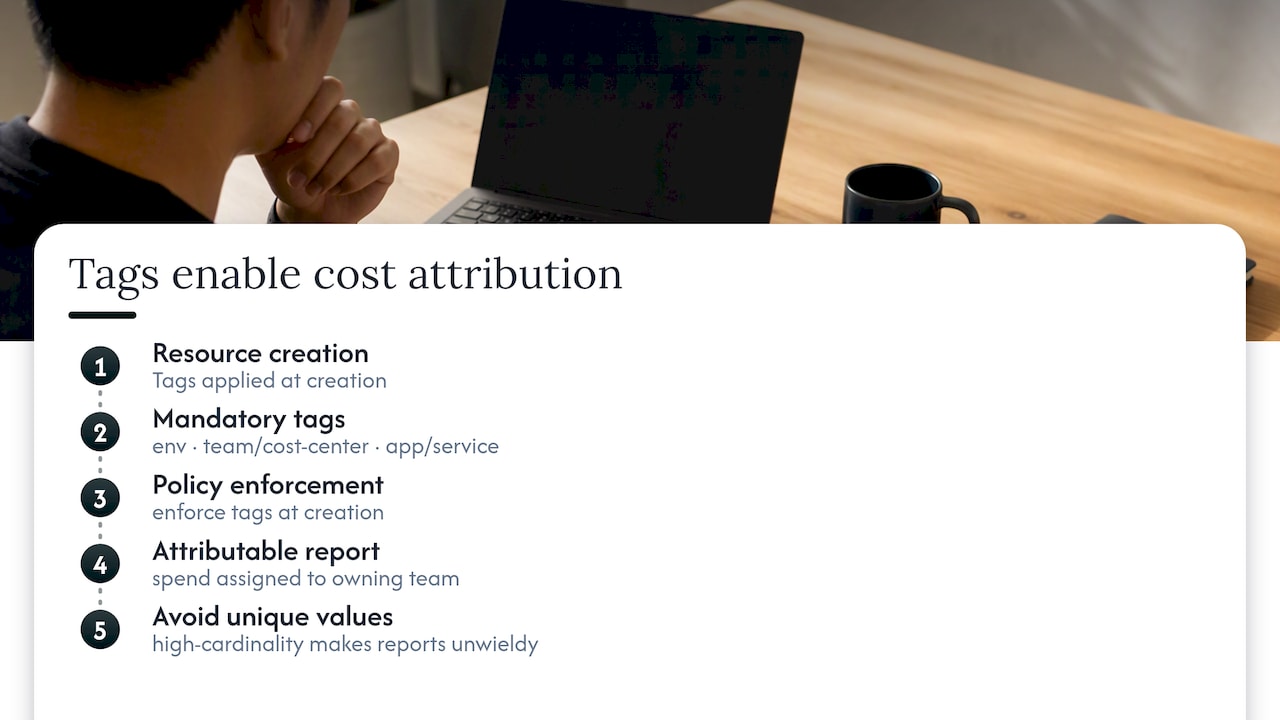
Once tags are consistent, cost allocation reports can attribute spend to the team that owns it, which turns a vague “AWS is expensive” conversation into a specific one about which service is driving the number.
Extending Savings Plans beyond EC2
Compute Savings Plans are not limited to EC2. They apply automatically to Fargate and Lambda usage as well, which means a commitment sized only against EC2 spend is leaving discount on the table if the organization runs meaningful serverless workloads.
Before buying a Savings Plan, pull usage across EC2, Fargate, and Lambda together rather than EC2 alone. A team running a mixed architecture, EC2 for stateful services, Fargate for containerized APIs, Lambda for event-driven jobs, gets a stronger discount rate by committing against total blended compute usage than by treating each service as a separate purchasing decision.
Rightsizing or moving databases to serverless
Database instances are frequently sized for a peak load that happens once a month, then billed at that size every hour in between. Aurora Serverless v2 scales capacity up and down automatically based on actual load, billing per Aurora Capacity Unit consumed rather than for a fixed instance size sitting idle most of the time.
This fits workloads with variable or unpredictable traffic better than steady, high-utilization production databases, where a well-sized reserved instance still wins on cost. Review actual CPU and connection patterns over at least a few weeks before deciding, since a database that looks idle on average but spikes hard during a known event may still need provisioned capacity to handle that spike reliably.
Why continuous FinOps beats a one-time cleanup
A cost review is a snapshot. Teams ship new services, spin up test environments, and forget to clean up, and six months later the same waste has quietly rebuilt itself. Continuous measurement, with Effective Savings Rate and unit economics as the ongoing KPIs rather than a point-in-time audit, is what keeps engineering and finance looking at the same numbers.
— Dan
Turning this playbook into an ongoing practice
Every step above is something your team can do manually. The harder part is doing it every month, across every account, without it becoming someone’s unpaid second job. EverythingCloud’s Continuous Cloud Optimization platform monitors AWS spend around the clock, automates the safe actions (scheduling, lifecycle transitions, rightsizing execution) instead of just recommending them, and ties savings back to invoice-level billing so you can see what actually changed.
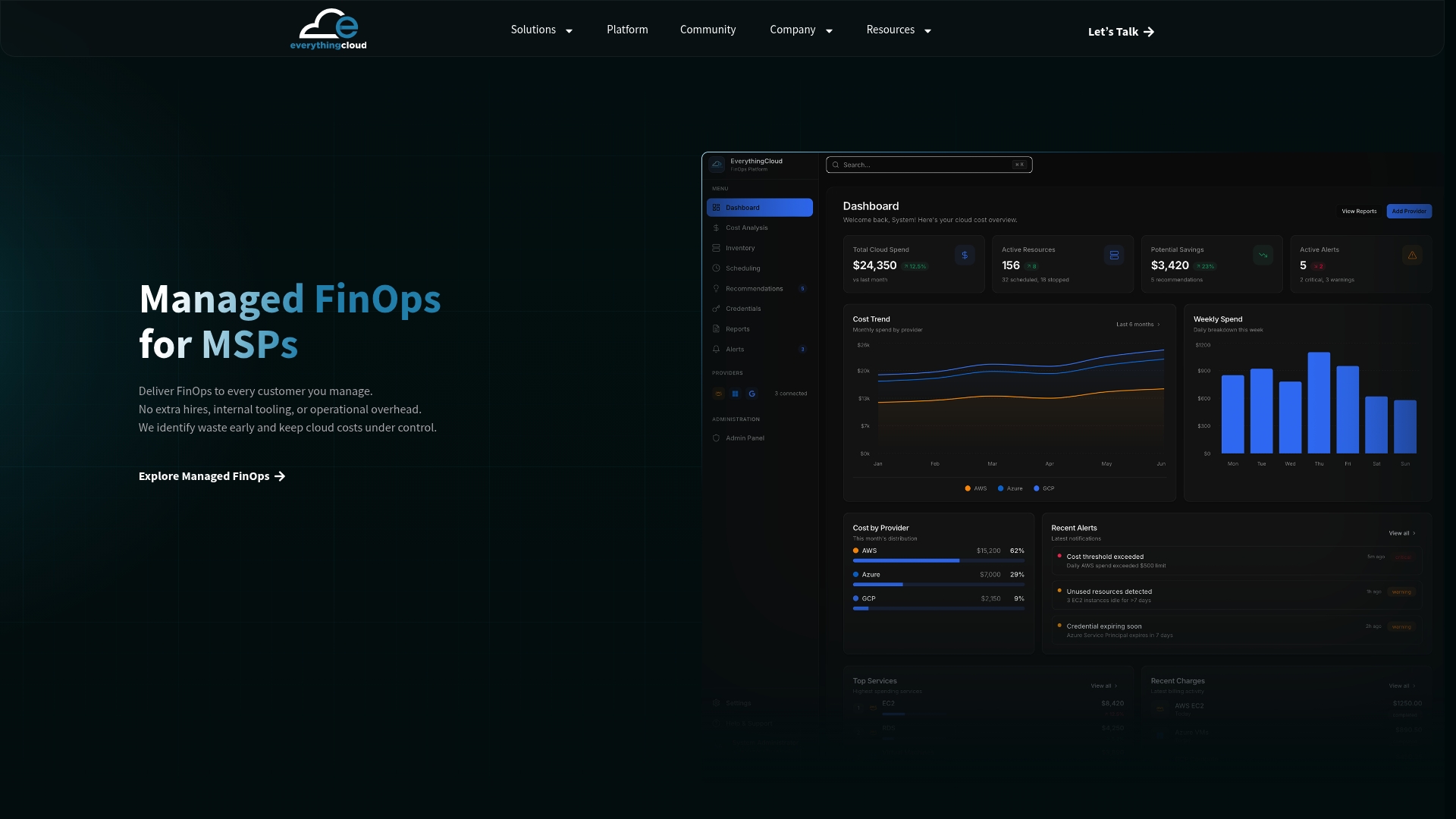
For organizations that want the work done for them, our Managed FinOps service pairs the platform with expert oversight. MSPs looking to offer this to their own clients can explore the Founding Partner Membership to launch a managed FinOps practice without building the tooling in-house. Check availability for your environment through EverythingCloud.
FAQ
How do I reduce AWS charges?
Start with the highest-return, lowest-risk changes: stop idle non-production resources, delete unattached EBS volumes, and migrate gp2 volumes to gp3 for an immediate cost reduction per GiB. From there, layer in Savings Plans, Spot Instances for fault-tolerant workloads, and automated monitoring so the savings hold.
Is there a cheaper alternative to AWS?
AWS competes directly with other major cloud providers on price, and the cheaper option depends heavily on your specific workload, region, and committed usage. For most organizations already running on AWS, the larger opportunity is optimizing current spend through rightsizing, commitment discounts, and automation rather than migrating providers.
What is the AWS tool for cost optimization?
AWS offers several native tools: Cost Explorer for analysis, Compute Optimizer for rightsizing recommendations, Trusted Advisor for broader checks, and the AWS Cost Optimization Hub to consolidate recommendations by estimated savings. Many organizations pair these with a continuous optimization platform to automate execution rather than just surfacing suggestions.
How much can I realistically save on AWS?
Savings vary by starting point, but a phased program that sequences quick wins, architectural changes, and automation has reduced one organization’s bill by 39% over 12 weeks. Results depend on how much waste exists today and how consistently the savings are measured and maintained afterward.
What is Effective Savings Rate and why does it matter?
Effective Savings Rate (ESR) is the FinOps Foundation’s metric for measuring the real discount a commitment delivers against On-Demand pricing. It matters because coverage percentage alone can hide a commitment that is not actually saving as much as expected, while ESR shows the true return.
Sources
- AWS Well-Architected: Cost Optimization pillar
- Migrate Amazon EBS volumes from gp2 to gp3
- How to calculate Effective Savings Rate (ESR) — FinOps Foundation
- How one organization cut AWS costs by 39% in 12 weeks