
Fix custom metric cardinality and noisy logs first, then cap APM ingestion and match your host billing plan to how your fleet behaves. Use Datadog’s estimated usage metrics to find the hot spots, and expect them to differ from your invoice by roughly 10–20%. Pair each platform feature with governance and automation to help savings last.
TL;DR:
- Metrics without Limits can reduce average customer custom metric usage by up to 70% when teams retain only tags they query.
- The high watermark plan drops the top 1% of hourly host readings, while hybrid monthly and hourly billing suits fleets with fluctuating host counts.
- Configure up to three attribution tag keys before usage occurs; direct billing customers can review the month’s report by the 19th.
- The Agent targets 10 traces per second by default; cap ingestion with sampling, preserve errors and rare requests, and check RED metrics afterward.
- Set daily quotas for separate log indexes and alert at 80%, then verify dashboards and monitors before applying exclusions or converting logs to metrics.
Table of Contents
- What drives Datadog costs and where the surprises hide
- How Datadog pricing and plan mechanics change your optimization choices
- Measure and attribute usage before you act
- Custom metrics: find, govern, and reduce without losing visibility
- Log management: indexes, quotas, Log Optimizer, sampling, and archives
- APM tracing ingestion: sampling, ingestion reasons, and adaptive strategies
- From insight to action: Cloud Cost Recommendations, automations, and governance
- What we would do in the next 30 to 90 days
- How we help you make observability savings last
- FAQ
- Sources
What drives Datadog costs and where the surprises hide
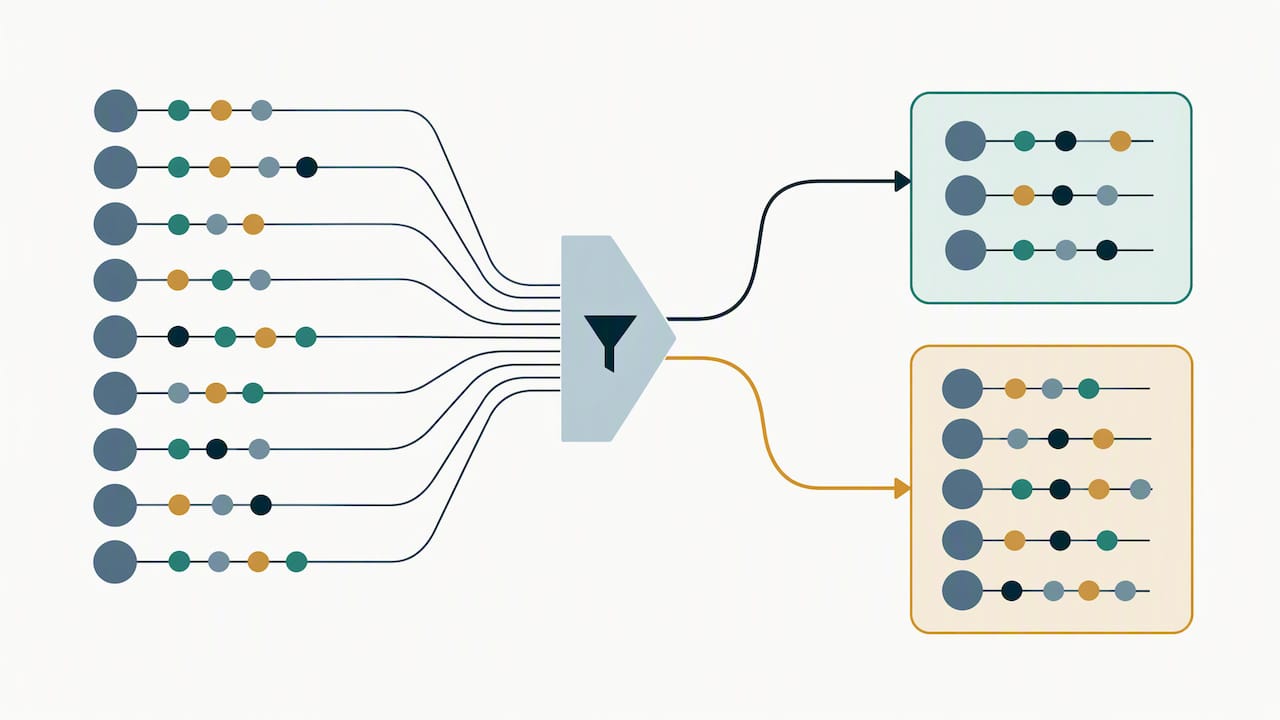
Datadog bills by unit, not by seat, so the first job is knowing which units your team is actually buying:
- Indexed log events, billed after indexing, not at ingestion
- Ingested and indexed spans from APM tracing
- Indexed custom metric points, driven by unique tag combinations
- Hosts and containers, metered hourly
- RUM sessions and profiled containers
Cardinality is the quiet multiplier. One metric tagged with user ID, container ID and endpoint can fan out into thousands of billable series. Retention works the same way: logs kept in an index for 30 days cost more than logs kept for 7. Spikes matter too, because a deploy loop or a debug flag left on can inflate a month in a weekend.
Knowing the unit changes where you start. A team drowning in indexed logs gets little from host tuning, and a team with a stable fleet but exploding tags should ignore APM until metrics are under control.
Metrics without Limits™ can cut an average customer’s custom metrics usage by up to 70% on unqueried metrics, according to Datadog’s governance guidance, when you keep only the tags people actually query.
How Datadog pricing and plan mechanics change your optimization choices
Your host billing plan decides how much a usage spike costs you, so check it before you tune anything.
- High watermark plan: Datadog meters hosts hourly but bills on the maximum of the lower 99% of readings. That effectively drops the top 1% of hours, so a short burst may not reach your bill. Details are in the pricing documentation.
- Hybrid monthly/hourly plan: You pay a monthly minimum for committed hosts, plus hourly charges above that commitment. This suits ephemeral fleets, such as autoscaling or batch clusters, where the host count swings widely and a single peak would otherwise set the price.
- Commitments and discounts: These lower the unit rate but not the volume. Negotiate them after you have trimmed waste, not before, or you lock in a baseline that includes noise you could have removed.
A simple rule: use technical controls to shrink what you consume, then use the commercial levers to lower what each unit costs. Sequencing it the other way round often leaves you committed to volume you no longer need.
Measure and attribute usage before you act
You cannot cut what you cannot see. Start with Datadog’s near real-time estimated usage metrics, which let you alert on burn rate. Be aware that estimated usage typically differs from final billable usage by about 10–20%, and the margin can be wider for smaller accounts.
- Build dashboards for Top Custom Metrics, Top Indexed Logs and Ingested Spans by
ingestion_reason. - Create monitors on estimated usage metrics, using sum aggregation, so spikes alert someone promptly.
- Configure usage attribution tags before the usage happens. You can apply up to three tag keys, so choose keys that map to your cost-center hierarchy, as the tag tracking guide explains.
- Pull the month-end attribution report as CSV for chargeback.
For direct-billing customers, month-end cost attribution data is available no later than the 19th of the current month, which sets the cadence for your review meetings.
For spikes that start outside Datadog, our cloud cost anomaly detection playbook covers alerting patterns you can reuse.
Custom metrics: find, govern, and reduce without losing visibility
Custom metrics are usually the fastest win because so many of them are never queried. The approach is to find them, cut what nobody reads, and fence off the rest.
- Open Metrics Volume Management and sort by Top Custom Metrics. Start with the highest-cardinality names.
- Use Related Assets and Query Activity to spot metrics no dashboard, monitor or notebook touches.
- Apply Metrics without Limits™ tag configurations so you index only the tags you query. Preserved tags stay mathematically accurate.
- Restrict
metrics_tags_writepermission through RBAC so one engineer cannot change a tag configuration for the whole org. - Alert on cardinality spikes so a new tag does not quietly double a metric’s footprint.
- Keep a rollback note for every change: the original tag list and the date. Restoring tags is quick when someone says a graph went blank.
Pro Tip: Change tag configurations on the top ten offenders first and compare the usage curve a week later. A visible drop builds the trust you need to roll the practice out to every team.
Log management: indexes, quotas, Log Optimizer, sampling, and archives
Logs are where good intentions pile up, since everything logged feels useful at the time. A safe playbook follows the Datadog log management best practices:
- Split logs into several indexes by value and set a daily quota on each. Alert when an index reaches 80% of its quota so you hear about it before the cap hits.
- Review Log Optimizer recommendations. It evaluates indexed logs daily and suggests excluding, sampling or converting repetitive patterns into metrics, with volume and examples in a side panel.
- Apply a recommendation only after checking that no monitor or dashboard depends on the logs you are removing. Applying one creates an exclusion filter or logs-to-metrics conversion that takes effect immediately.
- Move low-value, rarely read data to Flex Logs, or archive it to S3 or GCS and use Archive Search for the occasional investigation.
Health checks, load balancer pings and verbose debug lines are the usual suspects. Turning a noisy counter into a metric keeps the signal and drops the per-event cost.
Pro Tip: Sample before you exclude. Keeping a sample of repetitive logs gives you evidence for debugging while reducing the volume.
APM tracing ingestion: sampling, ingestion reasons, and adaptive strategies
Tracing costs follow volume, and most services trace far more than anyone reads. Start by understanding what is being kept and why.
- Every ingested span carries an
ingestion_reasontag. The Agent applies head-based sampling by default and targets 10 traces per second, and it supports remote configuration from version 7.42.0, per the ingestion mechanisms documentation. - On the Ingestion Control page, sort by Downstream Bytes/s to find the heavy services, and read the Traffic Breakdown column to see who drives the largest share, as described in the ingestion controls guide.
- Set
DD_APM_TARGET_TPSorDD_TRACE_RATE_LIMITto cap traces per second, and use adaptive or resource-based sampling so errors and rare requests still get through. - Watch the projected monthly ingestion figure after each change and confirm the RED metrics still look right.
Ingestion controls let you cut span volume while keeping RED metrics accurate, which is why sampling is a safer cut than switching tracing off for a service.
From insight to action: Cloud Cost Recommendations, automations, and governance
Finding savings is half the job. Someone has to own the fix and keep it from regressing.
Cloud Cost Recommendations refresh daily and fall into five categories: Terminate, Migrate, Downsize, Purchase and Configure. Each carries a Risk score and a Level of Effort score, so you can start with low-risk, low-effort wins and queue the harder ones. Automations include 1-click workflows, Jira tickets, and Slack or Teams approval steps, and snapshots before destructive changes keep execution safe.
A governance checklist that holds up:
- Apply attribution tags before usage occurs.
- Limit who can change metric tags, indexes and sampling rules through RBAC.
- Keep monitors running on estimated usage.
- Review the month-end attribution report as soon as it lands, by the 19th.
- Maintain a ranked remediation backlog with a named owner on each item.
For the amortized views that keep these reviews honest, see our AWS Cost Explorer guide.
Pro Tip: Assign every recommendation an owner and a date in the same meeting you review it. Unowned recommendations are the ones that expire unused.
What we would do in the next 30 to 90 days
Start with attribution and monitoring, because everything else depends on seeing who spends what. Then take on high-cardinality metrics and noisy logs, and only then iterate on APM sampling and automation. Avoid one-off cutbacks that strip out telemetry your on-call engineers need; validate each change on a dashboard and keep a rollback plan. Teams that want this run as a program rather than a project can lean on automation and managed FinOps to keep the cadence going.
— Dan
How we help you make observability savings last
We built our platform around continuous visibility, automated optimization actions and managed FinOps expertise. We do not stop at recommendations: we automate execution of optimization actions and verify savings outcomes against invoice-level billing. If your team wants a turnkey way to keep Datadog spend in check, talk to us about Managed FinOps or explore Continuous Cloud Optimization. MSPs can see how The Platform and our Founding Partner Membership support managed delivery. Current pricing details are on our website.
FAQ
Is Datadog pricing usage based?
Yes. Datadog bills by units such as hosts, indexed log events, spans and custom metrics rather than by user. Host plans differ in how they handle peaks, as the pricing documentation explains.
How accurate are Datadog estimated usage metrics?
They are close, but not exact. Datadog documents a typical difference of about 10–20% from final billable usage, with a larger margin for smaller accounts. Use them for trends and alerts, then reconcile against the invoice.
What is cost optimization for Datadog?
It means reducing the volume you ingest and index, matching your billing plan to your workload, and governing changes so savings persist. The highest-impact areas are custom metrics, logs and APM ingestion.
Is Datadog really expensive?
It can be, mostly because usage grows quietly. High-cardinality tags, noisy logs and unsampled traces are the usual causes, and each has a feature designed to control it.