
Good AWS tagging comes down to five habits. Keep a small schema tied to business dimensions. Standardize keys and capitalization. Prevent bad tags at creation. Detect drift continuously. Activate cost allocation tags early, because they are not retroactive. Most teams know this. Few hold to it once accounts, teams and clients multiply.
This guide covers what to tag, how to enforce it with native AWS controls, the billing traps that catch teams late, and what changes when you run more than one cloud or more than one customer.
TL;DR
- Start with a small required set of tags (owner, cost center, environment, application) and expand only when a real question needs a new one.
- Tag keys are case-sensitive, so
CostCenterandcostcenterare two different keys. Pick one format and lock it with a tag policy. - Use all three layers: tag policies for the schema, service control policies (SCPs) to block untagged creation, and AWS Config to catch drift.
- Activate cost allocation tags in the Billing console on day one. They only categorize spend from activation forward.
- Tagging is never finished. Review coverage monthly and tie it to a cost allocation target.
Table of Contents
- Why tagging fails quietly
- Design a small schema first
- Enforce the schema in layers
- Make tags count on the bill
- A rollout plan that survives contact with teams
- Where tags pay off beyond reporting
- Tagging across multiple clouds and customers
- Our perspective: tagging is a control, not a cleanup project
- Put tagging governance on autopilot
- FAQ
- Sources
Why tagging fails quietly
Nobody decides to run untagged infrastructure. It happens one launch at a time. An engineer spins up a test cluster, a pipeline template predates the standard, a contractor uses a different spelling. Each gap is small. Together they become a block of spend nobody owns.
That is where margin starts to leak. For a finance team, untagged spend means showback reports with a large “unallocated” line. For an MSP, it means costs that cannot be attributed to a specific client, which erodes margin without any single bill looking wrong. Industry practitioners describe tagging as an extension of your naming convention and organizational structure, mapped to dimensions such as cost center, environment and application. When those dimensions are missing, cost becomes opaque.
Tags also do more than cost work. They drive automation, access control and incident response. Treating tagging as a finance chore is the first mistake. Treating it as shared infrastructure metadata is the fix.
Design a small schema first
AWS’s own guidance is to start small and iterate rather than launch a sprawling taxonomy. A schema nobody can remember is a schema nobody follows.
Begin by asking the teams who consume the metadata what they need. Finance wants to allocate cost. Security wants to know data sensitivity and owner. Operations wants to know what can be shut down at night. AWS prescriptive guidance makes the same point: understand your company and use-case structure first, then choose the tags.
A workable starting schema looks like this:
| Tag key | Purpose | Example value |
|---|---|---|
Owner |
Who answers for this resource | platform-team |
CostCenter |
Finance allocation | 100 |
Environment |
Lifecycle and scheduling | prod, staging, dev |
Application |
Workload grouping | checkout-api |
DataClassification |
Security and compliance handling | internal, restricted |
Five keys are enough to answer most “who spent this and why” questions. Add Project, Customer or ExpiryDate only when a specific report or automation needs them.
Limits to design around
AWS documentation states a maximum of 50 tags per resource, with keys up to 128 characters and values up to 256 Unicode characters. Fifty sounds generous until every tool, vendor and team adds its own. Reserve a namespace for your required keys and keep optional ones to a minimum.
Capitalization and delimiters
Tag keys and values are case-sensitive. CostCenter, costcenter and Costcenter are separate keys, and your reports will split spend across all three. Pick one convention (PascalCase for keys is common, lowercase with hyphens for values) and write it down. The convention matters less than the consistency.
Also avoid putting personal data or secrets in tags. The AWS Tag Editor guidance opens its best practices with exactly this kind of caution, because tags are visible to many services and users.
Enforce the schema in layers
A written standard is a request. Enforcement makes it real. AWS describes a dual model in its tagging best practices and strategies: proactive governance that stops non-compliant tagging, and reactive governance that finds what slipped through. You need both.
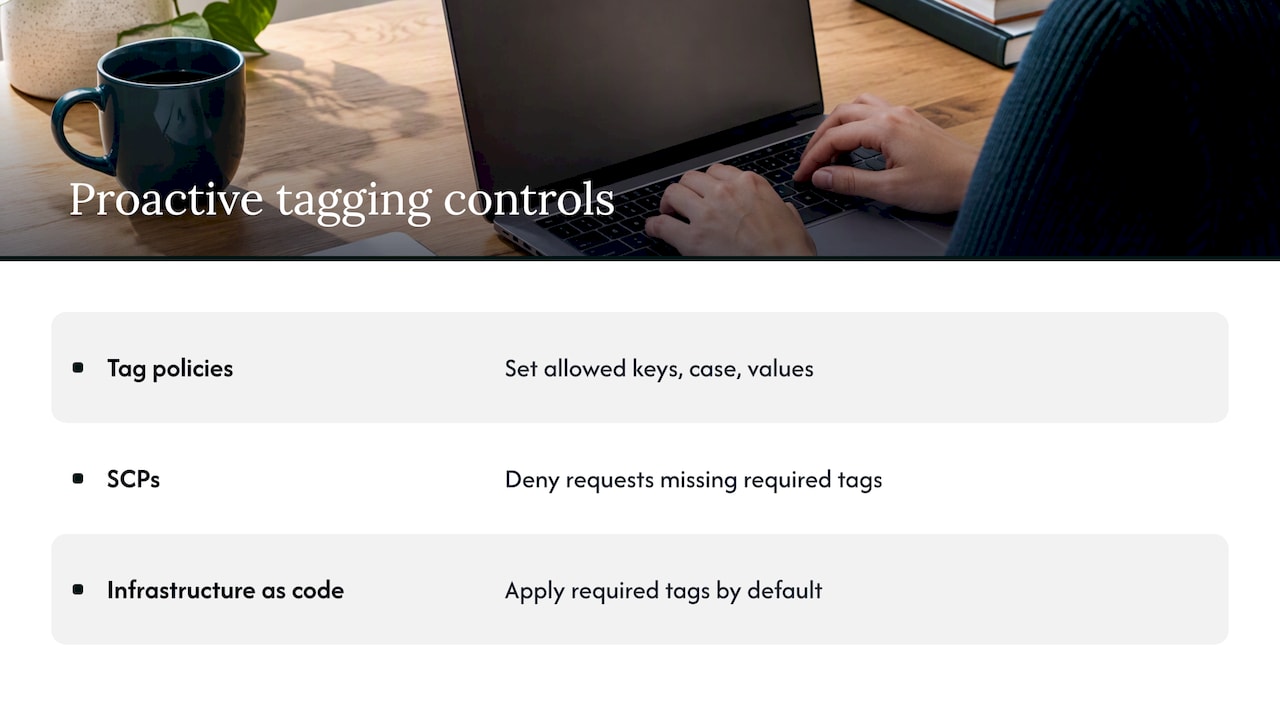
Proactive: tag policies, SCPs and infrastructure as code
Tag policies in AWS Organizations define the allowed keys, their exact capitalization and, optionally, allowed values. A policy can enforce tagging consistency through basic compliance rules and a required tag key capability, and runs in either reporting or enforcement mode. In enforcement mode, supported resources cannot be created with non-compliant tags.
Here is the shape of a tag policy, adapted from the AWS syntax examples:
{
  "tags": {
    "costcenter": {
      "tag_key": { "@@assign": "CostCenter" },
      "tag_value": { "@@assign": ["100", "200", "300*"] },
      "enforced_for": { "@@assign": ["secretsmanager:ALL_SUPPORTED"] }
    }
  }
}
The policy key (costcenter) identifies the statement, while the tag_key value (CostCenter) fixes the capitalization teams must use. The enforced_for list names the resource types where non-compliant tagging is blocked. Start in reporting mode, read the results, then move specific resource types to enforcement once teams have had time to fix their templates.
One gap to plan for: a tag policy governs how a tag is written, and it does not by itself guarantee that every resource carries the tag. That is where service control policies come in. An SCP can deny creation of a resource when a required tag is absent from the request. Using tag policies for the schema and SCPs for the presence requirement is the combination most multi-account teams settle on.
Infrastructure as code is the third proactive lever. If your CloudFormation or Terraform modules apply required tags by default, most resources are compliant before any policy checks them. Put the tag block in your shared modules so engineers inherit it rather than remember it.
The security side matters too. Attribute-based access control depends on tag precision, and AWS notes that inconsistent or permissive tagging can open access gaps. A sloppy Environment tag is a cost problem. A sloppy tag that grants permissions is a security problem.
If you want a second perspective on pairing preventive and detective controls, this overview of government website security and cloud compliance walks through the same proactive-versus-reactive logic in a regulated setting.
Reactive: AWS Config, Tag Editor and the Tagging API
Preventive controls only cover resources created after they exist, and only supported resource types. For everything else, detect.
The AWS Config required-tags rule checks whether resources carry the tags you specify. Its own example is checking that EC2 instances have a CostCenter tag. Run it across accounts, route findings to the owning team and track the noncompliant count over time. Tag Editor and the Resource Groups Tagging API let you search and bulk-fix tags on existing resources, which is how you clear a backlog.
Treat the noncompliant count as a metric with an owner, not an alert that fires and fades.
Make tags count on the bill
This is where well-tagged environments still produce confusing reports. Applying a tag to a resource does not put it in your cost data.
Per the AWS billing documentation, you must activate user-defined tags as cost allocation tags in the Billing and Cost Management console. A few details matter:
- Activation is required. An unactivated tag is invisible to Cost Explorer and cost reports.
- Activation is not retroactive. Spend is categorized from activation forward, so history before that date stays unallocated.
- New tags can take up to 24 hours to appear in reports.
- Each account can have up to 500 active cost allocation tag keys.
The practical rule: activate your required keys the day you define them, even before enforcement is complete. Every day you wait is a day of spend you cannot attribute later.
AWS-generated tags
AWS also applies tags such as createdBy to supported resources for cost allocation. According to the AWS-generated tags documentation, a management account owner must activate them in the Billing console, and they are applied on a best-effort basis. They are a useful backstop for finding who created something, not a substitute for your own owner tag.
From tags to allocation
Tags are the raw material. Allocation is the outcome. If you want to see how coverage translates into reporting, our walkthrough on reaching 90% allocation coverage with cost allocation tags covers the mechanics. For spend that tags cannot reach, such as shared services or untaggable line items, AWS Cost Categories can group costs by account or rule instead.
A rollout plan that survives contact with teams
Here is a sequence that works without freezing deployments.
- Agree on the five required keys. Get finance, security and engineering in one room. Settle names, capitalization and allowed values for
EnvironmentandCostCenter. - Activate those keys for cost allocation. Do this immediately so history starts accumulating.
- Publish tag policies in reporting mode. Read the compliance report and see which teams and resource types are furthest off.
- Bake tags into templates. Update shared IaC modules and pipeline defaults so new resources inherit the standard.
- Deploy Config rules. Report coverage by account and owner every month.
- Move to enforcement in stages. Start with production accounts and the highest-spend resource types, then add SCPs for required-tag presence.
- Backfill the backlog. Use Tag Editor and the Tagging API to fix existing resources, starting with the most expensive.
- Review quarterly. Retire unused keys and add new ones only when a report needs them.
AWS describes tagging as iterative, shifting from manual tagging to automated, policy-driven governance as complexity grows. That is the right mental model: the schema is a living standard.
Where tags pay off beyond reporting
Once the Environment tag is trustworthy, it unlocks automation. Non-production resources can be scheduled off outside working hours, which is one of the largest quick wins in most estates. Our guide to non-production scheduling shows how that works for FinOps teams and MSPs. For container workloads, tags and labels help you trace spend to namespaces and teams, a theme in our EKS cost optimization guide.
None of that works on a tag that is wrong 30% of the time. Accuracy beats volume.
Tagging across multiple clouds and customers
Cloud providers differ in vocabulary (AWS tags, Azure tags, Google Cloud labels) and in constraints. The HashiCorp well-architected guidance notes that AWS, Azure and IBM each maintain their own best practices, and that the concepts transfer across providers. So keep one schema with the same key names everywhere, and document the per-provider exceptions (character limits, case handling, supported resource types). If your business-level keys match, a single report can span clouds.
For MSPs, add one more dimension: the customer. A multi-tenant practice needs every resource attributable to one client, ideally through account structure first and tags second. Without that, you cannot answer “what does this customer cost us to serve?”, which is the question margin depends on.
Our perspective: tagging is a control, not a cleanup project
We see the same pattern repeatedly. A team runs a tagging cleanup, coverage climbs for a quarter, and then new resources arrive faster than anyone fixes them. The cause is almost never a missing tool. It is that tagging was treated as a project with an end date instead of an operating process with an owner.
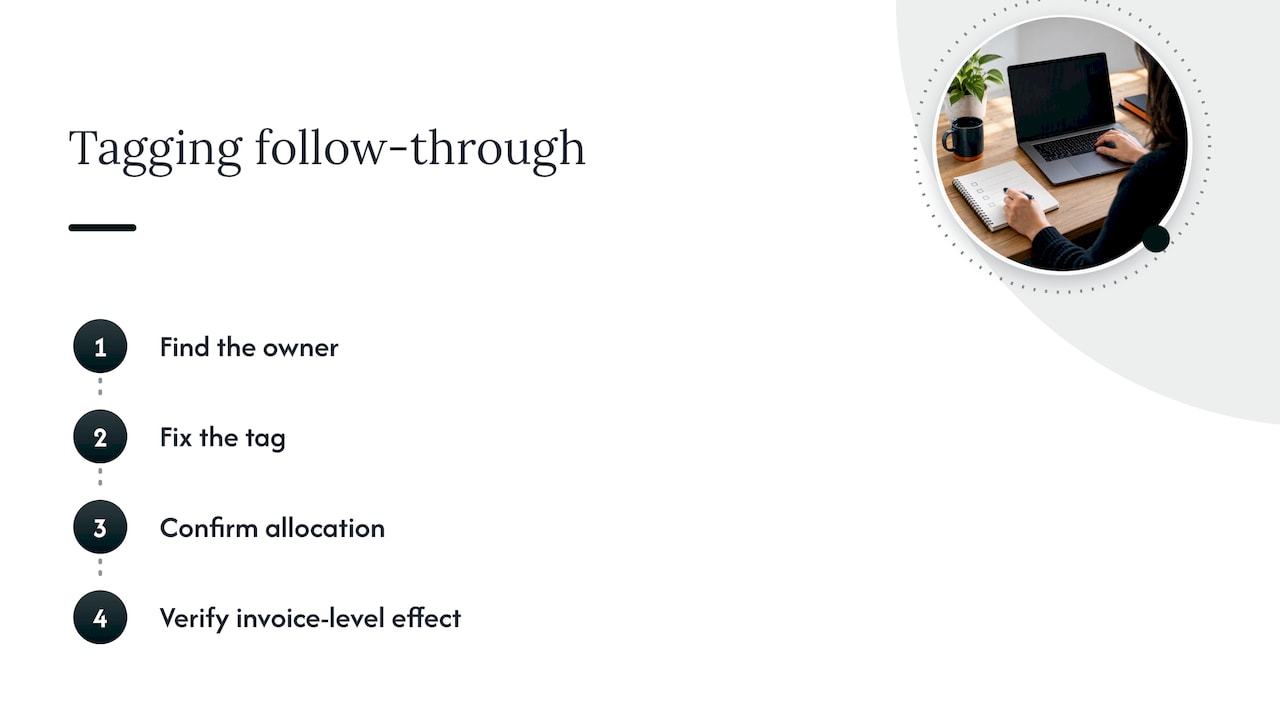
Our view is that a recommendation is only worth what happens after it. Knowing that 20% of spend is untagged does not shrink the gap. Someone has to find the owner, fix the tag, confirm the allocation and verify the effect against the invoice. That is why we focus on automating execution of optimization actions rather than only producing recommendations, and on verifying savings against invoice-level billing.
For MSPs the stakes are sharper. Unallocated spend is margin you cannot see. If tags are inconsistent across customer accounts, you cannot price, report or optimize with confidence, and the leak compounds quietly each month. Governance that lives inside a delivery process, with unified reporting across tenants, scales without adding headcount for every new customer.
If you take one thing from this guide, make it this: choose five tags, enforce them early, and measure coverage every month.
— Dan
Put tagging governance on autopilot
If your tagging standard exists but coverage keeps slipping, the gap is usually continuous execution. The EverythingCloud platform gives you real-time visibility into AWS, Azure, Google Cloud, SaaS and AI spend, with automated optimization actions and multi-tenant controls for MSPs. If you would rather have experts run it, our Managed FinOps service does the monthly work. MSPs building a FinOps practice can look at the Founding Partner Membership, listed at $500 per month.
FAQ
How many tags should a resource have?
AWS allows up to 50 tags per resource, but you should require far fewer. Five to eight mandatory keys cover most cost, ownership and security needs. Every extra required key adds friction and lowers compliance.
Do I need to activate tags for cost allocation?
Yes. User-defined tags appear in cost reports only after you activate them in the Billing and Cost Management console. Activation is not retroactive, and new tags can take up to 24 hours to show up, so do it as soon as you define the keys.
What is the difference between tag policies and SCPs?
Tag policies standardize how tags are written: key capitalization and allowed values. SCPs can deny actions, so teams use them to block creating resources that lack a required tag. Most multi-account setups use both, plus AWS Config to catch drift.
Can the same tagging strategy work across AWS, Azure and Google Cloud?
Yes, at the business level. Keep the same key names for owner, cost center, environment and application on every provider, and document differences in limits and terminology. Guidance such as the HashiCorp tagging framework notes the concepts apply across providers.
Sources
- Organizing and tracking costs using AWS cost allocation tags
- Using AWS-generated tags
- Tag Auto Scaling groups and instances
- Enforce tagging consistency, AWS Organizations
- Tag policy syntax and examples
- AWS Config required-tags rule
- Best practices and strategies, Tagging AWS Resources and Tag Editor
- Best Practices for Tagging AWS Resources
- Building your tagging strategy
- AWS prescriptive guidance: tagging best practices
- TechTarget: 6 steps to build a cloud tagging strategy
- HashiCorp: Create and implement a cloud resource tagging strategy