
Shadow IT SaaS discovery is the process of finding every SaaS and AI tool connected to your organization that IT never approved. The recommended approach is continuous, layered discovery that starts with identity and OAuth signals, then adds network, finance, and endpoint sources to close the gaps. Your first move today: pull the last 30 days of OAuth grants from your identity provider and see what shows up.
TL;DR:
- Over 90% of cloud applications used within organizations remain unidentified by IT, increasing risk from shadow SaaS and shadow AI.
- OAuth grants, especially from “Sign in with Google” or “Sign in with Microsoft” buttons, are the top detection points for shadow AI tools.
- Continuous discovery requires daily network log ingestion, weekly app inventory reconciliation, and quarterly finance reviews to stay effective.
- Integrating discovery signals into existing IT systems like CMDBs and ticketing tools is essential for making shadow app data actionable.
- Automation and data hygiene are crucial for maintaining an accurate inventory and timely classification of shadow SaaS and shadow AI applications.
Table of Contents
- What Do Shadow IT and Shadow AI Look Like in SaaS Environments?
- Why Does Shadow IT Discovery Matter Right Now?
- Layered Discovery Methods: What Each One Finds and Misses
- How Do You Turn Discovery Into a Continuous Program?
- How Do You Prioritize and Classify Discovered Apps?
- What Tooling Categories Belong in a Discovery Stack?
- Everythingcloud’s Approach to Continuous Discovery and Response
- How Do You Connect Discovery Tools to Existing IT Systems?
- What Are the Legal and Compliance Risks of Shadow IT?
- A 90-Day Plan From Discovery to Governance
- Get Continuous Discovery Without Building It Yourself
- Sources
- FAQ
What Do Shadow IT and Shadow AI Look Like in SaaS Environments?
Not every unapproved tool carries the same risk. Security teams typically sort SaaS usage into three buckets: sanctioned apps that IT vetted and provisioned, tolerated apps that nobody blessed but nobody has flagged as dangerous either, and prohibited apps that violate policy outright. The middle category is where most shadow IT actually lives, and it’s the one traditional audits miss most often.
Shadow AI behaves differently than classic shadow IT. A rogue project management tool usually shows up as a browser bookmark or a line item on a company card. A shadow AI tool might never touch a device at all. An employee pastes a document into a browser-based summarizer, connects a chatbot to a company Google Drive via OAuth, or calls a large language model API directly from a script. None of that leaves the footprint a traditional network scan or endpoint agent is built to catch.
The entry points are predictable once you know where to look. OAuth grants through “Sign in with Google” or “Sign in with Microsoft” buttons are the biggest one, because they require zero IT involvement and often request far more data access than the user realizes. Bring-your-own-device usage, expense-report purchases under $50 that never hit procurement, and browser extensions installed with one click round out the list. Each vector demands a different detection method, which is why single-method discovery programs consistently underperform.
Why Does Shadow IT Discovery Matter Right Now?
The scale problem is bigger than most IT leaders assume. By 2025, most organizations were running more than 1,000 cloud applications, while IT typically had visibility into fewer than 10% of them. That gap doesn’t shrink on its own. It compounds every time an employee signs up for a new tool with a work email and a company credit card.
The visibility gap in numbers: Over 1,000 cloud apps in active use at a typical mid-to-large organization, with IT aware of less than one in ten. That means the vast majority of app-level risk decisions are being made by employees, not security teams.
The consequences aren’t abstract. An unsanctioned file-sharing tool with default public-link sharing can leak customer data without anyone noticing until a breach notification is already required. A shadow AI tool connected to a shared drive via OAuth can quietly ingest regulated data, contracts, health records, source code, with no logging that satisfies an auditor. Compliance frameworks like SOC 2, HIPAA, and GDPR all assume you know where your data lives; shadow SaaS breaks that assumption at the root.
Finance, HR, legal, and engineering tend to carry the most risk, because they handle the data types attackers and regulators care about most: payment information, employee records, contracts, and proprietary code.
Layered Discovery Methods: What Each One Finds and Misses
No single discovery method sees the whole picture. Every technique has a blind spot that another technique covers, which is why the strongest programs combine at least three complementary methods rather than betting on one tool to catch everything.
- Identity provider (IdP/OAuth) logs. Scanning Okta, Azure AD, or Google Workspace admin dashboards shows every app a user authorized with “Sign in with” buttons, along with the exact permissions granted. This is the highest-signal source available and the only one that reliably catches shadow AI, since AI tools rarely touch a managed device or the corporate network. Its blind spot: apps accessed with a standalone username and password never show up here.
- Network, DNS, and proxy logs. These catch traffic to unapproved domains while a device sits on the corporate network or VPN. The obvious limitation is that they go dark the moment someone works from a coffee shop or a personal phone.
- Finance and expense mining. Pulling SaaS-category transactions from expense reports and the corporate card statement finds paid tools nobody requisitioned. It misses free-tier signups entirely, which is exactly where a lot of shadow AI experimentation starts.
- Endpoint agents. Installed-application inventories on managed laptops are precise for what they cover, but they see nothing on BYOD devices or browser-based tools with no local install.
- CASB and cloud API connectors. These map discovered apps against large vendor catalogs and add automated risk scoring, which speeds up triage but depends on the app already being cataloged somewhere.
- Email parsing. Scanning inbox metadata for signup and receipt emails can surface tools other methods miss, but it’s invasive enough that most security and legal teams reserve it for targeted investigations rather than blanket monitoring.
Pro Tip: Start your discovery stack with identity/OAuth logs, not network logs. Network data feels more familiar to most security teams, but it’s blind to exactly the shadow AI tools you’re most likely to be missing in 2026.
How Do You Turn Discovery Into a Continuous Program?
A one-time shadow IT audit gives you a snapshot that starts decaying the moment you finish it. Employees sign up for new tools every week, and unsanctioned apps reliably reappear within weeks of a cleanup if nothing is watching continuously. Discovery has to run on a cadence, not a calendar reminder.
A workable schedule looks like this:
- Continuous identity and OAuth grant monitoring, ideally near real time, since this is your highest-value signal.
- Daily ingestion of network and DNS logs for managed-device traffic.
- Weekly reconciliation between newly discovered apps and your existing inventory to catch duplicates and naming inconsistencies.
- Quarterly finance and expense-report sweeps to catch paid tools that never generated an OAuth event.
Automation is what makes this sustainable instead of exhausting, especially when combined with AI productivity workflows that save time. A tag-triage-escalate pattern works well: newly discovered apps get auto-tagged with a preliminary risk score, low-risk tools route to a lightweight review queue, and high-risk ones escalate immediately to a human. Feeding discovery output directly into your ITSM or CMDB keeps your asset records honest instead of living in a spreadsheet nobody updates.
Data hygiene matters more than most teams expect. Vendor names get entered five different ways across five different logs, so canonicalizing app names and deduplicating entries before they hit your inventory saves hours of confused investigation later. Keep your approved app catalog current, because a stale catalog makes every new discovery look unfamiliar even when it isn’t.
How Do You Prioritize and Classify Discovered Apps?
Every discovered app needs a fast, defensible answer to one question: sanction, tolerate, or block? Building the rubric before you need it keeps that decision from becoming a debate every single time.
A workable classification checklist looks at five things: what data the app can access, whether it integrates with other sanctioned systems, its compliance posture (SOC 2, ISO 27001, a signed DPA), whether it supports SSO, and how many users have already adopted it. An app that touches customer PII with no SSO support and a dozen active users is a very different conversation than an internal note-taking tool three people use with no data-access permissions.
- Sanctioned: meets data, compliance, and SSO requirements, gets folded into the approved catalog and formal support.
- Tolerated: low risk, low data access, monitored but not blocked while a business case gets built.
- Prohibited: high-risk data access, no compliance posture, or a direct policy conflict, remediated immediately.
Usage and growth data should drive review order more than the raw risk score alone. A low-risk app with fast month-over-month adoption deserves review ahead of a static, unused high-risk app, because the growing one is where exposure is actually increasing right now.
Pro Tip: Map each classification to a specific remediation action before you finish the review, not after. Sanctioned means SSO enablement and procurement onboarding; prohibited means token revocation and a blocking rule, decided in the same meeting where the classification happens.
What Tooling Categories Belong in a Discovery Stack?
Building a vendor-agnostic stack means picking categories of capability, not chasing every point solution on the market. Each category feeds a different signal into the same inventory.
- Identity analytics pulls OAuth grants, scopes, and authentication events, your richest source for shadow AI and non-device SaaS.
- CASB or cloud discovery platforms add API-level visibility into cloud app activity and automated catalog matching.
- SIEM integration correlates discovery signals with existing security alerts instead of living in a separate dashboard.
- Finance connectors pull card and invoice data to catch paid tools that never generate an authentication event.
- Endpoint agents round out the picture with installed-application inventories on managed devices.
The real work is normalizing all of that into one inventory with one risk score per app, rather than five dashboards that never agree with each other. Retention matters too: OAuth logs and finance data often carry different legal retention requirements, so build your data lifecycle policy around the strictest applicable rule, not the most convenient one.
Everythingcloud’s Approach to Continuous Discovery and Response
Manually stitching together identity logs, cloud API data, finance records, and SIEM alerts is exactly the kind of work that decays the moment a team gets busy. Everythingcloud’s continuous optimization platform is built to unify those signals into a single inventory instead of five disconnected dashboards, so a newly discovered app carries its risk score, its usage trend, and its spend data the moment it appears.
That unification is what makes automation possible. Instead of a security analyst manually chasing down a stale OAuth token, the platform can flag it, route it for revocation, and log the action, closing the loop that a one-time audit never could. The same continuous monitoring that catches an unsanctioned AI tool also catches the SaaS renewal quietly draining budget in the background, which is where discovery and cost governance start solving the same problem from two angles.
How Do You Connect Discovery Tools to Existing IT Systems?
Discovery data is only useful if it lands somewhere your team already works. Feeding newly found apps straight into your ITSM ticketing system and CMDB means a discovered app doesn’t just sit in a security dashboard, it becomes an asset record with an owner, a review status, and a history.
The integration usually runs through a few standard connection points: API-based sync between the discovery source and the CMDB, webhook triggers that open a ticket automatically when a high-risk app surfaces, and scheduled exports for teams still running batch reconciliation. Identity providers like Okta and Azure AD typically offer native API access for pulling OAuth grant data on a schedule, which removes the need for manual dashboard checks entirely.
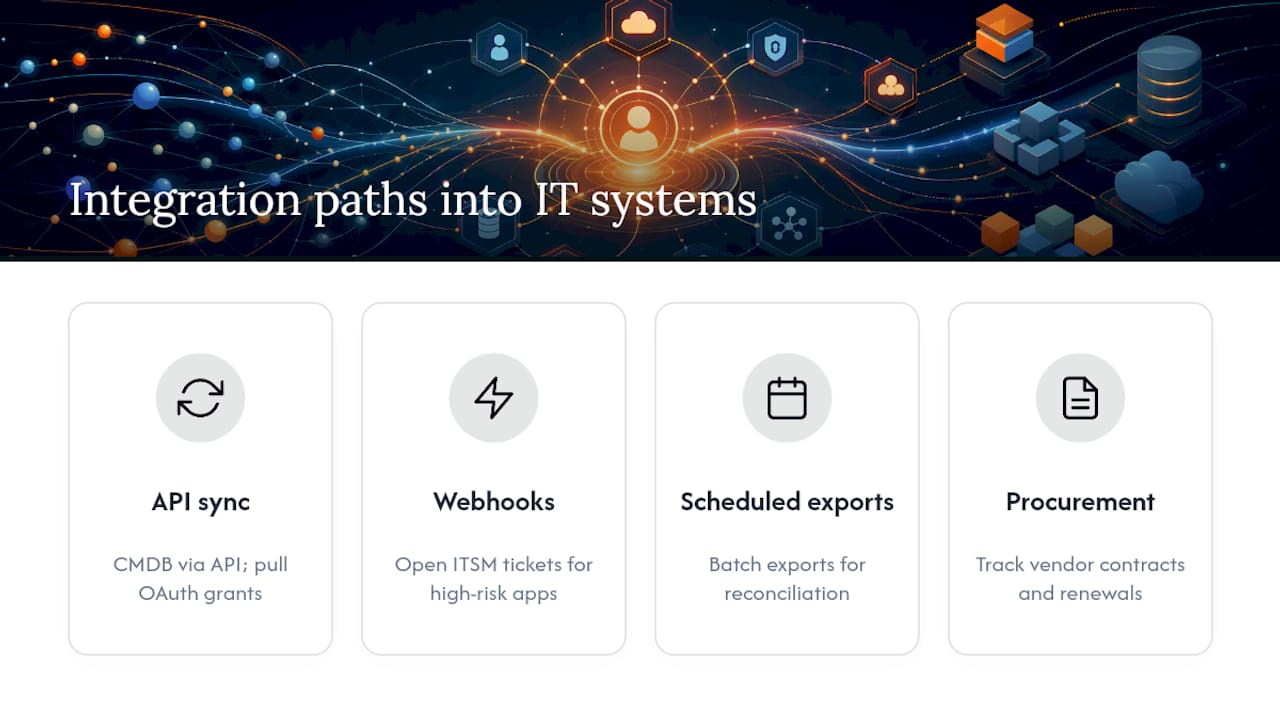
The integration that gets skipped most often, and matters most, is procurement. If discovery tools don’t talk to whatever system tracks vendor contracts and renewals, sanctioned apps end up double-tracked: once in the discovery tool, once in a spreadsheet finance maintains separately. That mismatch is exactly how a “sanctioned” app quietly loses its SSO enforcement six months later when nobody remembers which system owns the record.
Keep the integration scope tight at first. Connect identity and CMDB before trying to wire in finance and SIEM simultaneously; a partial integration that works reliably beats a full integration that nobody trusts.
What Are the Legal and Compliance Risks of Shadow IT?
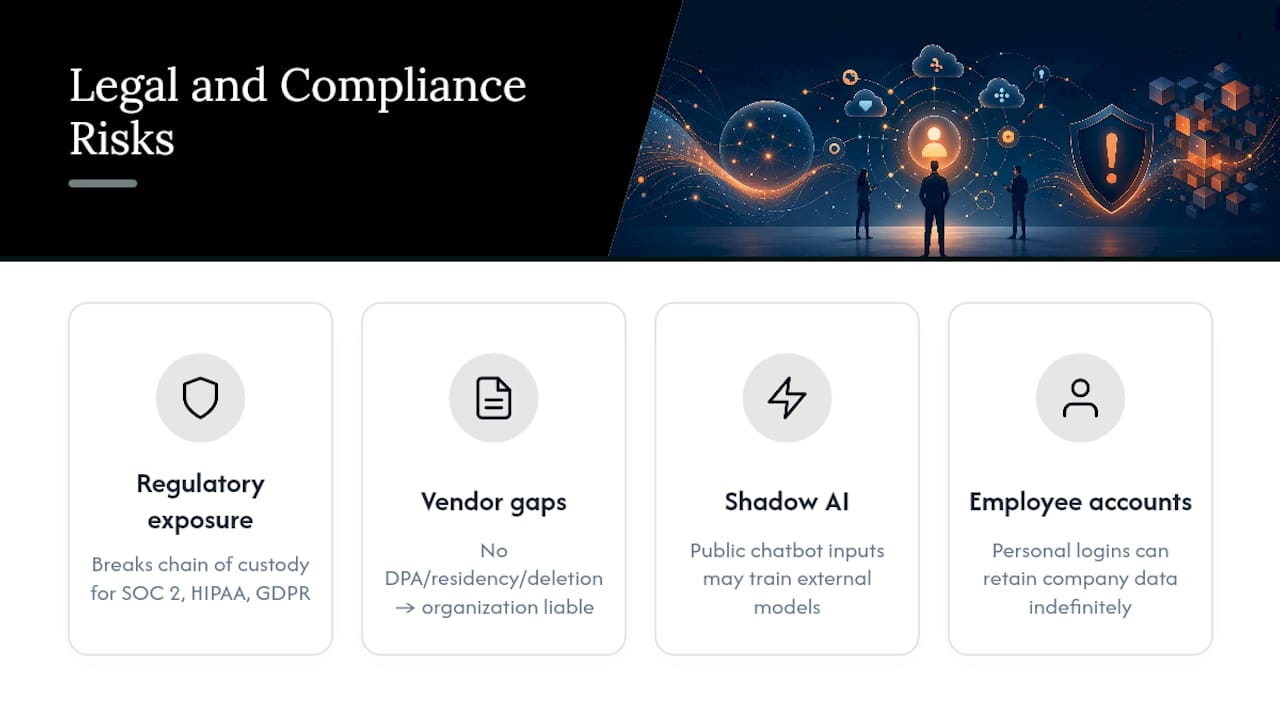
Shadow SaaS creates compliance exposure the moment data leaves a system your legal and security teams know about. Frameworks like SOC 2, HIPAA, and GDPR all require you to demonstrate where regulated data lives and who can access it, an unsanctioned tool with no signed data processing agreement breaks that chain of custody instantly, regardless of whether a breach ever happens.
Vendor contracts matter more here than most IT teams assume. An app without a DPA, without documented data residency terms, or without a clear data deletion policy puts your organization on the hook if that vendor mishandles data, even though nobody in security signed off on using it. Shadow AI tools raise a sharper version of this problem: pasting a contract or a customer record into a public chatbot can mean that data trains a model outside your control, with no contractual limit on reuse.
Employee-side risk deserves attention too. Using a personal AI account for work tasks, or authorizing a third-party app with a personal email through OAuth, can blur the line between company data and personal accounts in ways that complicate legal holds, e-discovery, and offboarding. When an employee leaves, an app tied to their personal login can retain company data indefinitely with nobody able to revoke access.
None of this is a reason to treat every discovered app as an enforcement action. Teams that immediately clamp down on newly discovered apps tend to push usage further underground rather than eliminating it, which makes the next discovery cycle harder, not easier.
A 90-Day Plan From Discovery to Governance
Days 1 to 30: pull OAuth grants and network logs, build your first inventory, and flag anything touching regulated data. Days 31 to 60: classify every discovered app as sanctioned, tolerated, or prohibited, and knock out quick wins like revoking stale tokens and enabling SSO on high-usage tools. Days 61 to 90: automate the tag-triage-escalate workflow, wire discovery into your CMDB, and set the recurring cadence that keeps visibility from decaying again.
— Dan
Get Continuous Discovery Without Building It Yourself
Everythingcloud gives IT and security teams a continuous platform instead of a periodic audit, unifying identity, cloud, and finance signals into one inventory so shadow SaaS and shadow AI surface as they appear, not months later during a compliance scramble.
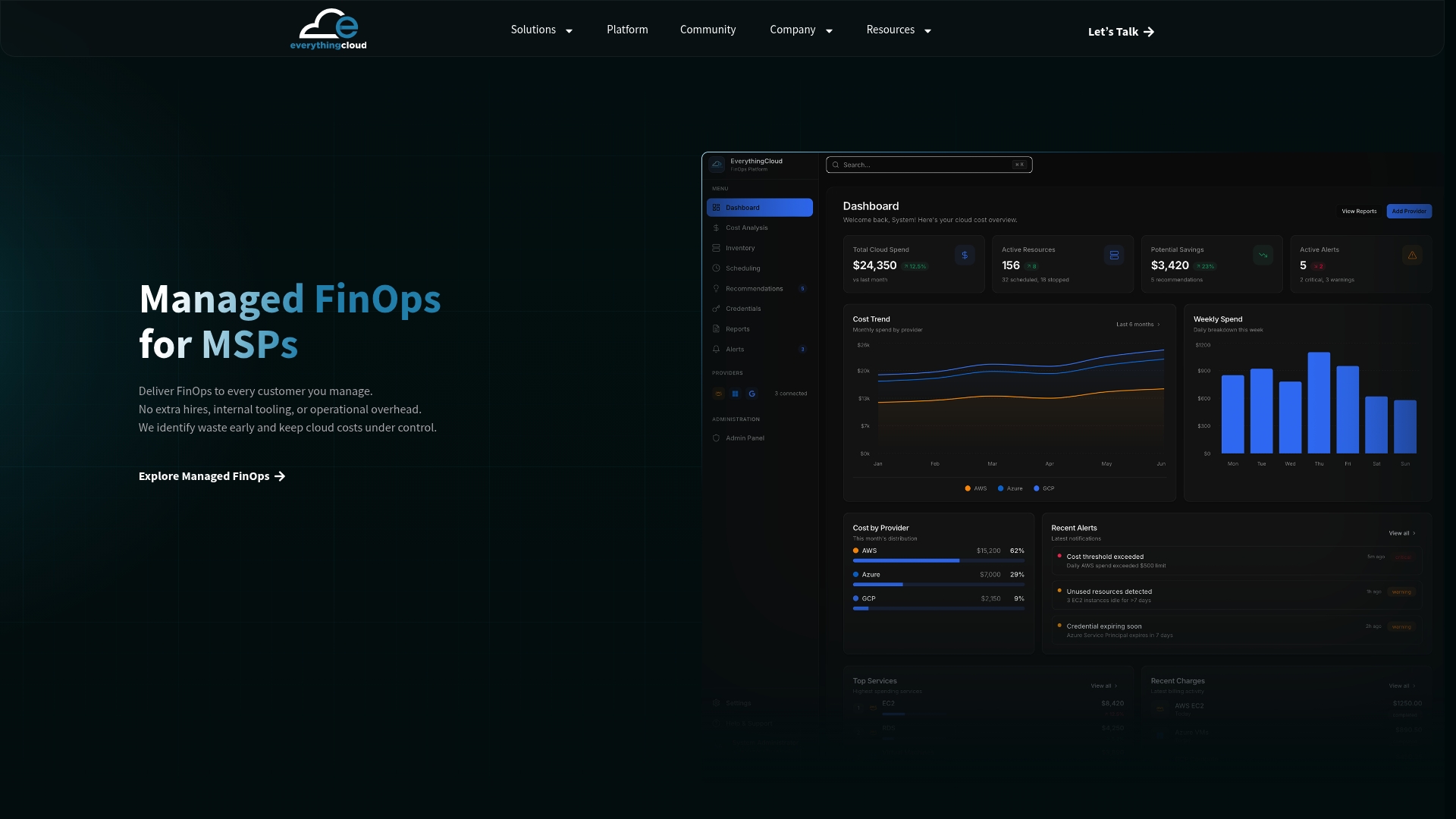
For organizations that want the visibility without adding headcount, Managed FinOps pairs the platform with expert oversight that turns discovery findings into actual remediation, token revocations, SSO enforcement, procurement handoffs, tracked and reported monthly. If you’re an MSP or technology partner looking to offer this as a service rather than build it internally, the Founding Partner Membership at $500 per month gives you a turnkey path to launch managed discovery and FinOps services under your own brand. Start by requesting a walkthrough of the platform and see what’s already connecting to your environment that nobody signed off on.
Sources
For hands-on configuration steps, see Microsoft’s tutorial on discovering and managing shadow IT. For identity-driven detection concepts, review Cloudflare’s shadow IT discovery overview and Everythingcloud’s AI security governance framework.
- Discover and manage Shadow IT – Microsoft Defender for Cloud Apps | Microsoft Learn
FAQ
What Is Shadow IT SaaS Discovery?
It’s the process of identifying every SaaS and AI application employees use without formal IT approval, typically by combining identity/OAuth logs, network data, finance records, and endpoint inventories.
Why Is Shadow AI Harder to Detect Than Traditional Shadow IT?
Shadow AI tools are often browser-based or API-driven with no install footprint, so identity and cloud API signals catch them where network and endpoint monitoring cannot.
How Often Should We Run Shadow IT Discovery?
Identity and OAuth monitoring should run continuously, with daily network log ingestion, weekly inventory reconciliation, and quarterly finance sweeps, since one-time audits decay within weeks.
What Percentage of Cloud Apps Does IT Typically See?
Organizations typically run more than 1,000 cloud apps, and IT usually has visibility into fewer than 10% of them without a dedicated discovery program.
Does Everythingcloud Offer a Managed Shadow IT Discovery Service?
Everythingcloud’s Managed FinOps service and continuous platform unify identity, cloud, and finance signals for ongoing discovery and remediation; pricing for managed services is available on request, while the Founding Partner Membership is listed at $500 per month.