
An idle load balancer is one that no longer serves real traffic but is still provisioned, so it still bills. The fix is a short loop: list every load balancer and public IP, check traffic and backend health over a long enough window, confirm the owner, then delete with a rollback plan. This guide shows how to run that loop in AWS, Azure and Google Cloud, including the unused IP cleanup that usually goes with it.
The waste is small per resource and large in aggregate. One forgotten load balancer is a rounding error. Hundreds across dozens of accounts or customer tenants are a steady leak that nobody notices because no single line item looks wrong.
TL;DR
- A load balancer bills for every hour it exists, whether or not it handles a request. Zero traffic does not mean zero cost.
- Classify a load balancer as idle only after checking request count, bytes processed and healthy backend targets over a long window, not a single quiet week.
- Unused public IPs belong in the same sweep. AWS charges for public IPv4 addresses whether or not they are attached to anything.
- Before deleting, check DNS, deletion protection, infrastructure as code and the owner. Then remove and keep a way to recreate.
- Mandatory tags and a recurring review stop the problem from returning.
Table of Contents
- Why idle load balancers keep costing money
- What an idle load balancer costs in the US
- How to decide a load balancer is actually idle
- Finding idle load balancers and unused IPs in AWS
- Finding them in Azure and Google Cloud
- Check these risks before you delete
- A safe removal sequence
- Keeping them from coming back
- Our perspective
- Put the sweep on autopilot
- FAQ
- Sources
Why idle load balancers keep costing money
Cloud providers bill a load balancer for existing, not for working. Microsoft’s FinOps guidance on networking recommends removing idle load balancers that have no backend pool targets, because they keep incurring cost without serving a function. The same logic applies to other front-door services: Microsoft’s own support answers confirm that an Application Gateway keeps a fixed cost even when scaled to zero instances while it stays provisioned.
How does it happen? Almost always the same way. A team launches a service, puts a load balancer in front, and later shuts down the instances, containers or functions behind it. Nobody deletes the front end. A test environment gets scaled down on Friday and the load balancer stays. A migration moves traffic to a new stack and the old entry point sits there for a year.
The pattern starts compounding quietly. Each project leaves one or two orphans, and each orphan carries a public IP, a DNS record and sometimes a certificate with it.
What an idle load balancer costs in the US
Pricing differs by provider, load balancer type and region, so treat any single number as an example. On AWS, Elastic Load Balancing pricing is built from an hourly charge plus a usage charge. The published Application Load Balancer example uses an hourly charge of $0.0225. Over a 730-hour month that is about $16.43 before any usage charges, which matches the $16 to $27 monthly range commonly quoted for an idle one once other components are added.
Add the address. Since February 2024, AWS charges $0.005 per public IPv4 address per hour, whether or not the address is attached to a service. A load balancer spanning three availability zones can hold several public addresses, and each one bills on its own.
A quick worked example for an organization with 40 forgotten Application Load Balancers:
| Item | Math | Monthly cost |
|---|---|---|
| 40 idle ALBs, hourly charge only | 40 × $0.0225 × 730 | about $657 |
| 120 public IPv4 addresses behind them | 120 × $0.005 × 730 | about $438 |
| Combined | about $1,095 |
That is roughly $13,000 a year for resources doing nothing, using list rates and ignoring data processing. Your own figure depends on region and discounts, so confirm the rates on each provider’s pricing page for the regions you run.
For an MSP managing many tenants, the multiplication is worse, and so is the margin erosion: the waste lands either on the customer, who eventually notices, or on the MSP, who absorbed it.
How to decide a load balancer is actually idle
The mistake that causes outages is calling something idle after looking at too short a window. Quarterly batch jobs, disaster recovery stacks and seasonal services all look dead most of the time.
Use several signals together:
- Requests. For Application Load Balancers, AWS publishes CloudWatch metrics including RequestCount and ProcessedBytes. Both use the Sum statistic.
- Backend health. The same page lists HealthyHostCount and UnHealthyHostCount. These use Average, Minimum or Maximum. A load balancer with zero healthy targets and zero requests is a strong candidate.
- Response codes. A balancer that returns only 503s for lack of targets is not serving anyone.
- Classic Load Balancers. AWS defines RequestCount for Classic Load Balancers as requests completed or connections made in a 1- or 5-minute interval, and Sum is the statistic that matters.
Then pick a lookback long enough to cover your business cycle. Thirty days catches most services. Ninety days catches quarter-end jobs. On Google Cloud, a hard limit applies: load-balancer traffic metrics are kept for six weeks, so six weeks is the longest standard window you can check there without exporting metrics elsewhere.
If a service legitimately runs once a year, tag it as such and exclude it. A documented exception beats a surprise outage.
Finding idle load balancers and unused IPs in AWS
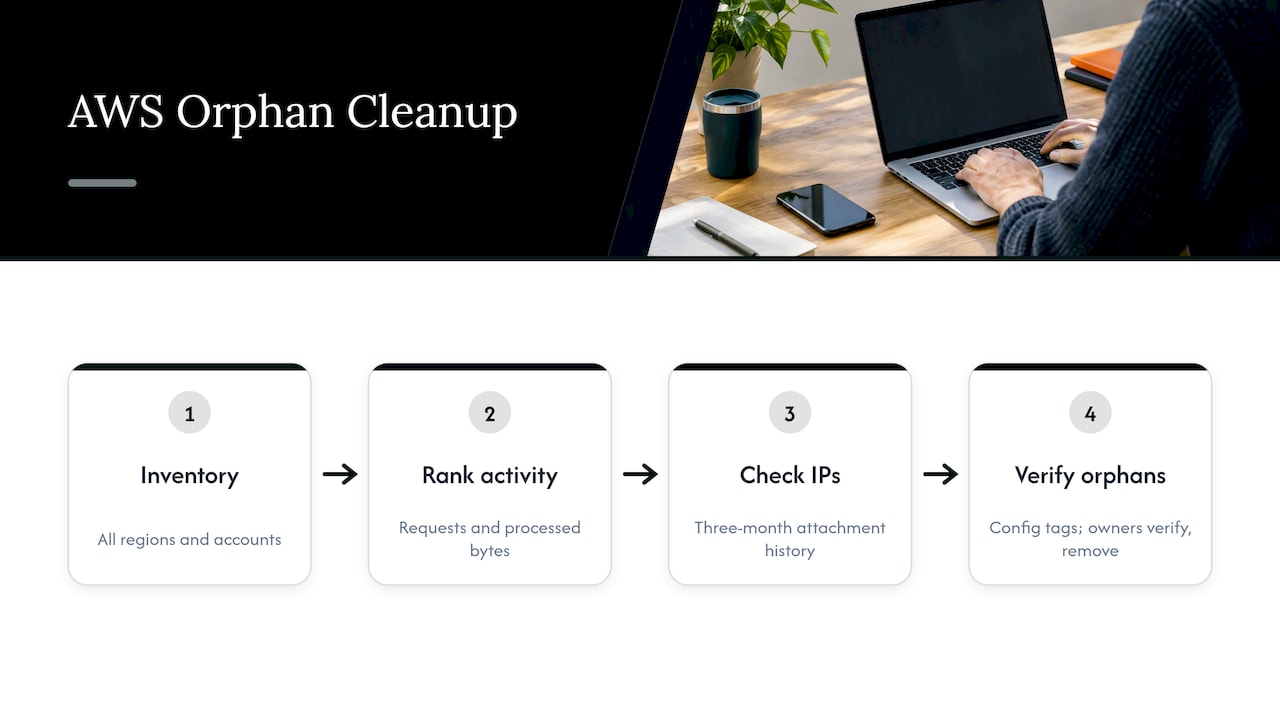
Start with inventory. List every Application, Network, Gateway and Classic load balancer in every region and account, since regions you do not use daily are where orphans hide. Then pull the CloudWatch metrics above for each one and rank by requests and processed bytes over your chosen window.
For the unused IP cleanup, look at Elastic IPs separately. One reporting approach checks Elastic IP attachment history over a customizable three-month period using Athena and CloudTrail: an address with zero attachment events in that period is idle. Addresses allocated but not associated with any resource are the obvious first targets. Because public IPv4 is billed regardless of attachment, an address on a running instance still costs money, so also review whether each public address needs to be public at all.
AWS Config helps here too. The FinOps Foundation describes using AWS Config to query resource types and enforce mandatory tagging, then working with resource owners to remove orphans. That second half matters as much as the query.
Finding them in Azure and Google Cloud
In Azure, Resource Graph is the tool for scale. It queries across subscriptions, and the Azure Orphan Resources dashboard uses it to surface orphaned load balancers and public IP addresses. Run it per tenant if you manage customers.
If you use the FinOps toolkit, FinOps hubs process recommendations daily, including recommendations to remove idle application gateways and unattached public IPs. Idle balancers in non-production subscriptions are the most common find, because the workloads behind them were scaled down or stopped while the front end stayed. For wider Azure savings, our Azure cost management guide and Azure cloud cost optimization guide cover the rest of the picture.
In Google Cloud, check forwarding rules with no healthy backends and reserved static external addresses that are not in use. Keep the six-week metric limit in mind and export metrics if you need longer history.
Check these risks before you delete
A load balancer that looks dead can still be load-bearing. Run this check on every candidate:
- DNS and hardcoded endpoints. Find records, CNAMEs, allow-lists and partner configurations that point at the balancer’s name or IP. Releasing an IP that a customer has allow-listed is hard to undo, because you may not get the same address back.
- Rare traffic. Look beyond your window for scheduled jobs, failover tests and seasonal peaks.
- Infrastructure as code. If Terraform, CloudFormation or Bicep owns the resource, delete it there. Otherwise the next pipeline run recreates it, or the state drifts.
- Deletion protection. AWS load balancers with deletion protection enabled cannot be deleted until you turn it off. Removal is manual, or through the API or CLI. Someone turned it on deliberately, so ask why.
- Attached dependencies. Certificates, WAF associations, security groups and target groups may be shared with live resources.
- Ownership. If nobody claims it, that is a finding in itself, not permission to delete.
This part of the work is people, not tooling. The FinOps Foundation’s guidance is to collaborate with engineering, account and resource owners to review resources and decide whether to remove them.
A safe removal sequence
A sequence that keeps risk low:
- Flag the candidate with a tag such as a review date and the name of the person who raised it.
- Notify the owner or owning team and set a response deadline.
- Record the configuration: listeners, rules, target groups, certificates, tags and DNS records. Export it as code if you can.
- Reduce exposure first where possible, for example by removing DNS records, and watch for errors for a week.
- Delete the load balancer, then release the associated IPs and remove orphaned target groups.
- Log the savings against the invoice, not just the estimate.
The last step is where many teams stop short. Estimated savings and billed savings are different numbers, and only the second one convinces a finance team.
Keeping them from coming back
Cleanup without prevention is a recurring chore. Four controls do most of the work:
- Mandatory tags. Owner, environment, project and expiry date at creation. The FinOps Foundation highlights mandatory tags such as Owner as the basis for review. Our guides on AWS tagging best practices and cost allocation tags show a schema that holds up.
- A scheduled inventory. Monthly is enough for most estates. Weekly suits fast-moving non-production accounts.
- Alerting on drift. Flag any load balancer with zero healthy targets for a set number of days.
- Teardown rules. When a project closes, its front-end resources are part of the exit checklist.
Our perspective
Idle load balancers are rarely a tooling problem. Most teams can find them in an afternoon. The problem is that finding them is a one-time event, and the leak restarts the next week.
Recommendations alone do not close that gap. Someone still has to verify, get approval, execute and prove the saving on the invoice. That is why we built EverythingCloud to automate the execution of optimization actions, not just list them, and to verify savings against invoice-level billing.
For MSPs, the stakes are sharper. Across many tenants, a handful of orphaned balancers per customer turns into real margin erosion, and manual sweeps do not scale without more headcount. Unified reporting and governance across tenants let you run the same loop for every customer without adding staff.
If you already have visibility tools, keep them. They can feed an owned, actionable process rather than another dashboard nobody opens.
Dan
Put the sweep on autopilot
If you would rather not run this loop by hand every month, Continuous Cloud Optimization monitors AWS, Azure and Google Cloud environments continuously and acts on opportunities such as idle resources. Teams that want an expert to own the process can look at Managed FinOps.
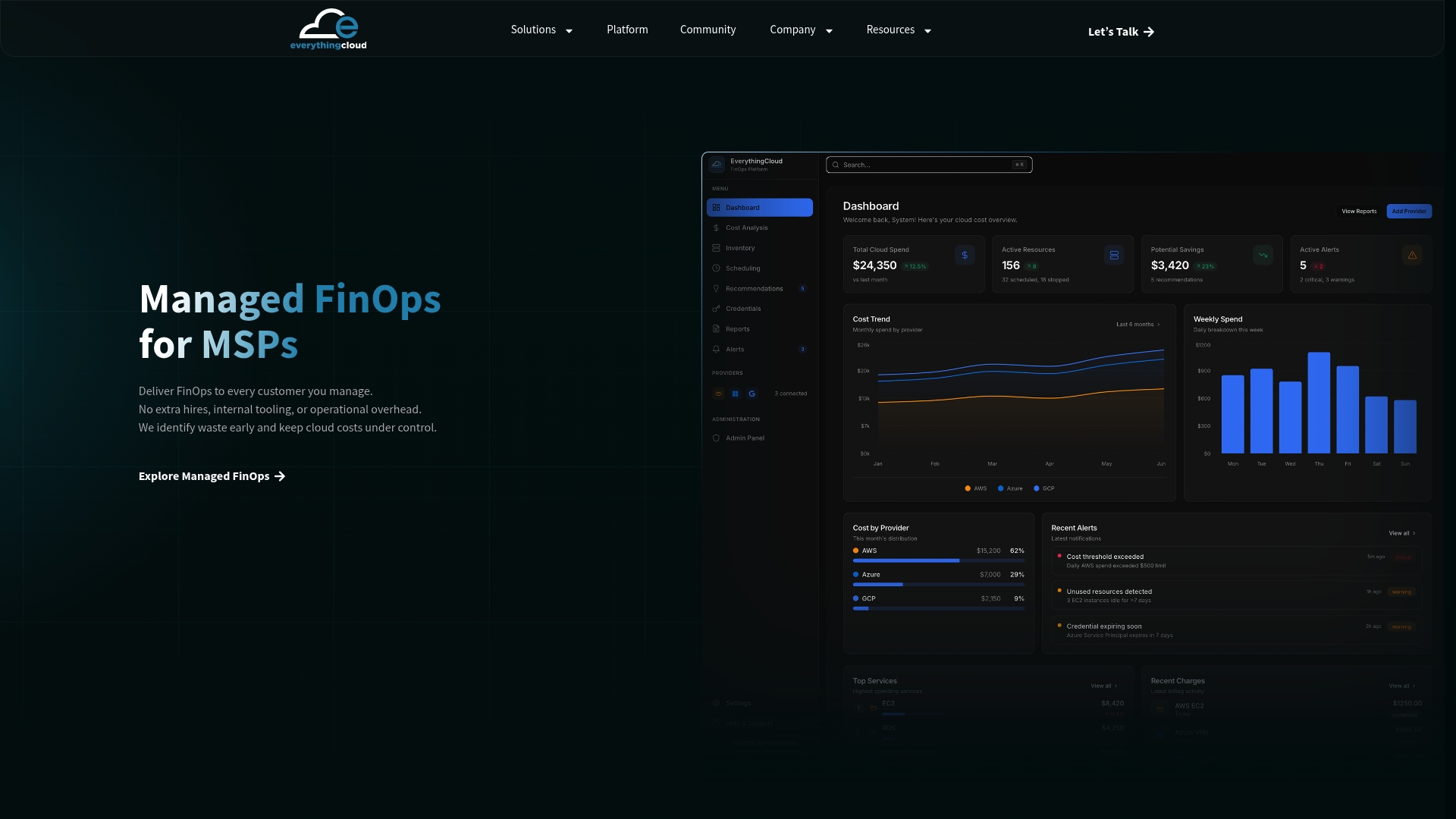
MSPs that want to offer this as a service to their own customers can see how The Platform supports multi-tenant delivery, or review the Founding Partner Membership, listed at $500 per month.
FAQ
How long should a load balancer be idle before I delete it?
Thirty days of zero requests and zero healthy targets catches most cases. Use 90 days if you run quarterly or seasonal workloads. On Google Cloud, standard traffic metrics only go back six weeks, so export them if you need more.
Do unused IP addresses cost money?
On AWS, yes. Public IPv4 addresses are charged at $0.005 per hour whether or not they are attached to a service. Azure also lists unattached public IPs as a cleanup target in its FinOps guidance, so check current pricing for your SKU and region.
Can I just stop the load balancer instead of deleting it?
Not on the major clouds, in most cases. A provisioned load balancer keeps its fixed charge, and Azure Application Gateway keeps one even at zero instances. To stop the charge you remove the resource, so record its configuration first.
What is the quickest way to find orphaned load balancers in Azure?
Query Azure Resource Graph across your subscriptions. The Azure Orphan Resources dashboard does this and lists orphaned load balancers and public IPs, which you can then verify with owners.
Sources
- FinOps best practices for networking (Microsoft Learn)
- Scale down Application Gateway to 0 instances (Microsoft Learn)
- Elastic Load Balancing pricing (AWS)
- AWS public IPv4 address charge (AWS News Blog)
- CloudWatch metrics for your Application Load Balancer (AWS)
- CloudWatch metrics for your Classic Load Balancer (AWS)
- Proxy Network Load Balancer logging and monitoring (Google Cloud)
- Analyze Elastic IP usage history using Athena and CloudTrail
- Using AWS Config to identify unused resources (FinOps Foundation)
- Azure Orphan Resources dashboard (Microsoft Learn)
- Configure FinOps hubs recommendations (Microsoft Learn)
- Elastic Load Balancing, Application Load Balancers guide (AWS)