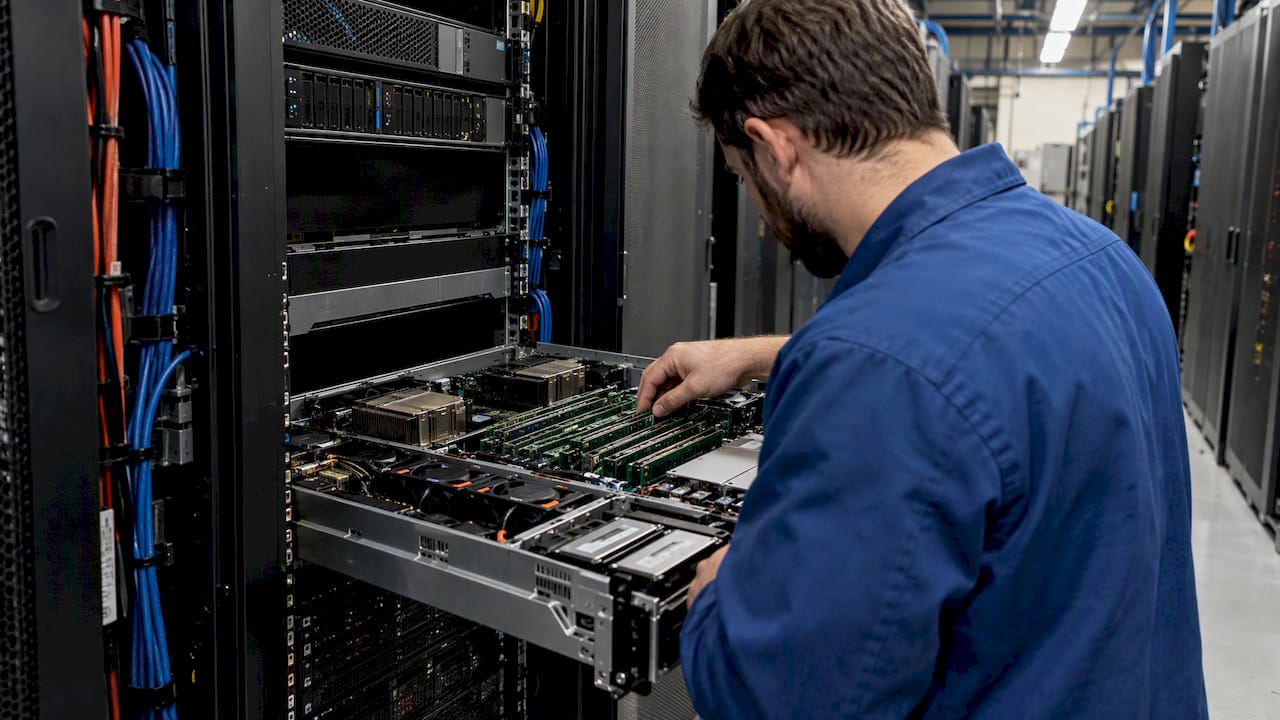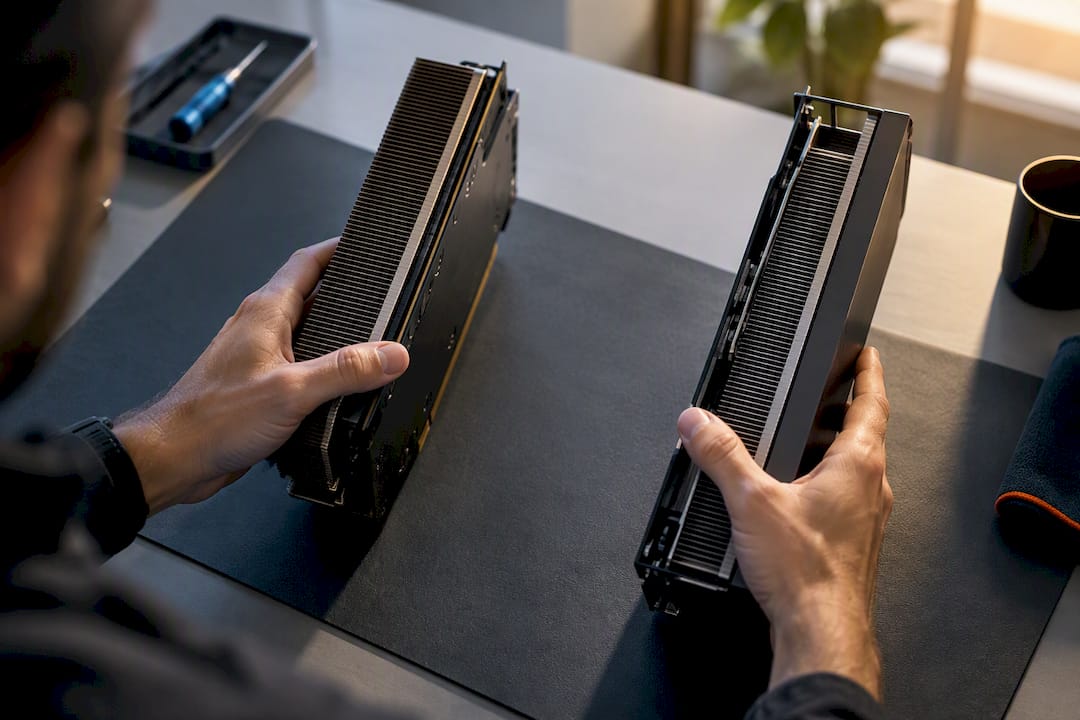
GPU cost optimization means matching GPU class, scheduling, and purchasing strategy to actual workload demand so you pay only for compute you use productively. The top levers, in order of impact, are right-sizing GPU selection, raising utilization through sharing and automation, using spot capacity and commitments together, and measuring what actually happens on the hardware. Teams that skip the measurement step tend to repeat the same waste every quarter.
TL;DR:
- Hardware utilization and workload type significantly influence GPU cost-saving strategies, with training favoring commitments and spot capacity to offset long runtimes.
- Automated sharing methods such as MIG and time-slicing improve utilization but require balancing density against potential latency and noise for time-sensitive tasks.
- Spot instance discounts are valuable but require careful planning and frequent checkpointing to mitigate interruption risks, especially for long training runs.
- Continuous measurement, governance, and automation are essential to sustain GPU cost optimization over time, preventing waste from idle resources and obsolete reservations.
Table of Contents
- Understanding GPU economics and primary cost drivers
- Right-sizing: choosing GPU types and instance sizes for workloads
- Sharing and automation: MIG, time-slicing, and orchestration patterns
- Spot instances and commitment discounts: tradeoffs and best practices
- Monitoring, attribution, and measuring real GPU utilization
- Practical GPU cost-optimization checklist you can run this week
- Building a sustainable framework: process and governance for GPU spend
- EverythingCloud’s approach to operationalizing GPU savings
- Where teams get this wrong
- Put the playbook on autopilot with EverythingCloud
- Sources
- FAQ
Understanding GPU economics and primary cost drivers
GPU spend rarely comes from one line item. It accumulates from several sources at once, and most teams only track the obvious one.
- Instance hours: the base rate for the GPU-attached instance, billed whether or not the GPU is doing useful work.
- GPU SKU premium: higher-end accelerators cost several times more per hour than entry-level GPUs, regardless of whether the workload needs that power.
- Memory and local SSD: high-memory GPU variants and attached fast storage add meaningful cost, especially for large model checkpoints.
- Data egress: moving training data or model outputs across regions or to on-premises systems adds a cost that’s easy to miss during planning.
- Storage: dataset and checkpoint storage persists even after training jobs finish, quietly accumulating.
The cost profile also shifts by workload type. Training jobs run for hours or days on the largest GPUs available, favoring commitments and spot capacity. Inference workloads run continuously at lower per-request cost but at high volume, so utilization efficiency matters more than raw GPU class. Dev and test workloads often use production-grade GPUs out of convenience, which is where a lot of waste hides.
A simple way to ground this: if a training run costs $12 per GPU-hour and takes 40 hours across four GPUs, that’s $1,920 for one run. Multiply that by a team running dozens of experiments a month, and the GPU SKU choice alone becomes the single biggest lever on the bill.
Mixing GPU types instead of defaulting to one class can cut serving costs substantially. Research on heterogeneity-aware GPU allocation found that mixing GPU types for large language model serving reduced deployment costs by as much as 77% in some evaluated scenarios, depending on request size, request rate, and latency requirements.
Right-sizing: choosing GPU types and instance sizes for workloads
Right-sizing starts with knowing whether your workload is compute-bound or memory-bound. A model that fits comfortably in 16 GB of GPU memory gains nothing from an 80 GB card, but a model that spills into system memory will crawl no matter how many cores you throw at it.
- Profile before you provision: run a representative job and watch compute utilization and memory saturation separately, not as a single combined metric.
- Match GPU class to workload stage: training often needs high-memory, high-throughput GPUs, while inference can often run on smaller, cheaper accelerators.
- Mix GPU types where request patterns vary: a single fleet-wide GPU choice usually overpays for some requests and underserved others.
- Set latency SLOs first: right-sizing without a target latency just shifts the guesswork from GPU class to response time.
The metrics that matter most are GPU utilization percentage, memory saturation (not just allocation), and latency percentiles for inference workloads.
Pro Tip: Run the same workload on two GPU classes for a week before committing to either at scale. The cost-per-throughput difference is often larger than teams expect.
Sharing and automation: MIG, time-slicing, and orchestration patterns
Most GPU fleets sit idle for long stretches between jobs. Sharing techniques and orchestration policies close that gap without adding hardware.
- NVIDIA Multi-Instance GPU (MIG) partitions a single physical GPU into isolated instances, useful when multiple small workloads each need guaranteed resources rather than best-effort access.
- Time-slicing lets multiple jobs share a GPU sequentially, which works well for bursty, non-latency-sensitive workloads but can introduce contention under sustained load.
- Kubernetes device plugins expose GPUs to the scheduler as shareable resources, allowing pooling across teams instead of dedicating GPUs to individual namespaces.
- Autoscaling and job scheduling policies shut down or scale in GPU node pools when queues are empty, rather than leaving reserved capacity running overnight.
- Non-production scheduling applies the same shutdown logic to dev and test environments, which often run unattended on full-price GPU instances.
The tradeoff is isolation versus density: MIG guarantees resources but limits how finely you can slice a GPU, while time-slicing maximizes density but risks noisy-neighbor effects on latency-sensitive jobs. Choose based on whether the workload can tolerate variable response times, Kubernetes cost optimization patterns go deeper into device-plugin configuration for teams running mixed workloads.
Pro Tip: Start sharing with your least latency-sensitive workload, batch inference or offline scoring jobs, before applying MIG or time-slicing to anything customer-facing.
Spot instances and commitment discounts: tradeoffs and best practices
Spot and preemptible capacity offer some of the steepest discounts available for GPU workloads, but the savings come with a catch: your job can be interrupted with little warning. AWS Spot Instances work well for batch jobs and background processing that tolerate interruption, while Azure Spot Virtual Machines carry no service-level agreement and can be evicted, though historical eviction rates and pricing data are available to guide SKU and region choices before you commit a workload to spot capacity.
- Check eviction history before committing a workload: some SKUs and regions evict far less often than others, and that history is queryable.
- Use price-capacity-optimized allocation for long training runs: balancing price against capacity availability avoids costly restarts partway through a job.
- Checkpoint aggressively: a training job that saves state every few minutes loses little to an eviction, while one that checkpoints hourly can lose significant compute time.
- Layer commitments under spot, not instead of it: reserve baseline capacity with a committed discount and burst into spot for the rest.
Google Cloud’s resource-based committed use discounts can cover GPUs specifically and offer meaningful discounts, though commitments must attach to reservations and are locked to a specific GPU type, which makes a 3-year commitment riskier if your GPU generation preferences shift. A 1-year commitment trades some discount depth for flexibility, a tradeoff worth running through the provider’s own simulation tools before signing.
Monitoring, attribution, and measuring real GPU utilization
You cannot optimize what you cannot see, and GPU utilization is more deceptive than it looks. A GPU can show high compute utilization while its memory sits nearly empty, or the reverse, and each pattern points to a different fix.
- Track compute and memory utilization separately: a workload maxing out memory but idling on compute needs a different GPU class than one doing the opposite.
- Capture GPU-seconds per job, not just per instance, so cost ties directly to the workload that generated it.
- Build utilization histograms, not just averages, since a job that spikes to 90% for five minutes and idles the rest looks very different from one running steadily at 60%.
- Watch latency percentiles for inference, since tail latency often degrades before average utilization looks like a problem.
- Tag every GPU job by project and owner, enabling showback or chargeback so teams see their own consumption rather than a shared, unattributed bill.
Attribution is where FinOps and engineering meet. Without a named cost owner per project, GPU waste has nowhere to land, and it tends to persist until someone with budget authority asks a pointed question.
Practical GPU cost-optimization checklist you can run this week
Treat this as three horizons, not one long list. Tactical steps produce savings within days, engineering tasks take a sprint or two, and strategic moves compound over quarters.
- This week: enforce shutdown schedules on non-production GPU instances and apply resource quotas per team.
- This week: audit current GPU SKUs against actual utilization and flag anything under 40% for downsizing.
- Next sprint: introduce spot capacity with checkpointing for at least one training pipeline.
- Next sprint: enable GPU sharing (MIG or time-slicing) for one shared inference cluster.
- This quarter: model commitment options against 90 days of usage data before signing anything.
- This quarter: set a recurring GPU spend review with named cost owners and a reporting cadence.
| Horizon | Primary action | Typical owner |
|---|---|---|
| Tactical (days) | Shutdown schedules, quotas | Cloud engineering |
| Engineering (sprint) | Spot adoption, sharing, right-sizing | AI/ML infrastructure |
| Strategic (quarter) | Commitment planning, governance cadence | FinOps |
Non-production scheduling is usually the fastest win on this list because it requires no architectural change, just enforcement.
Building a sustainable framework: process and governance for GPU spend
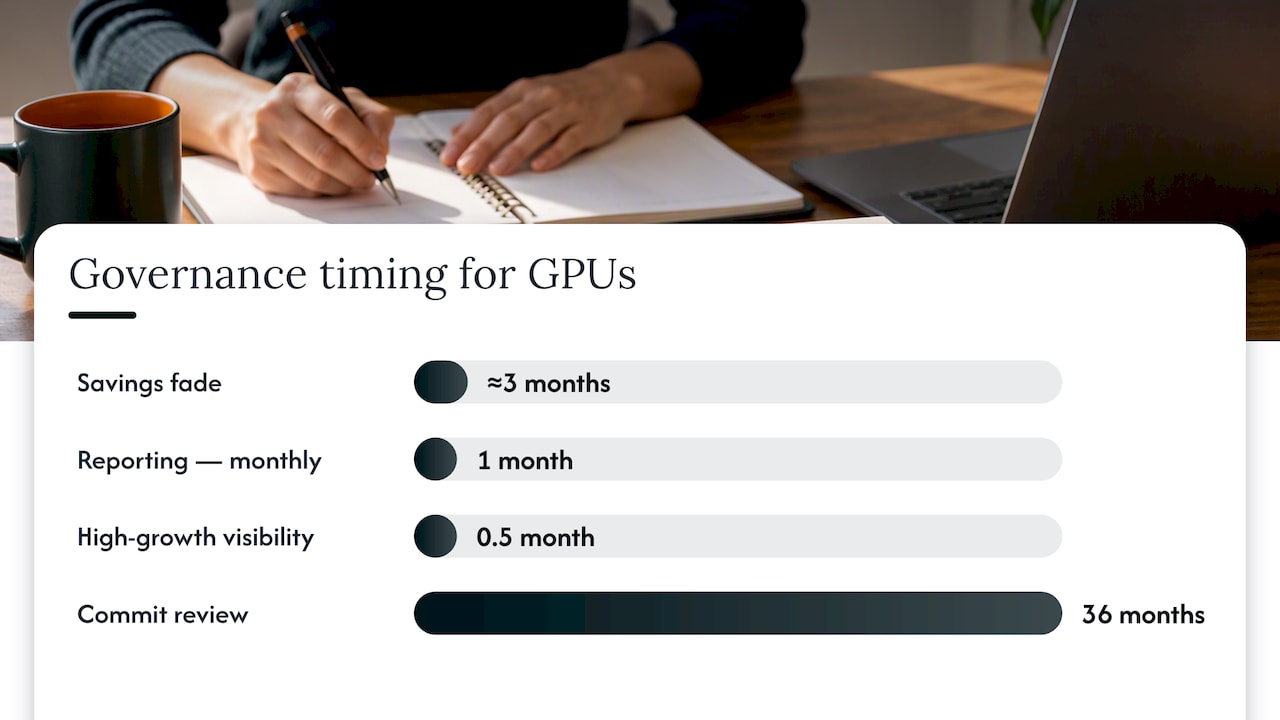
Savings from a one-time cleanup fade within a quarter unless they’re built into how teams operate. That’s the difference between a cost-cutting project and a cost-optimization framework.
- Assign cost owners per project or team, not just per cloud account, so GPU spend has a name attached to it.
- Set a reporting cadence: monthly is common, but high-growth AI teams often need biweekly visibility given how fast usage patterns shift.
- Use policy-as-code guardrails: quotas and approval gates for high-cost GPU classes prevent one team’s experiment from becoming everyone’s budget problem.
- Tie automation to telemetry: automated shutdowns, rightsizing suggestions, and spot fallback should trigger from utilization data, not from a quarterly audit.
None of this replaces engineering judgment, but it does mean the judgment gets applied consistently rather than only when someone notices the bill. AI cost governance frameworks for enterprise FinOps teams cover this in more depth for organizations scaling AI workloads across multiple business units.
Pro Tip: Review GPU commitments every time a new GPU generation launches. A 3-year commitment signed against last year’s hardware can lock you out of better price-performance for longer than it saves.
EverythingCloud’s approach to operationalizing GPU savings
Most of the playbook above requires ongoing attention: someone has to watch utilization, catch drift, and act on it every week, not just during a quarterly review. Some platforms provide real-time visibility into GPU and AI spend across major clouds and automate optimization actions rather than only surfacing recommendations for someone else to execute.
This approach can support MSPs and channel partners in launching managed FinOps and AI optimization services for clients without building the monitoring and automation stack from scratch. For enterprise teams, it means governance, tagging, and chargeback get enforced continuously rather than depending on one engineer remembering to check a dashboard. Savings outcomes get verified against invoice-level billing, which keeps the reported numbers tied to what actually shows up on the bill.
Where teams get this wrong
The most common mistake isn’t picking the wrong GPU, it’s ignoring memory utilization while staring only at compute percentage, which leads to downsizing decisions that backfire under load. The second is overcommitting to a 3-year reservation before usage patterns stabilize, locking in a GPU generation that ages out faster than the contract. The third is skipping automation entirely and treating cost review as a manual, occasional task.
Start with measurement, fix the obvious waste (idle non-production GPUs) first, then layer in sharing and commitments once you trust your utilization data. Iterate quarterly. Prices and GPU generations shift fast enough that a plan built once and left alone stops working within a year.
— Dan
Put the playbook on autopilot with EverythingCloud
Running this checklist manually works until the team scales, the GPU fleet grows, and the review cadence slips. EverythingCloud’s Platform gives cloud engineering and FinOps teams continuous visibility into GPU and AI spend, with automated remediation for the waste patterns this article covers, idle non-production instances, oversized GPU classes, and missed commitment opportunities, without adding headcount to watch dashboards.
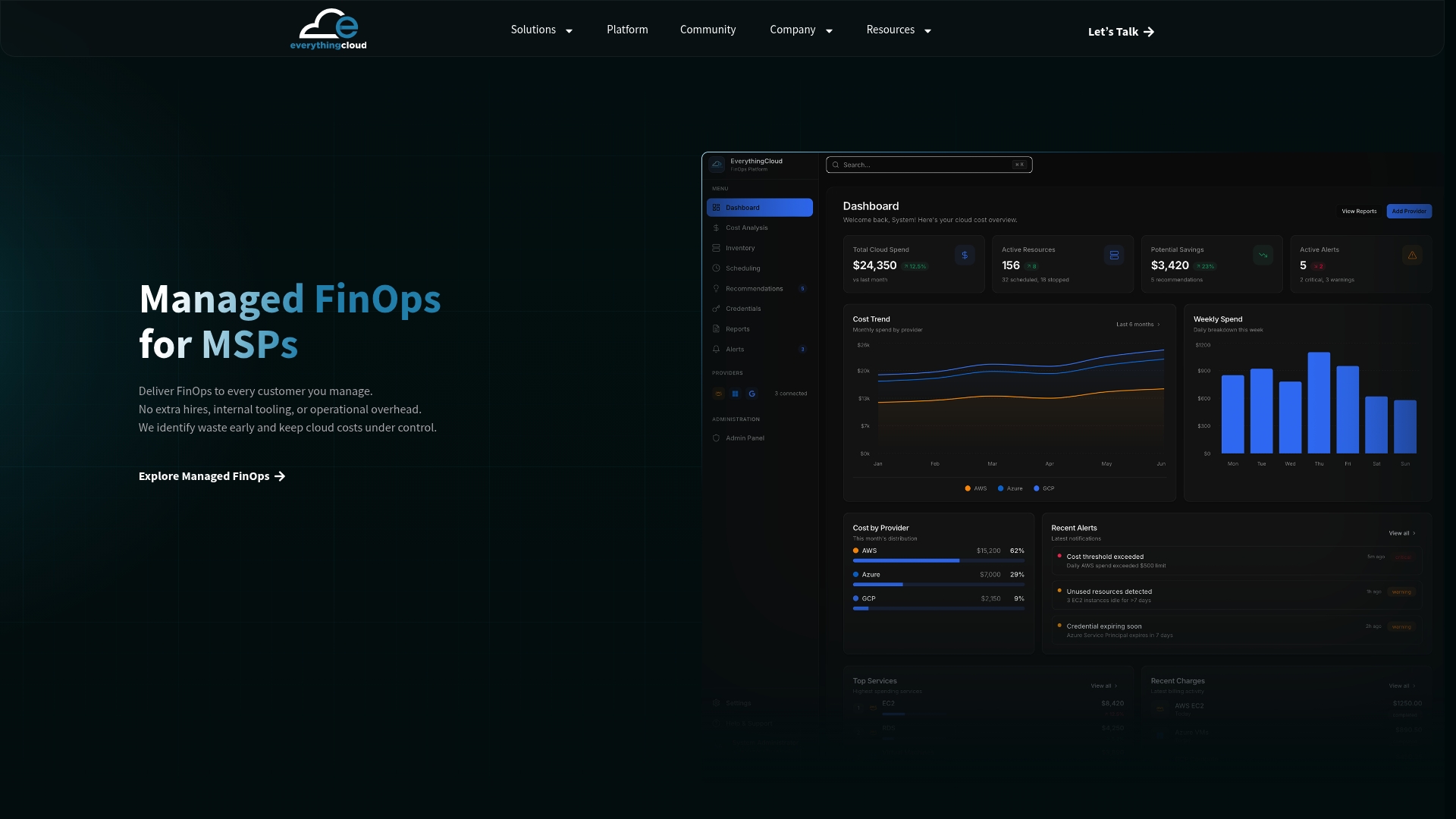
For enterprises, Continuous Cloud Optimization applies these levers on an ongoing basis with reporting tied to actual invoice data. For MSPs and technology partners who want to offer managed GPU and AI cost optimization to their own clients, the Founding Partner Membership at $500 per month provides a turnkey path to launch that service. If you manage GPU spend for clients or across business units, get in touch about a FinOps engagement to see where the platform fits your environment.
Sources
- Spot Instances
- About Azure Spot Virtual Machines – Azure Virtual Machines | Microsoft Learn
- Resource-based committed use discounts | Compute Engine | Google Cloud Documentation
FAQ
Are GPU prices going to go up in 2026?
GPU pricing has been affected by memory supply constraints and vendor allocation strategies, which can raise costs or affect SKU availability, according to industry reporting on Nvidia’s supply strategy. Cloud GPU rates tend to follow these supply dynamics with a lag, so locking in commitments or diversifying GPU types can reduce exposure to sudden price shifts.
What does GPU optimization mean?
GPU optimization means matching GPU type, instance size, and purchasing method to actual workload demand so you avoid paying for unused compute or memory. It covers right-sizing, sharing techniques like MIG or time-slicing, spot and commitment pricing, and ongoing utilization monitoring.
Why are GPU prices so high now?
GPU prices reflect a mix of chip supply constraints, memory shortages, and vendor allocation decisions that prioritize certain products over others, per reporting on Nvidia’s supply strategy. Cloud providers pass these dynamics through in instance pricing and SKU availability.
Is 90% GPU usage bad?
Not necessarily.