
The fastest way to cut a Google Cloud bill is to attack it in this order: get visibility through billing export, act on rightsizing and idle-resource cleanup, then lock in committed use discounts once usage stabilizes. Skip visibility and you’re negotiating commitments blind. Skip rightsizing and you’re committing to waste. Most GCP cost optimization efforts fail because teams reverse this sequence.
Here’s what to do in the first week:
- Enable Cloud Billing export to BigQuery and run a query ranking your top ten projects by spend.
- Pull every recommendation sitting in Google Cloud’s Recommender and triage by dollar impact, not alphabetically.
- Flag any resource with very low utilization over the past month for immediate review.
Quick win: Google Cloud’s Well-Architected Framework treats cost as a design constraint, not an afterthought, and its FinOps hub can estimate potential savings per month directly from your utilization data. That number becomes your prioritization filter for everything else in this guide.
Key Takeaways
GCP cost optimization works best when visibility comes first, rightsizing and idle cleanup follow immediately, and committed discounts get purchased only after usage patterns are confirmed.
| Point | Details |
|---|---|
| Start with billing export | Enable Cloud Billing export to BigQuery before making any spend decisions, so every move is data-driven. |
| Fix waste before committing | Apply rightsizing and remove idle resources before buying committed use discounts to avoid locking in waste. |
| Treat optimization as continuous | Follow the Well-Architected Framework’s guidance to review cost monthly, not just during one-time cleanup sprints. |
| Automate high-confidence actions | Route low-risk Recommender signals to automated pipelines and reserve human review for production-impact changes. |
| Scale with managed FinOps | Everythingcloud automates Recommender and FinOps hub signals into action for teams whose signal volume outpaces manual review. |
Table of Contents
- What Are the Core Principles Behind GCP Cost Optimization?
- How Do You Get Visibility Into Google Cloud Spend?
- Which Compute Strategies Cut GCP Costs Fastest?
- How Should You Manage Storage and BigQuery Costs?
- How Do You Reduce GKE and Kubernetes Costs?
- How Do You Govern Spend With Budgets and Alerts?
- How Can Automation and Managed FinOps Scale GCP Savings?
- What Does a 90-Day GCP Cost Optimization Sprint Look Like?
- What Actually Moves the Needle on GCP Costs?
- How Can Everythingcloud Help You Manage GCP Costs?
- Sources
What Are the Core Principles Behind GCP Cost Optimization?
Cloud spend behaves differently than a data center budget. On-prem capital expenditure gets approved once a year and depreciates quietly. Cloud operating expenditure shows up on next month’s invoice, which means every provisioning decision is now a live financial decision, not a planning exercise.
Google Cloud’s Well-Architected Framework’s cost optimization pillar builds on four ideas: align spend with business value, build cost awareness across teams, optimize resource usage continuously, and treat optimization as an ongoing discipline rather than a quarterly cleanup. That last point trips up most organizations. They run one big rightsizing sweep, celebrate the savings, then let drift creep back in over six months.
Cost optimization isn’t a project with an end date. It’s a operating habit, the same way patching and backups are habits nobody argues about anymore.
A few organizational controls make those principles stick:
- Consistent labeling on every project and resource, so cost can be traced to a team or product line.
- A resource hierarchy (organization, folder, project) that mirrors how the business actually reports spend.
- A recurring FinOps review cadence, monthly at minimum, where someone owns the number.
Without labels and cadence, even the best Recommender output turns into a spreadsheet nobody reads twice.
How Do You Get Visibility Into Google Cloud Spend?
You can’t optimize what you can’t see broken down by project, service, and SKU. That starts with Cloud Billing export to BigQuery, which Google Cloud’s cost management documentation lists as one of the core capabilities alongside reports, budgets, and alerts. Once billing data lands in BigQuery, partition it by usage date and label by project, environment, and cost center so queries stay fast and cheap as the dataset grows.
- Enable detailed billing export (not just standard usage cost) to capture SKU-level pricing and discounts.
- Build a partitioned table keyed on invoice month, then layer labels for team ownership.
- Track four KPIs weekly: committed use discount (CUD) coverage percentage, potential savings per month from Recommender, dollar cost of wasted usage, and per-project unit cost trends.
The FinOps hub’s Utilization insights feature does much of the heavy lifting here. It flags idle, overprovisioned, and underprovisioned resources using P95 usage metrics over a trailing 30-day window, then estimates the dollar cost of that wasted usage and ranks recommendations by potential savings.
Pro Tip: Treat FinOps hub savings estimates as directional, not final. Validate the top three recommendations against your exported billing data before you act, since seasonal traffic spikes can make a resource look “idle” when it’s actually waiting for next month’s peak.

Which Compute Strategies Cut GCP Costs Fastest?
Compute is usually the largest line item, and it’s also where the most aggressive savings hide, if you’re willing to test before you commit.
Rightsizing should never be a blind accept-all on Recommender suggestions. Set an acceptance threshold, for example only auto-applying recommendations where confidence is high and the workload has no recent incident history, and stage every downsize through a canary period of at least one business cycle before rolling it out fleet-wide.
Spot and preemptible VMs work well for fault-tolerant, non-critical workloads: batch processing, CI/CD runners, rendering jobs. Build a fallback path (a standard VM or a different zone) into the same instance group so a preemption doesn’t stall a pipeline.
Autoscaling policies need real limits, not just a high ceiling. Set minimum instance counts to zero where the workload genuinely tolerates cold starts, and cap maximum instances against budget alerts rather than raw traffic projections. Overprovisioned autoscaling groups are a quiet, common source of margin erosion. They “worked fine” during the last traffic spike, so nobody questions why they never scale back down.
Committed use discounts deserve a real ROI model, not a gut call:
- Resource-based CUDs fit stable, predictable workloads (databases, always-on backends).
- Spend-based commitments fit variable fleets where the mix of machine types shifts monthly.
- Google Cloud’s Well-Architected guidance notes that committed use discounts require a conservative utilization forecast, since teams that ignore seasonality routinely under-commit or over-commit and either leave savings on the table or pay for capacity they don’t use.
Industry guidance on GCP cost optimization tactics consistently ranks spot instances and committed discounts among the highest-leverage compute moves available, right alongside rightsizing.
How Should You Manage Storage and BigQuery Costs?
Storage and analytics costs sneak up because nobody deletes anything by default. A lifecycle policy fixes that automatically.
- Set Cloud Storage lifecycle rules to transition objects from Standard to Nearline after 30 days of inactivity, then to Coldline or Archive after 90, based on actual access patterns rather than guesswork.
- Delete or archive snapshots and disk backups past their retention window instead of letting them accumulate indefinitely.
- Partition and cluster BigQuery tables on the columns your queries actually filter on, which cuts bytes scanned and, therefore, on-demand query cost.
- Use materialized views for dashboards that run the same aggregation repeatedly instead of recomputing it every load.
- Compare flat-rate BigQuery pricing against on-demand once monthly query spend becomes predictable. Flat-rate usually wins once you cross a consistent volume threshold.
- Audit egress by checking for cross-region transfers that could be avoided by relocating a bucket or a compute workload closer to its data.
A third-party comparison of cloud storage tiers is a useful sanity check if you’re weighing tiering strategy against a workload that spans providers.
How Do You Reduce GKE and Kubernetes Costs?
Kubernetes costs multiply fast because node pools tend to get sized once at launch and never revisited, while pods request more CPU and memory than they’ll ever use.
- Set pod resource requests and limits based on observed usage, not a safety-margin guess, then let the vertical pod autoscaler adjust them over time.
- Enable node pool autoscaling with a sensible minimum, and use a separate pool for latency-sensitive workloads versus batch jobs.
- Add spot node pools for interruption-tolerant workloads, mixing them with standard nodes so a preemption wave doesn’t take down a whole deployment.
- Run the idle cluster recommender periodically and automate deletion of clusters that show no scheduled workloads for an extended period.
- Label every namespace and workload with a team or product tag so chargeback reports reflect who actually drove the spend.
An insight from recent GKE cost analysis points out that tightening pod requests and automating node pool lifecycle typically saves more than chasing smaller node shapes alone.
Pro Tip: Before deleting an “idle” cluster, check for CronJobs scheduled less than once a day. A cluster with no active pods right now can still have a job scheduled for 2 a.m.
For a deeper technical walkthrough, see this guide on Kubernetes cost optimization for DevOps teams.
How Do You Govern Spend With Budgets and Alerts?
Savings you find once and never protect will erode again within a quarter. Governance is what makes optimization stick.
Structure your resource hierarchy so cost ownership is obvious at a glance: organization at the top, folders by business unit, projects by application or environment, and consistent labels for cost center and team. This mirrors how the FinOps Foundation’s FOCUS standard recommends organizing cost allocation data across an operating model.
- Set budgets at the project and folder level with alert thresholds at 50%, 80%, and 100% of forecast, not just actual spend.
- Wire budget alerts to Pub/Sub for automated throttling actions on non-production environments, rather than relying on someone to see an email.
- Decide between chargeback (billing teams directly) and showback (reporting spend without moving money) based on how mature your cost culture already is.
- Assign a named owner for the monthly FinOps review, and track a simple FinOps score trend over time rather than a one-time audit.
How Can Automation and Managed FinOps Scale GCP Savings?
Manual optimization does not scale past a handful of projects. Once you’re managing dozens of projects across multiple teams, the volume of Recommender signals alone becomes a full-time job.
Google Cloud’s Recommender feeds specific recommendation types into the FinOps hub, including commitment recommenders and idle-resource recommenders for services like GKE and Cloud SQL. Turning those signals into action takes a pipeline: scheduled cleanup jobs for confirmed idle resources, policy-as-code guardrails that block obviously wasteful configurations before deployment, and automated rightsizing flows that apply low-risk recommendations without waiting for a human to click approve.
- Automate anything with high-confidence Recommender signals and low blast radius (idle disks, unattached IPs).
- Route anything with production impact through a human review gate.
- Reassess the automation boundary quarterly as your Recommender signal volume grows.
The decision point for most teams isn’t whether to automate. It’s whether to build that pipeline in-house or lean on a platform that already runs it. In-house automation demands sustained engineering bandwidth to maintain policy-as-code rules, retrain thresholds, and keep pace with new Recommender types. EverythingCloud’s managed FinOps platform applies Recommender outputs and billing export feeds directly into automated action pipelines, combined with 24/7 monitoring and expert oversight, which is the model MSPs and mid-market IT teams increasingly choose when the signal volume outpaces their internal capacity.
A recommendation that sits in a dashboard unread has the same value as no recommendation at all.
What Does a 90-Day GCP Cost Optimization Sprint Look Like?
A prioritized sprint turns this playbook into a schedule with real milestones, instead of a list of good intentions.
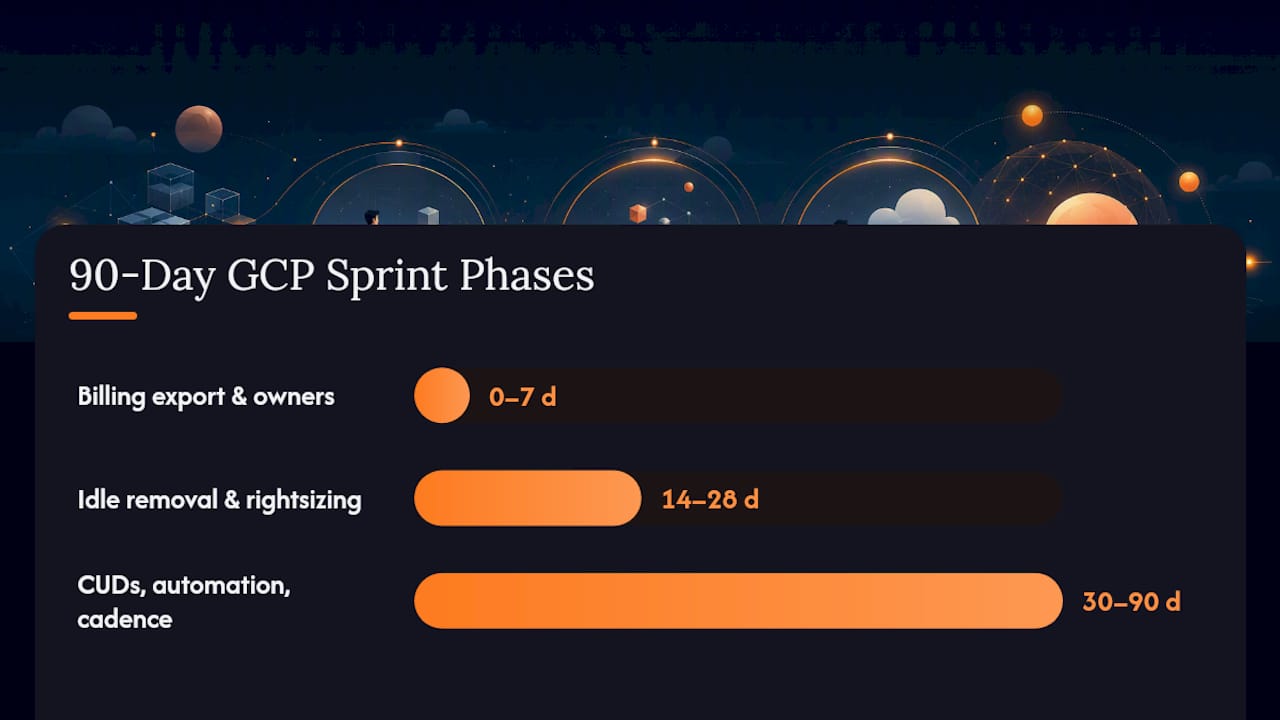
- Days 0 to 7: Enable billing export to BigQuery, run the top-cost-project query, and assign an owner to every project in the top quartile of spend.
- Weeks 2 to 4: Apply high-confidence rightsizing recommendations, delete confirmed idle VMs and disks, and roll out storage lifecycle policies on the largest buckets.
- Months 1 to 3: Purchase committed use discounts where the ROI model is positive, automate recurring cleanup jobs, and establish a monthly FinOps review with a tracked baseline.
Define your baseline spend and target savings percentage before day one, so month three has a number to measure against, not a vague sense of improvement.
| Phase | Milestone |
|---|---|
| Days 0 to 7 | Billing export live, top-cost projects identified and assigned owners. |
| Weeks 2 to 4 | Idle resources removed, safe rightsizing applied, lifecycle policies active. |
| Months 1 to 3 | CUDs purchased where ROI-positive, cleanup automated, review cadence established. |
What Actually Moves the Needle on GCP Costs?
Most GCP cost optimization advice treats every lever as equally urgent, and that’s the wrong frame. Visibility and rightsizing should come first, always, because committing to discounts before you know your real usage pattern just locks in waste at a discount. I’d argue the industry’s obsession with commitment discounts as a starting move gets the sequence backward.
The conventional wisdom also underrates governance. Teams love a one-time cleanup sprint, then quietly let labels and budget alerts decay within two quarters. The Well-Architected Framework calls this out directly: cost optimization is meant to be continuous, not seasonal. That’s the gap between what most guides promise and what actually holds savings in place.
Where automation genuinely earns its keep is signal volume. Once Recommender is flagging dozens of actions weekly across a growing project count, no team reviews all of it by hand for long. That’s the honest argument for a managed layer, not because GCP-native tools are weak, but because sustained follow-through beats a smart one-time audit every time.
How Can Everythingcloud Help You Manage GCP Costs?
Once you’ve run the native playbook, GCP’s Recommender, FinOps hub, billing export, the real challenge becomes keeping pace with it every week, across every project, without adding headcount. That’s the gap Everythingcloud closes.
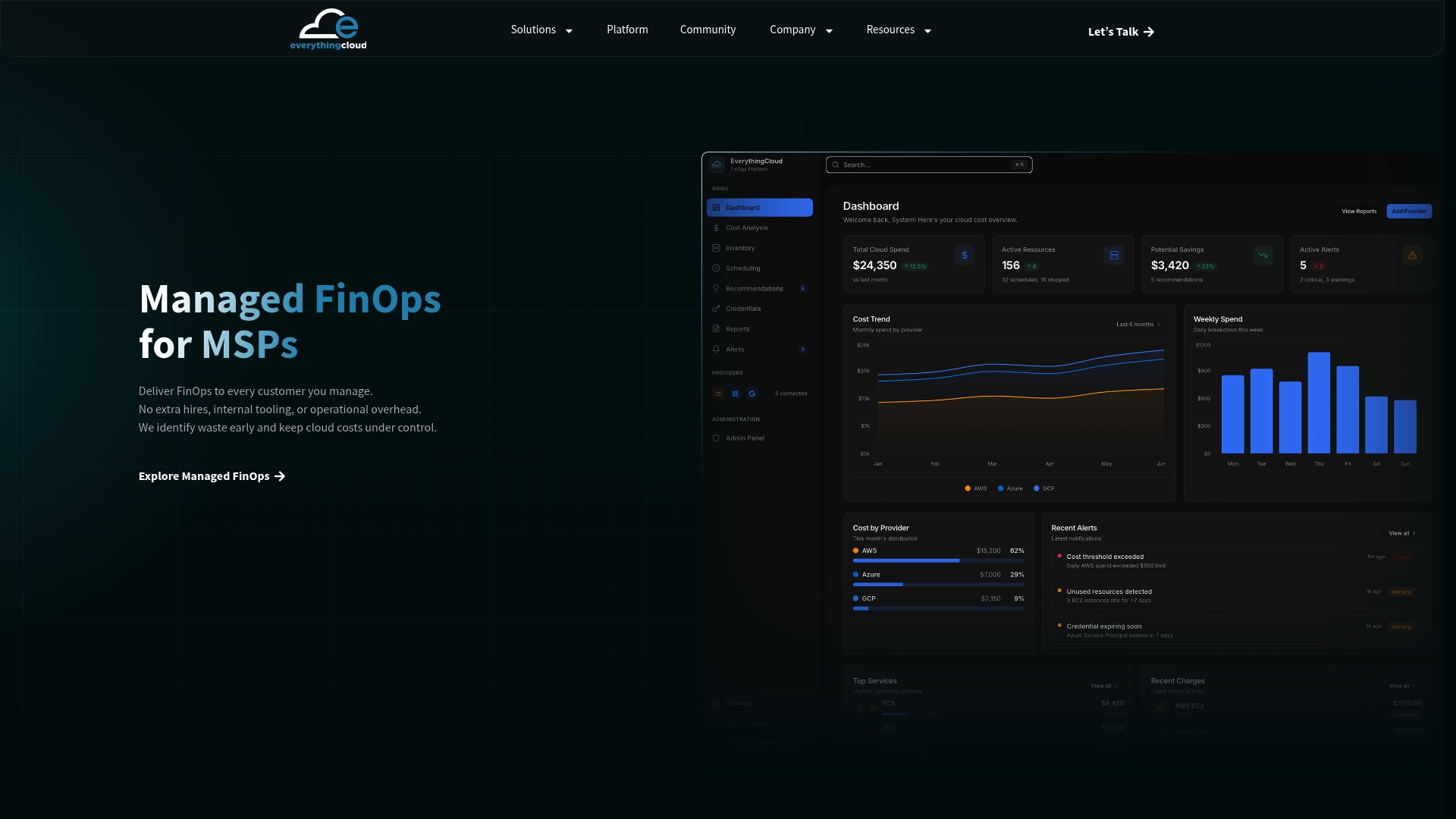
Everythingcloud gives IT and FinOps teams continuous, real-time visibility into Google Cloud spend alongside AWS, Azure, SaaS, and AI workloads, then turns Recommender and FinOps hub signals into automated action instead of another dashboard nobody has time to check. For organizations managing spend across multiple clouds, or MSPs looking to launch a managed FinOps service without building the platform themselves, Everythingcloud’s “FinOps in a Box” model pairs the automation with expert oversight and 24/7 monitoring. If you’re spending more time chasing recommendations than acting on them, reach out about a FinOps solution suited to your team’s size and cloud footprint.