
The fastest wins come from three levers, in order: rightsizing and performance tuning, which cost nothing and show results within days; reservations, savings plans, and Azure Hybrid Benefit, which carry the biggest dollar impact but require a commitment; and runtime controls like serverless auto-pause or Managed Instance stop and start, which fit workloads with real idle time, as detailed in LLM cost optimization: three levers that cut your bill. The rest of this guide shows how to measure, size, and execute each one.
TL;DR:
- Reserving capacity for one or three years provides the largest discount for stable workloads, but savings plans offer more flexibility for shifting usage.
- Rightsizing compute and turning off idle managed instances can save significant costs without additional spending, especially when monitored over busy weeks rather than averages.
- Using private network endpoints and keeping applications within the same region minimizes network egress charges, which often accumulate unnoticed.
- Oversized tiers, misaligned reservations, and overlooked backup or geo-replication retention policies are common cost traps requiring regular review.
- Combining Azure Hybrid Benefit with reservations or savings plans can reduce costs by up to roughly 35 percent on select workloads.
Table of Contents
- How Azure SQL pricing works: purchasing models and billed components
- High-impact savings programs: reservations, savings plans, and hybrid licensing
- Elastic pools and multi-database consolidation
- Serverless, autoscaling, and rightsizing compute
- SQL Managed Instance stop and start scheduling and other operational runtime levers
- Monitoring, cost analysis, and estimating savings
- Performance tuning levers that lower billed compute
- How we operationalize continuous Azure SQL cost optimization
- Strategies for optimizing network egress costs related to Azure SQL usage
- Common pitfalls and cost traps to avoid in Azure SQL deployments
- Author perspective: a prioritized FinOps roadmap
- Our managed FinOps approach to Azure SQL savings
- FAQ
- Sources
How Azure SQL pricing works: purchasing models and billed components
Azure SQL bills through two purchasing models. DTU bundles compute, storage, and I/O into one number, which is simple but opaque. vCore separates compute from storage and gives you the levers that actually drive savings, including serverless and reservation support. We recommend vCore whenever cost visibility matters, which is almost always.
Within vCore, serverless auto-pauses during idle periods and bills per second of actual use. Provisioned compute runs continuously and bills by the hour regardless of load. Each meter behind your invoice maps to a different optimization lever:
- Compute, billed in vCore-hours, the target of rightsizing and scheduling
- Storage, billed per GB-month, independent of compute
- Backup storage, billed separately once you exceed the included allowance
- Data and log I/O, which spikes with inefficient queries
- License cost, which Azure Hybrid Benefit can reduce or eliminate if you already own SQL Server licenses
Pro Tip: Check your invoice meter by meter before changing anything. You can’t fix a cost you haven’t located.
High-impact savings programs: reservations, savings plans, and hybrid licensing
For workloads that run around the clock, committing to spend unlocks the largest discounts. Here’s how the two main programs differ:
- Reservations (reserved capacity) lock in discounted compute for a 1 or 3 year term. The discount applies automatically, hour by hour, to matching usage, but unused reserved hours don’t carry forward.
- Savings plan for databases commits you to an hourly spend amount for one year instead of a specific SKU. It applies discounts automatically to whichever eligible usage saves you the most, which makes it a better fit when workloads shift between regions or services.
Azure’s own pricing page states that savings plans for databases can cut costs by up to roughly 35% on select workloads compared with pay-as-you-go rates, while keeping the flexibility reservations lack.
If your vCore footprint is stable month over month, a reservation tends to deliver the deepest discount. If it moves around, a savings plan protects you from leaving commitment unused.
Elastic pools and multi-database consolidation
If you’re running many databases where only a fraction are active at once, a pool often beats paying for each database separately. Elastic pools let databases share one allocation of vCores, memory, and storage, which is exactly the pattern in most SaaS and multi-tenant systems.
The trade-off is contention. Pack too many busy databases into one pool and performance degrades for everyone, a classic noisy-neighbor problem. Watch these signals:
avg_instance_cpu_percentsustained near capacity across the pool- Data and log I/O spikes concentrated in a handful of databases
- Database count per pool creeping past what your workload mix can absorb
When contention shows up, tune the offending queries first, redistribute heavy databases into a less crowded pool, or scale the pool itself as a last resort.
Serverless, autoscaling, and rightsizing compute
Serverless fits workloads with real idle gaps: dev and test environments, intermittent reporting databases, anything that doesn’t need to run at 3 a.m. It auto-pauses in the General Purpose tier and bills per second while active, so idle time costs almost nothing.
For everything else, rightsizing is the move. The workflow is straightforward:
- Measure actual vCore or DTU utilization over at least two full business cycles, not a single day.
- Set a target tier with headroom for peak concurrency, not average load.
- Scale down conservatively, one tier at a time.
- Monitor for a week before touching it again.
Before you scale down, check peak concurrency windows, cold-start or warm-up behavior after a pause, and whether your SLA tolerates any added latency.
Pro Tip: Rightsize off your busiest week, not your average week. Averages hide the spike that triggers the support ticket.
SQL Managed Instance stop and start scheduling and other operational runtime levers
For Managed Instances that sit idle outside business hours, say a dev or QA environment, stopping the instance stops the clock on two of the biggest line items.
- Stopping a General Purpose instance halts compute and license charges while it’s down, but storage and backup storage keep billing regardless.
- Stopping typically takes about five minutes; starting again takes about twenty, so build that lag into any automated schedule.
- Stop/start isn’t available for every configuration: failover groups, zone redundancy, and certain service tiers can block it, as can scheduled maintenance windows.
A simple savings formula covers most planning needs: hourly compute rate times vCores times stopped hours per month. A 16-vCore instance stopped for 12 hours a night across 22 workdays removes 264 billed compute hours that month, on top of the matching license savings.
Monitoring, cost analysis, and estimating savings
You can’t optimize what you haven’t measured. Start with the Azure Pricing Calculator to pull current unit rates, then use Cost Analysis in the portal to see what you’re actually consuming by resource.
For database-level detail, pull usage directly from the engine:
sys.dm_db_resource_statsfor per-database CPU, I/O, and memory consumption over the last hoursys.elastic_pool_resource_statsfor pool-level utilization trends across days or weeks- Export both by database or instance to build a baseline before any change
Combine meter rates with measured hours to model a schedule, reservation, or rightsizing move before committing to it. A back-of-envelope model looks like this:
| Input | Example value | Monthly impact |
|---|---|---|
| Current provisioned vCores | 16 | Baseline cost |
| Hourly vCore rate | Pulled from pricing calculator | Multiplier |
| Hours stopped or scaled down | 264 (12 hrs x 22 days) | Compute savings |
| Storage and backup | Unaffected by stop/start | No change |
Always add storage and backup back in: those meters run whether the instance is up or down, and leaving them out overstates your projected savings.
Performance tuning levers that lower billed compute
Query performance and compute cost are the same problem viewed from two sides. Every unnecessary CPU cycle or I/O operation is billed time. Azure’s automatic tuning engine handles two recommendation types well:
- Create index recommendations, which are evaluated for estimated gain before being applied
- Drop index recommendations for unused indexes, validated with before-and-after impact reports and auto-reverted if performance degrades
Beyond automatic tuning, forced parameterization targets queries that recompile constantly due to literal values, which is often a quiet source of wasted CPU.
- Validate drop-index changes over a full 24-hour cycle before trusting the result
- Test tuning changes in staging first, especially on Managed Instance
- Schedule changes outside peak hours and watch for regressions for at least a week
Pro Tip: A single unused index silently costing you I/O for months is more common than most teams expect. Check the drop-index recommendations before you touch pricing tiers.
How we operationalize continuous Azure SQL cost optimization
Running every lever above manually, every month, across dozens of databases is where most FinOps programs stall. We built our platform to carry that load: real-time visibility across Azure, reservation and savings plan optimization, automated stop/start scheduling, anomaly detection, and monthly savings verified against invoice-level billing. For MSPs, our FinOps in a Box approach packages these processes into a service you can resell without building the automation yourself.
Strategies for optimizing network egress costs related to Azure SQL usage
Egress charges are the quiet line item that FinOps teams discover too late. Azure SQL itself doesn’t charge for data moving within the same region, but costs appear the moment data crosses region or network boundaries.
A few patterns drive most of the unnecessary spend. Cross-region read replicas and geo-replication push continuous data transfer out of the primary region, which adds up fast on high-write workloads. Applications that pull large result sets to an on-premises network or a different cloud region pay egress on every query. Backup exports and reporting jobs that copy data across regions for no operational reason are another common source.
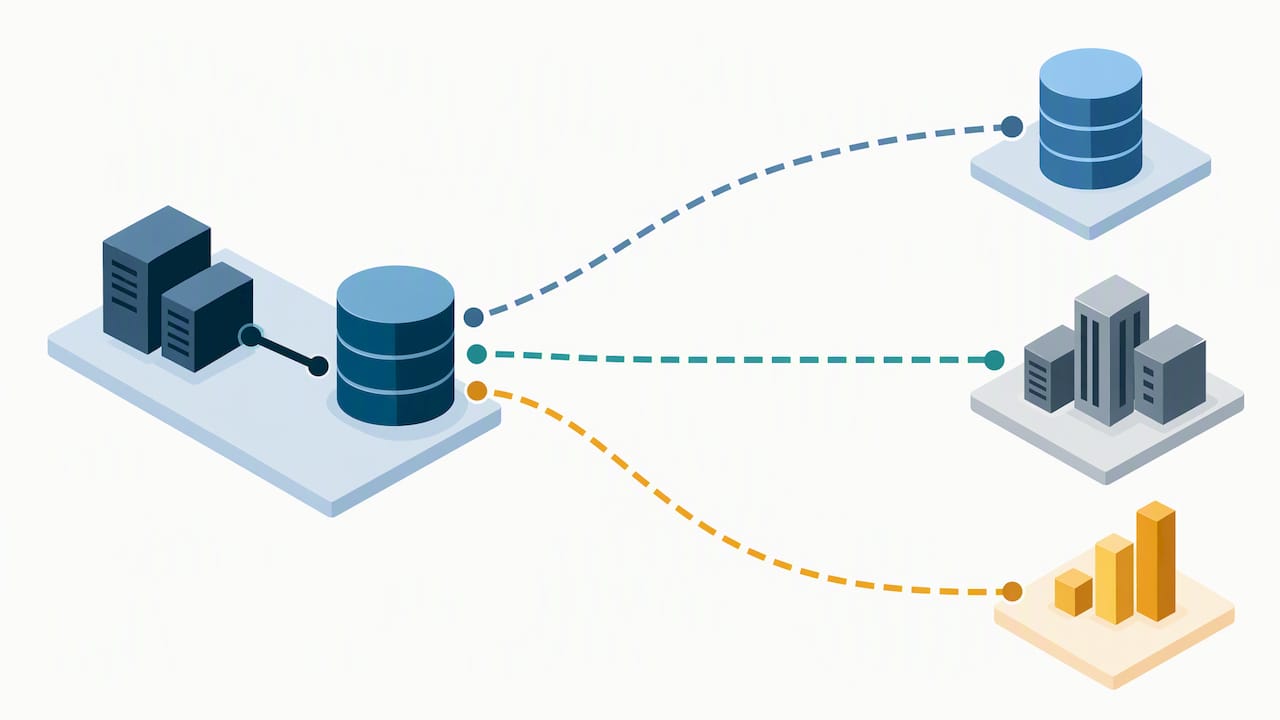
The fixes are mostly architectural rather than a setting you flip. Keep application compute in the same region as the database whenever latency and compliance allow it, which eliminates most egress by default. Use private endpoints and virtual network service endpoints instead of routing traffic over the public internet, since private connectivity paths typically avoid the egress charges that public internet routes incur. Review geo-replication and high-availability configurations for necessity: a secondary replica in a distant region for disaster recovery is often worth the transfer cost, but a replica kept “just in case” with no real failover plan is a cost with no return. Batch or compress large exports rather than streaming them repeatedly, and route reporting workloads through a read replica in the same region as the consuming application instead of the primary.
Egress rarely shows up as a single large charge. It accumulates in small amounts across many queries, which is exactly why it’s worth a dedicated line in your monthly cost review.
Common pitfalls and cost traps to avoid in Azure SQL deployments
Most Azure SQL waste isn’t dramatic. It’s a handful of small decisions left unreviewed for months.
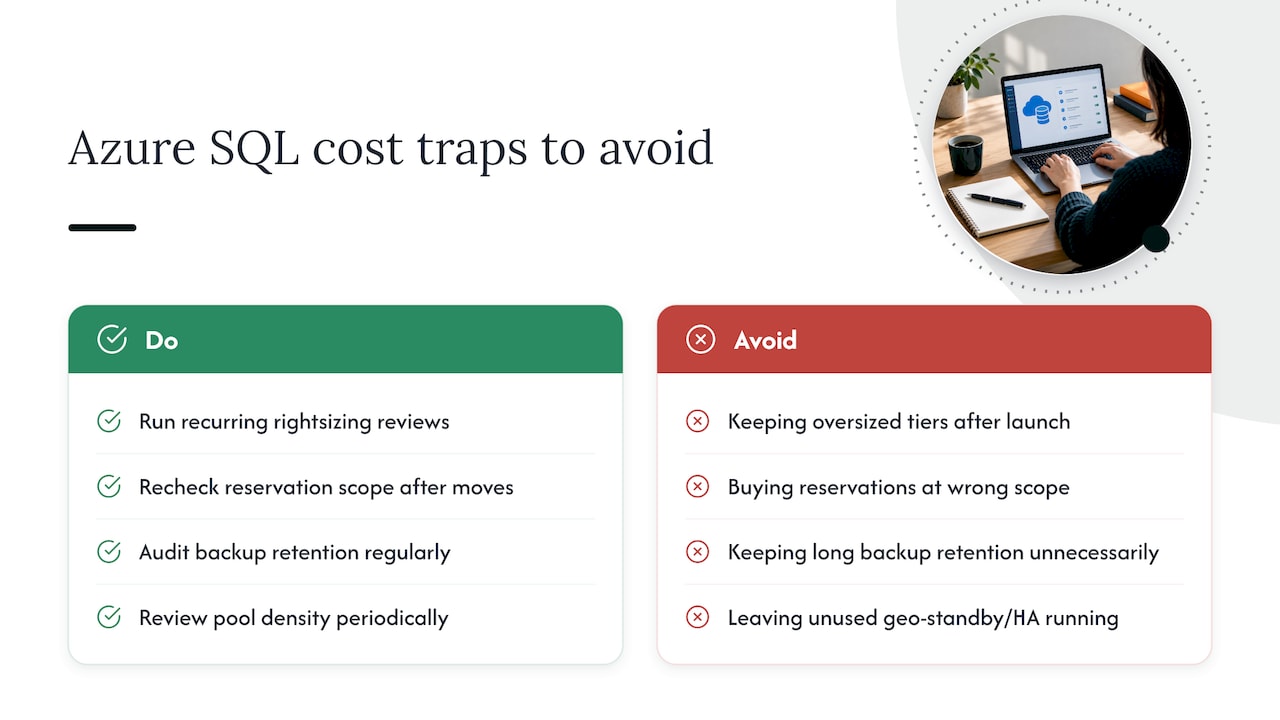
Oversized tiers are the most common trap. Teams provision for a launch spike, hit their performance target, and never revisit the tier once traffic normalizes. The fix is the rightsizing workflow covered earlier, run on a recurring schedule rather than once.
Reservations and savings plans bought against the wrong scope are a close second. A reservation sized for a region or subscription that later gets reorganized stops matching usage, and the discount quietly stops applying even though the commitment is still being paid. Review reservation scope whenever you restructure subscriptions or move workloads.
Backup retention is an easy one to overlook. Long-term retention policies set once during a compliance review often stay in place long after the requirement changes, and backup storage bills independently of compute, so it keeps accumulating even on a stopped instance.
Geo-replication and high-availability configurations added for a disaster recovery plan that was never finished are another recurring trap: you pay for the standby capacity and the replication traffic without ever testing the failover.
Finally, elastic pools left to grow database by database without a density review eventually hit the noisy-neighbor problem described earlier, at which point the “cost-effective” pool starts requiring a more expensive tier just to keep performance acceptable.
None of these traps require a complex fix. They require a recurring review, which is the part most teams skip once the initial optimization project ends.
Author perspective: a prioritized FinOps roadmap
Measure first, always. Then take the quick wins: tuning and rightsizing, both reversible and low-risk. Commit to reservations or savings plans only once you trust your steady-state number. Automate last, once you know what “normal” looks like. For MSPs, the real leverage isn’t doing this once for one client. It’s packaging it so every client gets the same discipline without hiring for each one.
— Dan
Our managed FinOps approach to Azure SQL savings
Running this playbook well takes consistent attention: tracking reservation coverage, catching rightsizing drift, and verifying that stop/start schedules are actually saving what they promised. We built our platform to do that continuously instead of as a quarterly project.
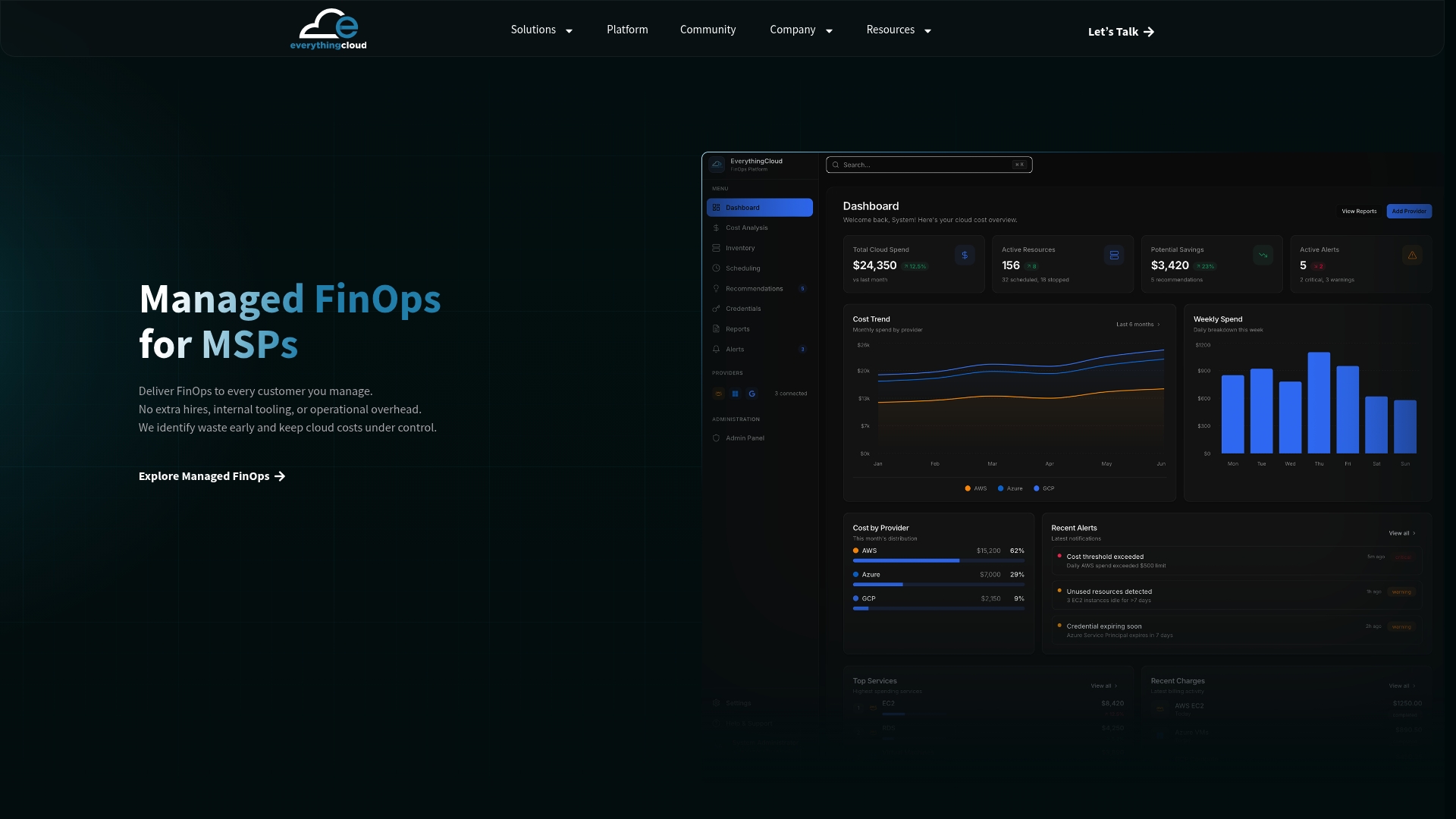
- Managed FinOps handles ongoing optimization, reservation management, and monthly savings verification against your actual invoices, learn more here.
- Continuous Cloud Optimization gives enterprise teams automated execution across Azure, AWS, and Google Cloud from one dashboard, see the details.
- MSPs can resell this entire motion under their own brand through our Founding Partner Membership, priced at $500 per month.
If you want a clear read on what you’re currently leaving on the table, request a cloud waste valuation and we’ll walk through the numbers with you.
FAQ
How do you do cost optimization in Azure?
Start by measuring actual vCore and storage consumption, then apply rightsizing and performance tuning first since both are low-risk. Once your steady-state usage is reliable, add reservations, savings plans, or Azure Hybrid Benefit for committed workloads, and use stop/start scheduling for anything with genuine idle time.
Why is cloud SQL pricing often more expensive than expected?
Managed database pricing on any major cloud provider bundles compute, storage, backup, and sometimes licensing into separate meters that are easy to lose track of. Costs climb when teams provision for peak load and never revisit the tier, or when backup retention and geo-replication run longer than actually needed.
What are the limitations of Azure SQL Database?
Azure SQL Database has resource limits tied to its service tier and purchasing model, and some features like cross-region failover or zone redundancy can restrict operational options such as stop/start scheduling. The DTU model in particular bundles compute and storage together, which limits the independent scaling that vCore provides.
What tools help with Azure cost control?
The Azure Pricing Calculator and Cost Analysis in the Azure portal are the baseline tools for estimating and tracking spend. For continuous, automated optimization across reservations, scheduling, and anomaly detection rather than manual monthly reviews, a managed FinOps platform like ours extends what those native tools can do on their own.
How much can Azure Hybrid Benefit and reservations save together?
Azure Hybrid Benefit reduces or eliminates the license portion of your bill if you already own qualifying SQL Server licenses, while reservations apply a separate discount to the compute portion. Azure’s own pricing guidance shows savings plans for databases can cut costs by up to roughly 35% on select workloads, and combining that commitment discount with Hybrid Benefit licensing savings compounds the total reduction.
Sources
- Compare vCore and DTU-based purchasing models — Azure SQL Database
- Azure savings plans — Microsoft Azure