
Azure OpenAI bills two ways, and most surprise invoices trace back to teams tracking only one of them. Pay-as-you-go charges accrue per token, counting both prompt and completion. Provisioned Throughput Units (PTUs) bill hourly for reserved capacity, whether you use it or not. Both show up in Cost Management → Cost analysis under Cognitive Services meters, typically 24 to 48 hours after usage occurs.
That lag matters. It means the dashboard you’re staring at right now is already a day behind reality.
Three controls stop most cost surprises before they start:
- Set budgets and forecast-based alerts in Cost Management immediately.
- Buy PTU reservations only for workloads with steady, predictable traffic.
- Put Azure API Management (APIM) in front of production deployments so you can throttle or deny calls the moment spend crosses a line.
Pro Tip: Check Cost Analysis before you check Slack complaints about a slow model. If usage spiked yesterday, the bill hasn’t caught up yet, but the throttling probably has.
Key Takeaways
Azure OpenAI cost management succeeds when token billing and PTU reservations are tracked separately, monitored against real utilization data, and backed by automated enforcement rather than alerts alone.
| Point | Details |
|---|---|
| Track both billing models | Monitor pay-as-you-go token charges and PTU hourly costs separately in Cost Analysis. |
| Expect a reporting delay | Billed charges typically post 24 to 48 hours after actual usage occurs. |
| Size reservations to real usage | Deploy first, measure utilization, then buy PTU reservations that match observed traffic. |
| Enforce, don’t just alert | Pair Cost Management budgets with APIM policies and automation runbooks for hard stops. |
| Decommission idle deployments | Unused fine-tuned or provisioned deployments bill continuously until removed. |
| Consider managed FinOps | Everythingcloud offers continuous monitoring, reservation management, and enforcement as a managed service. |
Table of Contents
- How Does Azure OpenAI Pricing Work?
- Where Do Azure OpenAI Charges Appear on the Bill?
- How Do PTU Reservations Actually Work?
- What Metrics Should You Monitor for Cost and Performance?
- How Do You Set Budgets and Enforce Hard Spending Limits?
- Which Optimization Levers Cut Cost Without Hurting Performance?
- How Do You Allocate Azure OpenAI Costs to Teams and Projects?
- What Does a 90-Day Rollout Plan Look Like?
- How Does EverythingCloud Support Continuous Azure OpenAI Cost Management?
- What Actually Causes Most Surprise Azure OpenAI Bills?
- Get Continuous Azure OpenAI Cost Oversight Without Building It Yourself
- Frequently Asked Questions
- Sources
How Does Azure OpenAI Pricing Work?
Azure OpenAI pricing splits into two distinct billing models, and picking the wrong one for your workload is the single most common cause of inflated cloud bills.
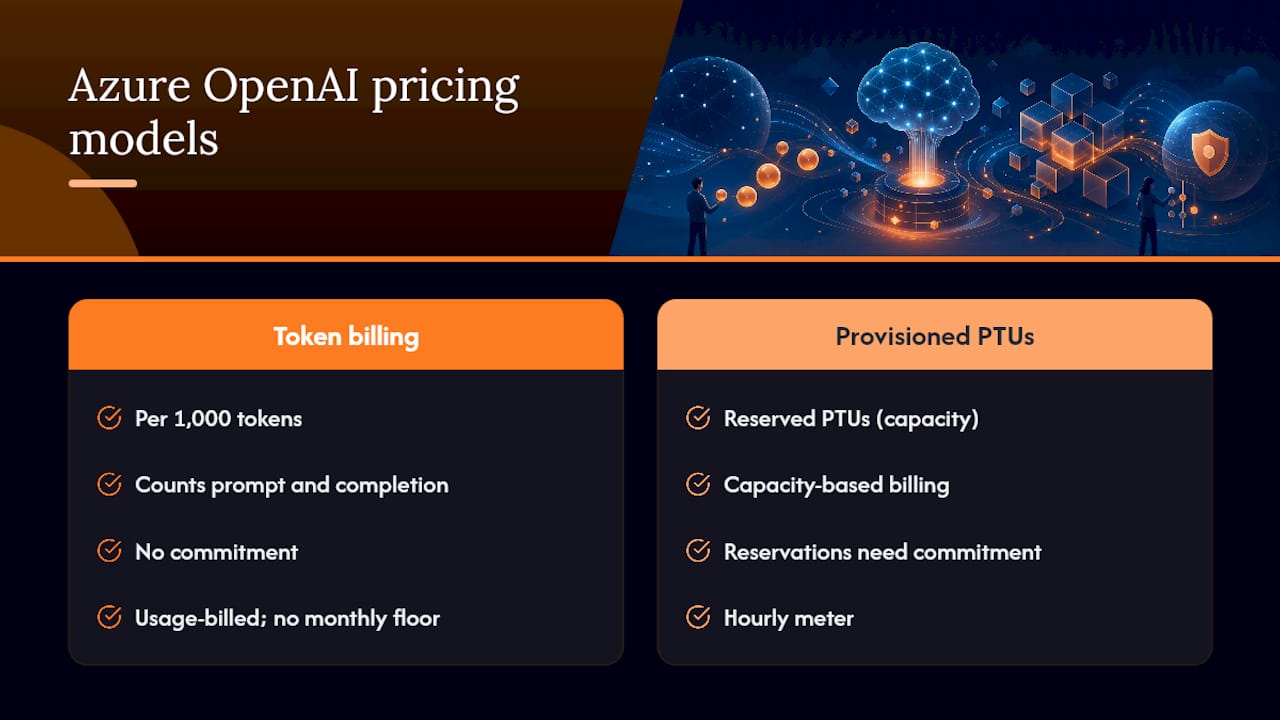
Token billing charges per 1,000 tokens, counting prompt tokens (what you send) and completion tokens (what the model returns) separately, at rates that vary by model family. There’s no monthly floor and no commitment. You pay for exactly what you consume, which sounds appealing until a runaway loop or a verbose system prompt quietly triples your spend overnight.
Provisioned Throughput Units (PTUs) work differently. You reserve a fixed amount of model capacity, measured in PTUs, and pay an hourly rate for that capacity whether you use it or not. Provisioned throughput billing runs on an hourly meter, and monthly or yearly reservations lower that effective hourly rate substantially in exchange for a commitment.
Estimating cost under each model
For token billing, the math is straightforward: multiply your expected tokens per request by requests per day, apply the published per-1,000-token rate for your model, and multiply by 30 for a monthly estimate — see AI Voice & Chat Agent Pricing for sample vendor rates to compare consumption patterns and cost levers. A support chatbot averaging 800 tokens per exchange (prompt plus completion) across 5,000 daily sessions consumes roughly 4 million tokens a day, or 120 million tokens a month. At typical rates for a mid-tier model, that lands in the low thousands of dollars monthly, though exact figures depend entirely on which model you deploy.
For PTUs, the formula is hourly rate multiplied by number of units multiplied by hours deployed. A reservation running 24/7 for a month runs roughly 730 hours. If you provision 10 PTUs and leave them running the full month, you’re paying for 7,300 unit-hours regardless of whether traffic is heavy or light that week.
- Token model: variable cost, scales directly with usage, no idle charges.
- PTU model: fixed cost once provisioned, favorable only when utilization stays high.
- Reservations: discount the PTU hourly rate further but lock in a term commitment.
Neither the Azure OpenAI pricing page nor generic estimates substitute for running your actual traffic assumptions through the Azure Pricing Calculator, which lets you plug in region, model, and volume to get a number specific to your deployment.
Pro Tip: Model your worst-case token volume, not your average. Averages hide the burst traffic that actually drives your bill.
Where Do Azure OpenAI Charges Appear on the Bill?
Every Azure OpenAI charge lands in the same place: Azure Portal → Cost Management + Billing → Cost analysis, filtered by the Cognitive Services service name. From there, you can break spend down by meter, resource, and deployment tag.
The bill separates line items by meter type. You’ll see distinct entries for prompt tokens, completion tokens, and, if you’re running provisioned deployments, separate PTU meters. Charges typically take 24 to 48 hours to appear in Cost Analysis after the usage actually happens, which is the single most common reason teams think a cost spike “came out of nowhere.” It didn’t. It just hadn’t posted yet.
- Filter by Cognitive Services to isolate Azure OpenAI from other Azure spend.
- Group by meter to separate prompt-token, completion-token, and PTU charges.
- Group by resource and tag to map charges back to specific deployments and teams.
- Cross-reference timestamps against your application logs, not just the dashboard date.
The streaming token trap
If your application streams responses token by token, Azure OpenAI may not return usage data by default. Teams building real-time chat interfaces often discover this only after they can’t reconcile billed tokens against anything their app logged. Retrieving accurate token counts during streaming requires explicitly setting stream_options with include_usage, or capturing counts by emitting metrics from your API gateway instead of relying on the response payload.
Rate limits add another wrinkle. TPM and RPM quotas are calculated using an estimated max-processed-token count at request time, which means you can get throttled with a 429 error well before your actual billed token count would suggest a problem. Quota enforcement and cost billing run on different clocks.
Pro Tip: If a bill doesn’t match your expectations, group by meter first, then by resource. Ninety percent of the time the mismatch is a deployment nobody remembered was still running, not a pricing error.
How Do PTU Reservations Actually Work?
PTUs bill hourly by default, and reservations exist to soften that hourly rate in exchange for a term commitment. Understanding the scoping rules matters more than the discount percentage, because a mismatched reservation saves you nothing.
Reservations only cover matching deployments within their defined scope — meaning a monthly reservation purchased for one region or subscription won’t automatically apply to a deployment sitting somewhere else. Any PTUs consumed beyond your reserved quantity get billed at the full hourly overage rate until you either scale down or purchase additional capacity.
The sizing sequence matters: deploy your provisioned model first, observe actual PTU consumption under real traffic, then buy a reservation sized to what you’re actually using. Buying a reservation before you know your steady-state load is how organizations end up paying for capacity that sits idle.
| Scenario | What happens | Cost impact |
|---|---|---|
| Reservation matches deployed PTUs | Full discount applies to all provisioned capacity | Lowest effective hourly rate |
| Deployment exceeds reservation | Overage PTUs billed at standard hourly rate | Blended cost, partial savings |
| Reservation exceeds deployment | Unused reserved capacity still billed | Wasted spend, poor utilization |
| Reservation scope mismatch | Reservation doesn’t apply to the deployment | No discount, full hourly rate |
- Check the Reservations page monthly to compare purchased quantity against actual deployed PTUs.
- Review amortized-cost reporting in Cost Analysis to see the true blended rate you’re paying.
- Reservation savings depend entirely on utilization staying high; a half-used reservation erodes most of its own discount.
- Reassess sizing every time traffic patterns shift materially, not just at renewal.
Pro Tip: A reservation running at 60 percent utilization often costs more per effective token than pay-as-you-go would have. Run the amortized math before you renew, not after.
What Metrics Should You Monitor for Cost and Performance?
Cost control without metrics is guesswork with a dashboard attached. Azure OpenAI and Foundry expose several metrics that matter far more than raw dollar totals, because they tell you why the bill moved.
GeneratedTokens and ProcessedPromptTokens track actual consumption at the model level, letting you separate input-heavy workloads (long context windows) from output-heavy ones (verbose completions). AzureOpenAIRequests tracks call volume. Provisioned-managed Utilization V2 tells you how much of your reserved PTU capacity is actually being used, which is the number that determines whether your reservation is paying for itself.
Latency metrics matter for cost too. AzureOpenAITimeToResponse and time-to-last-byte help you spot when a model is straining under load, which often correlates with retry storms that quietly multiply token consumption.
| Metric | What it tells you | Primary use |
|---|---|---|
| GeneratedTokens | Completion volume per model | Cost attribution by workload |
| ProcessedPromptTokens | Input volume per model | Identifying context-window bloat |
| Provisioned-managed Utilization V2 | PTU capacity actually used | Reservation sizing decisions |
| AzureOpenAIRequests | Total call volume | Traffic pattern analysis |
| TimeToResponse / TimeToLastByte | Latency under load | SLA and retry-storm detection |
| x-ratelimit-* headers | Remaining quota per request | Throttling and burst detection |
- Pair latency metrics with token metrics; a slow response often precedes a retry that doubles token spend.
- Foundry’s Monitor tab shows near real-time estimated cost per model, while Cost Analysis shows the invoiced, billed figure used for financial reconciliation. Treat them as complementary, not duplicate, views.
- Watch x-ratelimit-* response headers to catch throttling before users report slowness.
- Build a forecast-threshold alert on utilization percentage, not just raw spend, to catch underused reservations early.
How Do You Set Budgets and Enforce Hard Spending Limits?
Budgets alone are a smoke detector, not a fire suppression system. They tell you something is burning; they don’t put it out. Real enforcement requires connecting the alert to an action.
- Create scoped budgets in Cost Management at the subscription, resource group, or resource level, triggered on either actual or forecasted spend.
- Attach Action Groups to each budget so threshold breaches automatically call a webhook, Logic App, or Automation runbook rather than just emailing someone who might be on vacation.
- Route that automation to update policies on an APIM gateway sitting in front of your Azure OpenAI deployments.
- Have the runbook apply a throttle or deny-all policy the moment a hard budget threshold is confirmed breached.
- Notify the FinOps owner and platform engineer simultaneously so enforcement doesn’t happen silently.
Community and Microsoft guidance both describe this pattern as the practical way to implement a genuine hard stop, since Cost Management budgets alone don’t block traffic. They only alert.
- APIM sits between callers and the model, so it can throttle or deny requests before they ever reach Azure OpenAI.
- The llm-emit-token-metric policy lets APIM emit real token counts to Application Insights, closing the gap while you wait for billing data to catch up.
- Lock Azure OpenAI down to private endpoints so APIM is the only path in. Anything that can bypass the gateway can bypass your enforcement.
Pro Tip: Test your runbook’s deny-all policy in a staging environment before you need it live. The worst time to discover a syntax error in your enforcement automation is during an actual budget breach.
Which Optimization Levers Cut Cost Without Hurting Performance?
Cost optimization for Azure OpenAI isn’t one lever. It’s a stack of smaller decisions that compound.
Start with model selection. Not every task needs your most capable model. Routing simple classification or extraction tasks to a smaller model while reserving the flagship model for genuinely complex reasoning can cut token costs meaningfully, since smaller models typically price lower per 1,000 tokens.
Trim what you send and what you accept back. Reducing max_tokens on completions prevents runaway responses. Tightening system prompts and trimming conversation history sent with each call reduces prompt-token volume on every single request, and at scale, that adds up fast.
- Cache frequent or repeated responses server-side instead of re-querying the model for identical or near-identical prompts.
- Batch requests where latency tolerance allows, reducing per-call overhead.
- Use retrieval-augmented generation to pull only relevant context into the prompt instead of stuffing the full document into every call.
- Trim conversation history aggressively; most chat applications don’t need the full session history in every request.
Fine-tuning deserves a specific warning. A fine-tuned model can reduce the token count needed to get quality output, since you’re no longer padding prompts with lengthy instructions. But fine-tuned deployments incur hosting charges for as long as they remain deployed, whether anyone calls them or not. Teams that fine-tune for a project, then move on without decommissioning the deployment, end up paying 24/7 hosting for a model nobody uses. This is one of the most overlooked line items on an Azure OpenAI bill.
Choosing between PTU reservations and pay-as-you-go token billing comes down to traffic shape. Steady, high-throughput production workloads with predictable volume benefit from reservations. Bursty, unpredictable, or early-stage workloads are usually better served by token billing paired with throttling, since you’re not locked into capacity you might not need next month. For container-based inference workloads that scale alongside your AI usage, the batching and scheduling tactics covered in Kubernetes cost optimization for DevOps teams apply directly to reducing per-call overhead.
Pro Tip: Audit every fine-tuned deployment monthly. If nothing has called it in 30 days, decommission it. There’s no such thing as a fine-tune that’s “just in case.”
How Do You Allocate Azure OpenAI Costs to Teams and Projects?
Chargeback only works if the underlying data is tagged correctly, and Azure OpenAI gives you a head start here that many teams don’t fully use.
Foundry projects are automatically tagged, which means Cost Analysis can filter by project without you building a manual tagging scheme from scratch. Extend that with resource group and team-level tags for anything Foundry doesn’t tag by default.
- Export amortized reservation benefits alongside resource-level meter data so shared PTU reservations get split fairly across the teams actually using that capacity.
- Group Cost Analysis by meter and resource, then export to CSV or feed it into a FinOps platform for recurring chargeback reporting.
- Reconcile monthly, not quarterly. Token usage patterns shift fast enough that a quarterly review misses the window to correct misallocation.
- Auto-tags from Foundry projects reduce manual tagging overhead significantly.
- Shared reservations require explicit mapping logic; without it, one team can absorb another team’s PTU overage by accident.
- MSPs managing multiple client environments face a version of this problem constantly, where unattributed cloud spend quietly erodes margin until someone builds a proper allocation process.
What Does a 90-Day Rollout Plan Look Like?
Most teams don’t need a six-month FinOps transformation to get Azure OpenAI spend under control. They need a sequenced 90-day plan with clear owners.
- Days 1 to 30: Set budgets and forecast alerts in Cost Management. Tag existing deployments. Assign a FinOps owner and a platform engineer as the enforcement point of contact.
- Days 31 to 60: Deploy APIM in front of production Azure OpenAI endpoints. Build the runbook that toggles enforcement policies. Size PTU reservations against 30 days of observed utilization data.
- Days 61 to 90: Automate monthly reservation utilization reviews. Formalize chargeback reporting. Document a rollback plan for enforcement actions in case a deny-all policy fires against production traffic incorrectly.
- FinOps owner: tracks budget thresholds and reservation utilization monthly.
- Platform engineer: maintains APIM policies and the enforcement runbook.
- Security/admin: locks down private endpoints and reviews access paths quarterly.
- Billing owner: reconciles Cost Analysis against chargeback exports each cycle.
Deliverables by day 90 should include a working dashboard, a tested runbook, a documented reservation purchase plan, and a rollback procedure everyone on the team has actually read. For a broader view of how these controls fit into overall Azure spend governance, the enterprise guide to Azure cloud cost optimization covers the cross-service version of this same playbook.
How Does EverythingCloud Support Continuous Azure OpenAI Cost Management?
Building and maintaining the playbook above, budgets, APIM enforcement, reservation tracking, chargeback reporting, takes real engineering time most teams don’t have spare. Everythingcloud runs it as a continuous, managed service instead of a one-time project.
The platform provides real-time visibility into Azure OpenAI and broader Azure spend, automated anomaly detection that flags unusual token consumption before it becomes a five-figure surprise, and active reservation and commitment management so PTU purchases stay sized to actual utilization.
- Continuous monitoring across Azure, AWS, Google Cloud, and AI workloads in one view.
- Automated anomaly detection tuned to catch token-usage spikes early.
- Reservation and commitment management to keep PTU purchases aligned with real usage.
- Cost allocation and chargeback support for teams running multi-project or multi-client environments.
- Policy-driven enforcement patterns similar to the APIM approach described above, managed on your behalf.
What Actually Causes Most Surprise Azure OpenAI Bills?
In practice, the same handful of failures show up again and again. A staging deployment nobody remembered to shut down. A fine-tuned model still hosted months after the project ended. Streaming responses where nobody set include_usage, so the engineering team has no idea what they’re actually consuming until finance calls. A reservation purchased before anyone measured real PTU utilization, quietly running at 40 percent capacity for months.
None of these are exotic problems. They’re operational gaps that budgets alone don’t close, because a budget alert tells you spend crossed a line after the fact. What actually prevents the surprise is combining that alert with enforcement, and reviewing reservation utilization on a fixed monthly cadence rather than waiting for a renewal notice to prompt the question.
The discipline that matters most isn’t a tool. It’s the habit of checking utilization and enforcement together, every month, before the numbers force the conversation.
Get Continuous Azure OpenAI Cost Oversight Without Building It Yourself
The playbook above works, but it takes ongoing engineering attention: someone has to maintain the APIM policies, review reservation utilization every month, and rebuild dashboards when metrics change. Everythingcloud runs that operational layer for you instead of leaving it as a side project for whichever engineer has bandwidth this quarter.
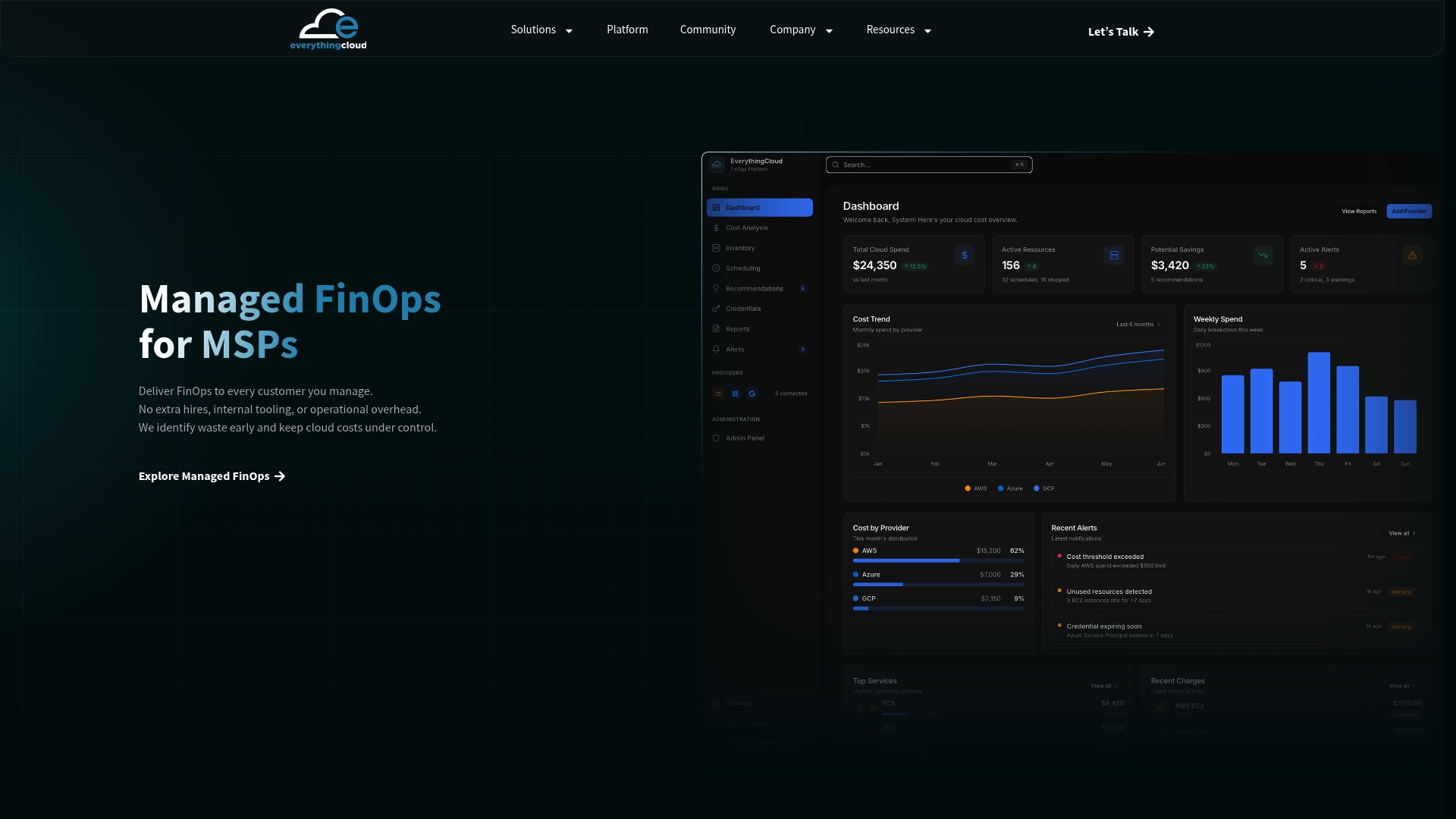
Engagement typically starts with a discovery review of your current Azure OpenAI and broader Azure spend, followed by implementation of monitoring, budgets, and enforcement policies, then ongoing monthly management, including reservation sizing and chargeback reporting. That means faster time to value than building the stack internally, fewer surprise invoices, and reservation decisions handled by people who track utilization for a living rather than as an occasional task. If your organization is spending meaningfully on Azure OpenAI and wants that oversight without adding headcount, explore Everythingcloud’s managed FinOps service for MSPs and enterprises or check out the platform’s real-time visibility features directly.
Frequently Asked Questions
Does Azure OpenAI charge for both prompt and completion tokens?
Yes. Token billing counts input (prompt) tokens and output (completion) tokens separately, and both contribute to the total charge for each request.
How long does it take for Azure OpenAI charges to appear in Cost Management?
Charges typically take 24 to 48 hours to post in Cost Analysis after the usage actually occurs, so same-day dashboards will always lag behind real consumption.
Can I get a hard stop on Azure OpenAI spending, not just an alert?
Budgets alone only alert; they don’t block traffic. A genuine hard stop requires routing a budget alert through an action group to an automation runbook that updates an APIM policy in front of your deployments.
Are PTU reservations always cheaper than pay-as-you-go token billing?
Only when utilization stays high. A reservation running well below its purchased capacity often costs more per effective token than token billing would have, so size reservations to measured usage, not projected usage.
Why don’t I see token usage data when streaming responses?
By default, streaming responses may omit usage data. Set stream_options with include_usage, or capture token counts through your API gateway, to get accurate accounting.