
Cover the floor, not the peak. That’s the entire strategy in one line: anchor commitments to your right-sized baseline workloads, layer Reserved Instances and Savings Plans on top of each other instead of picking one, and ladder your purchases so you’re never staring down a wall of expiring contracts at once.
Here’s the three-step version you can hand to your team this week. First, measure before you commit. Run AWS Compute Optimizer and AWS Cost Optimization Hub to rightsize instances before locking in a single dollar. Second, match the instrument to the workload: Standard RIs for dead-stable capacity, Convertible RIs where families might shift, Savings Plans for everything else. Third, stagger your purchases across terms and dates so renewals don’t cluster into one brutal quarter.
- Rightsize first. Never buy commitments against unoptimized usage.
- Pick the instrument deliberately. RI type should match workload volatility, not habit.
- Ladder the purchases. Stagger expiries across quarters to avoid renewal cliffs.
Teams that skip step one often overcommit. Compute Optimizer, run through Cost Optimization Hub in AfterDiscounts mode, is built specifically to catch this before you buy.
Key Takeaways
A reserved instances strategy succeeds when it covers right-sized baseline workloads first, layers RIs with Savings Plans, and staggers expirations to avoid renewal cliffs.
| Point | Details |
|---|---|
| Rightsize before buying | Run Compute Optimizer with AfterDiscounts mode active before any RI purchase decision. |
| Match instrument to workload | Use Standard RIs for stable capacity, Convertible for shifting families, Savings Plans for variable fleets. |
| Ladder your purchases | Stagger terms and payment options across three to five tranches to avoid renewal cliffs. |
| Target coverage by workload type | Aim for 20 to 60% coverage on general compute, 75 to 90% on production databases. |
| Automate the ongoing work | Platforms like EverythingCloud continuously monitor utilization and manage Marketplace listings automatically. |
Table of Contents
- What Reserved Instances Are and How RI Billing Works
- RI Types, Offering Classes, Terms, and Payment Options
- Key Pricing Variables and an Annotated Billing Example
- Reserved Instances vs Savings Plans: Which to Use When
- Rightsizing and Prerequisites Before You Commit
- How to Buy, Modify, and Sell Reserved Instances
- Five Reserved Instance Buying Playbooks
- Monitoring, Reporting, and Automation for RI Coverage
- Common Reserved Instance Mistakes and How to Avoid Them
- Operationalizing RI Strategy With Managed FinOps
- Implementation Checklist for This Quarter
- How EverythingCloud Helps You Execute an RI Strategy That Sticks
- Sources
What Reserved Instances Are and How RI Billing Works
A Reserved Instance is a billing discount, not a physical server. AWS still runs your workload on the same On-Demand capacity underneath. What changes is the price you pay for matching usage, and that distinction trips up more engineers than you’d expect. Buy an RI and you’re not reserving a machine. You’re pre-paying for a rate.
Reserved Instances come in two scopes: regional and zonal. Regional RIs offer instance-size flexibility through normalization factors and apply automatically across accounts in an organization. Zonal RIs reserve actual capacity in a specific Availability Zone but lose that flexibility.
For the discount to apply, several attributes have to match: instance family and size, region or AZ, tenancy, and platform (Linux, Windows, and so on). Get one of those wrong and you’re paying On-Demand rates on capacity you already own.
Here’s the billing mechanic in practice: AWS applies your RI rate first, hour by hour, for the entire term you committed to. Any usage above what you own gets billed at standard On-Demand rates. Buy ten RIs and run fifteen matching instances, and you pay the discounted rate on ten, On-Demand on five. You buy it all through the AWS Management Console, and the interface will show you exactly which attributes need to line up before you commit.
RI Types, Offering Classes, Terms, and Payment Options
Two offering classes cover almost every use case. Convertible RIs trade some discount depth for the ability to exchange into an equal-or-greater-value RI later, which matters when your architecture is still evolving.
Term length is the next lever. A 1-year term keeps you flexible but discounts less. A 3-year term locks in the best pricing and works well for workloads you’re confident will still exist in three years, think core databases or legacy platforms nobody’s touching soon.
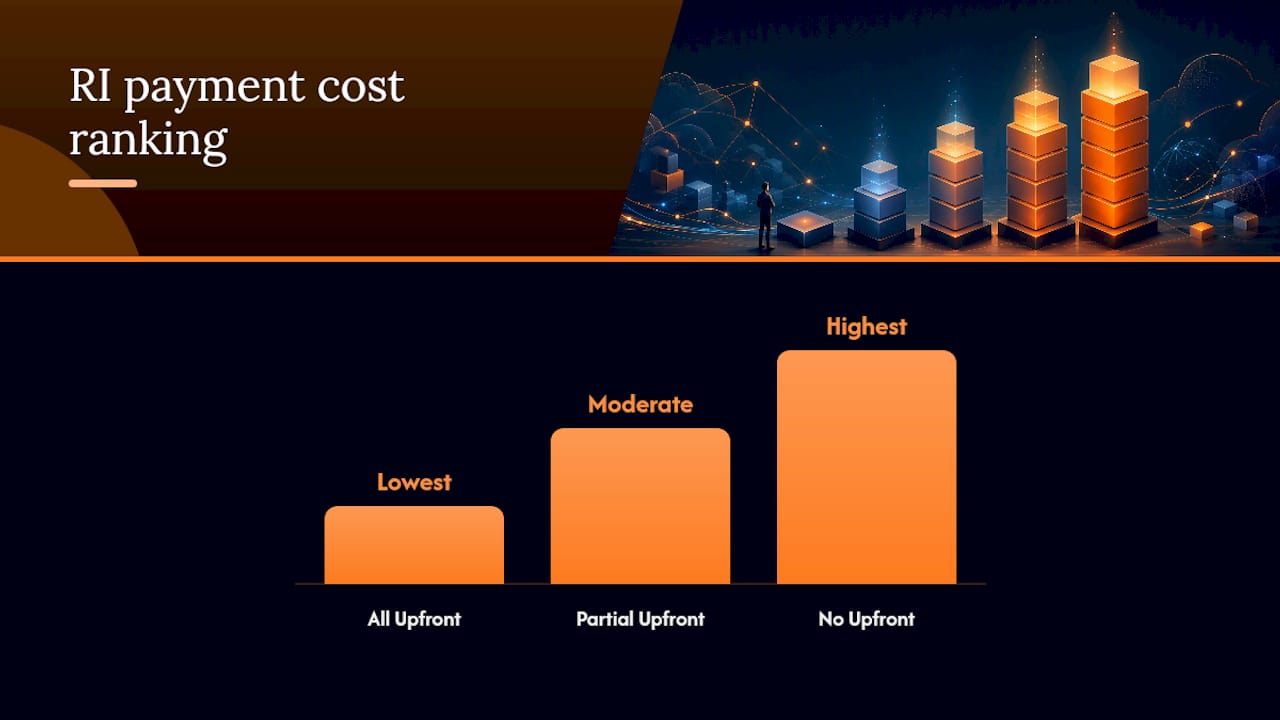
Payment options change your effective hourly rate without changing the term:
- All Upfront — lowest total cost, full cash outlay on day one.
- Partial Upfront — moderate upfront payment, moderate hourly rate.
- No Upfront — no cash commitment, highest effective hourly cost, easiest to justify to finance.
| Attribute | Standard RI | Convertible RI |
|---|---|---|
| Term length | 1yr or 3yr | 1yr or 3yr |
| Flexibility | Fixed instance family | Exchangeable for other RIs |
| Discount depth | Deepest | Slightly lower |
| Best fit | Steady-state workloads | Variable or shifting families |
Key Pricing Variables and an Annotated Billing Example
Your effective hourly cost depends on five variables stacking together: instance attributes, term length, offering class, payment option, and whether you chose zonal (capacity-backed) or regional (discount-only) scope. Change any one and the math shifts.
To compare options fairly, amortize the upfront fee into the term’s total hours, then add the hourly rate. The formula: (upfront fee ÷ total hours in term) + hourly rate = effective hourly cost.
Here’s a concrete comparison. Say a 3-year All Upfront RI costs $8,000 with no hourly fee, across 26,280 hours. That’s roughly $0.30 per hour effective. A 1-year No Upfront RI on the same instance type might run $0.055 per hour with zero commitment, but over three years of continuous use, the total cost lands meaningfully higher than the 3-year option, even though nothing was paid on day one.
- All Upfront 3-year: lowest total spend, highest cash commitment, best for confirmed workloads.
- No Upfront 1-year: highest total spend, zero cash lockup, best for workloads you’re still validating.
The trade-off isn’t really about the discount. It’s about how much certainty you have and how much cash you’re willing to tie up to get it.
Reserved Instances vs Savings Plans: Which to Use When
AWS itself recommends Savings Plans for most EC2 scenarios now, because they deliver comparable discounts with far more flexibility across instance families, regions, and even compute services like Fargate and Lambda. RIs still earn their place, just in narrower situations.
| Dimension | Reserved Instances | Savings Plans |
|---|---|---|
| Term length | 1yr / 3yr | 1yr / 3yr |
| Payment options | All/Partial/No Upfront | All/Partial/No Upfront |
| Flexibility | Fixed (Standard) or exchangeable (Convertible) | Applies across families/services automatically |
| Discount depth | Deepest for stable, single-service use | Comparable, slightly less rigid |
| Capacity reservation | Yes, if zonal | No |
| Best suited for | Steady-state, single service, or capacity-critical | Multi-service, variable, or family-churning workloads |
Run this checklist: if a workload is steady-state and lives on one service, an RI usually wins. If your fleet shifts families or spans EC2, Fargate, and Lambda, Savings Plans absorb that variability without you lifting a finger. And don’t forget the database layer: RDS, ElastiCache, and Redshift reserved capacity still depends on service-specific RIs in most cases, since Savings Plans coverage there remains limited. The practical default for most teams: Savings Plans as your EC2 base layer, RIs reserved for capacity-sensitive or database workloads.
Rightsizing and Prerequisites Before You Commit
Buying a commitment against an oversized instance just locks in the waste at a discount. Rightsizing has to come first, every time.
- Run AWS Compute Optimizer and feed it through Cost Optimization Hub with AfterDiscounts mode enabled, so recommendations already account for your existing Savings Plans and RIs.
- Check the defaults: Compute Optimizer ships with a P99.5 threshold, 20% headroom, and a 14-day lookback window. Extend the lookback if your workload has seasonal spikes; a 14-day window will miss a Black Friday pattern entirely.
- Enable memory metrics where CloudWatch doesn’t capture them natively. CPU alone often undersells how oversized an instance really is.
- Classify every workload as baseline, variable, or volatile before you buy anything against it.
Pro Tip: Run a 90-day stability assessment before committing. A workload that looks steady for two weeks can still be a project that winds down in month three.
Only baseline workloads are real RI candidates. Everything else belongs in Savings Plans or stays On-Demand until it proves itself.
How to Buy, Modify, and Sell Reserved Instances
Buying through the AWS Management Console follows a predictable path:
- Navigate to EC2 → Reserved Instances → Purchase Reserved Instances.
- Set the scope: regional (flexible) or zonal (capacity-backed).
- Confirm instance type, family, and platform.
- Choose offering class: Standard or Convertible.
- Select term (1yr/3yr) and payment option (All/Partial/No Upfront).
- Review the quote and confirm.
Once purchased, Standard RIs can be modified, changing AZ, scope, or network platform, but not the instance family. Convertible RIs go further: you can exchange them for a different family entirely, as long as the new RI’s value is equal to or greater than what you’re trading in.
If a Standard RI no longer fits, the Reserved Instance Marketplace lets you sell it to another AWS customer. Modification is free and should always be your first move; only list on the Marketplace once modification and exchange options are exhausted. Note that per-AZ purchase limits apply, and Marketplace sales carry their own tax handling that varies by seller location.
Five Reserved Instance Buying Playbooks
Playbook 1: Baseline floor coverage. Anchor your most stable workloads (think: core databases, always-on backend services) with 3-year All Upfront RIs. Target a high coverage of your stable baseline workloads, typically the majority but not all, never the peak.
Playbook 2: Laddered tranches. Instead of one giant purchase, split commitments into three to five tranches with offset terms and staggered expiries. This approach prevents every contract from renewing in the same quarter, which is exactly the kind of cliff that blindsides finance teams.

Playbook 3: Convertible-first for shifting environments. If your architecture is still maturing, or you operate in a regulated industry where instance families change with compliance updates, buy Convertible RIs. You give up a little discount depth for real exchange flexibility.
Playbook 4: Database-first commitments. Prioritize RDS, ElastiCache, and Redshift reserved capacity before EC2 commitments. Savings Plans mostly don’t reach these services, so RIs remain the primary savings lever there.
Playbook 5: Marketplace cleanup, modification-first. Before listing anything on the RI Marketplace, check whether modification solves the problem. Use the Marketplace as your backstop for genuinely stranded Standard RIs, not your default move.
Pro Tip: Pair Playbook 1 with Playbook 2. A stable floor deserves the deepest discount, but even stable floors should ladder their renewal dates.
Monitoring, Reporting, and Automation for RI Coverage
A purchase decision is the easy part. Keeping that portfolio healthy for three years is the actual work.
Track these metrics on a recurring basis: coverage percentage, utilization rate, unused commitment hours, effective hourly cost, variance against your baseline forecast, and upcoming cliff exposure from expiring terms.
- AWS Cost Explorer for coverage and utilization reporting.
- Compute Optimizer for ongoing rightsizing signals as workloads evolve.
- Cost Optimization Hub for a consolidated view across accounts.
- Alerts wired into finance or CI/CD reporting so drift gets caught early, not at renewal time.
For Standard RIs that sit unused for extended periods, an automated Marketplace listing workflow recovers value faster than a manual process ever will. Teams that build continuous monitoring into their commitment process catch drift before it compounds into real waste.
Common Reserved Instance Mistakes and How to Avoid Them
The costliest mistake is buying before rightsizing. A close second: committing to peak capacity instead of baseline, which locks in overspend the moment traffic normalizes.
- Buying RIs against unoptimized instance sizes.
- Sizing commitments to seasonal peaks instead of steady-state floors.
- Ignoring that RIs apply across accounts in an organization, leading to duplicate purchases.
- Letting every RI expire on the same date, creating a renewal cliff.
The fix in each case is the same discipline: floor-based coverage targets, clear tagging with named owners, quarterly rebalancing reviews, and coordinating RI purchase timing with your Enterprise Discount Program renewal calendar. Teams that skip rebalancing routinely discover, a year in, that half their RI portfolio no longer matches their actual fleet, at which point the RI Marketplace becomes less a strategy and more a rescue operation.
Operationalizing RI Strategy With Managed FinOps
Manual RI management works at small scale. It breaks down fast once you’re running dozens of accounts across multiple business units, which is exactly where automation and managed FinOps earn their keep.
Continuous monitoring catches utilization drift the same week it starts, not the same quarter. Automated recommendation engines apply Compute Optimizer’s AfterDiscounts logic consistently, instead of depending on one engineer remembering to check it. Staged purchase flows enforce the laddering discipline from Playbook 2 automatically, rather than relying on someone’s calendar reminder.
A practical pilot checklist looks like this:
- Identify stakeholders: FinOps lead, cloud ops, and a finance sponsor.
- Scope the pilot to one business unit or one workload tier (start with baseline production).
- Define KPIs: coverage percentage, utilization rate, and realized savings versus On-Demand.
- Set a 90-day pilot timeline with a rebalancing checkpoint at day 45.
Pro Tip: Pilots that skip the finance sponsor tend to stall at renewal time. Get budget ownership in the room from day one.
Platforms built around continuous discovery and optimization map directly onto every playbook above, turning a one-time purchase decision into an ongoing, governed process.
Implementation Checklist for This Quarter
Assign this to three owners: FinOps leads the strategy, cloud ops runs the rightsizing, and procurement handles purchase execution.
Weeks 1 to 3: Measurement. Run Compute Optimizer and Cost Explorer across every account.
Weeks 4 to 6: Rightsizing. Classify workloads as baseline, variable, or volatile.
Weeks 7 to 8: Pilot purchase. Start with baseline production workloads only.
Weeks 9 to 10: Ladder scheduling. Stagger terms and payment options across tranches.
Weeks 11 to 12: Monitoring setup. Wire alerts into finance reporting.
Target ranges: aim for 20 to 60% RI coverage on stable general-compute workloads, and 75 to 90% on production database footprint. Feed every RI decision into your Enterprise Discount Program renewal planning so procurement isn’t negotiating blind.
A Common Failure, and the Fix
We’ve seen this pattern repeatedly: finance owns the RI budget, engineering owns the fleet, and neither talks to the other until renewal. Coverage drifts for a year. The fix is boring but effective: one owner for both decisions, quarterly rebalancing, and a laddered plan the whole team signs off on together.
How EverythingCloud Helps You Execute an RI Strategy That Sticks
The playbooks above work on paper. Running them consistently across dozens of accounts, without a dedicated FinOps team watching every renewal date, is where most organizations quietly fall behind, and that’s the gap EverythingCloud closes.
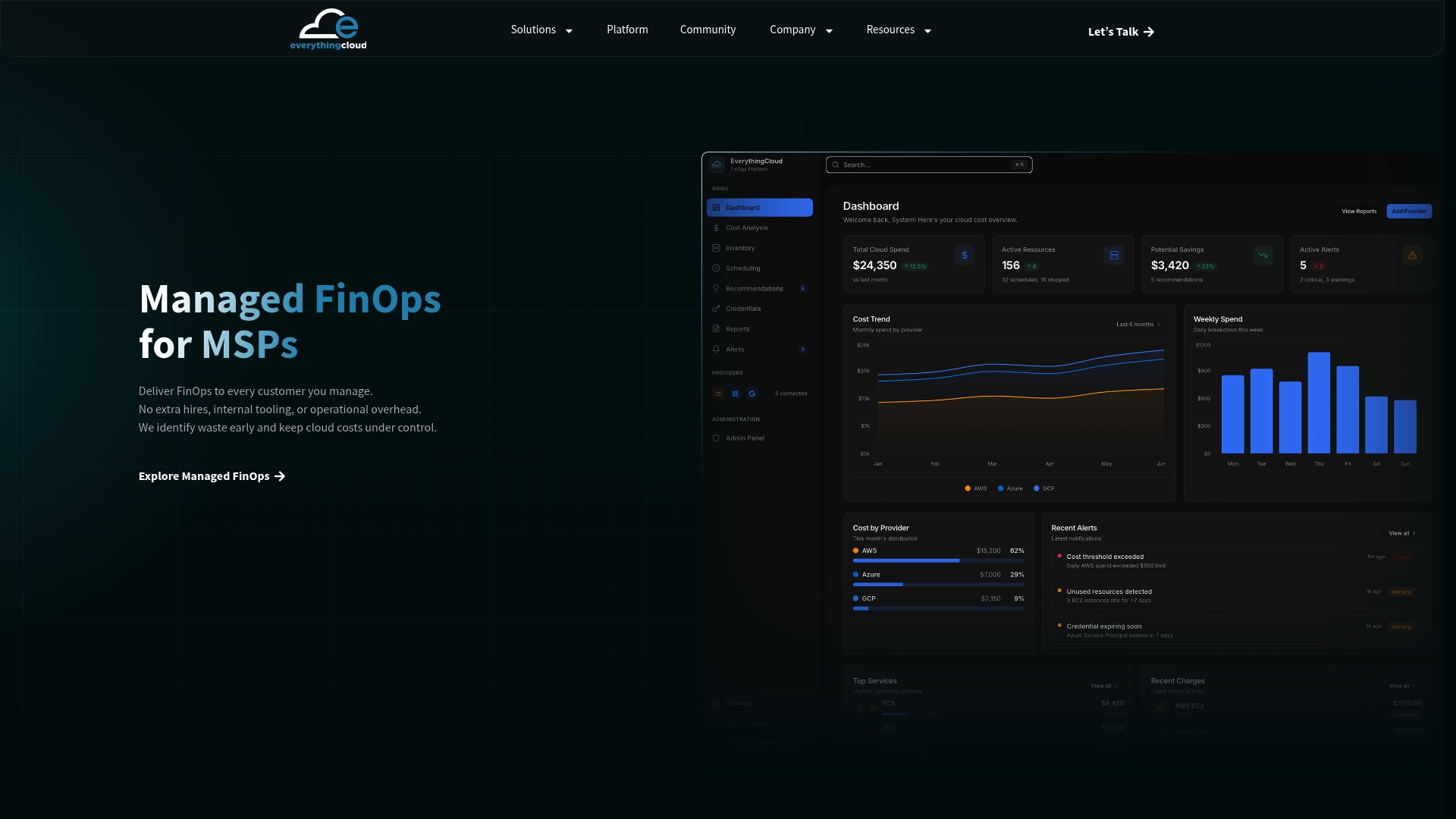
The EverythingCloud platform continuously discovers your existing commitments across AWS, Azure, and Google Cloud, flags rightsizing opportunities before you buy, and orchestrates laddered purchase schedules so tranches don’t cluster into a renewal cliff. It also manages Reserved Instance Marketplace listings automatically when a Standard RI sits unused, recovering value you’d otherwise lose to expiration.
For MSPs and internal FinOps teams alike, this means the difference between a strategy that lives in a spreadsheet and one that runs itself month over month, with governance and reporting built in from day one. If you’re ready to see how a managed FinOps pilot would apply to your own RI portfolio, start a conversation with EverythingCloud about scoping one for your environment.
Sources
- Optimize EC2 costs with AWS Compute Optimizer (rightsizing)
- Reserved Instances for Amazon EC2 overview
- AWS Reserved Instances and Savings Plans: a comprehensive guide