
Cloud savings automation automatically turns visibility into cost reductions by scheduling, rightsizing, and cleaning up resources, delivering measurable savings without constant manual effort. Teams can build this with lightweight scripts or adopt a managed platform, depending on their maturity and governance needs. Either path produces faster time-to-value than periodic manual cleanups, and it stops idle spend from accumulating between review cycles.
TL;DR:
- Automate tagging, scheduling, and cleanup processes to ensure continuous cloud cost optimization rather than relying on periodic manual reviews.
- Prioritize initial automation efforts on non-production resources and orphaned resources, which offer quick payback with minimal risk.
- Use KPIs such as savings rate, automation coverage, and time-to-value to measure automation effectiveness, focusing on real savings against invoice billing.
- Choose between native tools, IaC pipelines, managed platforms, or building custom scripts based on team size, cloud complexity, and governance needs.
- Start pilots with dry-run modes on high-impact targets and fix tagging gaps first to prevent resource mismanagement and automation failures.
Table of Contents
- Why automation is the step that actually cuts cloud costs
- Automation patterns you can prototype this week
- Choosing between native tools, IaC pipelines, and managed platforms
- Deciding whether to build or buy your automation
- A step-by-step playbook for piloting automation safely
- How EverythingCloud operationalizes continuous savings automation
- What savings automation actually delivers at scale
- What I’ve learned prioritizing automation rollouts
- Where EverythingCloud fits if you’d rather not build this yourself
- Sources
- FAQ
Why automation is the step that actually cuts cloud costs
Most cloud cost programs get visibility right and then stall. Dashboards show waste. Reports flag idle instances. Nobody acts on them fast enough to matter, and the same overspend shows up next month.
The FinOps Framework describes this exact gap through its three phases: Inform, Optimize, and Operate. The Operate phase is where insight becomes infrastructure change, and automation is the mechanism that makes that conversion continuous rather than occasional. Without it, savings opportunities get identified and then quietly expire.
A handful of savings categories account for most of the recoverable waste in a typical environment:
- Scheduled non-production resources: development, staging, and test environments that run nights and weekends for no reason.
- Rightsizing: instances and databases provisioned for peak load that sit oversized the rest of the time.
- Orphaned resources: unattached volumes, stale snapshots, and idle load balancers left behind after a deployment.
- License and SaaS reclamation: unused seats and dormant subscriptions that renew automatically.
Measuring the impact requires a small set of KPIs, not a dashboard full of vanity metrics. Track your savings rate (realized savings against total spend), a Cost Optimization Index or similar coverage metric showing what percentage of your environment sits under active automation, and time-to-value from pilot to measurable result. Auto-scaling efficiency, how closely provisioned capacity tracks actual demand, rounds out the picture.
Automation coverage is the metric most teams skip. FinOps guidance on automation capability treats tag enforcement, scheduled start and stop, and lifecycle policies for storage as baseline practices, and coverage tells you how much of your estate actually benefits from them versus how much still depends on someone remembering to check.
Automation patterns you can prototype this week
Cloud savings automation is not one system. It is a handful of patterns, each solving a narrow problem, that compound when run together.
- Tag-driven scheduling. Tag resources with an environment label (dev, staging, prod) and an exception flag for anything that must run continuously. A scheduler reads those tags on a timer and stops non-production instances outside business hours, then starts them again before the team logs in.
- Event-driven cleanup. A trigger fires when a volume becomes unattached or a snapshot ages past a retention window. The function checks an exception tag, then deletes or flags the resource for review instead of waiting for a quarterly audit.
- Rightsizing automation. Utilization metrics feed a threshold rule. Below a set CPU or memory floor for a sustained window, the system either generates a downsizing recommendation or executes the resize directly, depending on how much trust the team has extended to it.
- Guarded execution. Every destructive action runs in dry-run mode first, logs what it would have done, and requires an approval step before it touches production. Exception tags override the rule entirely for resources that must never be touched.
A start/stop scheduler follows a simple call flow: read tags, check the current time against the schedule window, check for an exception tag, then call the stop or start action and log the result. An orphan cleanup trigger follows the same shape: detect an unattached resource, check its age and exception status, then flag or delete and log the outcome. Both patterns are simple enough to build with a scheduled function and a provider SDK like Boto3 for AWS, and both depend entirely on tagging discipline to avoid mistakes.
Pro Tip: Start every new automation in dry-run mode for at least one full billing cycle before letting it take destructive action.
Choosing between native tools, IaC pipelines, and managed platforms
Four broad approaches cover most of the ways teams automate cloud savings, and none of them is wrong on its own.
- Native provider tools surface recommendations directly from usage data. Google Cloud’s cost optimization guidance points to observability and automated recommendation engines like Active Assist as sources of truth for what to change, though applying those recommendations safely still requires governance around them.
- Infrastructure-as-code pipelines run cost changes through the same review and approval process as any other deployment, which makes every action auditable and reversible.
- Scheduler and orchestration tools range from simple cron jobs to event-driven serverless triggers, giving teams fine control over exactly when and how automation runs.
- Managed platforms bundle execution, multi-account governance, and compliance reporting into a single system, which matters most for MSPs and enterprises managing dozens of accounts at once.
The trade-offs are less about which tool works and more about who owns the outcome. Native tools keep data in-house but require engineering time to operationalize. IaC pipelines are auditable but slower to change. Schedulers are flexible but need someone to maintain them. Managed platforms cut onboarding time and operational overhead considerably, but they introduce a dependency on the vendor’s roadmap and require a clear data sharing agreement, particularly for sensitive workloads, as explained by Bolt.dev SEO Autopilot: Content, Backlinks & Audit.
Deciding whether to build or buy your automation
The right choice depends less on budget and more on how much engineering time you have to spare and how fast you need results.
- Estimate engineering hours. Building and maintaining scheduling, cleanup, and rightsizing scripts across multiple accounts takes ongoing maintenance, not just a one-time build.
- Weigh time-to-value. Scripts can take weeks to harden; platforms are typically operational within days because the automation logic already exists.
- Check multi-cloud and multi-account scale. A single AWS account with a handful of services is a different problem than managing AWS, Azure, and Google Cloud across dozens of client tenants.
- Confirm governance needs. Approval gates, audit trails, and alerting on missing tags all need to exist somewhere, whether you build them or they come built in.
A rough ROI rule of thumb: take your estimated monthly savings, divide the cost of the engineering time required to build and maintain the automation by that monthly figure, and you get the number of months to break even. If a script takes 40 hours to build and maintain and saves $2,000 a month, the payback period is short. If it takes 40 hours a month in ongoing upkeep for the same savings, it is not.
FinOps usage optimization guidance frames this as weighing expected savings against effort, risk, and disruption, not just chasing every possible optimization. Teams early in their FinOps maturity, with limited tagging discipline and single-cloud footprints, are usually well served by scripts. Teams managing multiple clouds, multiple accounts, or client environments under an MSP model often find managed platforms valuable as they reduce engineering overhead.
A step-by-step playbook for piloting automation safely
Running a pilot in the right order avoids most of the early failures teams hit when they automate too much too fast.
- Pick one or two high-impact targets. Non-production scheduling and orphaned resource cleanup tend to have the fastest payback and the lowest risk.
- Audit your tagging before writing any automation. Missing or inconsistent tags are the most common reason automated rules misfire or skip resources entirely.
- Run the pilot in dry-run mode. Collect telemetry on what the automation would do for at least two to four weeks before granting it execution rights.
- Measure against your chosen KPIs. Compare realized savings rate and coverage against your baseline, then expand the scope only once the numbers hold up.
- Document what worked and what broke. This becomes the template for the next automation pattern you roll out.
Pro Tip: Fix tagging gaps before you fix anything else. Every scheduling or cleanup rule you build on incomplete tags will eventually delete or stop the wrong resource.
The most common pitfalls are predictable: resources with no owner tag get skipped or, worse, accidentally targeted; monitoring gets set up after launch instead of before, so nobody notices when the automation stalls; and exception handling gets treated as an afterthought instead of a first-class rule. Building alerting for automation failures alongside the automation itself avoids most of this.

How EverythingCloud operationalizes continuous savings automation
Building and maintaining every pattern above takes real engineering time, which is exactly the gap EverythingCloud’s platform and managed services are built to close. A Continuous Cloud, SaaS, and AI Optimization platform can give MSPs, technology partners, and enterprise teams real-time visibility across AWS, Azure, Google Cloud, SaaS, and AI spending.
- Automated execution, not just recommendations. The platform identifies optimization opportunities and executes the cost-saving action directly, rather than leaving it as a report someone has to act on manually.
- Multi-cloud, multi-tenant visibility. One view spans AWS, Azure, Google Cloud, and Microsoft 365, which matters for MSPs managing many client environments under one roof.
- 24/7 monitoring paired with expert guidance. The platform pairs continuous automated monitoring with managed FinOps expertise to catch drift between review cycles.
- Governance built for scale. Multi-tenant controls and CIS- and NIST-aligned governance support the approval gates and audit trails that larger environments require.
Outcomes are measured monthly against invoice-level billing, which keeps the reported savings tied to what actually shows up on the bill rather than a projected estimate.
What savings automation actually delivers at scale
The categories of savings that automation targets, scheduled non-production, rightsizing, and orphaned resource cleanup, tend to compound rather than stay flat once they are running continuously. A start/stop schedule on development environments keeps saving every week it runs, not just once. Rightsizing rules keep adjusting as workloads shift instead of freezing at whatever size someone picked six months ago.
AWS Compute Optimizer’s automation documentation illustrates this well: recommended actions include estimated monthly savings figures, and those recommendations can be applied automatically or through automation rules rather than requiring someone to review and act on each one manually. That is the shift that separates a one-off cleanup from an actual automation program, the difference between a single savings event and a recurring one.
Industry guidance consistently frames automation coverage, the share of an environment under active, continuous optimization, as a better predictor of durable savings than any single cleanup effort. The FinOps automation capability guidance describes maturity in stages, from basic scheduling and tagging enforcement up through rightsizing and cross-account governance, which gives teams a realistic path to widen that coverage over time instead of trying to automate everything at once.
What I’ve learned prioritizing automation rollouts
Automation is never finished. Thresholds drift, workloads change, and tagging rules need retuning long after launch. Start with the one or two changes that prove ROI fastest, non-production scheduling is usually it, before expanding scope. None of this works without engineering and FinOps agreeing on ownership early, because automation that nobody owns eventually gets disabled the first time it breaks something.
— Dan
Where EverythingCloud fits if you’d rather not build this yourself
If piloting scripts across multiple clouds sounds like more engineering time than your team has to spare, EverythingCloud’s Platform executes the optimization patterns above automatically, with governance and multi-tenant reporting built in rather than bolted on later.
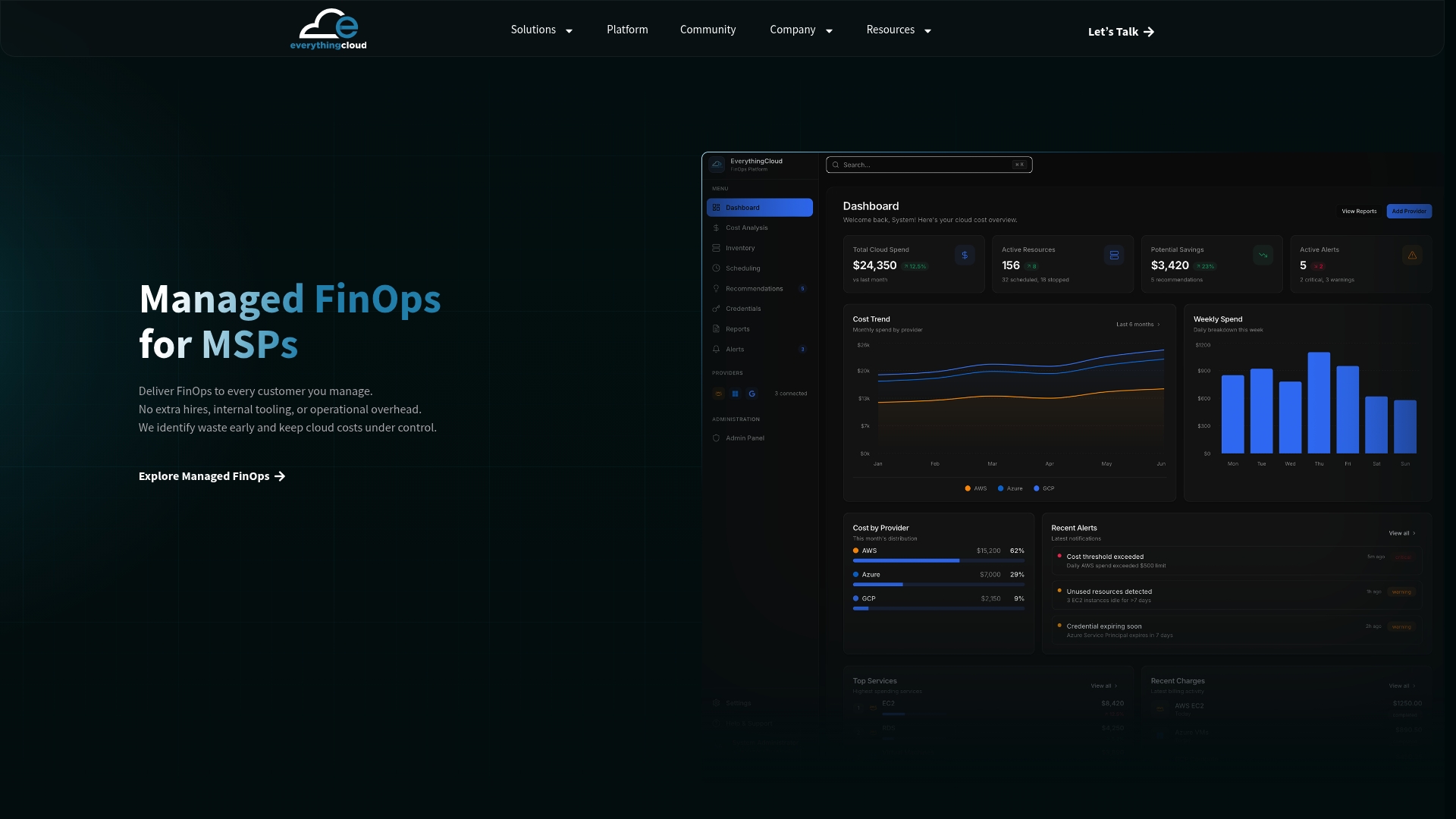
Enterprise teams evaluating a continuous approach can review Continuous Cloud Optimization, while MSPs looking to launch a managed FinOps line of business can start with Managed FinOps or explore the Founding Partner Membership at $500 per month.
Sources
FAQ
How can I automate my cloud savings?
Start by tagging resources by environment and building a scheduler that stops non-production instances outside business hours, then add automated cleanup for orphaned volumes and snapshots. From there, layer in rightsizing rules driven by utilization metrics, following the automation practices described in the FinOps automation capability guidance.
What are some examples of cloud automation for cost savings?
Common examples include scheduled start and stop for development and test environments, automated deletion of unattached storage volumes, and rightsizing rules that resize instances based on sustained low utilization. Event-driven triggers that clean up stale snapshots on a rolling basis are another widely used pattern.
What should I automate first to cut cloud costs?
Non-production scheduling and orphaned resource cleanup typically deliver the fastest, lowest-risk payback because they target waste that accumulates passively rather than active production workloads. Rightsizing and license reclamation are usually the next targets once tagging and scheduling are stable.
How do I measure whether cloud savings automation is working?
Track your savings rate against total spend, your automation coverage (the percentage of your environment under active automation), and time-to-value from pilot to measurable result. Reconciling reported savings against invoice-level billing, rather than estimated figures, confirms the automation is producing real reductions.
Should I build my own automation scripts or use a managed platform?
Scripts tend to work well for single-cloud environments with limited scale and available engineering time, while managed platforms typically pay off once you’re managing multiple clouds, multiple accounts, or client environments under an MSP model. The decision comes down to weighing engineering hours and time-to-value against the governance and multi-account support a platform provides out of the box.