
The highest-impact FinOps best practices, in priority order: cost visibility and billing normalization first, then tagging and allocation, rightsizing and waste reclamation, commitment and rate optimization, governance and guardrails, automation and CI/CD cost checks, and finally KPI tracking and unit economics. Teams that work through this sequence in order tend to see the fastest return because each layer depends on the one before it. You cannot rightsize what you cannot see, and you cannot govern what you have not attributed. These practices align with the FinOps Foundation framework, which provides the operating principles every enterprise team should map to. For organizations that want to accelerate outcomes without building the full capability in-house, a managed FinOps platform like Everythingcloud offers a practical implementation pathway.
- Cost visibility: Export billing data daily; normalize across providers.
- Tagging and allocation: Enforce a taxonomy; target less than 5% unallocated spend.
- Rightsizing and waste: Identify idle resources, orphaned volumes, and oversized instances.
- Commitment optimization: Match Reserved Instances and Savings Plans to stable workloads.
- Governance and guardrails: Set budget alerts, cost SLOs, and approval gates.
- Automation and CI/CD cost checks: Encode repetitive decisions; gate deployments on cost estimates.
- KPIs and unit economics: Track cost per transaction, forecast accuracy, and anomaly frequency.
Key Takeaways
Effective FinOps requires fixing visibility and data quality before optimizing spend, and embedding cost accountability into the teams that control it.
| Point | Details |
|---|---|
| Visibility comes first | Export billing data daily and target less than 5% unallocated spend before any other optimization work. |
| Maturity is incremental | Use the Crawl, Walk, Run model to improve a few capabilities each 3–6 month cycle rather than all at once. |
| Commitments need rightsizing first | Complete at least one rightsizing cycle before purchasing Reserved Instances or Savings Plans to avoid locking in waste. |
| Governance requires layered controls | Set budget alerts at 80% and 100%, define cost SLOs, and add CI/CD cost gates to catch overruns before they compound. |
| Everythingcloud | Provides managed FinOps with real-time multi-cloud visibility, automated optimization, and 24/7 anomaly monitoring for enterprise teams and MSPs. |
Table of Contents
- What are the FinOps principles every enterprise team should know?
- What capabilities and KPIs should your FinOps team track?
- How do you start or scale a FinOps practice in 90 days?
- The operational FinOps checklist: visibility, allocation, rightsizing, and more
- Which tools should you use for each FinOps job?
- Build vs. buy: when does managed FinOps make sense?
- How do you manage change when adopting FinOps?
- How do finance, engineering, and product teams collaborate effectively?
- What communication strategies build a FinOps culture?
- What training and enablement programs build FinOps skills?
- How do you manage the risk of cloud spend anomalies and budget overruns?
- How does FinOps integrate with existing financial and IT processes?
- What FinOps at scale actually teaches you
- Everythingcloud accelerates your FinOps outcomes
- Sources
What are the FinOps principles every enterprise team should know?
Cloud Financial Management, formally called FinOps, is the practice of bringing financial accountability to the variable-spend model of cloud computing. The FinOps Foundation positions its six core principles as a “north star” for any team building this practice.
The FinOps principles: Teams need to collaborate across finance, engineering, and product. Business value drives every cloud decision. Everyone takes ownership of their usage. Data must be timely, accurate, and accessible. FinOps is enabled centrally but executed across teams. Organizations should exploit the variable-cost model of the cloud rather than treat it like a fixed capital expense.
These principles matter because they define how a team operates, not just what it does. Without them, FinOps drifts into a cost-cutting exercise owned by one team, which rarely sticks. With them, it becomes a shared accountability model where engineers make cost-aware decisions daily.
The FinOps lifecycle runs through three phases that repeat continuously. Inform means giving every stakeholder accurate, timely visibility into what they are spending and why. Optimize means acting on that data to reduce waste, improve rates, and align spend to value. Operate means embedding those actions into repeatable processes, policies, and culture so the gains hold. Most organizations cycle through all three phases simultaneously across different capability areas.
The FinOps Framework organizes the practice into four capability domains: Understand usage and cost, Quantify business value, Optimize usage and cost, and Manage the practice. Think of these domains as the four jobs FinOps must do. Each one requires different skills, different data, and different stakeholders.
What capabilities and KPIs should your FinOps team track?
Each of the four capability domains maps to concrete activities and measurable outcomes. Here is how they translate in practice.
Understand usage and cost covers billing data ingestion, normalization across AWS, Azure, and Google Cloud, and cost allocation to teams, products, or features. The output is a shared cost ledger everyone trusts.
Quantify business value is where unit economics live. This domain asks: what does it cost to serve one customer, process one transaction, or run one feature? Without this, optimization decisions lack business context.
Optimize usage and cost includes rightsizing, rate optimization (Reserved Instances, Savings Plans, committed use discounts), and waste elimination. This is the domain most teams start with, which is why they often optimize the wrong things.
Manage the practice covers education, policy, chargeback or showback models, and the governance structures that keep the other three domains running.
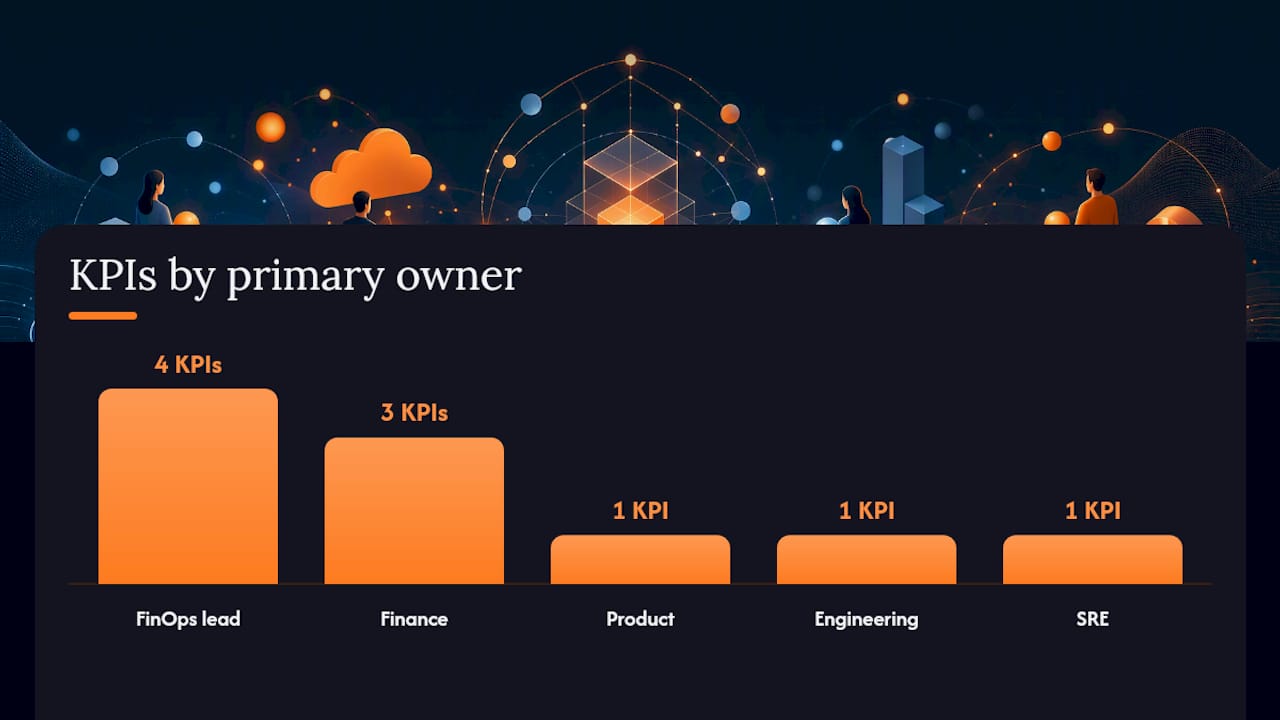
| KPI | How to use it | Primary owner |
|---|---|---|
| Cost per transaction | Divide total cloud cost by transaction volume; track weekly | Product, Finance |
| Unit cost (cost per customer) | Allocate fully loaded cloud cost to customer count | FinOps lead, Finance |
| Forecast accuracy | Compare forecasted spend to actual; target within a reasonable range | Finance, FinOps lead |
| Unknown cost share | Percentage of spend with no team or product tag | Engineering, FinOps lead |
| Anomaly frequency | Count of spend spikes exceeding threshold per month | SRE, FinOps lead |
Practitioner benchmarks and peer comparisons for these metrics are available at Data, which publishes community-sourced data on savings program outcomes and unknown-cost rates across industries.
The FinOps maturity model uses a Crawl, Walk, Run progression. At Crawl, teams establish basic visibility and a tagging policy. At Walk, they automate reporting, enforce allocation, and begin commitment purchasing. At Run, they operate continuous optimization loops, enforce policy-as-code, and measure unit economics in near real time. The model recommends picking a few critical capabilities to improve each cycle and iterating every 3–6 months rather than trying to reach Run across all domains at once. For a deeper look at how to visualize these metrics, the FinOps dashboards guide covers the key visualizations enterprise teams rely on.
How do you start or scale a FinOps practice in 90 days?
A dedicated FinOps function becomes important as organizations approach roughly $1 million in annual cloud spend, according to Microsoft’s FinOps practice operations guidance. Before that threshold, a virtual steering committee, typically a FinOps lead plus representatives from finance, engineering, and product, can carry the practice. After it, a dedicated function with clear RACI ownership is worth the investment.
First 90 days: the operational roadmap
- Days 1–14: Enable billing exports for all cloud providers. Establish a tagging taxonomy with no more than 8–10 mandatory tags (team, environment, product, cost center). Identify the pilot scope: one business unit or one product line.
- Days 15–30: Build a baseline dashboard showing daily spend, unallocated cost share, and top-10 cost drivers. Hold the first weekly steering cadence with finance and engineering leads.
- Days 31–60: Run a rightsizing audit on the pilot scope. Identify idle resources, oversized instances, and orphaned storage. Quantify the savings opportunity before acting.
- Days 61–75: Purchase initial commitments (Reserved Instances or Savings Plans) for stable, predictable workloads identified in the audit. Document the decision logic in a runbook.
- Days 76–90: Publish the first unit-cost metric for the pilot product. Present findings to the steering committee. Define the next 90-day iteration targets.
RACI responsibility model
- Finance: owns budget targets, chargeback/showback models, and forecast sign-off.
- Engineering: owns tagging compliance, rightsizing execution, and commitment utilization.
- Product: owns unit economics definitions and cost-per-feature targets.
- Procurement: owns contract negotiations and commitment purchasing approvals.
- FinOps lead: owns the operating cadence, KPI reporting, and cross-team coordination.
These integrate with existing IT change management processes by treating cost events the same way teams treat performance incidents.
Pro Tip: Win executive sponsorship by dual-tracking. Run one high-visibility initiative (e.g., a rightsizing sprint that saves a measurable amount in 30 days) alongside the slower cultural work of tagging and allocation. The quick win funds the patience needed for the longer build.
For teams building out enterprise FinOps capabilities, the 90-day roadmap above maps directly to the Crawl phase of the maturity model.
The operational FinOps checklist: visibility, allocation, rightsizing, and more
This checklist follows the same priority sequence as the opening summary: fix visibility before optimizing, and optimize before automating. Each category includes the key steps, expected outcomes, and the most common pitfall.
Visibility and attribution
- Export billing data daily from AWS Cost and Usage Reports, Azure Cost Management exports, and Google Cloud Billing exports into a central data store.
- Normalize cost data across providers using a consistent schema (resource ID, team tag, environment, region, service type).
- Target less than 5% unallocated spend within 60 days of enabling exports.
- Build daily and weekly dashboards segmented by team, product, and environment.
The Azure FinOps best practices documentation recommends using Azure Resource Graph (ARG) queries alongside Azure Advisor recommendations to surface cost and carbon optimization opportunities directly in your FinOps workflow. The same pattern applies across providers: use cloud-native queries to enrich your billing export before it reaches your dashboard.
Rightsizing and waste reclamation
- Flag instances with average CPU below 10% for 14 consecutive days as idle candidates.
- Identify orphaned resources: unattached volumes, unused load balancers, stopped instances still incurring storage costs.
- Run a monthly rightsizing report for the top 20 cost-driving resource types.
- For Kubernetes workloads, right-size at the pod and namespace level before addressing the node layer. The Kubernetes cost optimization guide covers this in detail.
Enterprise teams that complete a structured rightsizing audit typically find meaningful waste concentrated in a small number of resource types. The pattern compounds quietly: a handful of oversized instance families, accumulated over months of rapid provisioning, often represents a disproportionate share of total spend.
Pro Tip: Before purchasing any commitments, complete at least one rightsizing cycle. Buying a Reserved Instance for an oversized instance locks in the waste for one to three years.
Rate and commitment optimization
Reserved Instances and Savings Plans both reduce on-demand rates, but they suit different workloads. Reserved Instances offer the deepest discounts for stable, predictable workloads with a known instance type and region. Savings Plans offer flexibility across instance families and are better suited to workloads that scale or shift over time.
Decision rule: if a workload has run at a consistent baseline for 90 days or more, it is a candidate for a one-year commitment. If it is growing or changing, a Savings Plan with a lower commitment level is the safer choice. Coordinate all commitment purchases with procurement to align with existing enterprise agreements and discount programs.
Governance and policy-as-code
- Set budget alerts at 80% and 100% of monthly targets for every team and product.
- Define cost SLOs for production workloads (e.g., cost per transaction must not exceed a defined threshold without a product review).
- Add cost estimation steps to CI/CD pipelines using tools like Infracost, which surfaces cost deltas for infrastructure changes before they reach production.
- Create approval workflows for resource types above a defined cost threshold (e.g., GPU instances, large data warehouse clusters).
Anomaly response runbook: runaway batch job
- Alert fires: spend for a tagged workload exceeds 150% of its 7-day rolling average.
- On-call engineer receives a ticket with the resource ID, cost delta, and the tag owner.
- Engineer confirms whether the job is expected (scheduled scale-up) or unexpected (misconfiguration, infinite loop).
- If unexpected: stop or scale down the resource; notify the FinOps lead and the team owner.
- Post-incident: update the runbook with the root cause and add a guardrail (budget cap or auto-stop policy) to prevent recurrence.
FinOps School’s operating model guidance recommends validating automations through cost-focused game days, where teams deliberately trigger cost events to test whether runbooks and escalation paths work before a real incident occurs.
Which tools should you use for each FinOps job?
Assign tooling to jobs, not the other way around. The right sequence is: enable cloud-native controls first, then layer in a cost platform, then integrate with CI/CD and finance systems.
Cloud-native controls to enable immediately
- AWS Cost Explorer provides daily and monthly spend breakdowns, savings recommendations, and Reserved Instance and Savings Plans coverage reports. Its rightsizing recommendations for EC2 are a practical starting point, though they require validation against actual workload patterns before acting.
- AWS Savings Plans and Reserved Instances are the primary rate-optimization mechanisms on AWS. Savings Plans offer more flexibility; Reserved Instances offer deeper discounts for committed workloads.
- Azure Advisor surfaces cost recommendations, including rightsizing suggestions for underutilized VMs and idle resources, directly in the Azure portal. Integrating Advisor recommendations into your FinOps workflow, as recommended in Microsoft’s best practices guidance, closes the loop between detection and action.
- Google Cloud Recommender provides per-resource recommendations for rightsizing, idle resource cleanup, and committed use discounts. It integrates with Cloud Billing exports for automated workflows.
Tooling categories and what each solves
- Billing export and normalization: AWS CUR, Azure Cost Management exports, Google Cloud Billing exports. These are the data foundation; nothing else works without them.
- Cost analytics platforms: Aggregate multi-cloud billing, apply allocation rules, and surface dashboards. Everythingcloud provides real-time visibility across AWS, Azure, and Google Cloud with automated allocation and anomaly detection.
- Rightsizing engines: Cloud-native recommenders plus workload-aware tools for Kubernetes and containerized environments.
- Policy-as-code: Infracost for CI/CD cost gates; Open Policy Agent (OPA) for resource governance rules.
- Anomaly detection: Threshold-based alerts in cloud-native tools for basic coverage; ML-based detection in cost platforms for pattern-based anomalies.
Integration pattern
The FinOps operating model follows a clear data flow: ingest billing export, normalize and enrich with tags and metadata, attribute to teams and products, analyze for anomalies and optimization opportunities, decide and act, then measure outcomes. Access controls matter at every stage: billing data contains sensitive commercial information and should be role-scoped so teams see their own costs without exposing others’.
For cloud and DevOps implementation support, SEOLEVELUP’s cloud and DevOps services offer professional integration assistance for teams building out these pipelines.
Build vs. buy: when does managed FinOps make sense?
The core trade-off is straightforward. Building in-house gives you full control and deep integration with internal systems, but it requires hiring FinOps practitioners, building tooling, and maintaining the practice through staff turnover. Buying or partnering gives you speed, expertise, and operational SLAs, but requires trust in a vendor’s data access and methodology.
Decision signals by organization profile
- Under $500K annual cloud spend, small engineering team: A virtual steering committee and cloud-native tools are sufficient. Assign a FinOps lead as a part-time role.
- $500K–$1M annual cloud spend: Start formalizing the practice. A dedicated FinOps lead, a tagging policy, and a cost platform are worth the investment. Consider a managed service to accelerate the Crawl-to-Walk transition.
- Above $1M annual cloud spend: A dedicated FinOps function is warranted, per Microsoft’s practice operations guidance. At this level, the cost of inaction typically exceeds the cost of a managed service.
- MSPs and channel partners: Managed FinOps platforms that offer multi-tenant controls and white-label reporting remove the need to build proprietary tooling entirely.
Onboarding checklist for managed FinOps
- Grant billing export access and read-only API access to the managed service provider.
- Share your existing tagging taxonomy and cost allocation rules.
- Define SLA expectations: response time for anomaly alerts, frequency of optimization recommendations, reporting cadence.
- Agree on early KPI targets for months 1–3: unallocated spend below 10%, first rightsizing recommendations delivered, baseline unit cost established.
- Align governance policies with the provider’s automation rules before enabling any auto-remediation.
In months 1–3, expect improved visibility, a validated tagging baseline, and an initial set of rightsizing and commitment recommendations. In months 3–12, expect measurable cost reductions, unit economics reporting, and a repeatable optimization cadence. The Everythingcloud managed FinOps offering is built around this onboarding structure for both enterprise teams and MSPs.
How do you manage change when adopting FinOps?
FinOps adoption fails more often from organizational resistance than from technical gaps. Engineers who have never been accountable for cloud costs can feel surveilled rather than supported when cost data suddenly appears in their dashboards. Finance teams accustomed to fixed budgets can struggle with the variable-spend model. Product leaders may resist unit economics if they fear it will constrain feature development.
The most effective change management approach treats FinOps as a capability expansion, not a cost-cutting mandate. Frame the practice around giving teams better information to make decisions, not around finding waste to punish. Early wins matter here: a rightsizing sprint that returns budget to a product team’s roadmap is a more powerful cultural signal than any policy document.
Executive sponsorship is the single biggest accelerant. When a CFO or CTO visibly participates in the steering committee, the practice gains credibility across all three functions. Without it, FinOps tends to stall at the team level.
How do finance, engineering, and product teams collaborate effectively?
The friction between these three functions is structural. Finance operates on monthly close cycles and annual budgets. Engineering operates on sprint cycles and deploys continuously. Product operates on roadmap quarters. FinOps has to create shared rituals that respect all three cadences.
Weekly cost reviews at the team level keep engineers engaged without overwhelming them with data. Monthly KPI reviews at the product level connect cloud spend to business outcomes. Quarterly architecture cost reviews at the leadership level surface structural inefficiencies that no sprint-level fix can address.
Shared dashboards with role-appropriate views reduce the “whose number is right” argument that derails many FinOps programs. Finance sees fully allocated cost with forecast accuracy. Engineering sees resource-level utilization and tagging compliance. Product sees unit economics and cost-per-feature trends. Each view draws from the same underlying data, which is what makes the conversation productive rather than adversarial.
For a deeper look at role-based FinOps responsibilities, the FinOps roles and responsibilities guide covers how finance, engineering, and product functions align in practice.
What communication strategies build a FinOps culture?
Culture follows communication. If cost data only appears in a monthly report that three people read, the practice will not spread. The goal is to make cost visible at the moment decisions are made.
Embedding cost estimates in pull request comments (via Infracost or similar tools) puts the information in front of engineers when they are choosing an architecture, not after the bill arrives. Sending weekly cost digests to team leads, formatted as a brief summary rather than a raw data dump, keeps cost awareness present without creating noise. Publishing a monthly FinOps newsletter that highlights a savings win, a unit-cost improvement, and an upcoming commitment review gives the practice a visible rhythm.
Recognition matters more than most teams expect. Calling out a team that reduced its cost per transaction by a meaningful amount in a company-wide forum does more for FinOps culture than any policy enforcement.
What training and enablement programs build FinOps skills?
The FinOps Foundation offers the FinOps Certified Practitioner (FOCP) certification, which covers the framework, lifecycle, and core capabilities. For teams building a formal practice, having at least one certified practitioner on the steering committee establishes a shared vocabulary and reduces the time spent debating definitions.
Beyond certification, practical enablement matters more than coursework. Running a cost game day, where a team deliberately provisions an oversized resource and then walks through the detection and remediation runbook, builds muscle memory faster than any training module. Pairing an engineer with the FinOps lead for one sprint to work through a rightsizing audit is another high-return enablement pattern.

Cloud providers offer free training resources: AWS has the Cloud Financial Management learning path, Azure has the FinOps on Azure learning modules, and Google Cloud has the Cloud FinOps course. These are useful for building baseline awareness across a large engineering organization without significant cost.
How do you manage the risk of cloud spend anomalies and budget overruns?
Anomaly risk in cloud environments has two distinct failure modes. The first is a sudden spike: a misconfigured job, an autoscaling event without a cap, or a data transfer charge that no one anticipated. The second is slow accumulation: resources provisioned for a project that ended, commitments purchased for workloads that were later retired, or a tagging gap that hides growing spend in an “unknown” bucket.
Both require different controls. Spike detection needs threshold-based alerts with short evaluation windows (hourly or daily) and a clear escalation path. Accumulation detection needs trend analysis over longer windows (weekly or monthly) and a regular audit of commitment utilization and untagged spend.
Teams that wait for the monthly close to discover an overrun have already lost the ability to respond.
How does FinOps integrate with existing financial and IT processes?
FinOps does not replace existing financial processes. It feeds them. The billing export becomes an input to the general ledger. The chargeback or showback model maps to existing cost center structures. The monthly KPI report feeds the CFO’s cloud cost line in the board deck.
On the IT side, FinOps integrates with change management by treating cost events as a category of change. A new resource type above a cost threshold goes through an approval gate, the same way a production configuration change goes through a change advisory board. Cost SLOs sit alongside performance SLOs in the same monitoring stack.
The practical integration point most teams miss is procurement. Commitment purchases (Reserved Instances, Savings Plans, committed use discounts) are financial instruments with one-to-three-year terms. They should go through the same approval and documentation process as any other capital commitment, with procurement involved in the decision and the terms recorded in the contract management system.
What FinOps at scale actually teaches you
Most FinOps programs that stall do so for the same reason: they optimize the tool layer before fixing the data layer. A sophisticated cost platform built on top of incomplete tagging and inconsistent billing exports produces confident-looking dashboards that nobody trusts. The data hygiene work is unglamorous, but it is the foundation everything else rests on.
The second recurring lesson is that incentives matter more than policies. If engineering teams are measured only on delivery speed and reliability, cost will always be a secondary concern regardless of what the FinOps policy document says. The teams that make the most progress tie a cost metric, even a simple one like unallocated spend percentage, to the team’s regular performance review.
A recommended operating cadence: weekly cost ops review (anomalies, tagging compliance, commitment utilization), monthly KPI review (unit economics, forecast accuracy, savings program performance), quarterly architecture cost review (structural inefficiencies, commitment strategy, maturity progression). The quarterly review is the one most organizations skip, and it is where the largest structural savings opportunities tend to surface.
Common pitfalls to avoid: over-automating before runbooks are validated (auto-remediation without a tested escalation path creates incidents, not savings), misaligned incentives between finance and engineering (finance wants to minimize spend; engineering wants to move fast; FinOps has to make both possible), and poor commitment governance (purchasing commitments without tracking utilization turns a discount into a stranded cost).
Everythingcloud accelerates your FinOps outcomes
For teams that want measurable cloud cost improvements without spending 12 months building the practice from scratch, Everythingcloud delivers managed FinOps with the platform depth enterprise organizations need.
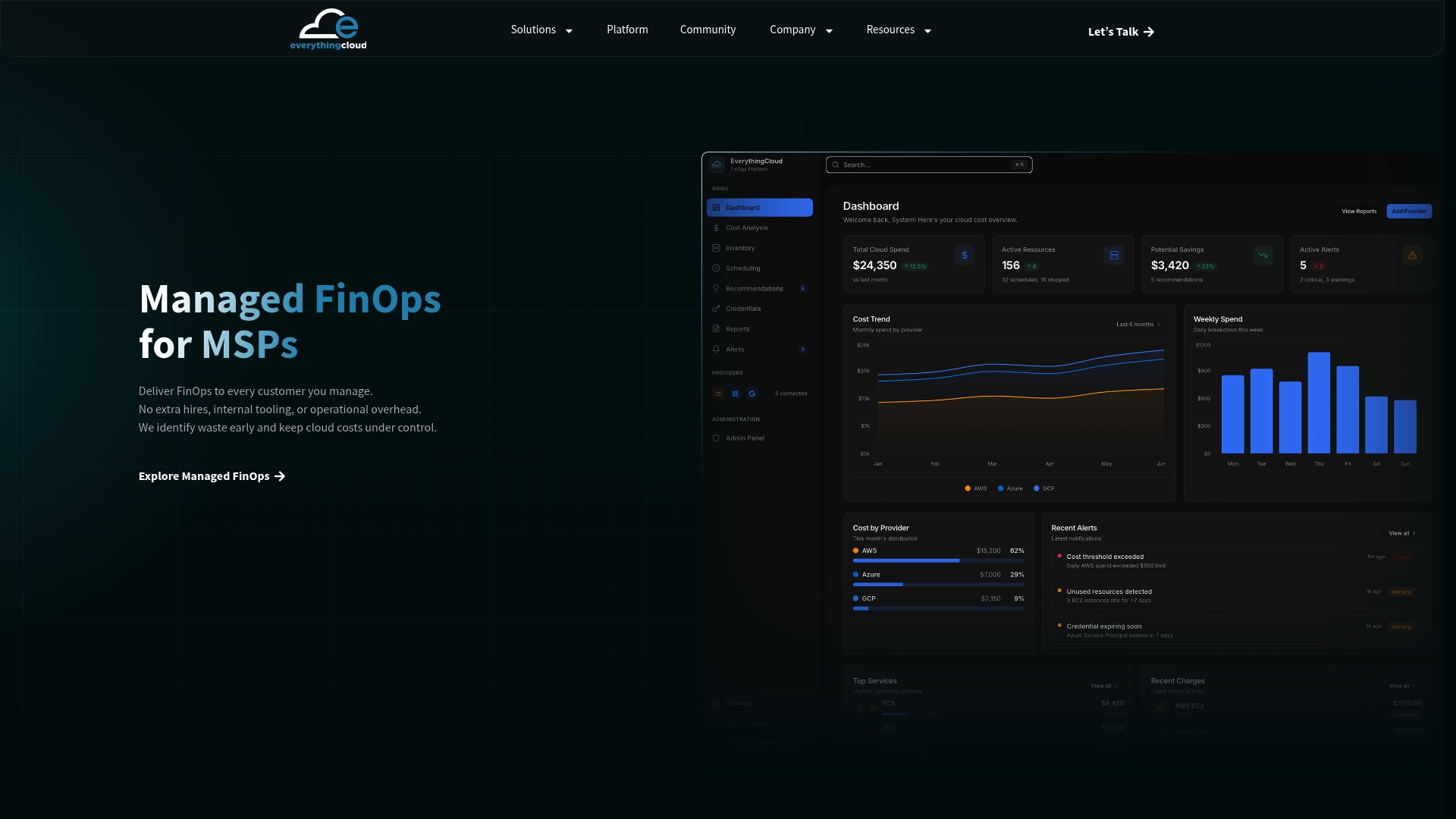
Everythingcloud provides real-time visibility across AWS, Azure, and Google Cloud, automated rightsizing and waste detection, policy-as-code governance aligned to CIS and NIST standards, commitment and Reserved Instance management, anomaly detection with 24/7 monitoring, and executive reporting that connects cloud spend to business outcomes. For MSPs and channel partners, the platform includes multi-tenant controls and white-label reporting, making it possible to launch a managed FinOps service without building proprietary tooling.
The practical next step: contact the Everythingcloud team to discuss your current cloud spend, tagging baseline, and optimization targets, or review the managed FinOps service page to see how the platform maps to the practices covered in this guide.