
AWS Savings Plans let you trade a predictable $/hour commitment for significant discounts on eligible compute and ML usage — up to 72% compared to On-Demand prices. The decision rule is simple: if you have stable, predictable baseline compute or sustained SageMaker usage you expect to run for at least 12 months, a Savings Plan will almost certainly pay for itself.
Here is what that means in practice:
- Commit a fixed $/hour for a 1-year or 3-year term, and AWS automatically applies the discount to eligible usage.
- No instance reservation required — Compute Savings Plans follow your workload across families, regions, and operating systems.
- Unused commitment is still billed — which is why buying conservatively and layering up is safer than overcommitting on day one.
Pro Tip: Run your Cost Explorer recommendation before you commit to anything. The recommendation shows your baseline usage over the trailing 7, 30, or 60 days and translates it into a suggested $/hour figure. Treat that figure as a ceiling, not a target.
Key Takeaways
AWS Savings Plans deliver their full value only when utilization stays high, coverage is actively managed, and commitment decisions are validated against your actual workload roadmap, not just historical usage.
| Point | Details |
|---|---|
| Commit conservatively, layer up | Buy at 70–80% of the Cost Explorer recommendation and add incremental plans as utilization confirms stability. |
| Match plan type to workload stability | Use EC2 Instance plans for locked, stable families; Compute plans for evolving or multi-service architectures. |
| Monitor utilization and coverage weekly | A utilization rate below 60% signals a plan that may be costing more than it saves. |
| Track expirations 60 days out | Plans that expire without renewal revert all covered usage to On-Demand rates immediately. |
| Everythingcloud for managed optimization | Everythingcloud monitors commitments 24/7, validates recommendations with business context, and delivers chargeback-ready reporting. |
Table of Contents
- How AWS Savings Plans actually work
- The four types of Savings Plans and what they cover
- Which services and usage types are actually eligible
- Terms, payment options, and the math behind the commitment
- How to buy and manage Savings Plans using AWS Cost Explorer
- Measuring utilization and coverage: the KPIs that matter
- Savings Plans vs Reserved Instances: which one fits your situation
- Practical use cases and FinOps best practices for your savings plans strategy
- Risks and common mistakes teams make with Savings Plans
- Worked examples: translating $/hour into real savings
- When to hire a managed FinOps partner for Savings Plans optimization
- Sources
How AWS Savings Plans actually work
AWS defines Savings Plans as a commitment to a consistent $/hour of usage for a one- or three-year term. You choose the term, the payment option, and the plan type. AWS then applies the discounted rate automatically to any eligible usage, up to your committed amount. Usage above the commitment bills at standard On-Demand rates.
Payment comes in three forms: All Upfront (pay the full term cost at purchase for the deepest discount), Partial Upfront (pay roughly half upfront, the rest monthly), and No Upfront (pay monthly throughout the term at a slightly smaller discount). The right choice depends on your weighted average cost of capital. If your organization can deploy that capital elsewhere at a higher return than the incremental discount from paying upfront, No Upfront is the rational choice. For most mid-market teams without a formal WACC calculation, Partial Upfront is a reasonable middle ground.
Savings Plans appear in two key billing artifacts. In AWS Cost Explorer, you get utilization and coverage dashboards that show how much of your committed $/hour is being consumed and what percentage of eligible usage is covered. In the Cost and Usage Report (CUR), Savings Plans generate specific line items that separate the discounted rate from the On-Demand equivalent, giving finance teams the data they need for chargeback and reporting.
Pro Tip: If your finance team is sensitive to cash outflows, start with No Upfront. You preserve optionality and still capture most of the discount. Revisit the upfront decision at the next renewal when you have 12 months of utilization data to justify the capital commitment.
The four types of Savings Plans and what they cover
AWS offers four distinct plan types, each designed for a different workload profile. Understanding the trade-off between flexibility and discount ceiling is the core decision you need to make before purchasing.
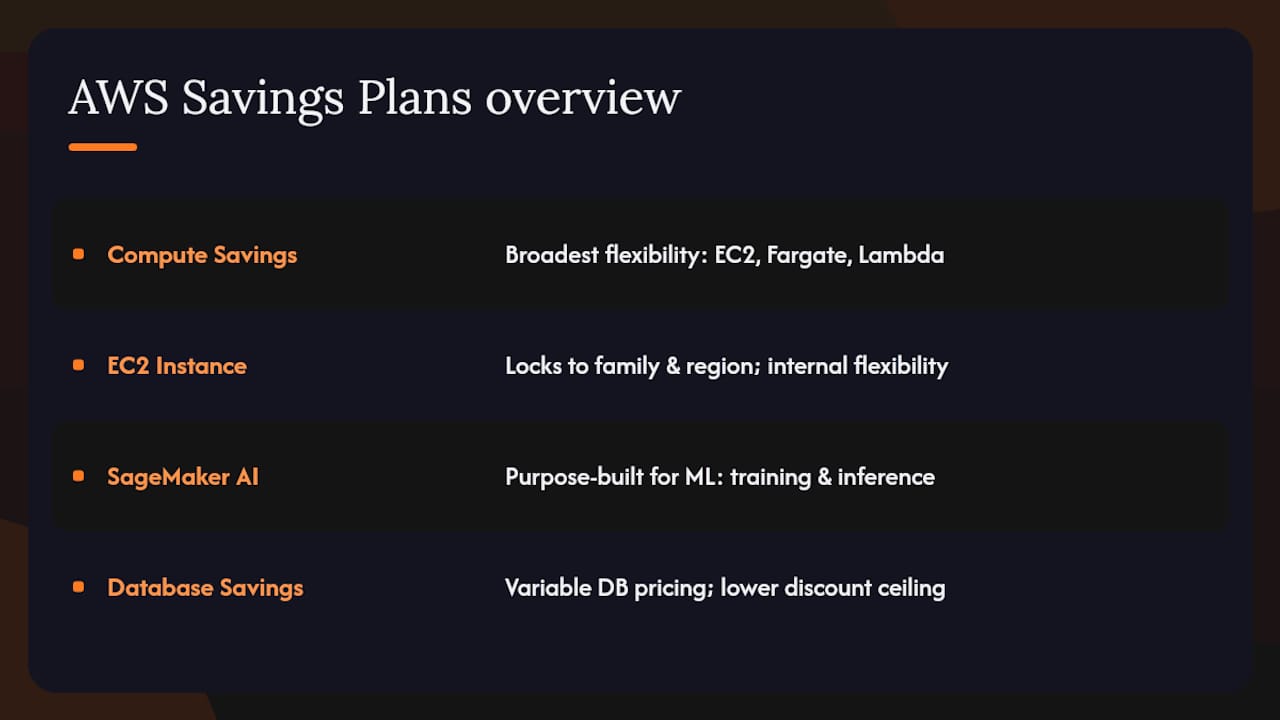
According to AWS plan-types documentation, the four types are Compute Savings Plans, EC2 Instance Savings Plans, SageMaker AI Savings Plans, and Database Savings Plans. Each carries a different maximum discount and a different scope of coverage.
Compute Savings Plans offer the broadest flexibility. They apply to EC2, AWS Fargate, and AWS Lambda usage regardless of instance family, region, or operating system. If your architecture is evolving — you are migrating to Graviton, containerizing workloads, or shifting regions — Compute plans protect your commitment through those changes.
EC2 Instance Savings Plans lock to a specific instance family in a specific region, but within that family you can change instance size, operating system, and tenancy freely. These plans suit teams running stable, well-understood workloads on a known instance family with no near-term plans to migrate.
They are purpose-built for ML teams with sustained training or inference workloads.
The discount ceiling is lower for Database Savings Plans because database pricing carries more variables.
Which services and usage types are actually eligible
Savings Plans coverage is broader than many teams realize, but it has meaningful gaps that can catch you off guard.
Eligible services by plan type:
- Compute Savings Plans: EC2 instances (any family, any region), AWS Fargate tasks running on ECS or EKS, and AWS Lambda function duration charges.
- EC2 Instance Savings Plans: EC2 instances within the committed family and region only.
- SageMaker AI Savings Plans: SageMaker Studio, SageMaker training jobs, real-time inference endpoints, and processing jobs.
- Database Savings Plans: Amazon RDS instances and Amazon Aurora clusters.
For containerized workloads, the coverage follows the underlying compute. Compute Savings Plans apply to Fargate usage whether the tasks run on ECS or EKS, which means Kubernetes-based workloads on Fargate are covered. EC2-backed ECS or EKS clusters are covered through the EC2 or Compute plan applied to the underlying instances.
What is not covered is worth knowing explicitly. Savings Plans do not apply to EC2 Dedicated Host fees, data transfer charges, storage costs, or service-level charges like NAT Gateway or Elastic IP. Lambda charges for provisioned concurrency are covered, but storage and request charges are not. SageMaker Savings Plans do not cover SageMaker Ground Truth or SageMaker Canvas.
A common edge case: if you migrate an EC2 Instance Savings Plan workload to a different instance family, the plan no longer applies to the new instances. The committed $/hour still bills. That is not a billing error — it is the expected behavior of a family-locked plan, and it is one of the clearest arguments for Compute plans when architectural change is on the roadmap.
Terms, payment options, and the math behind the commitment
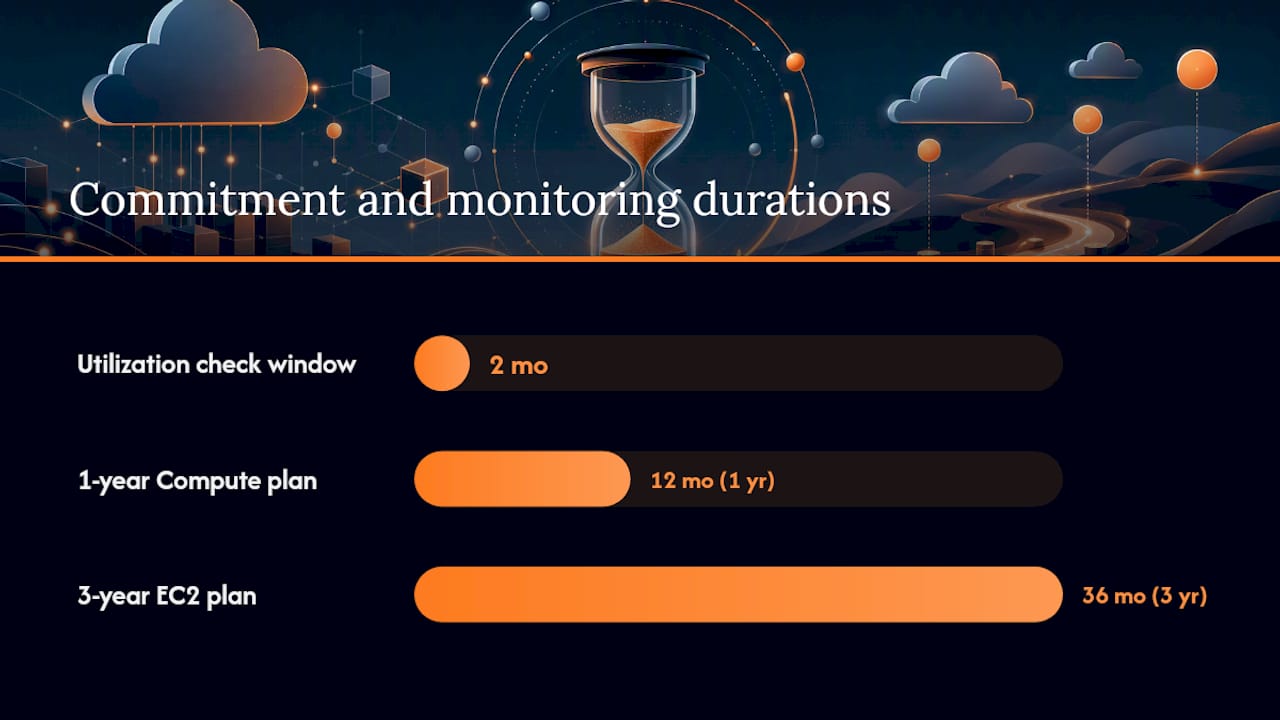
The term decision — 1-year versus 3-year — drives a meaningful difference in discount depth. A 3-year term typically yields a materially higher discount than a 1-year term for the same plan type, though the exact delta varies by instance family and region. The trade-off is straightforward: more certainty about your workload justifies the longer commitment.
How to translate $/hour into actual spend:
- Take your committed $/hour figure from the Cost Explorer recommendation.
- Multiply by 24 to get daily commitment.
- Multiply by 30.44 (average days per month) to get monthly commitment.
- Multiply by 365 to get annual commitment (or 1,095 for a 3-year term).
For example, a $1.00/hour commitment equals $24/day, roughly $730/month, and $8,760/year. If the equivalent On-Demand cost for that usage is $14,400/year, the plan saves approximately $5,640 annually before accounting for upfront payment timing.
Payment option math matters for All Upfront purchases specifically. Paying $8,760 upfront on day one versus spreading it over 12 months has a real time-value-of-money cost. For a 3-year All Upfront plan, the full commitment is paid at purchase, so the effective discount needs to be weighed against the opportunity cost of that capital.
A note for US finance teams: the accounting treatment of Savings Plans commitments is not universally standardized. Some organizations expense the monthly equivalent; others treat a large upfront payment as a prepaid asset and amortize it. The AWS Savings Plans FAQ does not prescribe accounting treatment, so confirm the correct approach with your controller or external auditor before booking a multi-year All Upfront commitment.
Savings Plans can reduce eligible compute costs by up to 72% compared to On-Demand pricing — but only if utilization stays high enough to consume the full committed $/hour.
How to buy and manage Savings Plans using AWS Cost Explorer
The purchase workflow in AWS Cost Explorer is straightforward, but the decisions around it require business context that the tool cannot supply on its own.
Step-by-step buying checklist:
- Run the recommendation. In Cost Explorer, navigate to Savings Plans > Recommendations. Set the lookback period (30 days is a reasonable default), choose your term and payment preference, and review the suggested $/hour.
- Validate the baseline. Cross-reference the recommendation against your actual workload roadmap. Are any of those instances scheduled for decommission? Is a migration to a new instance family planned in the next 6 months?
- Choose term and payment. 1-year for workloads with any uncertainty; 3-year only for rock-solid, long-lived infrastructure.
- Buy conservatively. Purchase at 70–80% of the recommended commitment. You can add incremental plans later; you cannot exit an existing one.
- Tag or record the purchase. AWS does not automatically tag Savings Plans to cost centers. Record the purchase date, term end date, and responsible team in your FinOps tracking system.
- Set a calendar reminder for 60 days before expiration to evaluate renewal or replacement.
AWS Cost Explorer also provides a Savings Plans Purchase Analyzer for modeling custom commitment scenarios before you buy. Use it to stress-test different $/hour amounts against your historical usage patterns.
Pro Tip: AWS recommendations optimize for technical coverage of your historical usage. They do not know about your upcoming re-architecture, your planned headcount reduction, or the workload you are migrating off EC2 to a managed service. Always layer business context on top of the technical recommendation before committing.
Measuring utilization and coverage: the KPIs that matter
Two numbers define whether your Savings Plans are working: utilization and coverage. Ignoring either one is how committed spend quietly becomes wasted spend.
Utilization measures what percentage of your committed $/hour is actually being consumed.
Coverage measures what percentage of your eligible On-Demand usage is covered by a Savings Plan. High utilization with low coverage means you bought the right amount but have more eligible usage running at full On-Demand rates. Low coverage is a signal to buy more; low utilization is a signal you bought too much.
CUR line items are the authoritative source for both metrics. Key fields to track in your Cost and Usage Report include savingsPlan/SavingsPlanEffectiveCost, savingsPlan/SavingsPlanRate, savingsPlan/UsedCommitment, and savingsPlan/UnusedCommitment. Building a dashboard from these exports gives finance teams defensible, auditable FinOps reporting rather than relying on Cost Explorer’s pre-built views alone.
Recommended monitoring cadence:
- Weekly: Check utilization in Cost Explorer. Flag any plan below 80%.
- Monthly: Review coverage by service and account. Identify eligible usage running at On-Demand rates.
- Quarterly: Full review of utilization trends, upcoming expirations, and whether new workloads warrant additional commitments.
At that level, the plan may be generating less savings than the committed spend is costing you. For further context on monitoring governance, AWS discounts don’t pay off without active usage tracking — a pattern that shows up repeatedly in organizations that buy plans and then stop watching them.
Reporting to finance: normalize savings by showing realized savings (On-Demand equivalent minus actual billed amount) alongside the committed spend. Attribute savings to teams or projects using cost allocation tags applied before purchase.
Savings Plans vs Reserved Instances: which one fits your situation
Reserved Instances (RIs) predate Savings Plans and still have a place in a mature AWS cost strategy, but the comparison is not as close as it once was.
Where Savings Plans win:
- Automatic application across instance families and regions (Compute plans) removes the operational burden of RI modification and exchange workflows.
- Coverage extends to Fargate and Lambda, which RIs do not cover.
- No need to match a specific instance type at purchase time — the $/hour commitment applies wherever eligible usage occurs.
Where Reserved Instances still make sense:
- RIs can be applied to specific instance types with a higher degree of certainty about the discount, which some procurement teams prefer for budget forecasting.
- Convertible RIs allow exchanges between instance families, which partially closes the flexibility gap with Compute plans.
- For database workloads, RDS Reserved Instances often provide comparable or better economics than Database Savings Plans depending on the engine.
The practical verdict: for most EC2 and serverless workloads, Savings Plans have replaced RIs as the default commitment vehicle. RIs remain relevant for teams with very stable, single-instance-type workloads where the higher EC2 Instance Savings Plan discount ceiling still does not match a specific RI rate, and for database workloads where RDS RIs are better modeled.
Mixing both is legitimate. A common pattern is to hold existing RIs through their term while layering Compute Savings Plans on top for newer or more flexible workloads. The two mechanisms stack, and AWS applies the most favorable discount first.
Practical use cases and FinOps best practices for your savings plans strategy
The most effective savings plans strategy is not a single large commitment. It is a layered structure that matches commitment depth to workload stability.
FinOps practitioners recommend a three-layer approach:
- Baseline layer: EC2 Instance Savings Plans for your most stable, long-lived workloads — the instances that have run continuously for 12+ months with no planned changes. These earn the highest discount.
- Flexible layer: Compute Savings Plans for workloads that are predictable in aggregate spend but variable in instance type, region, or service. This layer covers Fargate and Lambda as well.
- On-Demand layer: Everything else — spiky, experimental, or short-lived workloads — runs at On-Demand rates. Spot Instances can supplement this layer for fault-tolerant batch jobs.
Coverage targets by environment provide a practical governance guardrail.
First 90-day implementation checklist:
- Days 1–30 (Analyze): Pull 60 days of Cost Explorer data. Identify stable baseline usage, eligible services, and current On-Demand spend by account.
- Days 31–60 (Pilot): Purchase a conservative Compute Savings Plan at 60–70% of the recommended commitment. Monitor utilization weekly.
- Days 61–90 (Buy and monitor): If utilization holds above 85%, add EC2 Instance plans for the most stable workloads. Set up CUR-based dashboards for ongoing tracking.
Quarterly reviews keep the strategy current. Workloads change, teams grow, and architectures evolve. A plan that was perfectly sized in January can be significantly underutilized by October if a migration happened in between.
Risks and common mistakes teams make with Savings Plans
The financial risk of Savings Plans is not the discount rate — it is the commitment. A plan you cannot fully utilize is a liability, not an asset.
The most common mistakes:
- Overcommitting on day one. Teams buy at 100% of the AWS recommendation without accounting for planned workload changes. The recommendation reflects historical usage, not future architecture.
- Ignoring CUR monitoring. Buying a plan and never checking utilization is how organizations discover, 11 months in, that they have been paying for capacity that migrated to a different service six months ago.
- Forgetting expiration dates. A plan that expires without renewal reverts all covered usage to On-Demand rates immediately. The cost spike is real and often surprises finance teams.
- Relying solely on AWS recommendations. Cost Explorer optimizes for technical coverage. It does not know about your planned Graviton migration, your upcoming containerization project, or the team that is being restructured.
- Misaligned chargeback. If Savings Plans savings are not attributed back to the teams whose workloads generated them, the incentive to maintain high utilization disappears.
Red flags to check before committing:
- Utilization on existing plans trending below 75% for two consecutive months.
- A migration to a new instance family or cloud-native service planned within the commitment term.
- No CUR-based monitoring in place to track utilization post-purchase.
- Savings Plans owned at the payer account level with no team-level attribution.
Pro Tip: Before purchasing any plan, ask your engineering leads one question: “Is anything about this workload changing in the next 12 months?” If the answer is “maybe,” buy a 1-year Compute plan at a conservative commitment level rather than a 3-year EC2 Instance plan at full recommendation.
For teams running serverless workloads on Lambda, the risk profile is different — Lambda duration charges are covered by Compute plans, but the commitment still needs to reflect realistic sustained invocation patterns, not peak traffic.
Worked examples: translating $/hour into real savings
Concrete numbers make the commitment decision easier to defend to a finance committee.
Example 1: Stable web fleet (EC2 Instance Savings Plan, 1-year, No Upfront)
- Cost Explorer recommends $2.50/hour based on 60 days of m5.xlarge usage in us-east-1.
- Monthly commitment: $2.50 × 24 × 30.44 = $1,826.40/month.
- On-Demand equivalent for the same usage: approximately $2,880/month.
- Monthly savings: approximately $1,053. Annual savings: approximately $12,636.
Example 2: Mixed containerized workloads (Compute Savings Plan, 1-year, Partial Upfront)
- Fargate and EC2 usage across three regions totals a recommended $4.00/hour.
- Conservative purchase at 75%: $3.00/hour commitment.
- Monthly commitment: $3.00 × 24 × 30.44 = $2,191.68/month.
- Coverage at 75% of eligible usage; remaining 25% bills at On-Demand. Net savings still meaningful, with flexibility preserved for workload changes.
Example 3: Sustained SageMaker training (SageMaker AI Savings Plan, 3-year, All Upfront)
- ML team runs consistent training jobs at $1.20/hour equivalent.
- 3-year All Upfront commitment: $1.20 × 24 × 365 × 3 = $31,536 paid at purchase.
- On-Demand equivalent over 3 years at approximately $1.87/hour: $49,114.
- Gross savings: approximately $17,578 over the term, before accounting for the time value of the upfront payment.
When to hire a managed FinOps partner for Savings Plans optimization
There is a point at which managing Savings Plans in-house costs more in staff time and missed savings than a managed service would. Recognizing that threshold is itself a FinOps decision.
Signals that managed FinOps makes sense:
- Monthly AWS spend above $50,000 across multiple accounts or organizations.
- Distributed engineering teams with no centralized FinOps function.
- Recurring utilization below 75% on existing commitments with no clear owner.
- Frequent architectural changes that invalidate existing plans before term.
- Finance teams requesting chargeback reporting that engineering cannot produce.
What a managed FinOps provider should deliver:
- Continuous monitoring of utilization and coverage with automated alerts below defined thresholds.
- Purchase recommendations validated against business context — not just Cost Explorer output.
- Lifecycle management: tracking expiration dates, modeling renewals, and flagging gaps 60–90 days in advance.
- CUR-based reporting normalized for executive consumption, with realized savings attributed to teams or projects.
- Multi-account and multi-cloud visibility, so Savings Plans decisions are made in the context of total cloud spend, not just AWS.
Evaluation checklist for managed FinOps vendors:
- Does the platform ingest CUR data directly, or does it rely on Cost Explorer APIs alone?
- Can it model Savings Plans recommendations against your specific workload roadmap, not just historical usage?
- Does it provide automated alerts for utilization drops and expiration risks?
- Can it attribute savings to individual teams or cost centers for chargeback?
- Does it cover multi-cloud environments (Azure, Google Cloud) alongside AWS?
- What is the SLA for identifying and flagging optimization opportunities?
For MSPs managing cloud spend on behalf of clients, the complexity multiplies. Each client account needs its own utilization tracking, and Savings Plans purchased at the MSP payer level need careful attribution to avoid cross-subsidizing one client with another’s commitment. Exploring managed cloud hosting trade-offs alongside FinOps tooling helps MSPs frame the full cost picture for clients.
What most teams get wrong about Savings Plans
The most avoidable waste in AWS Savings Plans does not come from choosing the wrong plan type. It comes from treating the purchase as a one-time event rather than an ongoing operational commitment.
Organizations buy plans based on a Cost Explorer recommendation, book the savings in their forecast, and then stop watching. The commitment is still running. The bill is still arriving.
The second most common mistake is conflating coverage with savings. High coverage feels like success, but if utilization is low, you are covering eligible usage with a plan you are not fully consuming. Both metrics need to be healthy simultaneously. Balancing savings with architectural flexibility requires treating Savings Plans as a living part of your cost strategy, not a set-and-forget procurement decision.
Everythingcloud handles the complexity your team shouldn’t have to carry
Continuous Savings Plans management — monitoring utilization, validating recommendations against your roadmap, tracking expirations, and producing finance-ready reporting — is a full-time operational function. Most engineering and finance teams do not have the bandwidth to do it well alongside everything else they own.
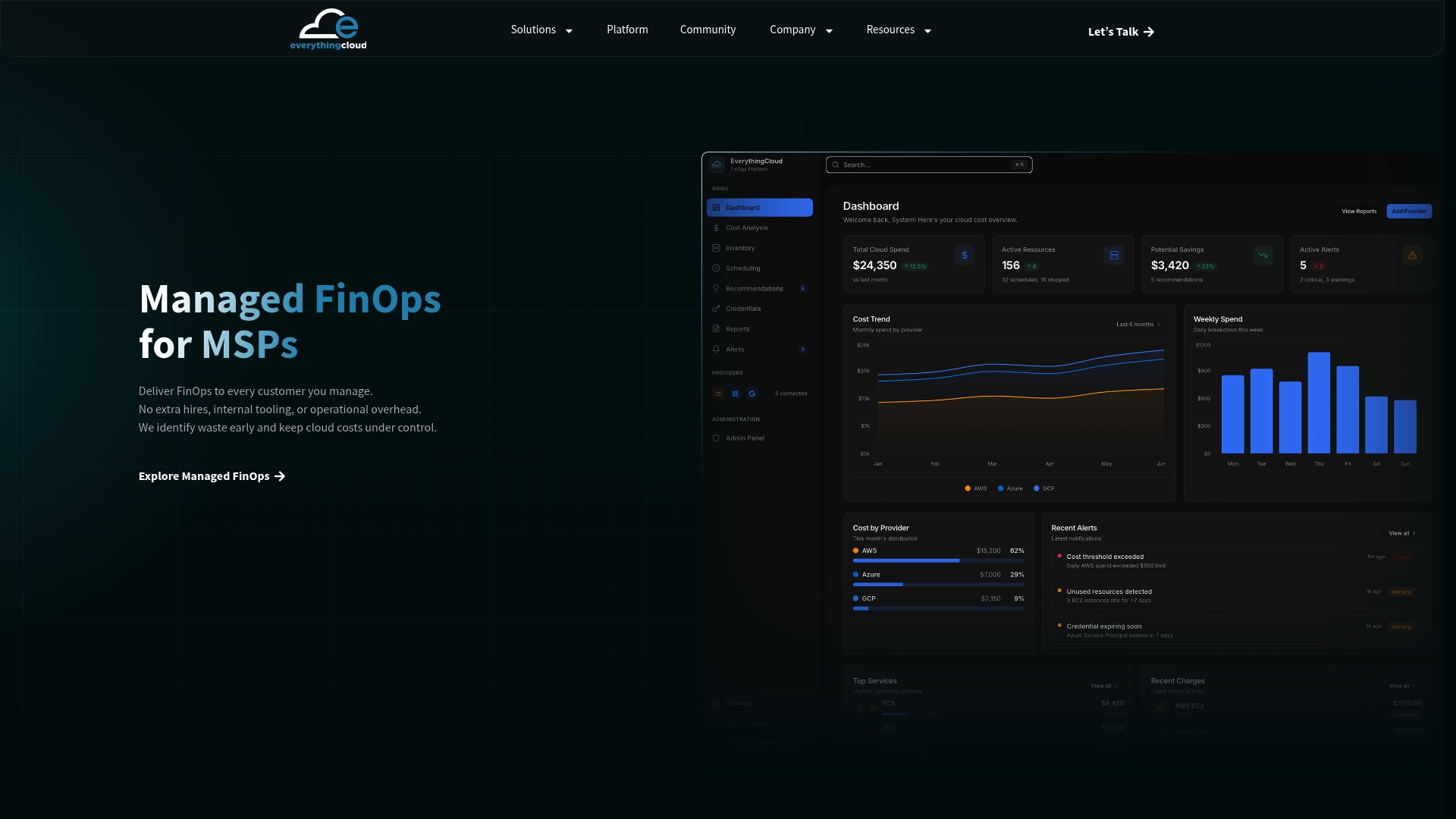
Everythingcloud’s managed FinOps platform monitors your AWS Savings Plans utilization and coverage 24/7, flags risks before they compound, and delivers purchase recommendations that account for your actual workload context, not just historical usage patterns. For MSPs, it provides multi-tenant visibility across client accounts so Savings Plans decisions are made with full organizational context. A discovery call starts with an audit of your current commitments and identifies quick wins within the first 30 days. Reach out to the Everythingcloud team to schedule your initial assessment.
Sources
The following official AWS resources cover the full technical and billing detail behind Savings Plans:
- What are Savings Plans? – Savings Plans – AWS Documentation
- Cloud Cost Savings – Savings Plans – Amazon Web Services
This article is general information, not a substitute for advice from a qualified financial advisor. Consult a qualified financial professional about your own circumstances before acting on anything here.