
For enterprise cloud teams evaluating Spot.io alternatives, Everythingcloud is the recommended first trial for MSPs and multi-cloud organizations, with Cast.ai as the strongest Kubernetes-native option, Turbonomic for heterogeneous VM estates, and Kubecost for open-source container cost visibility. Vendor materials across the market advertise significant savings for aggressive spot-instance automation combined with rightsizing, though real-world results depend heavily on workload type and how consistently optimization policies are enforced.
Before shortlisting, one naming clarification worth making: “Spot” returns noisy results across aggregator sites, sometimes surfacing consumer GPS hardware or unrelated crypto projects. This article covers Spot.io (now Spot by NetApp), the cloud cost optimization platform with Elastigroup and Ocean products, as defined by cloud cost specialists.
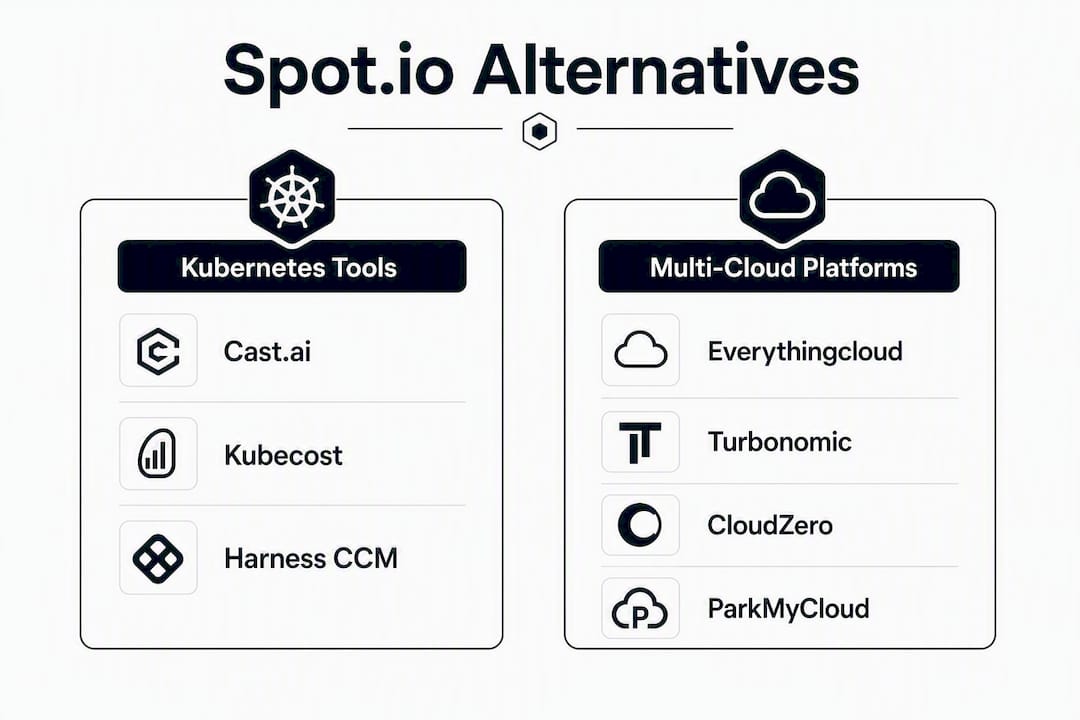
Here is the fast shortlist, organized by primary fit:
- Best for MSP-managed FinOps and white-label delivery: Everythingcloud
- Best for Kubernetes-native cost visibility and automation: Cast.ai
- Best for VM/instance-level optimization across hybrid estates: Turbonomic (IBM)
- Best for open-source Kubernetes cost allocation: Kubecost
- Best for enterprise FinOps with engineering-level cost attribution: Harness Cloud Cost Management
- Best for business-unit cost intelligence and unit economics: CloudZero
- Best for lightweight scheduled VM start/stop automation: ParkMyCloud
Table of Contents
- How do these Spot.io alternatives compare at a glance?
- Vendor profiles: what each alternative actually delivers
- How do you choose the right Spot.io alternative for your enterprise?
- What does implementation actually look like from evaluation to full deployment?
- Which alternative should you trial first, based on your situation?
- Key Takeaways
- The gap between what FinOps tools promise and what actually ships
- Everythingcloud covers the full FinOps picture for MSPs and enterprise teams
- Useful sources and further reading
How do these Spot.io alternatives compare at a glance?
The table below maps each vendor across the dimensions that matter most in enterprise procurement. Pricing shapes vary significantly: some platforms charge a flat subscription, others take a percentage of documented savings, and Kubernetes-native tools often price per node or per cluster. That distinction has real TCO implications for MSPs managing dozens of client accounts.
| Vendor | Best for | Clouds (AWS/Azure/GCP) | Kubernetes support | Spot/preemptible automation | Rightsizing | Pricing model | MSP/white-label | Enterprise compliance | Key integrations | Trial/demo |
|---|---|---|---|---|---|---|---|---|---|---|
| Everythingcloud | MSP-managed FinOps, multi-cloud + SaaS + AI spend | AWS, Azure, GCP | Yes | Yes | Yes (AI-powered) | Subscription; MSP managed service | Yes (FinOps in a Box, white-label) | SOC2-aligned, SSO, RBAC, multi-tenant | Billing APIs, M365, monitoring, IaC | Demo available |
| Cast.ai | Kubernetes cost automation | AWS, Azure, GCP | Deep (pod/node level) | Yes (node provisioning) | Yes (automated) | Per-node subscription | Limited | SOC2 | Prometheus, Grafana, Terraform | Free tier + paid |
| Kubecost | Open-source K8s cost allocation | AWS, Azure, GCP | Deep (namespace/label) | No | Yes (recommendations) | Open-source; paid enterprise tier | Limited | SOC2 (enterprise) | Prometheus, Grafana, CI/CD | Free OSS + trial |
| Harness CCM | Engineering-led FinOps, CI/CD-integrated | AWS, Azure, GCP | Yes | Yes (spot orchestration) | Yes | Subscription (% of managed spend) | Limited | SOC2, SSO, RBAC | GitHub, Jira, Terraform, Datadog | Free tier + demo |
| Turbonomic (IBM) | Heterogeneous VM + Kubernetes estates | AWS, Azure, GCP | Yes | Yes (workload placement) | Yes (automated actions) | Subscription (per managed resource) | Limited | SOC2, RBAC, SLA | vSphere, ServiceNow, Dynatrace | Demo/POC |
| CloudZero | Unit economics, business-unit cost intelligence | AWS, Azure, GCP | Yes | No | Yes (recommendations) | Subscription | Limited | SOC2, SSO | Datadog, Snowflake, Terraform | Demo |
| ParkMyCloud | Scheduled VM/resource start-stop | AWS, Azure, GCP | Limited | No | No | Subscription (per resource) | No | SSO | Slack, Jira, ServiceNow | Free trial |
Quick read on the table:
- If your primary need is MSP-scale multi-tenant management with white-labeling, Everythingcloud and its “FinOps in a Box” model stands apart from the rest of this list.
- Kubernetes-first teams should evaluate Cast.ai and Kubecost together: Cast.ai automates node provisioning and spot usage; Kubecost allocates cost at the namespace and label level.
- Large enterprises with mixed VM and container workloads will find Turbonomic’s automated workload placement more relevant than tools built purely for containers.
- CloudZero and Harness CCM suit engineering organizations that need cost data wired directly into CI/CD pipelines and business unit reporting.
- ParkMyCloud solves a narrow but real problem: scheduled on/off automation for non-production resources. It is not a full FinOps platform.
Pricing shape drives procurement decisions as much as features do. A percentage-of-savings model looks attractive at first but can become expensive once the low-hanging fruit is captured. Flat subscriptions and per-node models are easier to budget and audit, which matters for MSPs passing costs through to clients.
Vendor profiles: what each alternative actually delivers
Everythingcloud
Everythingcloud operates as a continuous optimization platform covering cloud, SaaS, and AI spend, with a specific architecture for MSPs that need multi-tenant controls, white-labeled reporting, and billing allocation automation. It monitors AWS, Azure, Google Cloud, Microsoft 365, and AI workloads in real time, surfacing anomalies, rightsizing recommendations, and commitment management guidance without requiring engineering teams to build their own tooling.

The MSP angle is where Everythingcloud separates itself. The “FinOps in a Box” model lets partners launch a managed FinOps service to their clients without building a platform from scratch. That means white-labeled dashboards, per-client cost allocation, and expert-backed recommendations delivered as a managed service. For an MSP that currently resells cloud without a structured optimization layer, this is a direct path to a new recurring revenue stream.
Enterprise compliance signals include CIS and NIST-aligned governance, SSO/SAML, RBAC, and multi-tenant isolation. Pricing is subscription-based. Demos are available, and managed pilot engagements are an option for organizations that want guided onboarding.
Trade-off to watch: Everythingcloud’s strength is breadth across cloud, SaaS, and AI spend. Teams looking for deep Kubernetes pod-level automation as their sole requirement may want to run a parallel evaluation with a Kubernetes-native tool.
Cast.ai
Cast.ai focuses on Kubernetes cost automation: it provisions the right node types, shifts workloads onto spot or preemptible instances, and handles interruption events automatically. The platform works across AWS, Azure, and GCP, and it integrates with Prometheus and Grafana for observability teams already running those stacks.
The pricing model is per-node, with a free tier that covers cost reporting. Automated optimization requires the paid tier. Cast.ai publishes customer case studies and holds SOC2 attestation. The main limitation is scope: it is built for Kubernetes and does not address VM-level or SaaS spend.
Kubecost
Kubecost is the dominant open-source option for Kubernetes cost allocation. It runs inside your cluster, pulls data from Prometheus, and allocates spend by namespace, label, deployment, and team. The open-source version is free; the enterprise tier adds SSO, multi-cluster federation, and SOC2 compliance.
For cost-conscious teams that want full data ownership and are comfortable with self-hosted tooling, Kubecost is hard to beat on price. The trade-off is operational overhead: you own the deployment, upgrades, and data retention. It does not automate spot instance provisioning or handle VM-level rightsizing.
Harness Cloud Cost Management
Harness CCM integrates cost visibility directly into the CI/CD pipeline, which makes it the natural choice for engineering organizations that want developers to see the cost impact of their changes before deployment. It supports spot orchestration, rightsizing recommendations, and anomaly detection across AWS, Azure, and GCP.
Pricing is subscription-based, typically calculated as a percentage of managed cloud spend. SOC2, SSO, and RBAC are available. Harness publishes enterprise references and offers a free tier for smaller environments. The complexity of the broader Harness platform can be a barrier for teams that only need cost management and do not use the CI/CD or feature-flag modules.
Turbonomic (IBM)
Turbonomic takes an application-resource management approach: it models supply and demand across the full stack, from application layer down to infrastructure, and issues automated actions to rightsize, reschedule, or migrate workloads. It handles both Kubernetes and VM-based workloads, which makes it the strongest option for enterprises running heterogeneous estates across on-premises and cloud.
IBM’s enterprise support infrastructure, ServiceNow integration, and vSphere compatibility give Turbonomic a footprint that purely cloud-native tools cannot match. Pricing is per managed resource on a subscription basis. The platform is complex to configure, and the proof-of-concept process typically requires IBM’s professional services team. Expect a longer evaluation cycle than with lighter-weight tools.
CloudZero
CloudZero is built around unit economics: it maps cloud spend to business metrics like cost-per-customer, cost-per-feature, or cost-per-transaction. Engineering and finance teams that need to answer “why did our cloud bill go up 18% this month?” at a product level will find CloudZero more useful than a tool that only shows account-level spend.
It supports AWS, Azure, and GCP, integrates with Datadog and Snowflake, and holds SOC2 attestation with SSO support. CloudZero does not automate spot instance provisioning. Its value is in cost intelligence and attribution, not automated remediation.
ParkMyCloud
ParkMyCloud does one thing: it schedules non-production resources to turn off when they are not needed. For organizations spending on dev/test environments that run overnight and on weekends, the savings can be immediate. It supports AWS, Azure, and GCP, integrates with Slack and Jira for approval workflows, and offers a free trial.
ParkMyCloud is not a FinOps platform. It has no Kubernetes support, no rightsizing engine, and no MSP capabilities. Treat it as a point solution for a specific waste pattern, not a replacement for a full optimization platform.
| Vendor | Supported clouds | Kubernetes depth | Pricing model shape |
|---|---|---|---|
| Everythingcloud | AWS, Azure, GCP, M365 | Yes (optimization + governance) | Subscription / managed service |
| Cast.ai | AWS, Azure, GCP | Deep (node/pod automation) | Per-node subscription |
| Kubecost | AWS, Azure, GCP | Deep (allocation, self-hosted) | Open-source / enterprise tier |
| Harness CCM | AWS, Azure, GCP | Yes (CI/CD-integrated) | % of managed spend |
| Turbonomic | AWS, Azure, GCP, on-prem | Yes (full stack) | Per managed resource |
| CloudZero | AWS, Azure, GCP | Yes (allocation) | Subscription |
| ParkMyCloud | AWS, Azure, GCP | No | Per resource subscription |
How do you choose the right Spot.io alternative for your enterprise?
The evaluation criteria that matter most depend on whether you are an enterprise IT team, an MSP, or a Kubernetes-first engineering organization. Here is a prioritized checklist.
Enterprise and MSP evaluation checklist:
- Multi-tenant controls and white-labeling. If you manage cloud spend for multiple clients or business units, confirm the platform supports per-tenant data isolation, separate dashboards, and branded reporting before anything else.
- Governance and compliance posture. Verify SOC2 Type II attestation, SSO/SAML support, RBAC with configurable scopes, and data residency options. These are procurement gates at most enterprises, not nice-to-haves.
- Cost attribution and allocation. Can the platform allocate spend by team, project, cost center, or customer? Unallocated spend is the most common source of FinOps program failure.
- Integration matrix. Map the platform against your billing exports (AWS Cost and Usage Report, Azure Cost Management, GCP Billing), monitoring stack (CloudWatch, Prometheus, Azure Monitor), and IaC tooling (Terraform, Pulumi). Gaps here create manual reconciliation work.
- Spot/preemptible automation depth. Ask specifically: how does the platform handle interruption events? Does it rebalance workloads automatically, or does it only alert? For stateful workloads, the answer matters a great deal.
- Rightsizing methodology. What data does the platform use for rightsizing recommendations? CPU and memory utilization alone is insufficient for production workloads. Ask whether it incorporates application-layer metrics and whether it supports automated vs. advisory-only actions.
- SLA and support tier. Enterprise deployments need defined response times. Confirm whether the SLA covers the optimization engine or only the platform UI.
- Pricing transparency and TCO. Request a written pricing breakdown that includes onboarding professional services, enterprise support tiers, data ingest or retention costs, and any per-account or per-cluster fees that do not appear in the headline price.
Questions to ask during vendor demos:
- How do you handle preemption events for stateful workloads?
- What SSO protocols do you support (SAML 2.0, OIDC)?
- Can the agent or collector run inside our VPC with no outbound data transfer?
- What IAM permissions are required, and can we scope them to specific accounts or projects?
- What is your minimum data retention period, and what are the costs beyond it?
- Do you have enterprise references in our industry that we can speak with directly?
Red flags to watch for:
- No published SOC2 attestation or equivalent security certification.
- Pricing that is only available after a multi-week sales process with no published ranges.
- No demo environment or trial option before contract signature.
- Requiring broad admin-level IAM access when read-only cost and metadata access is sufficient.
- No enterprise customer references, or references that are all from the same industry vertical.
Trust signals that carry weight: published case studies with measurable savings figures, independent scores on G2 or TrustRadius, transparent pricing ranges on the vendor website, and SOC2 Type II attestation with a recent audit date. AWS Marketplace listings also provide a procurement-friendly contracting path that many enterprise procurement teams prefer.
What does implementation actually look like from evaluation to full deployment?
A realistic enterprise evaluation runs in four stages. Compressing any of them tends to produce a poor pilot result rather than a faster decision.
Stage 1: Discovery and scoping (1–3 weeks). Map your cloud accounts, billing exports, and monitoring stack. Identify the accounts or clusters you will include in the pilot. Define success metrics before the pilot starts: cost reduction percentage, coverage of unallocated spend, or number of rightsizing recommendations acted on.
Stage 2: Pilot (2–6 weeks). Connect billing APIs and grant read-only IAM roles scoped to the pilot accounts. For Kubernetes tools, deploy the agent or Helm chart into a non-production cluster first. Validate that cost data matches your billing exports within an acceptable tolerance before trusting recommendations.
Stage 3: Extended proof-of-value (4–12 weeks). Expand to production accounts. Begin acting on rightsizing recommendations in a staged rollout. For spot automation tools, test interruption handling in a staging environment before enabling automated rebalancing in production.
Stage 4: Phased rollout and ongoing optimization (4–12 weeks). Onboard remaining accounts or clusters. Establish governance policies, alert thresholds, and reporting cadences. Assign FinOps ownership within the team.
Integration checklist for the pilot:
- Billing export access: AWS Cost and Usage Report (CUR), Azure Cost Management export, GCP Billing export to BigQuery.
- IAM roles: read-only cost and metadata access, scoped to pilot accounts or projects.
- Monitoring hooks: Prometheus scrape configs or CloudWatch metric streams for rightsizing data.
- Kubernetes RBAC: cluster-reader role for the cost agent; confirm namespace-level scoping if full-cluster access is not permitted.
- IaC integration: Terraform provider or Atlantis webhook if you want automated rightsizing actions to flow through your change management process.
Pro Tip: Before enabling automated spot instance rebalancing in production, run a controlled interruption test in staging. Use AWS Fault Injection Simulator or a scheduled spot interruption via the EC2 API to verify that your workloads recover cleanly. A tool that claims interruption resilience should prove it before it touches production traffic.
Which alternative should you trial first, based on your situation?
The right starting point depends on your organization’s profile more than on feature checklists.
| Buyer scenario | Recommended first trial | Expected quick win | Risk to monitor |
|---|---|---|---|
| MSP launching white-label FinOps service | Everythingcloud | Multi-tenant dashboards live within days; new recurring revenue stream | Ensure client billing allocation rules are configured before first report |
| Large enterprise with hybrid VM + Kubernetes estate | Turbonomic | Automated rightsizing across full stack | Complex configuration; plan for professional services time |
| Kubernetes-first engineering team | Cast.ai + Kubecost | Immediate node cost reduction and namespace-level allocation | Cast.ai automation scope limited to Kubernetes |
| Enterprise needing CI/CD-integrated cost visibility | Harness CCM | Developer-facing cost data in existing pipelines | Percentage-of-savings pricing can escalate as spend grows |
| Cost-conscious team with limited ops resources | Kubecost (OSS) | Free allocation visibility with no vendor dependency | Self-hosted operational overhead |
| Business unit or product cost intelligence | CloudZero | Unit economics mapped to product metrics | No automated remediation; requires manual action on recommendations |
30/60/90-day success checklist:
- Day 30: Billing data connected, cost allocation coverage above 80%, first rightsizing recommendations reviewed.
- Day 60: At least one rightsizing or spot automation policy active in production, anomaly alerts configured, stakeholder reporting cadence established.
- Day 90: Full account/cluster coverage, governance policies documented, TCO comparison against pre-pilot baseline completed.
To request a pilot, contact the vendor directly through their website or AWS Marketplace listing. Collect the following telemetry during the pilot: total spend covered, percentage of spend allocated to a cost center or team, number of recommendations generated vs. acted on, and documented savings against baseline.
Key Takeaways
The most effective approach to evaluating Spot.io alternatives is to match the tool’s architecture to your primary workload type and governance requirements before comparing features.
| Point | Details |
|---|---|
| Match tool to workload type | Kubernetes-native tools (Cast.ai, Kubecost) outperform VM-level platforms for container estates; Turbonomic leads for hybrid environments. |
| MSP-readiness is a distinct requirement | Multi-tenant controls, white-labeling, and billing allocation automation are decisive for MSPs; most tools on this list do not offer them. |
| Pricing model drives long-term TCO | Percentage-of-savings models can escalate; flat subscription or per-node pricing is easier to budget and audit for multi-account environments. |
| SOC2 and SSO are procurement gates | Require SOC2 Type II attestation, SAML/OIDC SSO, and configurable RBAC before shortlisting any vendor for enterprise deployment. |
| Everythingcloud for MSP-managed FinOps | Everythingcloud’s “FinOps in a Box” model covers cloud, SaaS, and AI spend with white-label delivery, making it the recommended first trial for MSPs. |
The gap between what FinOps tools promise and what actually ships
The vendor selection process for cloud cost optimization has a consistent failure mode: teams spend weeks evaluating dashboards and feature matrices, then discover during onboarding that the tool’s recommendations are based on two weeks of utilization data and a single CPU metric. That is not a rightsizing engine. It is a spreadsheet with a UI.
The tools that actually move the needle in enterprise environments share a few characteristics that rarely appear in sales decks. They handle the messy reality of shared services and cross-account cost allocation. They have an opinion about what to do, not just what to report. And they have a support model that does not disappear after the contract is signed.
For MSPs, the calculus is different again. The question is not just “does this tool optimize my cloud spend?” It is “can I deliver this as a service to 50 clients without building a platform team?” Most of the tools on this list answer the first question reasonably well. Very few answer the second.
The Kubernetes-native tools are genuinely impressive at what they do. Cast.ai’s automated node provisioning is real automation, not advisory. Kubecost’s namespace-level allocation is the most granular free option available. But neither was designed for an MSP managing heterogeneous client environments with different cloud providers, SaaS stacks, and AI workloads. That gap is where a managed FinOps platform earns its subscription.
One practical note on pilots: the 30-day pilot is almost always too short to validate spot automation in production. Interruption patterns vary by region, instance family, and time of day. A 60-day pilot that includes at least one capacity crunch event will tell you far more about a tool’s resilience than a clean 30-day run.
Everythingcloud covers the full FinOps picture for MSPs and enterprise teams
Most tools on this list solve one layer of the problem well. Everythingcloud is built to cover the full picture: cloud, SaaS, and AI spend in a single platform, with the multi-tenant architecture that MSPs actually need to deliver optimization as a service.
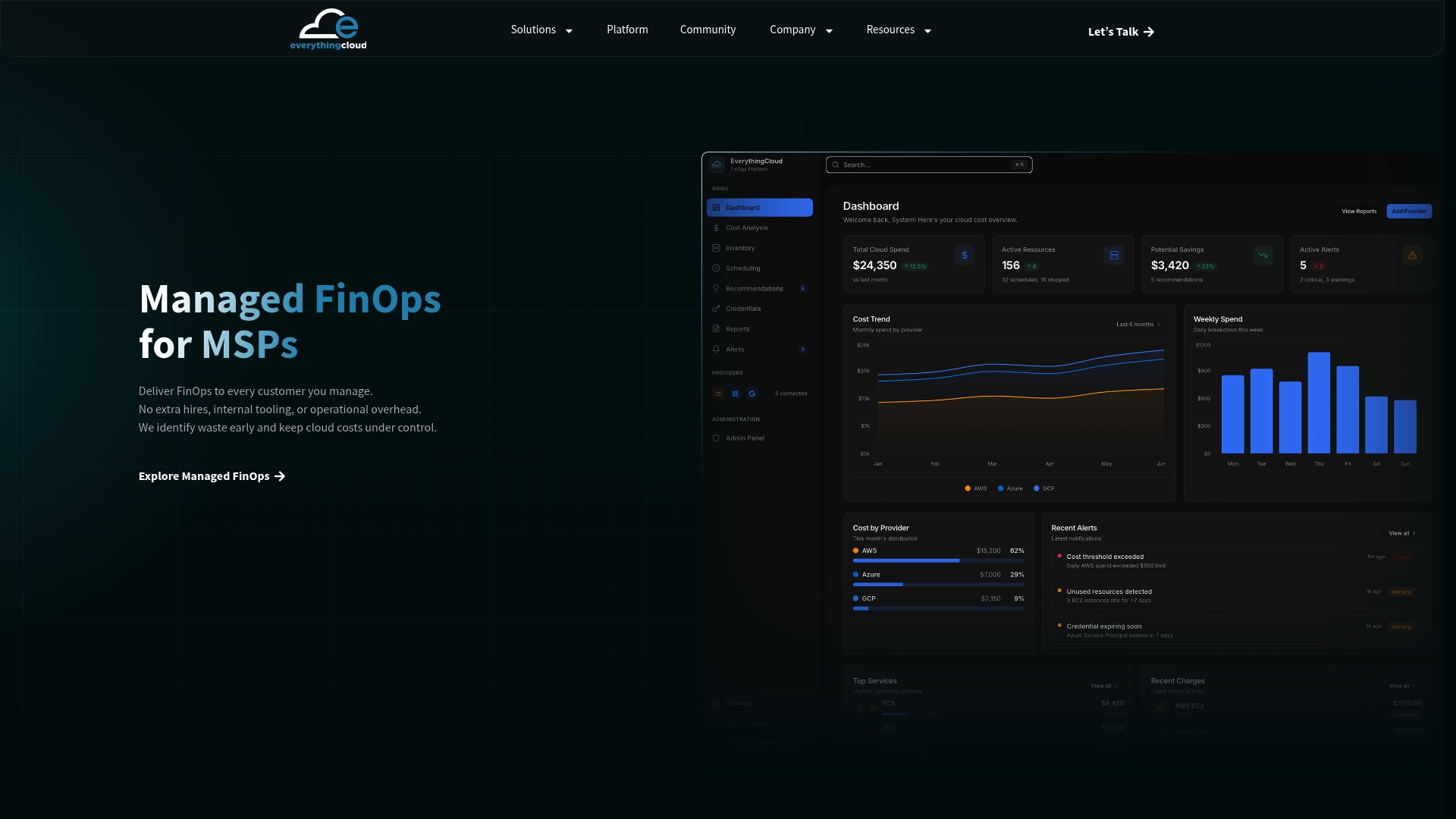
The managed FinOps for MSPs offering gives partners a turnkey path to launch white-labeled FinOps services without building their own platform. That means per-client dashboards, automated recommendations, commitment management, anomaly detection, and expert guidance, all under your brand. For enterprise teams, the platform delivers real-time visibility across AWS, Azure, Google Cloud, Microsoft 365, and AI workloads, with CIS and NIST-aligned governance, SSO, RBAC, and 24/7 monitoring built in.
Vendor materials and aggregator pages across the market advertise savings of up to 90% for aggressive spot-instance automation combined with rightsizing, though actual results will vary depending on the workload and consistent policy enforcement.
To evaluate Everythingcloud in a managed pilot, request a demo or MSP onboarding conversation through the managed FinOps page. The team can scope a pilot to your specific cloud accounts, client base, or AI workload profile.
Useful sources and further reading
The sources below support the claims in this article and provide deeper vendor documentation, procurement guidance, and Everythingcloud resources for pilots and technical planning.
Primary vendor and market sources:
- Spot Alternatives and Competitors — SaaSHub’s categorized list of alternatives, useful for broadening the candidate set beyond this shortlist.
- AWS Marketplace — Enterprise procurement path for several tools on this list; check for private pricing and contract options.
- Product Hunt alternatives list — Community-sourced list; useful for finding emerging tools, but requires enterprise-readiness vetting before shortlisting.
Everythingcloud resources:
- Managed FinOps for MSPs — Primary page for MSP onboarding, white-label FinOps, and managed pilot options.
- Cloud Management Systems for Hybrid and Multicloud — Guidance on Kubernetes vs. VM decision frameworks and cross-cloud management.
- AWS vs Azure vs Google Cloud: 2026 Enterprise Comparison — Context on provider differences that affect vendor suitability and integration planning.
- IT Cost Reduction Strategies for CIOs — FinOps process guidance that pairs with vendor selection decisions.
- Azure Cloud Cost Optimization: 2026 Enterprise Guide — Focused reference for Azure spot and preemptible instance optimization.