
Default to Compute Savings Plans for most flexible compute workloads. Use Reserved Instances when you need a capacity guarantee in a specific Availability Zone, or when you’re covering services that Savings Plans don’t reach. That’s the short answer. The longer one is about commitment basis: Savings Plans commit dollars per hour against eligible usage, which means AWS applies the discount automatically regardless of instance family, size, region, OS, or tenancy. Reserved Instances commit to specific instance attributes, which creates stranding risk when your workload changes but delivers the deepest headline discounts and the only path to zonal capacity reservation. AWS recommends Savings Plans for most compute cost savings because they’re easier to manage and offer comparable discounts to RIs.
- Choose Compute Savings Plans when your compute estate spans multiple instance families, regions, or includes Lambda and Fargate usage. Up to a significant discount off On-Demand, with zero matching overhead.
- Choose EC2 Instance Savings Plans when your instance family within a region is stable and you want to narrow the discount gap toward RI levels, up to a significant discount off On-Demand.
- Choose Reserved Instances for zonal capacity guarantees, database services not yet covered by Savings Plans, licensed appliances, or when the incremental discount of a Standard RI justifies the reduced flexibility.
Key Takeaways
Compute Savings Plans are the right default for most flexible compute workloads; Reserved Instances remain necessary for zonal capacity guarantees, database services with generation constraints, and scenarios where the Standard RI discount ceiling justifies the stranding risk.
| Point | Details |
|---|---|
| Default to Compute Savings Plans | Cover EC2, Lambda, and Fargate with one flexible commitment at a significant discount off On-Demand. |
| Use zonal RIs for capacity guarantees | Only zonal Reserved Instances reserve AZ-level capacity; no Savings Plan type provides this. |
| Rightsize before any purchase | Committed dollars against oversized instances lock in waste for 1–3 years and cannot be cancelled. |
| Layer, don’t replace | AWS applies RI discounts first, then EC2 Instance SPs, then Compute SPs, making layering safe and low-friction. |
| Everythingcloud tracks it continuously | Everythingcloud’s managed FinOps platform monitors commitment utilization, flags expiration cliffs, and automates recommendations across your AWS estate. |
Table of Contents
- How RIs and Savings Plans compare at a glance
- How Savings Plans work: types, scope, and when each fits
- How Reserved Instances work: types, regional vs zonal, and what they uniquely offer
- Decision scenarios: which instrument fits which workload?
- Practical buying and management best practices
- How to transition from RIs to Savings Plans without wasting existing value
- Limitations, gotchas, and edge cases that cost teams money
- A FinOps practitioner’s take on getting the instrument mix right
- Everythingcloud gives you continuous commitment visibility
- Sources
How RIs and Savings Plans compare at a glance
The table below captures the dimensions that actually drive the purchase decision. Read across the row for the dimension that matters most to your workload.
| Dimension | Compute Savings Plans | EC2 Instance Savings Plans | Standard Reserved Instances | Convertible Reserved Instances |
|---|---|---|---|---|
| Commitment basis | USD/hour | USD/hour, family-bound | Specific instance attributes | Specific instance attributes |
| Services covered | EC2, Fargate, Lambda | EC2 (family/region only) | EC2 only | EC2 only |
| Instance flexibility | Full (family, size, region, OS, tenancy) | Size-flexible within family/region | Regional: size-flexible; Zonal: exact match | Exchangeable with restrictions |
| Max savings vs On-Demand | Up to a significant discount | Up to a significant discount | Up to a significant discount | Lower than Standard |
| Capacity reservation | No | No | Zonal RIs only | No |
| Resale/marketplace | Not resalable | Not resalable | Resalable on RI Marketplace | Not resalable |
| Term lengths | 1 year or 3 year | 1 year or 3 year | 1 year or 3 year | 1 year or 3 year |
| Payment options | All, Partial, No Upfront | All, Partial, No Upfront | All, Partial, No Upfront | All, Partial, No Upfront |
| Management overhead | Low (automatic) | Low (automatic) | Medium (matching rules) | Higher (exchange process) |
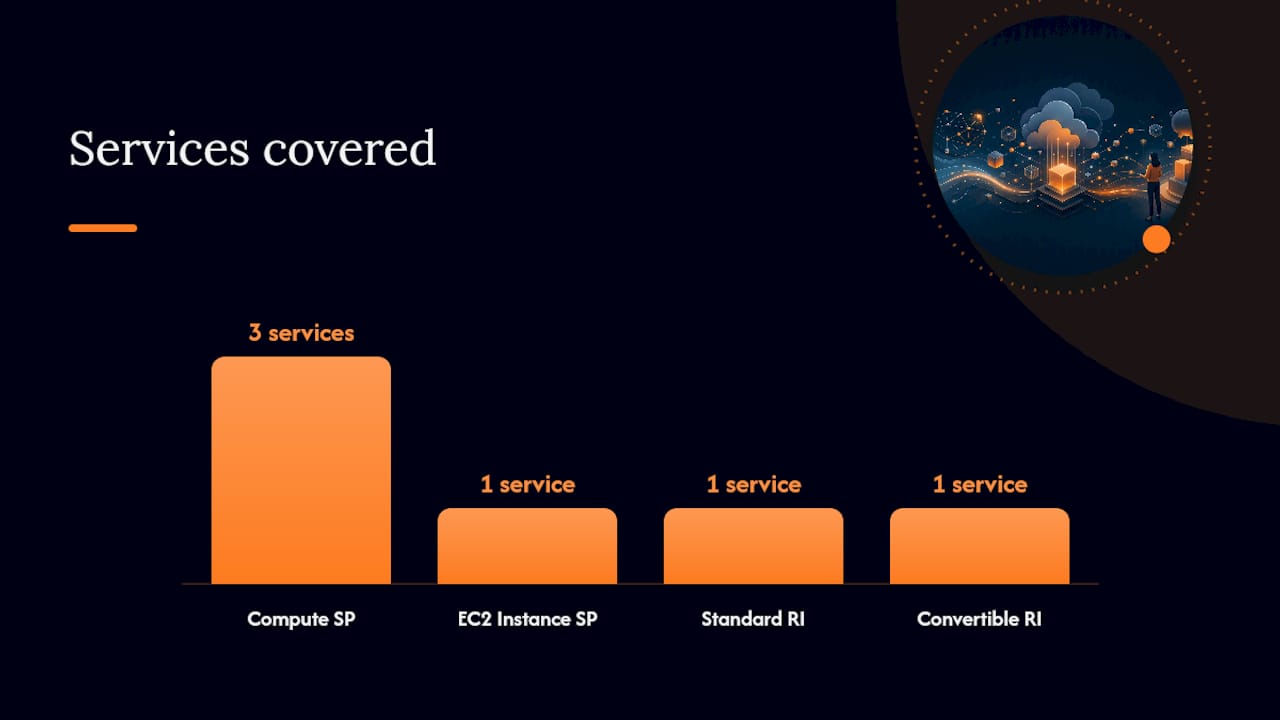
Three practical implications stand out. First, Savings Plans win on management simplicity because AWS applies them automatically each hour with no matching rules to maintain. Third, only zonal RIs reserve capacity, which makes them irreplaceable for workloads that cannot tolerate AZ-level resource contention.
How Savings Plans work: types, scope, and when each fits
Savings Plans commit a fixed dollar-per-hour amount against eligible usage. AWS applies the discount automatically to whichever eligible resources consume that committed spend each hour. You don’t manage matching rules or modify the plan when you change instance types.
Compute Savings Plans are the most flexible option. They automatically apply discounts across EC2, Fargate, and Lambda usage regardless of instance family, size, region, OS, or tenancy. That cross-service coverage is significant: Compute Savings Plans are the only commitment instrument that captures serverless and container discounts automatically. If your portfolio includes Lambda functions or Fargate tasks alongside EC2, a Compute SP covers all three with a single commitment. For teams planning a Graviton migration or moving workloads between regions, the Compute SP absorbs those transitions without stranding committed dollars.
EC2 Instance Savings Plans narrow the scope to a specific instance family within a single region, but they push the discount up to a significant discount off On-Demand. Size flexibility within that family is preserved, so you can move between m6i.large and m6i.4xlarge without breaking the commitment. The trade-off is that a family or region change leaves the commitment partially uncovered until the term expires. Choose EC2 Instance SPs when your instance family is genuinely stable and you want to close the gap toward Standard RI discount levels without taking on the full rigidity of an RI.
Database Savings Plans, announced in December 2025, add flexible coverage across multiple database services. They require recent-generation instances (Gen 7 and above for some benefits) and cannot be combined with database RIs on the same workload. If you’re running older-generation RDS instances, check generation eligibility before assuming a Database SP will cover them.
SageMaker Savings Plans apply to SageMaker ML instance usage and follow the same dollar-per-hour commitment model. They’re the right instrument for teams with predictable SageMaker training or inference workloads.
- Lambda and Fargate discounts are only reachable through Compute Savings Plans, not through RIs or EC2 Instance SPs.
- Database SPs and database RIs cannot coexist on the same workload. Pick one instrument per database resource.
- SageMaker SPs cover ML instances; RIs do not apply to SageMaker at all.
How Reserved Instances work: types, regional vs zonal, and what they uniquely offer
Reserved Instances commit to specific instance attributes: family, size, region or AZ, OS, and tenancy. That specificity is what creates both the deepest discounts and the highest stranding risk.
Standard RIs deliver up to ~75% off On-Demand and can be sold on the Reserved Instance Marketplace if your workload changes before the term ends. Resale is not guaranteed at face value, but it provides an exit path that Savings Plans simply don’t have. Standard RIs cannot be exchanged for a different instance type during the term.
Convertible RIs allow exchanges for different instance types, families, OS, or tenancy during the term, but the discount is lower than Standard. The exchange process requires that the new commitment’s value equals or exceeds the original, which adds friction. Convertible RIs make sense when you want RI-level discounts but anticipate a workload change you can’t yet quantify precisely.
Regional vs zonal behavior is where RIs get operationally interesting. A regional RI applies size flexibility across the region and lets AWS apply the discount to any matching usage in that region. A zonal RI locks to a specific Availability Zone but grants a capacity reservation, meaning AWS guarantees that instance capacity is available when you need it. No other commitment instrument does this.
Both RIs and Savings Plans require 1-year or 3-year commitments with All Upfront, Partial Upfront, or No Upfront payment options. All Upfront maximizes the discount and eliminates monthly billing variability. No Upfront preserves cash flow but reduces the effective discount slightly. For most finance teams, Partial Upfront is a reasonable middle ground.
Zonal RIs are the only native AWS commitment instrument that reserves capacity in a specific Availability Zone. If your workload requires a hard guarantee that a given instance type will be available in a given AZ during a peak event, a zonal RI is not optional. On-Demand Capacity Reservations can supplement this, but they carry On-Demand pricing unless paired with an RI or Savings Plan.
Workloads that still require RIs rather than Savings Plans:
- Database services not covered by Database Savings Plans (older-generation RDS, specific engine types)
- AZ-level capacity guarantees for latency-sensitive or compliance-critical workloads
- Licensed software appliances tied to specific instance attributes
- Scenarios where the Standard RI discount ceiling justifies the stranding risk after quantifying it
Pro Tip: Before buying a Standard RI over a Compute SP, calculate the stranding cost explicitly: multiply the probability of a workload change by the dollar value of committed hours that would go unused. If that expected stranding cost exceeds the incremental discount, the Compute SP wins on expected value even at a lower headline rate.
Decision scenarios: which instrument fits which workload?
The most practical framing is portfolio segmentation. Divide your estate into three bands and apply the right instrument to each.
Stable core workloads run the same instance family in the same region continuously. These are candidates for Standard RIs or EC2 Instance Savings Plans. The choice between them comes down to whether you need a capacity reservation (zonal RI) or whether the resale option on Standard RIs justifies the lower flexibility.

Flexible middle workloads evolve: instance families change, regions shift, and container or serverless usage fluctuates. Compute Savings Plans are the right instrument here. The automatic cross-family, cross-region, cross-service application means the committed dollars follow the workload rather than stranding when architecture decisions change.
Volatile edge workloads are unpredictable in timing or duration. On-Demand and Spot Instances are the correct answer. Committing dollars to volatile usage is one of the most common ways cloud spend goes wrong quietly.
| Scenario | Recommended instrument |
|---|---|
| Stable EC2 family, same region, no AZ guarantee needed | EC2 Instance Savings Plan |
| Stable EC2 family, specific AZ capacity required | Zonal Standard RI |
| Multi-family or multi-region EC2 + Lambda + Fargate | Compute Savings Plan |
| RDS/Aurora, Gen 7+ instances | Database Savings Plan |
| RDS/Aurora, older-generation instances | Database RI |
| SageMaker training/inference | SageMaker Savings Plan |
| Unpredictable burst workloads | On-Demand or Spot |
Recommended sequencing before any purchase:
- Rightsize first. Committed dollars against oversized instances lock in waste for 1–3 years.
- Validate sustained usage. Use AWS Cost Explorer to confirm the workload has run continuously for at least 30 days at the target size.
- Run 1-year and 3-year projections. Model both terms against your roadmap confidence. A 3-year commitment on a workload with an 18-month migration plan is a stranding event waiting to happen.
- Model payment options against your cash position. All Upfront maximizes discount; No Upfront preserves liquidity.
- Buy the least restrictive instrument that meets your discount target. Default to Compute SP unless a specific scenario in the table above requires otherwise.
Pro Tip: AWS Cost Explorer’s commitment recommendations are a useful starting point, but they optimize for coverage rate, not stranding risk. Always cross-reference recommendations against your architecture roadmap before purchasing.
Practical buying and management best practices
Commitment instruments cannot be cancelled once purchased. That single fact should shape every procurement conversation. The AWS re:Post comprehensive guide is explicit: decisions must be based on validated, continuous usage patterns and rightsizing before purchase.
Pre-purchase checklist for your FinOps or procurement team:
- Pull 90 days of usage data from AWS Cost Explorer. Look for consistent baseline usage, not peak usage.
- Rightsize instances using Compute Optimizer recommendations before committing. A commitment to an oversized instance is a commitment to waste.
- Identify which workloads are stable core, flexible middle, or volatile edge using the segmentation framework above.
- Model 1-year vs 3-year terms. For most teams, 1-year terms on Savings Plans and 3-year terms only on the most stable, long-lived workloads.
- Confirm service eligibility. Lambda and Fargate require Compute SPs. Database workloads need to check generation compatibility for Database SPs.
- Set expiration calendar reminders at 90 days, 60 days, and 30 days before each commitment expires.
Pro Tip: Track commitment utilization weekly, not monthly. A utilization drop that goes unnoticed for 30 days compounds into significant wasted spend. AWS Cost Explorer’s utilization reports and the Purchase Analyzer surface this, but only if someone is checking them regularly.
Standard RIs with remaining term value and low utilization are candidates for the Reserved Instance Marketplace. Savings Plans with low utilization signal a workload that has shrunk below the committed amount, and the only remediation is waiting for the term to expire or adjusting other workloads upward to consume the committed spend.
How to transition from RIs to Savings Plans without wasting existing value
The most common mistake teams make when adopting Savings Plans is buying them on top of existing RIs without understanding how AWS applies discounts. AWS applies discounts in a fixed order: Reserved Instances apply first against eligible matching usage, then EC2 Instance Savings Plans, then Compute Savings Plans. This ordering prevents double coverage for the same hour and makes layering safe.
Step-by-step migration path:
- Audit your existing RI portfolio. Identify term end dates, utilization rates, and which RIs are regional vs zonal.
- Model residual value. For each RI, calculate remaining committed dollars and current utilization. Low-utilization Standard RIs with significant remaining term are resale candidates.
- Decide: sell or hold. List underutilized Standard RIs on the Reserved Instance Marketplace. Hold well-utilized RIs until natural expiration.
- Size your Savings Plan purchase to residual On-Demand spend. Buy Compute SPs sized to the On-Demand usage that your existing RIs are not already covering. The fixed discount-application order means your RIs apply first, so the SP only needs to cover the gap.
- Monitor net benefit over time. Track effective hourly rates monthly. As RIs expire, reassess whether to replace them with RIs or Savings Plans based on the workload’s current stability.
Migration checklist:
- Assign ownership: finance owns payment decisions, FinOps owns utilization monitoring, cloud ops owns rightsizing.
- Set renewal triggers: 90 days before each RI expires, run a fresh Cost Explorer analysis and decide replace vs convert vs let expire.
- Never buy a new RI to replace an expiring one without first checking whether a Savings Plan covers the same usage at acceptable discount levels.
- For database workloads, check Database SP generation eligibility before assuming a DB SP replaces a DB RI directly.
Limitations, gotchas, and edge cases that cost teams money
Instance family migrations and stranding. The most common stranding scenario is a Graviton migration. A team holds Standard RIs for x86 instances and migrates to Graviton (arm64). The RIs no longer match, utilization drops, and committed dollars go to waste for the remainder of the term. Compute Savings Plans avoid this entirely because they apply regardless of architecture. If a Graviton migration is on your 12-month roadmap, buy Compute SPs, not RIs.
Database Savings Plans and generation incompatibility. Database SPs require Gen 7 or newer instances for some benefits and cannot be combined with database RIs on the same workload. A team that buys a Database SP for an RDS instance still covered by a DB RI will not get the expected discount stacking. Audit your database RI portfolio before purchasing any Database SPs.
- Savings Plans do not provide capacity reservations. If you need a hard AZ-level capacity guarantee, a zonal RI or an On-Demand Capacity Reservation is required. No Savings Plan type addresses this.
- Payment-option risk at expiration: a 3-year All Upfront commitment that expires without a renewal plan creates an immediate cost cliff. The workload reverts to On-Demand pricing the moment the term ends.
- Convertible RI exchanges require the new commitment’s value to equal or exceed the original. Teams sometimes discover mid-exchange that the math doesn’t work for a downsize scenario.
Pro Tip: For serverless-heavy portfolios, the Compute SP is the only commitment instrument that captures Lambda and Fargate discounts. Teams that rely on RIs alone are leaving serverless spend entirely at On-Demand rates.
A FinOps practitioner’s take on getting the instrument mix right
Most teams spend too much time debating which single instrument is “better” and not enough time building the governance layer that makes any instrument work. The answer for most enterprises is a layered portfolio, and the debate is really about proportions.
My prioritized checklist for any FinOps team approaching this decision:
- Measure first. You cannot commit responsibly without 60–90 days of clean usage data. Cost Explorer’s utilization and coverage reports are the starting point.
- Rightsize before you commit. A commitment to a wasteful configuration locks in that waste. Compute Optimizer and rightsizing recommendations should run before any purchase decision.
- Commit where you’re confident. Stable core workloads with validated continuous usage are commitment candidates. Volatile or evolving workloads are not, regardless of how attractive the discount looks.
- Automate monitoring. Manual tracking of commitment utilization across dozens of accounts is how stranding goes unnoticed. Automated alerts when utilization drops below threshold are non-negotiable.
- Renew and replace strategically. Every RI expiration is a decision point, not an automatic renewal. Treat it as a fresh analysis: has the workload changed? Does a Savings Plan now cover it better?
The layered approach is the mature answer for most enterprises: keep valuable RIs until natural expiration, layer Compute SPs on top sized to residual On-Demand, and let the fixed discount-application order do the work. Tagging and account-level accountability make this auditable. Without clear ownership of each commitment instrument, expiration cliffs accumulate quietly until someone notices a billing spike. For FinOps insights on layering commitments and rightsizing, the operational detail matters as much as the strategy.
Everythingcloud gives you continuous commitment visibility
Managing RIs and Savings Plans across multiple accounts and services is where good intentions meet operational friction. Tracking utilization rates, expiration calendars, and effective hourly rates manually across a growing AWS estate is the kind of work that compounds quietly into margin erosion.
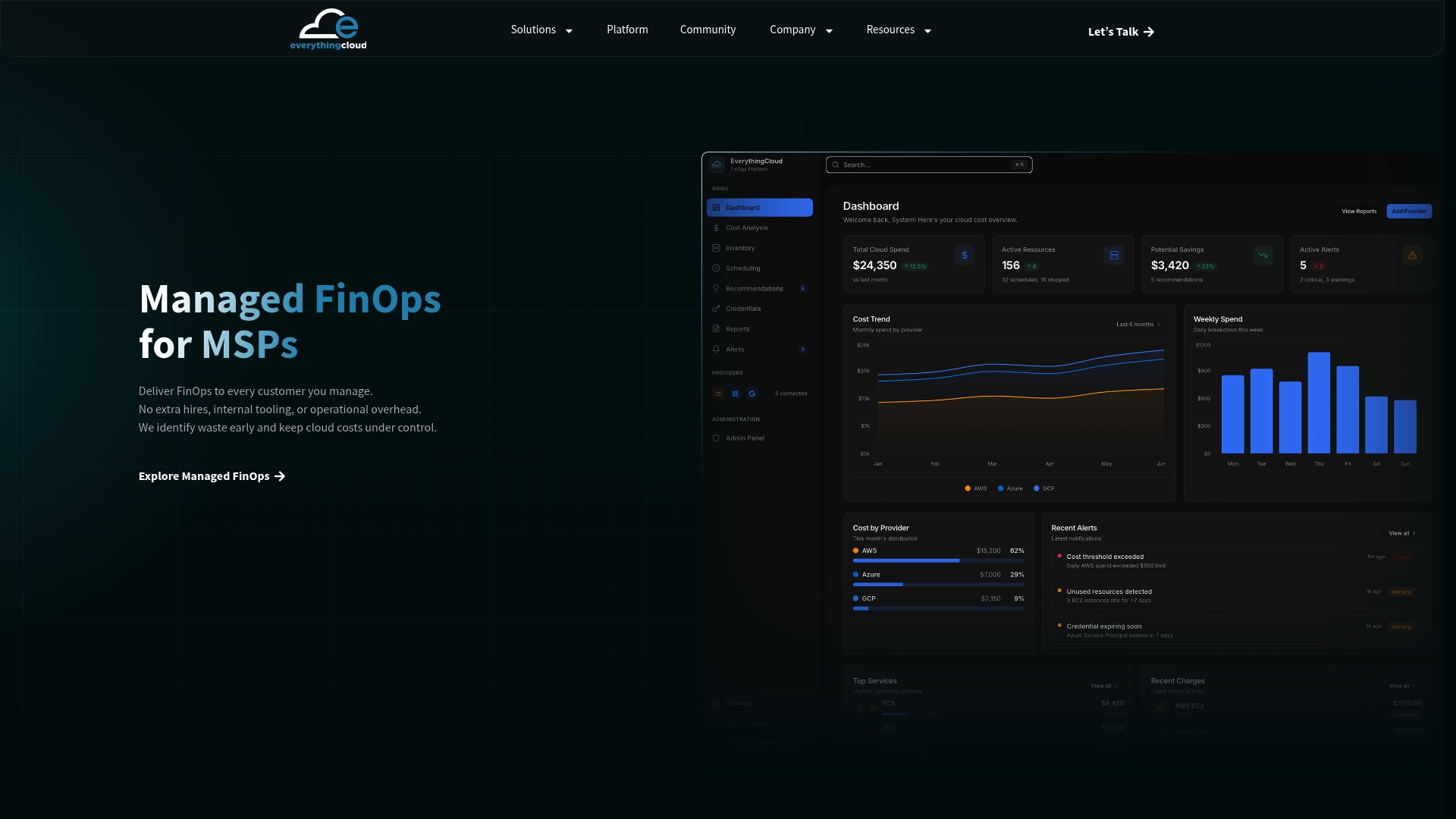
Everythingcloud’s managed FinOps platform gives cloud architects and FinOps teams continuous visibility into commitment utilization, automated recommendations for rightsizing and purchase decisions, and proactive alerts before expiration cliffs hit. For MSPs, it’s a turnkey capability: commitment tracking, anomaly detection, and executive reporting without building the tooling from scratch. The platform monitors AWS, Azure, and Google Cloud spending 24/7, surfaces optimization opportunities before they become waste, and delivers measurable improvements every month. If your team is ready to model a commitment migration or wants a second opinion on your current RI and Savings Plan portfolio, connect with the Everythingcloud team to get started.
Sources
The primary sources below cover policy details, purchasing mechanics, and migration guidance directly from AWS and FinOps practitioners.
- Compute Savings Plans and Reserved Instances
- AWS Reserved Instances and Savings Plans: A Comprehensive Guide | AWS re:Post
- Savings Plans vs Reserved Instances | AWSNegotiations