Instance rightsizing means matching each EC2 instance’s type and size to what its workload actually uses, then acting on that gap. Done right, it cuts EC2 spend by a measurable margin without touching application performance. The catch: recommendations from AWS tools are inputs, not verdicts. They need validation before you touch production.
TL;DR:
- Regularly review EC2 utilization data and adjust instance types and sizes to prevent drift and maintain cost savings across workloads.
- Use AWS Compute Optimizer, Cost Explorer, and CloudWatch memory metrics together, but always validate recommendations with application owners before implementing changes.
- Prioritize tagging, memory metrics, and documented rollback plans to ensure a sustainable rightsizing workflow rather than relying solely on recommendations.
- Apply changes gradually in controlled batches, monitoring performance and cost metrics for at least one full business cycle before closing the cycle.
- Consider managed FinOps services for continuous oversight and automation if in-house resources are limited or workload complexity is high.
Table of Contents
- What Does Instance Rightsizing Actually Cover?
- Which AWS Tools Generate Rightsizing Recommendations?
- How Do You Run a Rightsizing Workflow This Week?
- What Configuration Settings Change Your Recommendations?
- How Do You Measure Realized Savings After Rightsizing?
- Why Continuous Monitoring Beats One-Time Rightsizing Projects
- Why Most Rightsizing Advice Skips the Hard Part
- Let EverythingCloud Run Rightsizing So You Don’t Have To
- Where to Read More on Rightsizing and FinOps
- Sources
What Does Instance Rightsizing Actually Cover?
Rightsizing is not a one-time cleanup you check off a list. It spans CPU and memory utilization, instance family selection, and identifying idle instances that should be terminated outright, not just downsized. A workload that fit an m5.2xlarge perfectly in January can be over-provisioned by March, once a code deployment reduces CPU load or a new instance generation offers better price-performance for the same specs.
That drift is the whole reason rightsizing has to run on a cadence. New instance families launch, application traffic patterns shift, and teams deploy changes that alter resource consumption without anyone updating the infrastructure sizing to match. Treat rightsizing as a recurring FinOps activity rather than a project with an end date, because ongoing review sustains the savings that a single sweep only captures once.
Skip the cadence and margin erosion creeps back in quietly. Six months after a rightsizing push, fleets typically drift back toward over-provisioning unless something is actively watching.
Which AWS Tools Generate Rightsizing Recommendations?
Three AWS services do the heavy lifting, and each one answers a different question.
AWS Compute Optimizer analyzes utilization history and classifies every instance into one of four buckets: over-provisioned, under-provisioned, optimized, or idle. That classification alone is often the fastest way to triage a large fleet, because it tells you which instances are safe to shrink, which need more headroom, and which can be shut down entirely.
AWS Cost Explorer approaches the problem from the account side. Its rightsizing recommendations pull EC2 usage across every linked account and surface downsizing and termination opportunities in a single consolidated view, which matters for any organization running more than a handful of accounts.
CloudWatch memory metrics fill the gap both tools would otherwise miss. CloudWatch doesn’t collect memory utilization by default, so Compute Optimizer’s recommendations for memory-sensitive workloads, like databases or JVM-based apps, stay unreliable until you enable memory metrics or Enhanced Infrastructure Metrics (EIM).
None of these tools understand your application. A recommendation engine can’t see that a “over-provisioned” instance is running batch jobs twice a month that need the extra headroom, which is why human review from an app owner has to sit between the recommendation and the change.
How Do You Run a Rightsizing Workflow This Week?
A rightsizing effort fails when it’s treated as a single ticket instead of a repeatable process. Here’s a workflow that scales from a dozen instances to a few thousand:
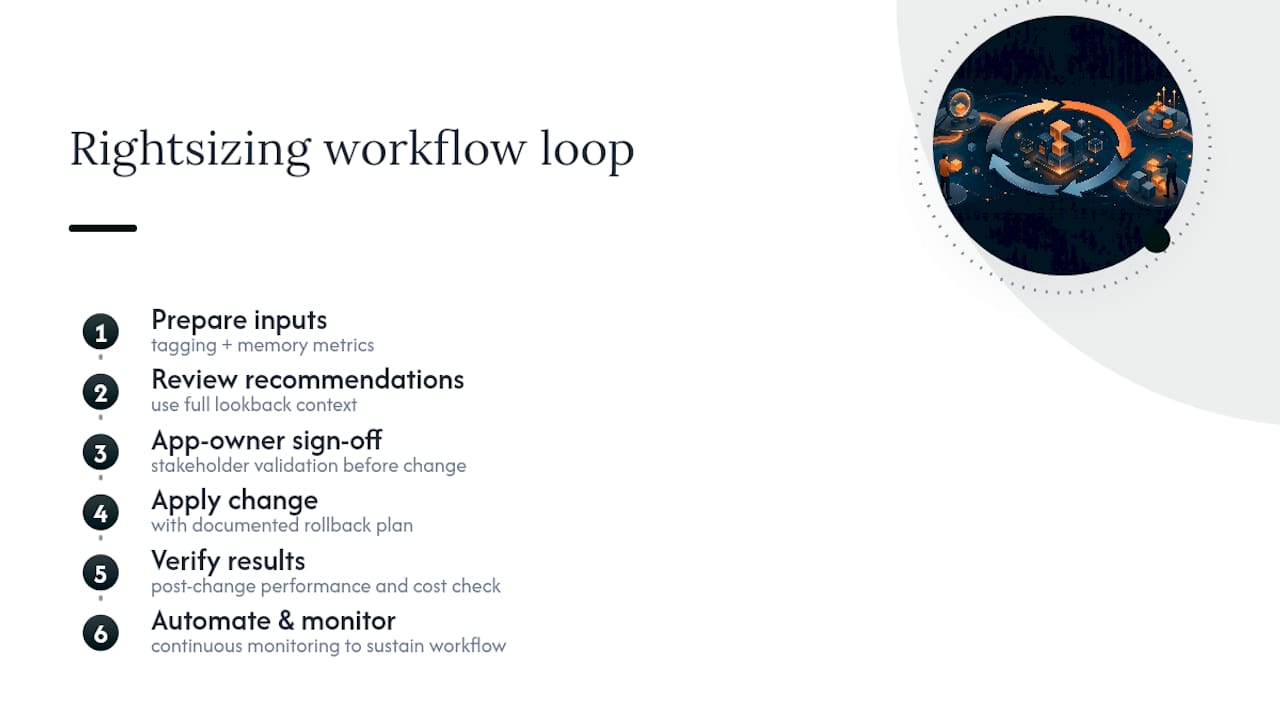
- Define scope and tagging. Separate production from non-production, and confirm every instance carries cost-center and environment tags before you pull data. Untagged instances become blind spots.
- Collect utilization data. Pull CPU and memory metrics from CloudWatch (with memory metrics enabled), then cross-reference Compute Optimizer classifications and Cost Explorer’s rightsizing recommendations for account-wide coverage.
- Prioritize by savings times confidence. Rank opportunities by estimated dollar savings multiplied by how confident the recommendation is, and filter out anything tagged business-critical until it gets a manual review.
- Validate with app owners. Nobody but the team running the workload knows about the quarterly batch job or the traffic spike every Monday morning. Get sign-off, then test the new instance size in staging.
- Apply in controlled batches. Roll changes out in small groups, not all at once, with a documented rollback plan for each batch.
- Monitor before closing the ticket. Watch CPU, memory, and error rates for at least one full business cycle post-change before you mark the work done.
Pro Tip: Stage your rollback plan before you apply anything, not after. Keep an AMI snapshot and a basic health check running during the post-change window so a regression shows up in minutes, not in next week’s on-call escalation.
What Configuration Settings Change Your Recommendations?
Three knobs determine whether a recommendation is conservative or aggressive, and getting them wrong in either direction either wastes money or invites an outage.
- Percentile threshold (P90/P95/P99.5): a higher percentile sizes for rare CPU spikes; a lower one assumes steadier load and downsizes more aggressively.
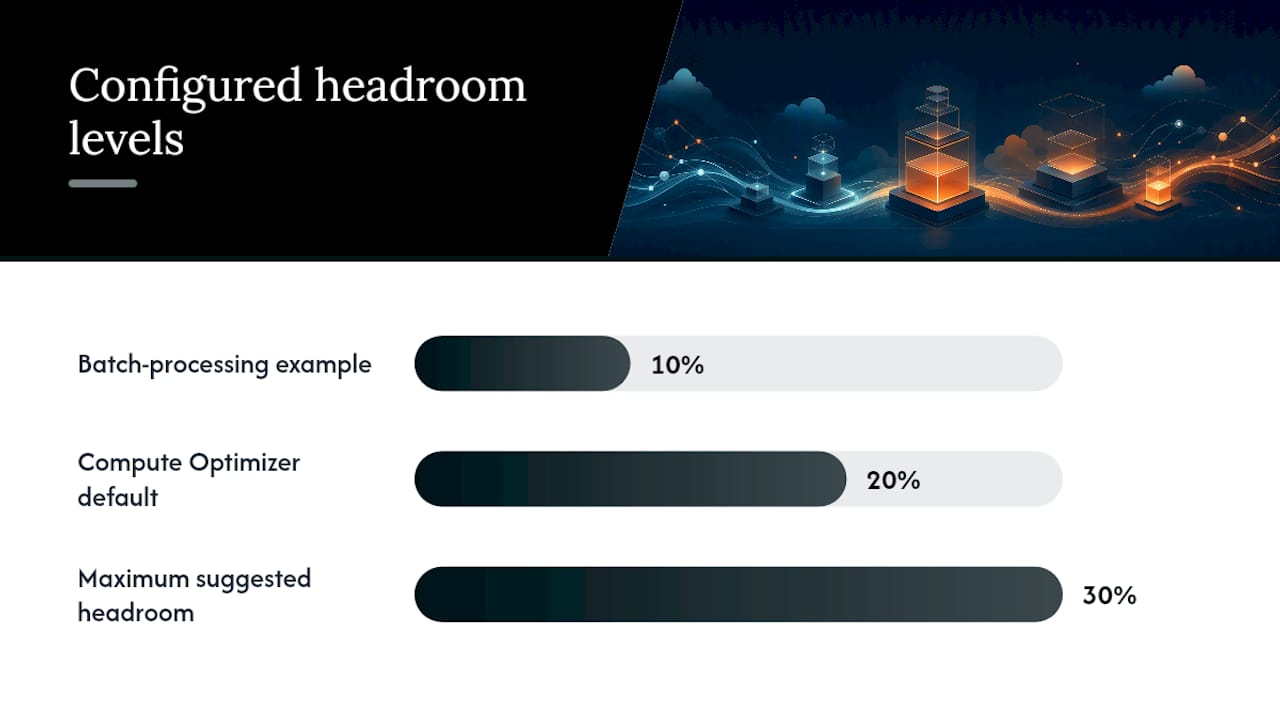
- Headroom (0% to 30%): extra capacity buffer above observed peak usage, set separately for CPU and memory depending on how spiky the workload is.
- Lookback window (14, 32, or 93 days): longer windows catch seasonal or monthly patterns that a two week snapshot would miss entirely.
Compute Optimizer’s out-of-the-box defaults are P99.5 for CPU peaks, 20% capacity headroom, and a 14-day lookback, which suits volatile or customer-facing workloads well but tends to leave savings on the table for steady internal tools. A batch-processing fleet with predictable, flat usage can often drop to P90 with 10% headroom and capture meaningfully more savings without added risk.
The 93-day lookback only becomes available once EIM is enabled, and it’s worth the setup for workloads with monthly billing cycles or end-of-quarter spikes that a 14-day window simply won’t catch. Every setting you loosen increases estimated savings; every setting you tighten increases the recommendation’s confidence. The workflow is choosing which side of that trade fits each workload’s risk profile.
How Do You Measure Realized Savings After Rightsizing?
A savings estimate on a dashboard means nothing until it shows up in an actual invoice. Build a baseline in Cost Explorer using the same tags you used to scope the rightsizing effort, then compare spend for an equivalent period after the change goes live.
Track a short list of KPIs rather than everything available:
- Monthly EC2 spend broken out by cost-center tag
- CPU and memory percentiles for the resized instances
- Error rates and latency for the affected application
Two attribution mistakes distort results more than anything else. First, don’t count savings twice: if a Reserved Instance or Savings Plan purchase overlaps with a rightsizing change, separate the two effects before reporting a number. Second, account for billing lag. AWS invoices don’t reflect a mid-month change until the following billing cycle, so comparing week-over-week spend right after a change will understate the real impact. The FinOps Foundation’s data resources offer benchmarking references worth checking your allocation methodology against before you present numbers to stakeholders.
Watch performance metrics with the same rigor as cost metrics.
Why Continuous Monitoring Beats One-Time Rightsizing Projects
A single rightsizing pass buys you savings for a quarter, maybe two, before workload drift and new instance generations erode the gains. Continuous monitoring paired with automation is what keeps a fleet sized correctly month after month instead of sliding back into over-provisioning.
Rightsizing isn’t a project you finish. It’s a loop: detect drift, prioritize by savings and confidence, apply the change, verify it held, and feed the result back into your tagging and governance model. Miss any one of those steps and the fleet drifts right back to where it started.
Managed FinOps exists for the organizations that don’t have the headcount to run that loop by hand across hundreds or thousands of instances. A managed FinOps platform, along with turnkey offerings for MSPs, can bundle the monitoring, automation, and stakeholder workflows that turn rightsizing from a quarterly scramble into a standing operational practice. If your team already has the bandwidth to run the workflow above consistently, keep it in-house. If drift keeps winning, a managed layer is worth pricing out.
Why Most Rightsizing Advice Skips the Hard Part
The hard part is building the cadence: the tagging discipline, the app-owner sign-off loop, and the post-change verification that most teams skip because it feels like overhead.
Here’s what the research actually supports: recommendation accuracy depends entirely on inputs you control, not on AWS’s algorithms. Enable memory metrics or your database recommendations are guesswork. Set your lookback window too short and you’ll miss the monthly batch job that justified the bigger instance. Skip stakeholder validation and you’ll eventually downsize something load-bearing right before a traffic spike.
If you take one thing from this, prioritize the boring parts first: tagging hygiene, memory metrics, and a documented rollback plan. Every team wants to jump straight to the savings number. The teams that keep those savings are the ones that treated the workflow, not the recommendation engine, as the actual product. Automation and continuous monitoring exist to make that workflow sustainable instead of a quarterly fire drill that burns out whoever owns it.
— Dan
Let EverythingCloud Run Rightsizing So You Don’t Have To
Running the full workflow above, tagging discipline, memory metrics, prioritization, validation, and monthly verification, across a large fleet takes real headcount most cloud teams don’t have to spare. Managed FinOps services can handle that entire loop continuously, combining automated monitoring with expert oversight so rightsizing gains don’t erode the way they do after a one-time cleanup.
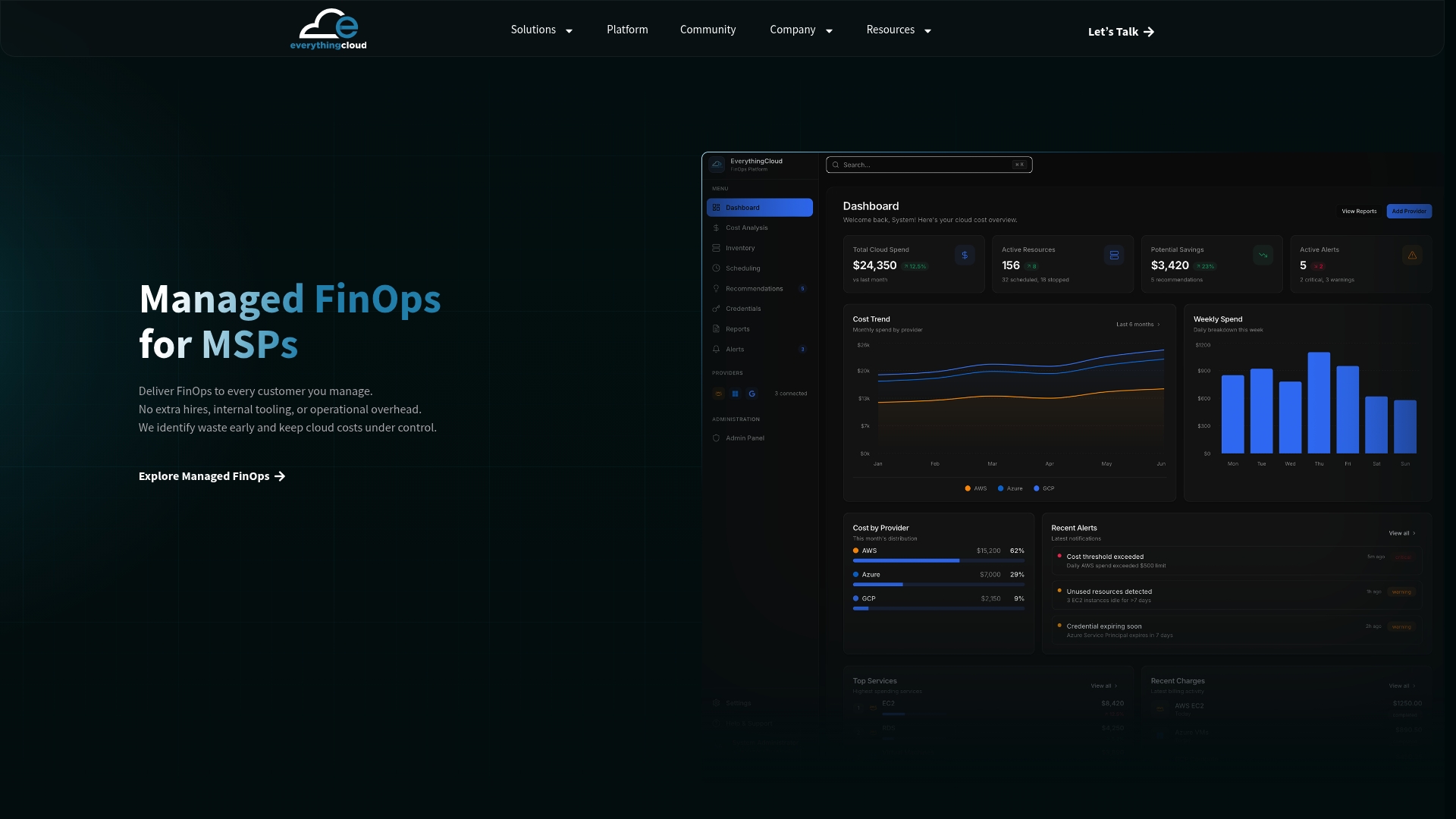
This fits two groups particularly well: MSPs who want to launch a managed FinOps offering without building the tooling from scratch, and mid-market or enterprise teams running large EC2 fleets with limited in-house FinOps staff. Instead of chasing recommendations across three different AWS consoles every month, you get a standing operational layer that does it for you. Get a cloud waste assessment to see what a managed approach could recover from your current fleet.
Where to Read More on Rightsizing and FinOps
- AWS Compute Optimizer blog: default thresholds and how to customize them.
- Cost Explorer rightsizing docs: cross-account recommendation views.
- FinOps Foundation data resources: benchmarking for savings validation.
- EverythingCloud FinOps Insights: ongoing utilization and governance guidance.
Sources
- Optimize EC2 costs with AWS Compute Optimizer right sizing | AWS Compute Blog
- Right Sizing | AWS Cost Optimization
- Optimizing your cost with rightsizing recommendations | AWS Docs