
An AI cost anomaly is a jump in cloud or AI-service spend that normal variation can’t explain, and it’s one of the easiest ways for your customers to lose money without noticing. Catching it is table stakes. Owning the follow-up is where you build a recurring service, protect your margin and give customers a reason to stay.
We built EverythingCloud for MSPs that want to deliver this kind of work without hiring a FinOps team, and the rest of this article shows why the work, not the alert, is the product.
TL;DR
- A cost anomaly is an increase in spend larger than historical patterns would predict. The FinOps Foundation treats detection, alerting and management as one process.
- AWS and Google Cloud both offer native anomaly detection at no cost, so detection alone isn’t something customers will pay you for.
- The billable part is investigation, ownership and follow-through: finding the cause, naming the owner, fixing it and reporting it.
- AI spend (OpenAI, Anthropic and similar) needs unit-level views, not just totals.
- Visibility matters, but someone still has to own the work. That someone can be you.
Table of Contents
- What an AI cost anomaly actually is
- What causes them
- How AI-based detection works
- Why detection alone won’t build you a service
- Setting baselines without drowning in alerts
- Investigating AI spend: three views of the same period
- How an MSP delivers anomaly management for clients
- What this does for your business
- Perspective: the alert is the easy part
- Putting it to work with EverythingCloud
- FAQ
- Sources
What an AI cost anomaly actually is
The FinOps Foundation defines a cloud cost anomaly as an unpredicted variation, resulting in an increase, in spending that is larger than expected given historical patterns. Anomaly management is the job of detecting, identifying, clarifying, alerting on and managing those events quickly enough to limit business impact.
Two phrases matter. “Unpredicted” means a planned migration isn’t an anomaly, even if the bill doubles. “Increase” means the FinOps community has found that flagging spend below expectations mostly adds noise.
“AI cost anomaly” gets used for two things, and your customers will mix them up. One is anomalies in AI services: a chatbot that suddenly burns far more tokens, or a GPU cluster left running. The other is anomalies found by AI: machine learning models that spot the spike. Both matter, and your service should cover both.
What causes them
AI spend rarely rises for one reason. One AI spend diagnosis guide lists the usual suspects: more requests, longer prompts, a more expensive model, lower cache-hit rates, retries, tool loops, or a billing-period mismatch. Treating every spike as “usage growth” sends the team toward the wrong fix.
That’s the practical point. An anomaly is a signal to investigate, not a diagnosis. A developer swapping in a pricier model and a runaway retry loop look identical on the invoice, and they need completely different conversations with the customer.
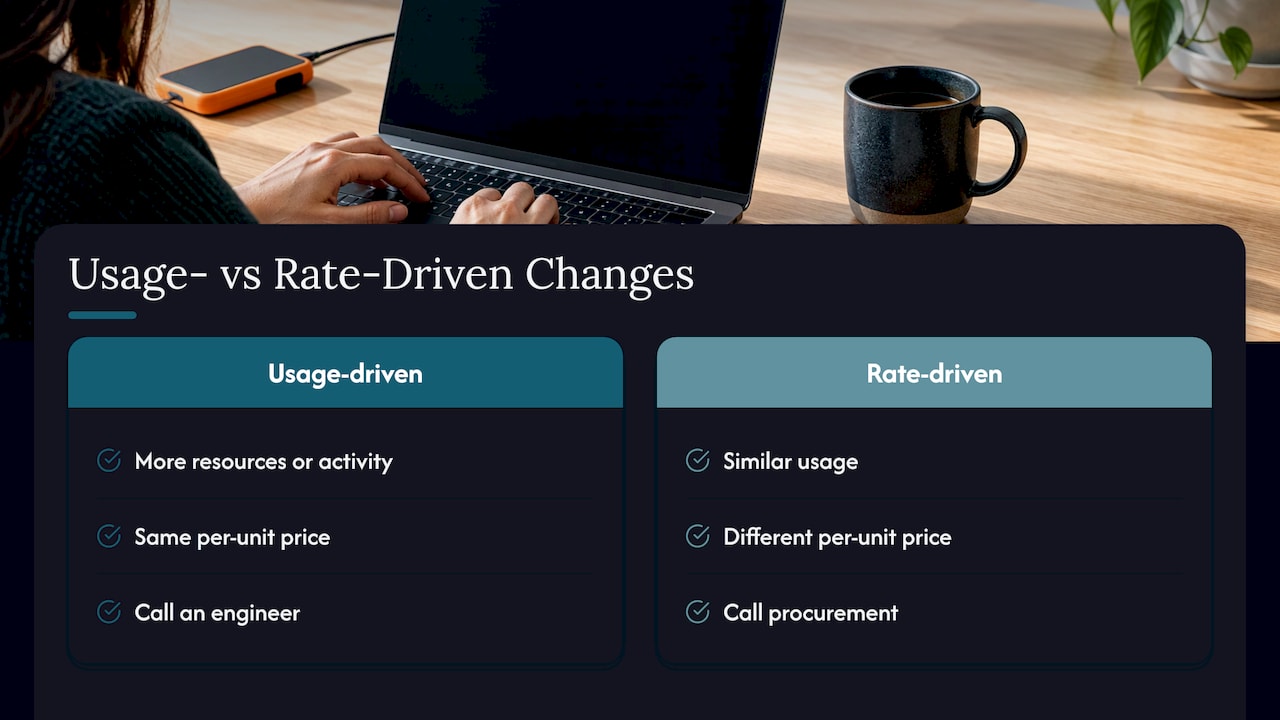
On the infrastructure side, AWS separates changes into two types. Usage-driven changes mean more resources or activity at the same per-unit price. Rate-driven changes mean similar usage at a different per-unit price, such as a Savings Plans reallocation or a tiered pricing reset, as AWS describes. Knowing which one you’re looking at tells you whether to call an engineer or a procurement contact.
For teams that want to see how fast LLM costs can move, this overview of OpenAI revenue and usage statistics gives useful context on the scale of the market.
How AI-based detection works
Old-school alerting uses a fixed threshold: tell me when spend passes $5,000. It’s blunt. It misses a small account that triples and it nags you about a big account’s normal month-end.
The native tools learn instead. AWS Cost Anomaly Detection, generally available since December 2020, uses a multi-layered machine learning model that learns historical spend to catch one-time spikes and continuous increases without user-defined thresholds. It offers four monitor types (AWS services, member accounts, cost allocation tags and Cost Categories), email or SNS alerts and root-cause analysis, at no charge.
Google Cloud’s Cost Anomaly Detection forecasts expected daily spend per project from historical and seasonal trends, watches actual spend hourly, and can flag unexpected upward spikes within 24 hours for most services. It needs no setup and costs nothing.
Both tools are good. They are also single-cloud. A customer running Azure, AWS, Google Cloud, Microsoft 365 and a couple of LLM APIs has five or six places where alerts land, none of them talking to each other.
Why detection alone won’t build you a service
Here’s my honest opinion: if your pitch is “we’ll turn on anomaly alerts,” customers will ask why they’d pay for something the clouds give away. Fair question.
The value is in what happens after the email. Someone has to open it, work out the cause, find the owner, decide whether it’s a mistake or a launch, and make sure the fix sticks. AWS’s own investigation documentation shows how much digging is involved: cost data plus CloudTrail events to establish what changed, when, where and who triggered it.
There are limits to automation, too. The same documentation notes that data operations such as S3 GetObject aren’t captured by CloudTrail by default, resource-level cost data in Cost Explorer covers only the last 14 days, and anomaly data archives after 90 days. A person who knows where to look beats a notification every time.
Adaptive models have a quirk as well. According to BMW Group’s engineering write-up, a model that adapts to a trend eventually absorbs a sustained step-up in spend, flagging it for the first few days before it becomes the new normal. Detection is strongest on spikes and weaker on slow drift. Drift is exactly the kind of leak a human reviewer catches in a monthly review.
Setting baselines without drowning in alerts
Alert fatigue kills anomaly programs. Customers start ignoring the emails, and then the one that matters gets ignored too.
A few practical rules, drawn from the vendors’ own guidance:
Watch before you threshold. Google recommends monitoring anomalies for at least a month before setting a cost-impact threshold across all projects.
Give feedback. Marking an alert as expected, such as a planned migration, helps Google’s models adapt to real usage.
Expect a tuning period. The FinOps Foundation says organizations in the early “crawl” phase should expect time to fine-tune settings before the signal-to-noise ratio is acceptable.
Add floors and minimums. BMW Group’s system, which covers 14,000 cloud accounts, requires at least a 40% deviation from expected spend, applies minimum dollar-impact thresholds by cluster, and ignores services with fewer than 10 days of history. You don’t need that scale, but the idea carries over: tiny services shouldn’t page anyone.
Route to owners. An alert that reaches a shared inbox reaches nobody. Tags for team, project and environment make it possible to send each alert to the person who can act.
Investigating AI spend: three views of the same period
For LLM and AI platform spend, a useful habit is to compare three things for the same period: total spend, unit spend (dollars per request, per million tokens or per GPU-hour) and outcome volume. That’s the approach in the AI spend diagnosis guide cited above.
If total spend rose but unit spend held steady, you’re looking at volume. If unit spend rose while request volume stayed flat, suspect a rate change, a model switch, bigger prompts, cache misses, retries or workflow changes.
A worked example, with made-up round numbers for illustration only: a customer’s weekly LLM bill climbs, requests are flat, and cost per request is up. That points you to the prompt or model, so you ask the product team what shipped, instead of telling finance that usage is growing.
Keep invoice dates, usage dates and settlement dates separate when you reconcile. Billing-period mismatches create phantom anomalies.
AI-assisted investigation is getting better. AWS introduced AI-powered cost investigation in June 2026 that gives plain-language root-cause analysis in minutes. Google’s AI-powered billing features let users ask natural-language questions about Vertex AI and Gemini API spend. Treat those explanations as hints to verify against billing data, which is also what AWS’s own FinOps guidance advises. That guidance also says never to auto-delete in production.
How an MSP delivers anomaly management for clients
This is the service in practical terms. Think of it as a loop, not a report.
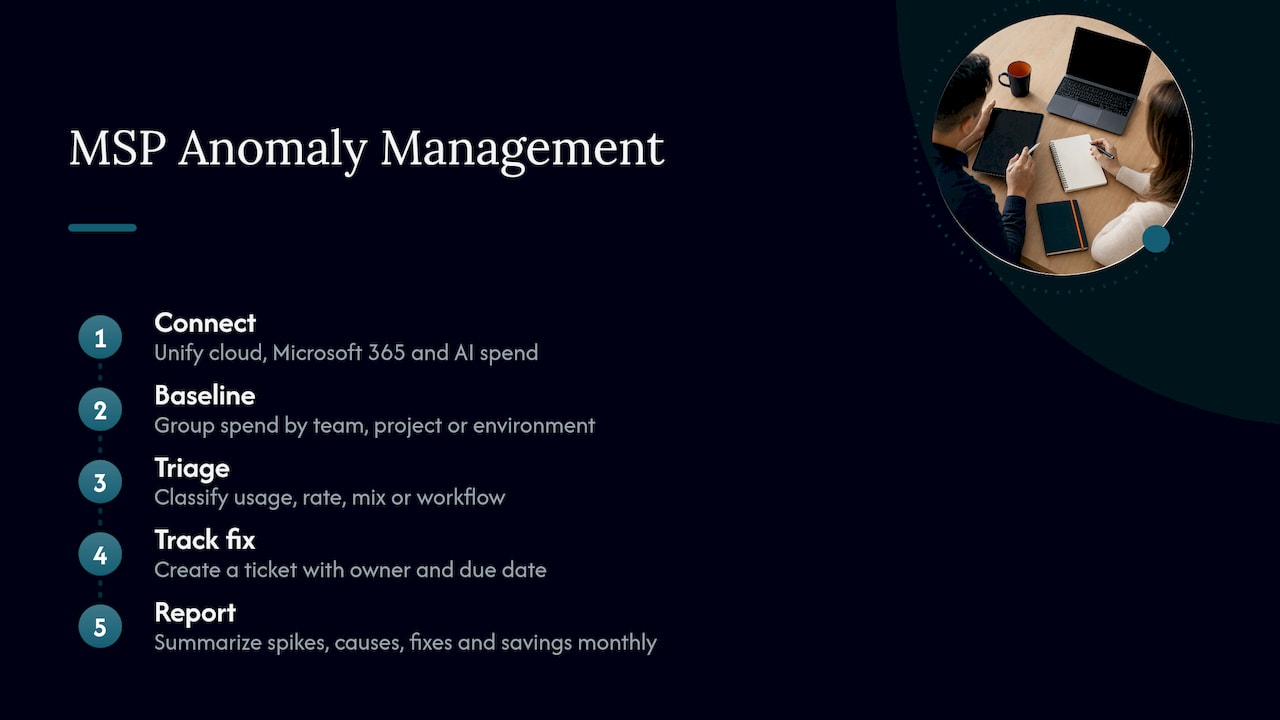
1. Connect every tenant. Cloud, Microsoft 365 and AI spend need to be in one view per customer. Otherwise you’re logging in to a dozen consoles.
2. Set baselines per owner. Group spend by team, project or environment so alerts have somewhere to go.
3. Triage fast. Decide in minutes whether it’s usage, rate, mix or workflow. Our own write-up on turning AWS anomalies into five-minute investigations walks through that routine.
4. Assign and track the fix. The anomaly becomes a ticket with an owner and a due date. This is the step most dashboards skip.
5. Report it. A monthly summary shows what spiked, why, what was done and what it saved. That’s the document that justifies your fee at renewal.
One caution on false alarms: a lot of “spikes” come from how costs are displayed. Using amortized views in AWS Cost Explorer helps avoid flagging a commitment purchase as an anomaly. For a broader look at cloud-specific detection, see our piece on catching cost spikes within hours.
What this does for your business
Recurring revenue. Anomaly management is ongoing by nature. Spend changes every week, so the service never finishes. That’s a monthly line item, not a project.
Margin. If you resell cloud, an unnoticed spike hits the customer’s bill and often your relationship. Catching it early protects the margin on the account and the trust that comes with it.
Retention. Customers rarely leave a partner who saved them from a bill shock. A documented save in a monthly report is a better renewal argument than any slide deck.
Less work for your team. A defined loop with tracked actions beats ad hoc firefighting. Engineers stop getting dragged into mystery bills at 4 p.m. on Friday.
Perspective: the alert is the easy part
We’ve watched the same pattern play out across partner conversations: detection gets bought, and then nothing happens. The alert lands, everyone agrees it’s interesting, and the work stalls because nobody owns it.
Our view is that anomaly management only counts when it ends in a tracked action and a verified result. That’s why we built the platform around findings that become work, ranked by savings and effort, rather than another screen to check.
The partner owns the customer relationship. We provide the multi-tenant platform and the FinOps expertise behind the service, so you can deliver it under your own brand without building a team from scratch.
Dan Belkie
Putting it to work with EverythingCloud
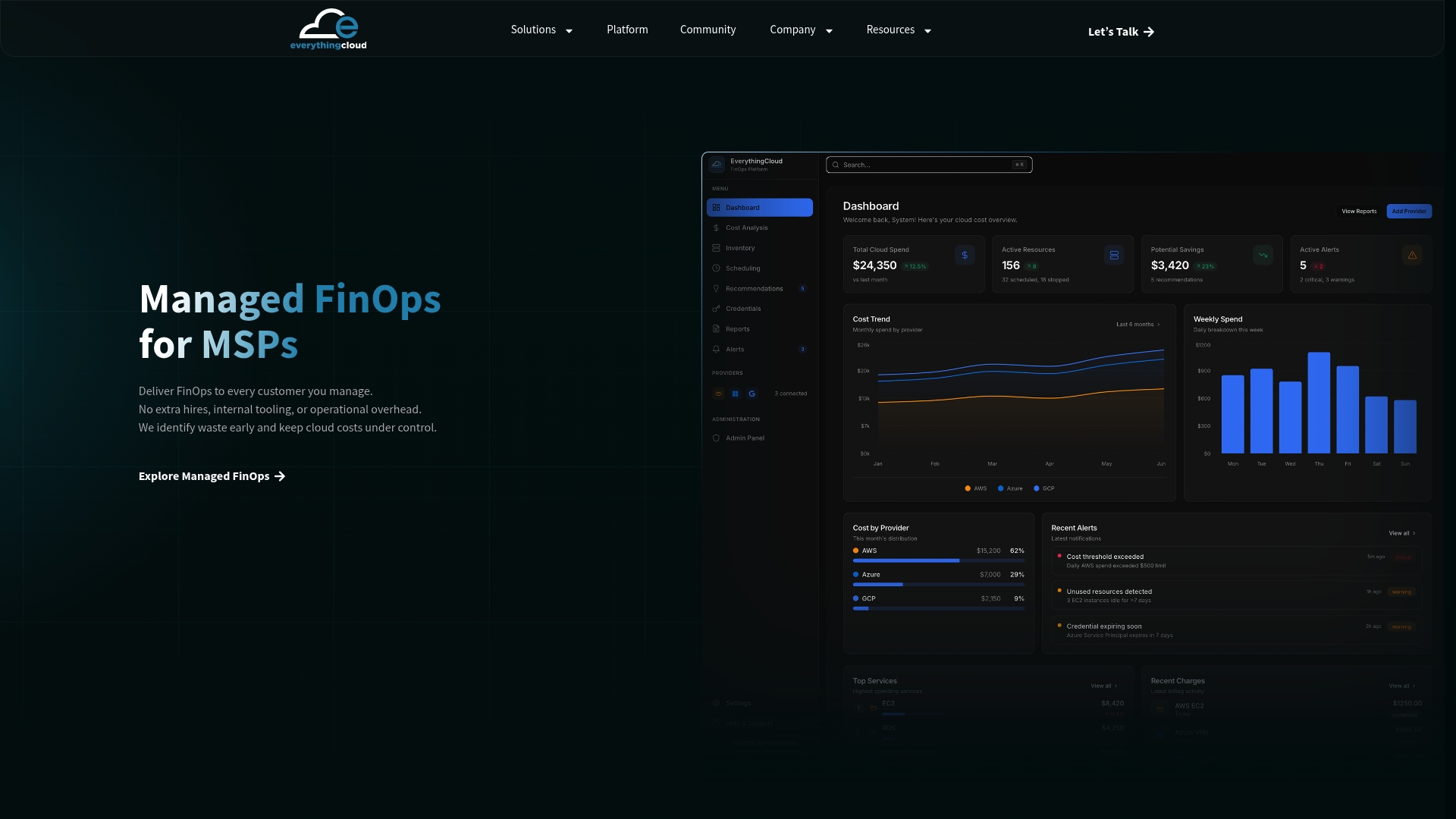
EverythingCloud is a platform that works through MSPs, cloud partners and distributors. One multi-tenant workspace covers Azure, AWS, Google Cloud, Microsoft 365 licence optimization, AI spend such as OpenAI and Anthropic, and security posture. It finds waste, ranks fixes by savings and effort, turns them into tracked work and produces white-label monthly reports. It can be deployed in Canada for customers who need Canadian data residency, and it supports Azure Marketplace private offers.
If you’d like to try this with a real customer, the Founding MSP Program is a small partner cohort. You can also see the platform first, or talk to us through the contact page.
FAQ
Can AI detect cost anomalies?
Yes. AWS and Google Cloud both use machine learning to learn normal spend and flag unusual increases, without fixed thresholds. They’re strongest on sudden spikes. Slow drift and planned changes still need a person to judge.
How much does AWS Cost Anomaly Detection cost?
AWS says the service has no charge, as stated in its general availability announcement. Google’s equivalent is also available to all customers at no cost. Check each provider’s pricing page for the current terms of related services such as SNS notifications.
How do I stop false positives?
Watch anomalies for about a month before setting thresholds, tag spend by owner, set minimum dollar floors, and mark planned changes as expected so the models learn. Expect a tuning period early on.
Why does AI spend spike when requests haven’t changed?
Common causes are longer prompts, a more expensive model, lower cache-hit rates, retries or tool loops. Compare total spend, unit cost and request volume for the same period to see which applies.
Sources
- Managing Cloud Cost Anomalies, FinOps Foundation
- Introducing Cost Anomaly Detection, Google Cloud Blog
- Announcing General Availability of AWS Cost Anomaly Detection
- Investigating anomaly root causes with AWS assistant
- Introducing AI-Powered Cost Investigations for Cost Anomalies, AWS
- How BMW Group detects cost anomalies across 14,000 cloud accounts
- AI-powered cost monitoring features, Google Cloud documentation
- AI-Driven FinOps on AWS, AWS Builder Center
- AI Spend Anomaly Diagnosis guide
- Open AI revenue and statistics