
Cloud budget management is the practice of setting a spending limit for cloud, SaaS and AI services, splitting it by owner, forecasting against it, and acting when actual spend drifts. It sits inside cloud cost management and FinOps, but it is the part that answers one blunt question: how much are we allowed to spend, and who notices when we go over?
Most teams have a number in a spreadsheet. Fewer have a budget that is tied to real billing data, owned by a named person, and backed by a policy that says what happens at 80 percent, 100 percent and 120 percent. This guide walks through how to build that, step by step.
TL;DR
- A cloud budget is only useful when it is broken down by owner (team, product, customer or environment) and compared with billing data at least weekly.
- A cloud budget policy should name who owns the budget, which thresholds trigger alerts, and what actions follow each one.
- Forecast from usage drivers and commitments, not from last month’s invoice multiplied by a growth guess.
- Alerts without action are noise. Pair every threshold with an owner and a defined response, automated where it is safe to do so.
- MSPs can turn budget management into a recurring managed service, but only if it works across many tenants without adding headcount.
Table of Contents
- What cloud budget management covers
- Why cloud spend is hard to predict
- Build the budget in five steps
- What a cloud budget policy should include
- Metrics that show whether the budget is working
- Reducing overspend without hurting performance
- Where our view differs
- Budget management as a managed service for MSPs
- Put budget management on autopilot
- FAQ
- Sources
What cloud budget management covers
Three terms get mixed up, so it helps to separate them.
Cloud cost management is the broad discipline: monitoring, allocating, optimizing and governing spend. FinOps is the operating model that brings engineering, finance and business teams together to make those decisions. Cloud budget management is the planning and control layer: setting the number, distributing it, forecasting against it and enforcing it.
Think of it this way. Optimization lowers the bill. Budgeting defines what an acceptable bill looks like and tells you early when you are leaving that range. You need both, and you need them in the right order. Optimizing without a budget means you cannot tell whether a saving mattered. Budgeting without optimization means you keep hitting limits you could have avoided.
The scope also no longer stops at infrastructure. A modern budget has to cover three layers: IaaS and PaaS from AWS, Azure and Google Cloud, SaaS subscriptions such as Microsoft 365, and AI services billed by token or by GPU hour. Each behaves differently, which is exactly why budgets built for one layer fail on the others.
Why cloud spend is hard to predict
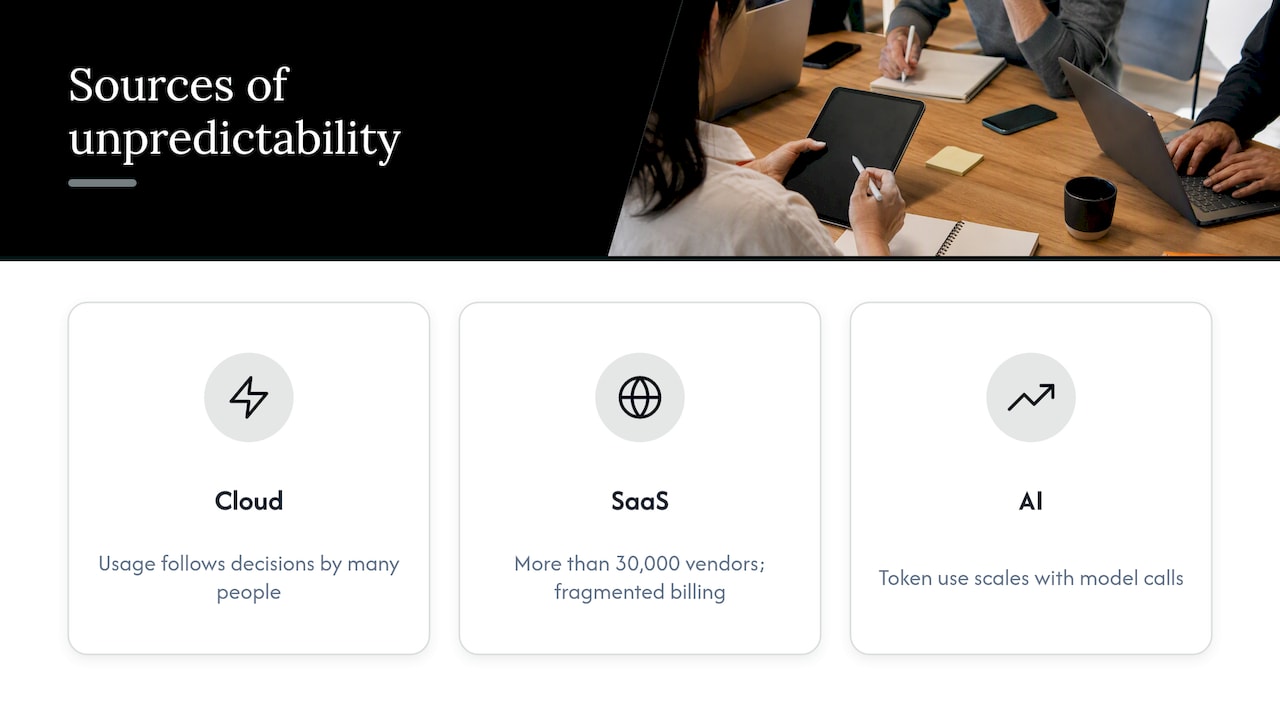
On-premises budgets were mostly fixed. Cloud budgets are not. Spend follows usage, and usage follows decisions made by dozens of people, often without a purchase order. As one industry commentary puts it, increased demand or configuration errors can lead organizations to consume, and pay for, more resources than expected. A forgotten test environment, an autoscaling rule set too loosely, or a data transfer path nobody modeled can each add real money before anyone looks.
SaaS adds a second kind of unpredictability. One analysis notes that the market has more than 30,000 vendors, varied pricing models and fragmented billing data, which makes costs hard to predict and benchmark. Seat counts, tier upgrades and renewal uplifts rarely show up in the same system as your cloud invoice.
AI is the third. Token consumption scales with how often people and applications call a model, not with a provisioned server. A single feature launch can move the monthly number noticeably, and the unit (a token) means nothing to a finance team until someone translates it into dollars per user or per transaction.
The pattern across all three is the same. The budget is set at one moment, the spend changes daily, and the gap compounds quietly. By the time the invoice arrives, the decision that caused it is weeks old.
Build the budget in five steps
1. Start from allocated spend, not the total bill
A total budget tells you very little. You need to know which team, product, environment or customer is responsible for each dollar. That requires a consistent allocation model: tags or labels on cloud resources, account or subscription structure that mirrors the organization, and rules for shared costs such as networking, support plans and platform tooling.
Be realistic about coverage. Few organizations tag everything correctly. Set a target (for example, most spend attributable to an owner) and treat the untagged remainder as its own budget line with its own owner, so it shrinks over time instead of hiding.
2. Separate committed, variable and one-off spend
Split the budget into three buckets, because each is managed differently.
Committed spend covers Reserved Instances, Savings Plans and similar commitments. It is predictable, and the risk is under-utilization. Variable spend is on-demand usage, storage growth, data transfer and AI consumption. This is where overruns happen. One-off spend includes migrations, proofs of concept and seasonal events.
Tracking these separately stops a healthy commitment discount from masking a runaway variable line, and the reverse.
3. Forecast from drivers
Last month’s invoice plus a growth percentage is the weakest method available. Better forecasts connect cost to a business driver: active users, orders processed, gigabytes ingested, models called. If your cost per active user is stable, your forecast becomes a forecast of users. If it is not stable, that instability is the first thing to investigate.
Rebuild the forecast whenever a commitment is bought, a major workload moves, or a pricing change lands. For a deeper walk through methods, see our guide to cloud cost forecasting.
4. Set thresholds that match risk
A single 100 percent alert arrives too late to act on. Use staged thresholds, such as forecasted spend reaching the budget, actual spend at a lower percentage, and a hard escalation at the limit. The native tools support this. AWS Budgets lets you set custom budgets and get alerts when costs or usage exceed, or are forecast to exceed, your thresholds, and Azure Cost Management budgets can notify people and trigger automated responses when thresholds are crossed.
Native tools are a sound starting point for a single cloud. They get harder to run once you have several providers, dozens of accounts and a SaaS estate, because each tool has its own budget logic, its own scopes and its own alert channel. Our write-up on multi-cloud billing visibility explains why that fragmentation gets expensive quickly.
5. Assign a named owner and a review rhythm
Every budget line needs a person, not a team alias. That person receives the alert, explains the variance and decides on the response. Then set a cadence: a short weekly look at variance and anomalies, a monthly review of forecast versus actual with finance, and a quarterly reset when roadmaps and commitments change.
What a cloud budget policy should include
A budget is a number. A budget policy is the set of rules that makes the number mean something. Without one, every overrun becomes a negotiation. A workable policy fits on two pages and answers these questions.
Scope. Which providers, accounts, SaaS tools and AI services does it cover? Include anything that bills on usage.
Ownership. Who owns the overall budget (usually finance and a FinOps lead jointly), and who owns each allocated line? Who can approve an exception?
Thresholds and responses. For each level, state the alert recipient and the expected action. A common structure is shown below, and you should adjust the percentages to your own variability.
| Trigger | Who is notified | Expected response |
|---|---|---|
| Forecast reaches the budget | Budget owner | Review drivers and confirm whether the growth is intended |
| Actual spend reaches a high share of budget | Budget owner and FinOps lead | Investigate top changes; apply safe optimizations |
| Actual spend reaches 100 percent | Owner, FinOps lead, finance | Decide: approve an increase, cut scope or enforce limits |
| Anomaly detected mid-period | Owner and on-call engineer | Triage within an agreed window, document the cause |
Guardrails. Which actions can be automated without approval, such as shutting down non-production resources outside working hours, and which need a human sign-off? Put production workloads clearly in the second group.
Commitments. Who is allowed to buy Reserved Instances or Savings Plans, what utilization is expected, and how often are they reviewed?
Exceptions and changes. How does a team request more budget, and what evidence do they provide? Tie increases to a business reason, not a surprise invoice.
Reporting. What goes to executives each month, in what format, and against which definition of cost (invoiced, amortized, or net of credits)? Pick one and state it.
Metrics that show whether the budget is working
Keep the dashboard short. Five measures cover most of what a budget owner needs.
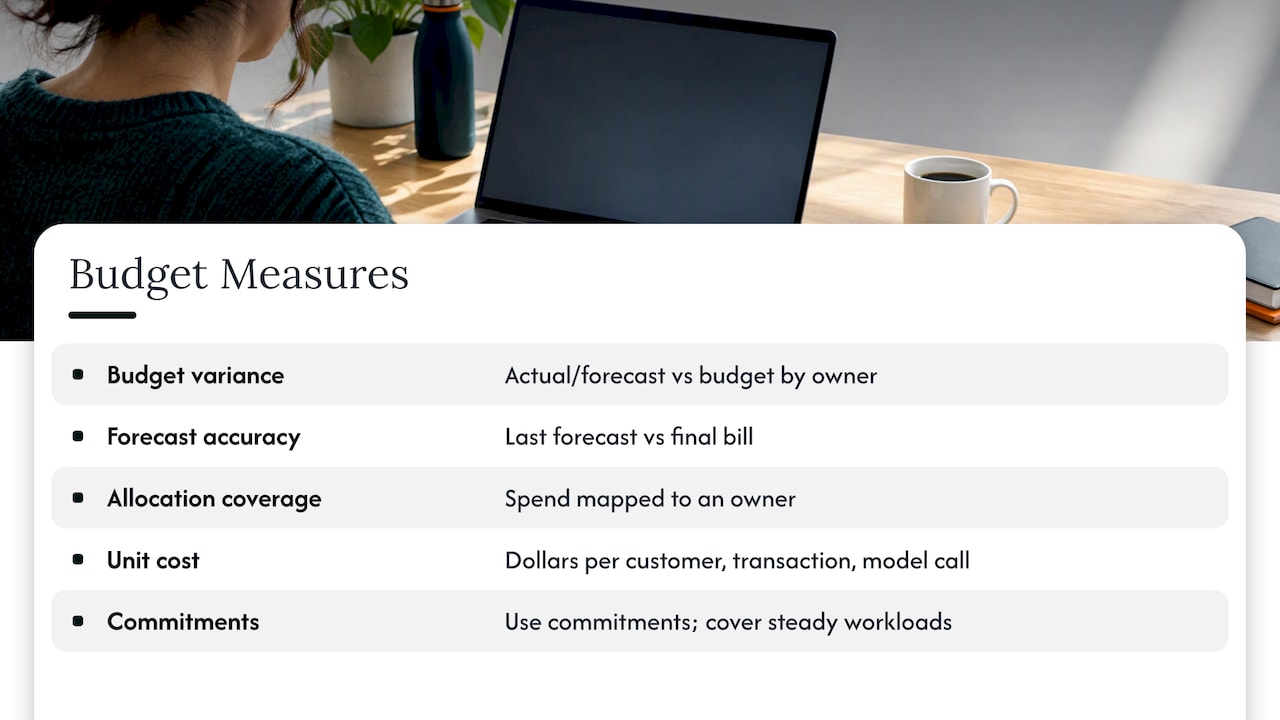
Budget variance. Actual versus budget, and forecast versus budget, by owner. Look at the trend as well as the number.
Forecast accuracy. How close was last month’s forecast to the final bill? If the answer is consistently off by a wide margin, fix the forecast method before adding more alerts.
Allocation coverage. What share of spend maps to an owner? This drives every other metric.
Unit cost. Dollars per customer, transaction or model call. Unit cost tells you whether rising spend is healthy growth or waste.
Commitment utilization and coverage. Unused commitments are paid-for waste, and uncovered steady workloads are overpaying on-demand rates.
When a variance appears, the question is always the same: is it growth, a change, or a mistake? Growth gets a budget revision. A change gets a conversation with the team that made it. A mistake gets fixed, ideally by an automated action rather than a ticket that sits for two weeks.
Reducing overspend without hurting performance
Cutting spend carelessly causes outages, and engineers learn to distrust the budget. A safer order of operations looks like this.
First, remove what nobody uses: idle instances, unattached volumes, orphaned snapshots, unused SaaS licenses. Second, match capacity to demand with rightsizing and scheduling, starting with non-production. Third, commit to what is steady, using commitments only after you know the baseline. Fourth, review architecture choices that drive recurring cost, such as data transfer paths and content delivery. Our breakdown of CloudFront cost optimization levers shows how one service can hide several of these.
For Azure estates, the Azure cost management guide covers where budgets, reservations and hybrid benefits interact. For software spend, SaaS spend management and ways to reduce SaaS costs cover license reclamation and renewal discipline without slowing teams.
Then adapt the budget as workloads change. A launch, a migration or a new AI feature should come with a budget revision, not an exception request after the fact.
Where our view differs
We work with finance, IT and MSP teams on this every day, and one pattern repeats. The budget is not the problem. The gap between a recommendation and an executed action is.
Most visibility tools do a good job showing you that a budget is at risk and listing what you could do about it. Then the list waits for an engineer with time. Meanwhile the waste keeps running. We built EverythingCloud around closing that gap: automating the execution of optimization actions where it is safe, routing the rest to a named owner, and verifying savings against invoice-level billing so the number in the report matches the number on the bill.
We also think budgets should be continuous, not quarterly. Cloud, SaaS and AI spending change daily, so a budget reviewed four times a year is a budget that is wrong for most of the year. Tight governance aligned to CIS and NIST guidance, monthly measurable improvement and 24/7 monitoring are what make a policy real rather than a document in a shared drive.
If you already have a visibility tool you like, keep it. The missing piece is usually ownership of the action, not another dashboard.
— Dan
Budget management as a managed service for MSPs
For MSPs, budgets are a margin question as well as a customer question. Every customer environment you manage carries cloud spend, and unmanaged spend erodes the value you deliver and, when you resell, the margin you earn. Customers increasingly ask for budget alerts, monthly variance reports and a person who explains them.
Offering that as a managed FinOps service requires three things: multi-tenant controls so each customer has its own budgets, thresholds and reports; unified reporting across AWS, Azure, Google Cloud, Microsoft 365 and AI usage; and automation that keeps the service profitable without adding analysts for every new customer. A per-customer policy template helps here. Start with the policy outline above, adjust thresholds by customer risk, and review monthly.
If you want to see how this sits inside a broader service, our page on managed FinOps for MSPs lays out the model.
Put budget management on autopilot
EverythingCloud gives mid-market and enterprise teams real-time visibility across AWS, Azure, Google Cloud, SaaS and AI spend, with anomaly detection, spend allocation, commitment management and executive reporting. Our Managed FinOps service adds expert guidance, and Continuous Cloud Optimization automates the actions that keep you inside budget.
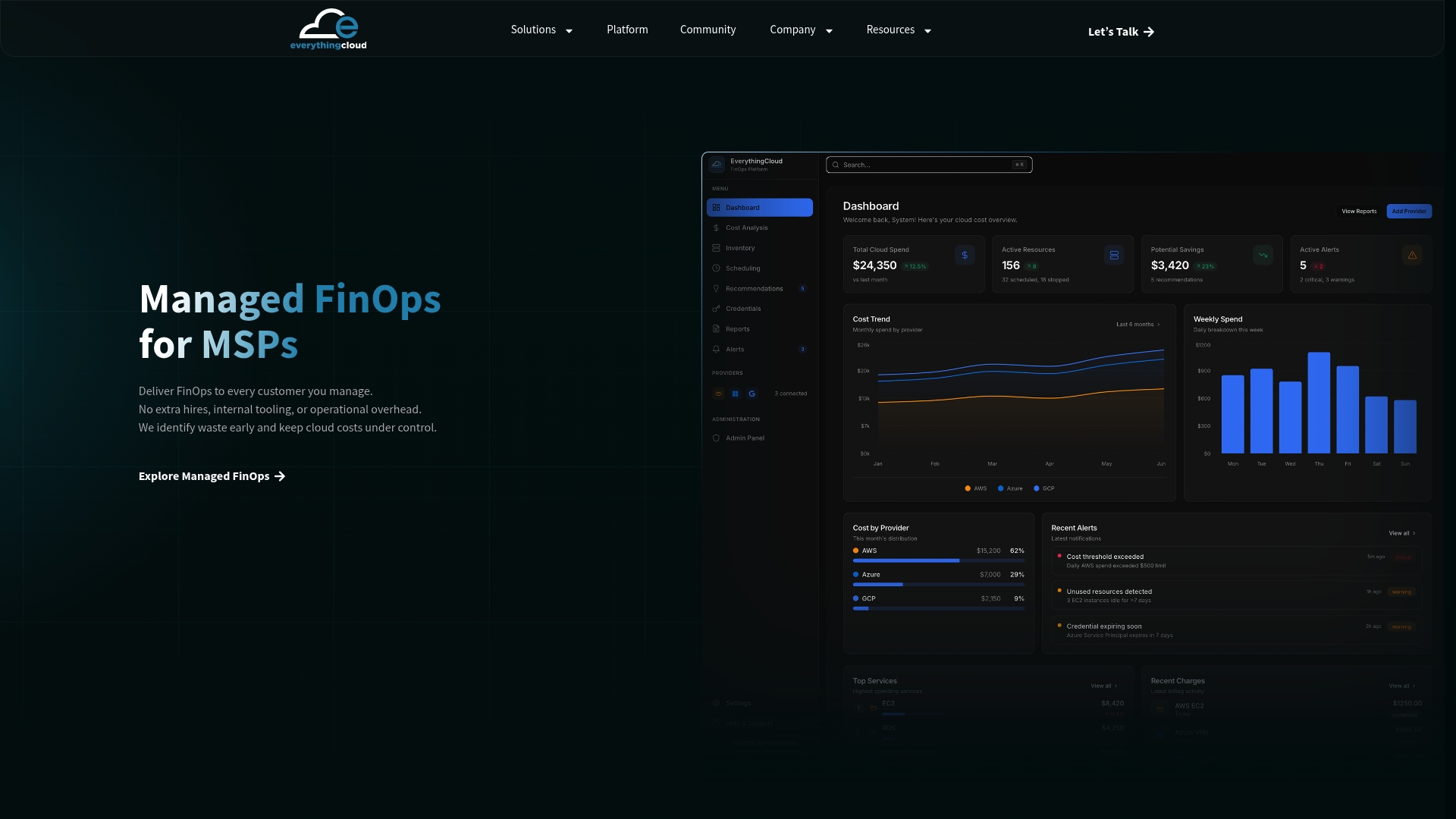
MSPs and technology partners can launch these services under their own brand through the Founding Partner Membership, listed at $500 per month. To see the platform in action, visit The Platform page.
FAQ
What is the difference between cloud budget management and cloud cost management?
Cloud cost management is the full practice of monitoring, allocating, optimizing and governing spend. Cloud budget management is the planning and control part of it: setting limits, splitting them by owner, forecasting and responding to variances. Most mature teams run both as part of FinOps.
How often should we review a cloud budget?
Watch variance and anomalies weekly, compare forecast and actual with finance monthly, and reset the budget quarterly or whenever a major workload, commitment or pricing change lands. Fast-moving usage, such as AI consumption, may need more frequent checks.
Who should own the cloud budget?
Finance and a FinOps lead usually own the overall budget together, while each allocated line belongs to a named engineering or product owner. That person receives alerts and explains variances. Shared ownership with no name attached is how overruns go unnoticed.
Do native budget tools replace a FinOps platform?
Native tools are a good start for a single cloud and simple alerts. Once you run several providers, many accounts, SaaS and AI services, you need one view of budgets, allocation and automated actions. That is where a dedicated platform or managed service earns its place.
What should a cloud budget policy say about AI spending?
It should name an owner for each model or AI service, convert token or GPU consumption into dollars per unit of business value, and set alert thresholds that fit the volatility of usage. It should also state which usage limits can be enforced automatically.
Sources
- Use tools to control cloud costs before it’s too late (DCD)
- The SaaS Pricing Surge That Will Outrun Your Cloud Playbook (Forbes Tech Council)