
Data egress is what cloud providers charge you when data leaves their network, whether it goes to the public internet, another cloud, or even a different region inside the same account. Ingress, the data flowing in, is free everywhere. Egress is not, and the rates vary widely across providers: hyperscaler entry tiers run roughly between low and mid-level rates per GB, while zero-egress alternatives like Cloudflare R2 and Backblaze B2 advertise no charge per GB in many scenarios. At meaningful volume, that gap stops being a rounding error and starts showing up as a line item your CFO asks about.
Three moves cut the bill fastest:
- Route high-read traffic through a CDN or a Bandwidth Alliance partner instead of serving it straight from origin storage.
- Place frequently accessed datasets on a zero-egress provider rather than a hyperscaler.
- Consolidate regions and batch transfers so you’re not paying cross-region or cross-AZ fees on top of the headline rate.
Pro Tip: Before you touch architecture, pull 90 days of billing data by destination. You can’t fix what you haven’t measured.
Key Takeaways
Egress costs vary from $0 per GB on zero-egress providers to over $0.12 per GB on hyperscalers, and that gap compounds fast at production scale.
| Point | Details |
|---|---|
| Egress is billed, ingress isn’t | This asymmetry is a deliberate structure that discourages moving data off a provider. |
| Hidden fees inflate the real rate | NAT Gateway, cross-AZ, and load balancer charges stack on top of headline egress pricing. |
| 10 TB/month can swing by $900+ | AWS, Azure, and Google Cloud each price similar volumes very differently from zero-egress options. |
| Audit before you architect | Isolating your top egress sources by workload is the highest-leverage first step. |
| Everythingcloud automates the ongoing work | Its platform and managed FinOps service track egress and cost anomalies continuously across major providers. |
Where to verify these numbers yourself
Check Azure’s bandwidth pricing and the egress cost comparison for current, provider-published figures.
Table of Contents
- What Is Data Egress and Why Do Providers Charge for It?
- How Much Do AWS, Azure, and Google Cloud Charge for Egress?
- What Hidden Charges Push Egress Costs Higher?
- How Do You Calculate Your Monthly Egress Bill?
- What Are the Most Effective Tactics to Reduce Egress Costs?
- Should You Migrate to Zero-Egress Storage or Stay on a Hyperscaler?
- Frequently Asked Questions
- Sources
What Is Data Egress and Why Do Providers Charge for It?
Egress is billed based on where the data goes: out to the internet, across a region boundary, into a different availability zone, or over to a competing cloud. Ingress stays free almost everywhere, which is not an accident. Free ingress makes it cheap and easy to move your data in. Charging for egress makes it expensive to move it back out, and that asymmetry is a big part of what functionally locks customers into their provider.
Billing typically runs along three axes:
- Tiered rates that decline as monthly volume increases (the first terabyte costs more per GB than the hundredth).
- Destination-based pricing, where sending data to the internet costs more than sending it to another service in the same region.
- Free allowances, usually a small monthly bucket (often around 100 GB) before metering kicks in.
Understanding this structure matters more than memorizing any single number, because the same workload can land in wildly different pricing tiers depending on how it’s architected.
How Much Do AWS, Azure, and Google Cloud Charge for Egress?
Here’s where the numbers get concrete. Azure publishes its bandwidth pricing openly: the first 100 GB per month is free, and the next tier runs around $0.087 per GB in North America and Europe, with rates stepping down as volume climbs into the tens of terabytes. AWS and Google Cloud follow similar tiered logic, though their exact breakpoints and premium-tier options differ.
Zero-egress providers break this pattern entirely. Cloudflare R2, Backblaze B2, and Wasabi all advertise $0 egress in most standard use cases, which is the single biggest structural difference in this market.
| Provider | Entry-tier rate | Free allowance | Best for | Notes |
|---|---|---|---|---|
| AWS | ~$0.09/GB (first 10 TB) | 100 GB/month | General-purpose workloads already on AWS | Rate drops at higher tiers |
| Microsoft Azure | ~$0.087/GB (next 10 TB) | 100 GB/month | Azure-native apps and hybrid setups | Published tiered table varies by routing |
| Google Cloud | over $0.12 per GB on hyperscalers | about 100 GB/month free tier (varies) | Workloads needing Google’s premium network | Standard tier is cheaper, lower performance |
| Cloudflare R2 | no charge per GB | N/A (no egress metering) | Public content, high-read datasets | Bandwidth Alliance can also cut origin egress |
| Backblaze B2 | $0 per GB (via partner CDNs) | Free egress up to 3x storage | Backups, archives, media distribution | Also free when paired with Bandwidth Alliance |
| Wasabi | no egress fees charged in most use cases | no standard free allowance | Storage-heavy, egress-light budgets | Minimum retention charges may apply |
At 10 TB per month, that spread turns into hundreds of dollars a month. We’ll walk through with real figures shortly.
What Hidden Charges Push Egress Costs Higher?
The headline per-GB rate is rarely the whole story. A handful of stacked charges routinely turn a modest egress estimate into a much bigger invoice line:
- NAT Gateway processing fees, charged per GB on top of standard egress when traffic routes through a NAT gateway.
- Cross-AZ transfer fees, often around $0.01/GB in each direction, which add up fast for chatty microservices.
- Load balancer processing charges, billed separately from the data transfer itself.
- API and request-based fees, which scale with call volume rather than bytes moved but still hit the same invoice.
These items appear as separate line items on your bill, not folded into “data transfer,” which is exactly why they get missed. Cross-AZ and NAT charges can meaningfully inflate the effective per-GB cost well beyond the advertised rate.
Pro Tip: Search your billing console for “NAT Gateway” and “Data Transfer Cross-AZ” as separate cost categories. Most teams have never isolated these two line items on their own.
How Do You Calculate Your Monthly Egress Bill?
Start by pulling three inputs from your billing console: total GB transferred by destination (internet, cross-region, cross-AZ), NAT gateway throughput, and any API/request volume tied to data movement. Then apply this method:
- Sum GB egressed to the internet and multiply by your provider’s tiered rate.
- Add cross-AZ and cross-region GB, multiplied by their separate per-GB rates.
- Add NAT gateway processing fees, calculated on the same GB volume that passed through the gateway.
- Total the three figures for your effective monthly egress cost.
Here’s what that looks like at 10 TB (10,000 GB) of monthly internet egress, using independently compiled comparison figures:
That’s over $900 a month difference for the exact same data volume, before you even add NAT or cross-AZ fees on the hyperscaler side. Run your own numbers through this same formula and the gap usually turns out even wider than it first looks.
What Are the Most Effective Tactics to Reduce Egress Costs?
Not every fix carries equal weight. Start with the highest-impact, lowest-effort changes before touching architecture.
Cache aggressively with a CDN. Serving repeat requests from a CDN edge instead of origin storage cuts most of your billed egress on public-facing content. Providers participating in the Bandwidth Alliance can eliminate origin egress charges entirely for eligible traffic between partner networks.

Move heavy-read data to zero-egress storage. If a dataset gets downloaded constantly (backups, media libraries, public exports), hosting it on Backblaze B2, Wasabi, or Cloudflare R2 instead of a hyperscaler bucket often pays for itself within a month. Our S3 cost optimization playbook covers how to evaluate storage placement for exactly this kind of workload.
Fix the architecture underneath the traffic. Co-locate compute and storage in the same region so you’re not paying cross-region fees for routine processing. Reduce the number of regions you operate in when compliance doesn’t force multi-region spread. Batch transfers instead of streaming small, frequent payloads, and use compression or delta transfer so you’re moving fewer bytes in the first place.
Negotiate at scale. Once your egress volume is predictable and large, private connectivity options and negotiated commitments can beat public per-GB rates. This is also where migration decisions get complicated. If you’re weighing a move that involves shifting large volumes between providers, a migration cost breakdown is worth reviewing before you commit, since transfer costs during migration can offset savings if they’re not planned for.
A small number of workloads usually generate most of your egress bill. Find those workloads first, and the rest of the optimization work gets much easier.
Should You Migrate to Zero-Egress Storage or Stay on a Hyperscaler?
Migration makes sense when your data is public-facing, read far more often than it’s written, or exists mainly for backups and large periodic exports. Those patterns generate outsized egress relative to storage cost, which is exactly where zero-egress providers win.
Staying put usually makes more sense when you depend heavily on a provider’s managed services (databases, ML pipelines, native integrations) or operate under compliance rules that constrain where data can live.
Quick checklist before deciding:
- Is this dataset read more than 10 times for every write?
- Does it need tight integration with provider-native compute or analytics?
- Would migration effort and risk exceed a year or two of projected egress savings?
- Are you already paying for cross-region replication you don’t strictly need?
How do you audit and monitor egress on an ongoing basis?
Effective monitoring starts with visibility by destination. Break down egress by bucket, region, API, and workload, not just by total account spend. That granularity is what lets you find hotspots instead of guessing.
Build these habits into your FinOps process:
- Tag resources so egress can be attributed to specific teams or products for chargeback and showback.
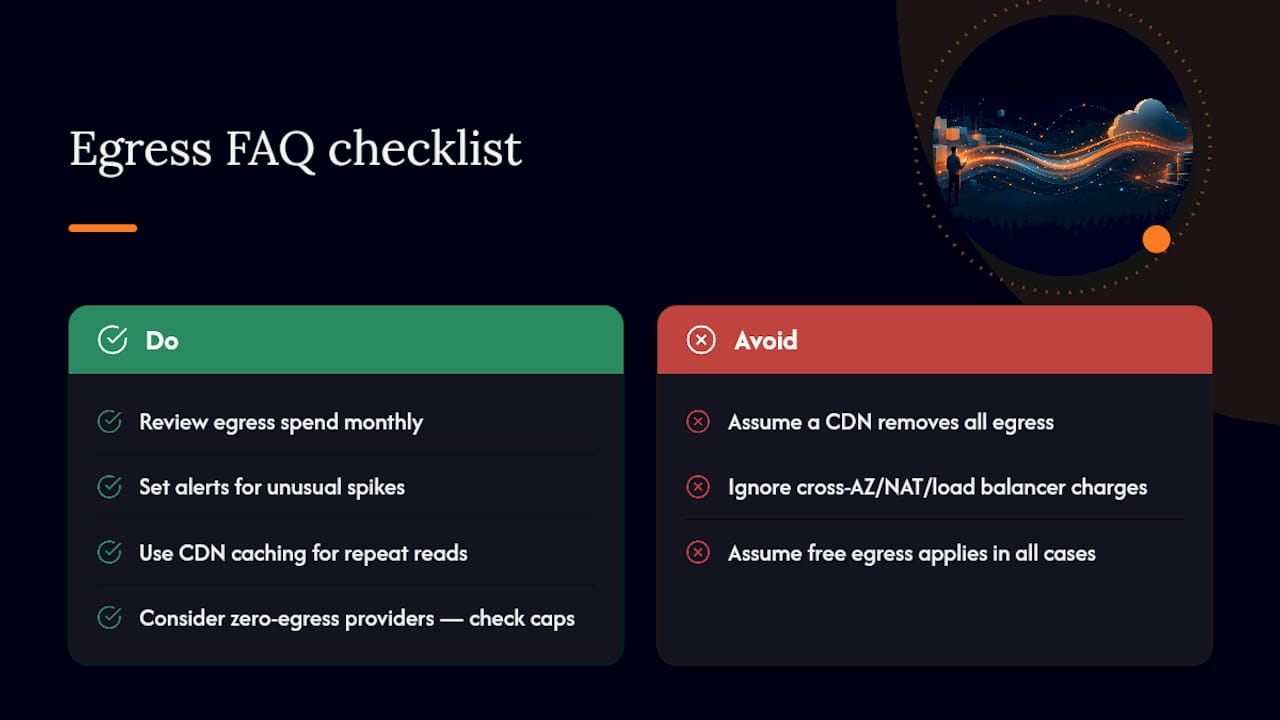
- Set alerting thresholds on unusual spikes in cross-AZ or internet egress volume.
- Review NAT Gateway and load balancer processing charges on a monthly cadence, not just annually.
- Revisit region and CDN configuration whenever traffic patterns shift meaningfully.
Manually chasing these line items across AWS, Azure, Google Cloud, and Microsoft 365 every month is exactly the kind of recurring work that gets deprioritized under deadline pressure. A managed FinOps platform like Everythingcloud automates this detection, flags anomalies in near real time, and recommends specific remediation instead of leaving it buried in a monthly invoice review.
Pro Tip: If nobody on your team can name your top three egress sources by workload right now, that’s the audit gap to close first, before you touch a single architecture change.
Priorities for cloud cost managers
Visibility comes first. You can’t negotiate, re-architect, or route around fees you haven’t isolated by workload. After that, tactical fixes (CDN, zero-egress storage, region consolidation) deliver faster returns than contract renegotiation. The hardest part usually isn’t technical. It’s getting engineering, finance, and procurement aligned on the trade-off between switching cost and long-term lock-in.
Managed FinOps for teams ready to stop chasing egress manually
Everythingcloud replaces the monthly scramble of hunting NAT charges and cross-AZ surprises across multiple consoles with one continuous view of AWS, Azure, Google Cloud, and Microsoft 365 spend.
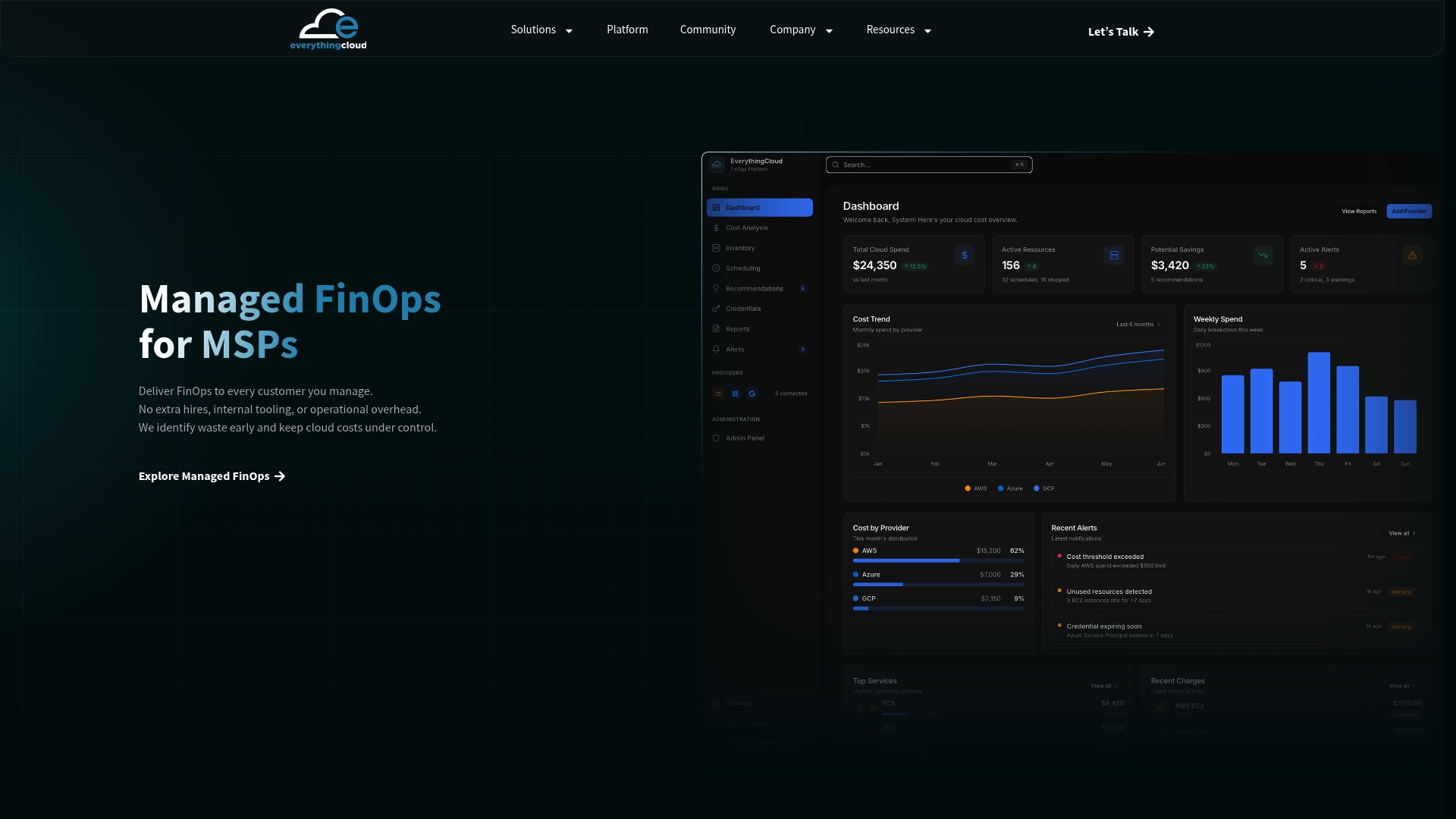
The Everythingcloud platform tracks egress alongside every other cost driver, flags anomalies as they happen, and hands your team specific remediation steps instead of a spreadsheet of raw usage data. For organizations that would rather outsource the ongoing work entirely, Managed FinOps for MSPs pairs that automation with expert oversight, so optimization happens continuously rather than during a quarterly cost review. A typical initial engagement produces a full visibility report across your cloud accounts and a short list of quick wins you can act on immediately. If you’re an MSP or technology partner exploring this as a service offering for your own clients, reach out about partnership options to see how it fits your book of business.
Frequently Asked Questions
Is data ingress ever charged by cloud providers?
No major hyperscaler charges for ingress. Providers make it free to move data in specifically because egress fees are where they recoup network costs and discourage migration.
Do zero-egress providers really charge $0 for all data transfer?
Backblaze B2, Wasabi, and Cloudflare R2 advertise $0 per GB egress in most standard scenarios, though some conditions (like Backblaze’s free-egress cap at roughly three times your storage volume) can apply.
Why does my cloud bill show egress charges I didn’t expect?
Cross-AZ transfers, NAT Gateway processing, and load balancer fees are billed separately from headline internet egress and often go unreviewed until someone audits the bill line by line.
Can a CDN eliminate egress costs entirely?
It won’t eliminate them, but caching through a CDN or a Bandwidth Alliance partner can cut most of the origin egress on repeat-read content, since cached responses don’t hit your storage bucket again.
How often should IT teams review egress spend?
Monthly, at minimum, with alerting set up for unusual spikes. A small set of workloads typically drives most egress volume, so continuous monitoring catches new hotspots before they compound.
Sources
- Egress Fees Explained: The Complete 2026 Guide to Cloud’s Most Hated Cost – Data Storage
- Cloud Egress 2026: $0 on R2 vs $1,137 on GCP for 10 TB
- Cloud 101: Data egress fees explained – Backblaze Blog
- Pricing – Bandwidth | Microsoft Azure
- What are data egress fees? – Cloudflare Learning