
Microsoft 365 license optimization means matching every seat your customers pay for to a real person, a real role and real usage, then keeping it matched. Done once, it’s a cleanup. Done monthly, it’s a recurring service that saves your customers money, keeps you in their business, and protects the margin on every seat you resell.
Most MSPs already have the access and the trust to do this. What they usually don’t have is a repeatable routine, and someone who owns the work after the report goes out. That’s the gap this article is about.
TL;DR
- License optimization is a monthly habit, not a one time audit. Seats drift every time someone joins, leaves, changes roles or stops using a product.
- Your customer gets lower spend and a cleaner, safer tenant. You get a reason to talk to them every month.
- The cheap wins are inactive accounts, unassigned licenses and plans that are bigger than the role needs.
- Visibility matters, but someone still has to own the work: find it, rank it, fix it, verify it.
- A multi-tenant platform with white-label reporting lets you deliver this across many customers without hiring a FinOps team.
Table of Contents
- Why this is a service opportunity, not a housekeeping task
- Where Microsoft 365 spend leaks
- How to find the waste, step by step
- Check before you cut anything
- Matching plans to roles and usage
- Making it stick: monitoring over time
- What this does for your business
- How an MSP delivers this for clients
- Beyond licenses: the bigger bill
- Where EverythingCloud fits
- FAQ
- Sources
Why this is a service opportunity, not a housekeeping task
Here’s the blunt version. Your customers are almost certainly paying for Microsoft 365 seats nobody uses. Nobody did it on purpose. Licenses outlive the people and plans they were bought for, and the invoice just keeps renewing.
That’s a problem for the customer. It’s also a quiet problem for you. If you resell Microsoft 365 through the CSP program, a customer who suddenly notices the waste doesn’t blame the tenant. They blame the partner who was supposed to be watching it.
So the opportunity is simple. Be the partner who finds it first, fixes it, and shows the customer the result every month. That’s a recurring service with a clear outcome the customer can understand in one sentence: you pay for what you use.
Where Microsoft 365 spend leaks
Most of the waste sits in a handful of places. You’ll find them in nearly every tenant you open.
Inactive and orphaned accounts
Someone leaves. The account stays. The license stays assigned. It renews again next month. Contractors, seasonal staff and former employees are the usual culprits, and shared mailboxes that picked up a license they never needed are another.
Unassigned licenses
Seats bought for a hire that didn’t happen, or freed up when someone left and never reallocated. They sit in the pool, billed and unused.
Plans bigger than the role needs
A front line worker on a full productivity suite. A user with a premium add-on they tried once. This is the hardest category to call, because it needs judgment about what people actually do, not just whether they signed in.
Overlapping tools
A customer pays for a Microsoft 365 plan that already includes a capability, then pays a third party for the same thing. It happens after acquisitions, after a pilot nobody closed out, and when different departments buy on their own.
Admin accounts wearing full suites
This one is a cost and a security issue at the same time. The CIS Microsoft 365 Foundations Benchmark recommends that administrative accounts use licenses with a reduced application footprint, such as Microsoft Entra ID P1 or P2, rather than full application licenses (control 1.1.4 in version 5.0.0, published April 30, 2025). The reasoning is that a privileged account with a mailbox and Office apps has more exposure to phishing and malicious content. Those accounts still get Identity Protection, Privileged Identity Management and Conditional Access. So the right license is both safer and often cheaper.
That’s a nice talking point with a customer’s leadership. You’re not just trimming costs, you’re tightening security posture in the same conversation.
How to find the waste, step by step
You don’t need exotic tooling to see the first layer. Microsoft’s own admin center shows most of it, and it’s worth knowing where to look so you can explain it to a customer’s IT lead.
Step 1: Compare what’s bought with what’s assigned. In the Microsoft 365 admin center, Billing > Licenses shows which products are in use and which licenses are unassigned, according to Microsoft Learn’s usage assessment guidance. That’s your first number: seats paid for versus seats assigned.
Step 2: Check who is actually active. Under Reports > Usage, the admin center covers Teams, Exchange, SharePoint, OneDrive and other apps, for periods from 7 to 180 days, and the reports can be exported. Use the longest window that makes sense for the customer. A 7 day view will flag people on vacation. A 90 or 180 day view tells the truth.
Step 3: Review individual assignments. Users > Active users lets you open each person’s license assignment. This is where you spot the person with three add-ons and no sign-in activity.
Step 4: Group the findings by action. Reclaim, reassign, downgrade, remove, or leave alone. Not every finding deserves action. A seat that saves a few dollars but takes an hour of back and forth with a manager isn’t a good fix.
Step 5: Rank by savings and effort. Do the easy, high value items first. Offboarded users with active licenses are usually the quickest to approve. Role based downgrades take a conversation.
This works fine for one tenant. It falls apart at twenty or two hundred. Exporting reports, cross-checking spreadsheets and chasing approvals by hand eats the margin you were trying to protect.
Check before you cut anything
Removing a license isn’t free of consequences. Before you act, confirm a few things with the customer:
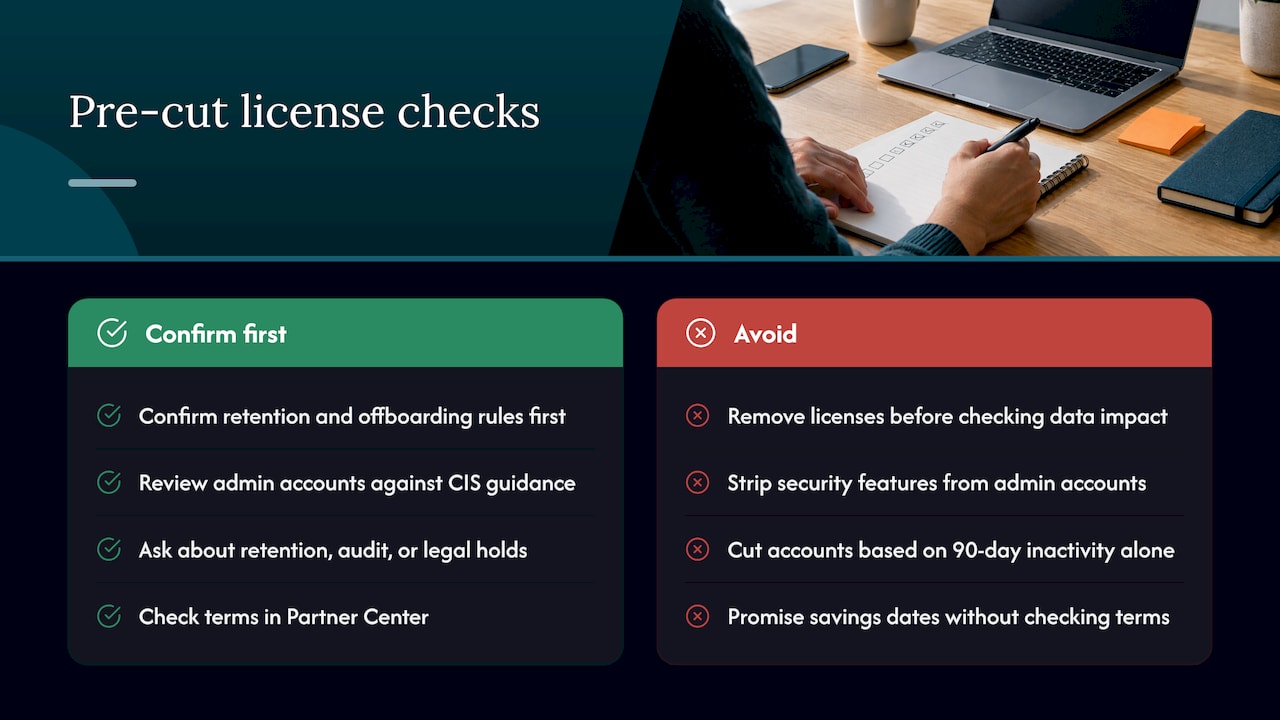
Data. Removing a license can affect mailbox, OneDrive and other content tied to that user. Confirm retention and offboarding rules before you remove anything from an account that may still matter.
Security. Don’t strip licenses from accounts that carry security features, and review admin accounts against the CIS guidance above rather than just removing seats.
Compliance. If the customer has retention, audit or legal hold requirements, those can depend on licensing. Ask before you touch.
Service access. A “no sign-in in 90 days” account might be a seasonal worker, a service account or a person on leave. Confirm with the customer’s manager, and make approval part of the workflow so nothing gets cut on a hunch.
Commitment terms. Many Microsoft 365 subscriptions run on annual terms, and what you can reduce, and when, depends on the term. Check the terms for each subscription in Partner Center before you promise a customer a date for savings. Timing matters: the best moment to remove seats is before a renewal, not after it.
Matching plans to roles and usage
The goal isn’t the cheapest license. It’s the right one. Sit down with the customer and sort their people into a few groups: knowledge workers who live in the full apps, frontline or shared device staff who need less, admins who need security features without the application suite, and occasional users who may only need a lighter plan.
Then compare each group to real usage, not job titles. The titles lie. The usage data doesn’t.
For add-ons, ask one question per product: who is using this in the last 90 days? If the answer is “three people out of forty”, the conversation writes itself.
A note on AI spend, since it’s now part of the same bill conversation. Customers are adding Copilot seats, OpenAI and Anthropic usage, and Azure hosted models, often without a clear owner. If you’re helping a customer weigh OpenAI against Azure OpenAI for a rollout, the same discipline applies: tie each seat or workload to a person, a purpose and a measurable result.
Making it stick: monitoring over time
This is where most one time audits fail. You clean the tenant, everyone claps, and six months later the waste is back. New hires get licensed, leavers don’t get unlicensed, and nobody looks at the pool.
Prevention is a rhythm, not a project:
Monthly: review inactive users, unassigned seats and new add-ons. Report the savings that were actioned, not just the ones that were found.
Quarterly: revisit plan fit by role, and look at anything with a renewal coming up in the next 60 to 90 days.
On every joiner, mover and leaver: license changes should follow the identity change, not lag behind it. Tie it to the customer’s offboarding process.
The point is that the customer gets a steady, predictable view of spend, and you get a standing reason to be in the room.
What this does for your business
Let’s tie it back to the things you actually care about.
A recurring service
One time cleanups are project revenue. Monthly optimization with reporting is recurring revenue, because the work never really finishes: people change, products change, and so do prices. You’re selling continuity. The customer isn’t buying a report, they’re buying the assurance that someone is watching their spend.
Protected margin
On resold licenses, you earn on volume, so you might wonder whether trimming seats hurts you. Short term, a little. Long term, the opposite. A customer who finds waste on their own tends to push back on every renewal, shop the contract or move to another partner. A customer whose partner finds the waste first trusts the invoice. And an optimization service is a service line with its own margin, separate from the license resale.
The real margin risk is the manual labor. Every hour a technician spends in spreadsheets is an hour not billed. That’s why the delivery model matters as much as the idea.
Customers who stay longer
A monthly report that shows what was found, what was fixed and what was saved gives you something concrete to point at every month. It turns the relationship from “the people who fix our printers” into “the people who watch our spend and our security.” That’s a harder relationship to replace.
Less work for your team
The findings should come to you ranked, not raw. Your techs shouldn’t hunt for waste, they should approve and act on a short, prioritized list. If your team is exporting CSVs, you’re running the service the expensive way.
How an MSP delivers this for clients
Here’s how I’d run it. Keep it boring and repeatable.
Onboard the tenant read first. Connect the customer’s Microsoft 365 tenant and get a baseline: seats bought, seats assigned, seats active.
Produce a first findings report. Lead with the outcome for the customer, in their language: how many seats look unused, what that could mean for their spend, and what you propose to do about it. Don’t exaggerate. Present what the data shows and label what you still need to confirm with them.
Get approvals. Send the customer a short list of proposed actions. Keep approvals simple so nothing stalls.
Turn findings into tracked work. This is the step most tools skip. A finding with no owner and no due date is a dashboard item. A finding that becomes a ticket, with an owner, a status and a verified result, is a service.
Verify the result. Check that the license really came off and that the bill reflects it at the next billing cycle or renewal. Report the verified number.
Report monthly under your brand. White-label reporting means the customer sees your name on the savings, not someone else’s.
If you’re a Microsoft CSP, this fits naturally next to the billing relationship you already have. We’ve written about how a Microsoft CSP can resell cloud cost optimization if you want the broader picture, and our Microsoft 365 license optimization guide for IT managers covers the customer side of the same topic.

Beyond licenses: the bigger bill
Microsoft 365 is often the easiest place to start because the customer feels the pain in a number they recognize. But it rarely stops there. The same customers run Azure, AWS and Google Cloud, and are adding AI spend. Once you’ve earned trust on licenses, cloud cost management and security posture are natural next conversations. Our guides on Azure cost management and CIS benchmarks for cloud show where that leads.
Our view: visibility isn’t the service
We think the industry has the wrong idea about license optimization. Most tools stop at a dashboard. They show you the waste and leave the rest to you. For an MSP, that’s the part that costs money, because the work of acting on it lands on your team.
We built EverythingCloud for partners who need the work done. Findings become tracked actions, savings get verified, and you deliver it under your own brand without hiring a FinOps team. You own the customer relationship. We provide the multi-tenant platform and the FinOps expertise behind the service.
Visibility matters, but someone still has to own the work. If that someone is your already stretched service desk, the service won’t last. If it’s a platform and a team built for exactly this, it can.
Dan Belkie
Where EverythingCloud fits
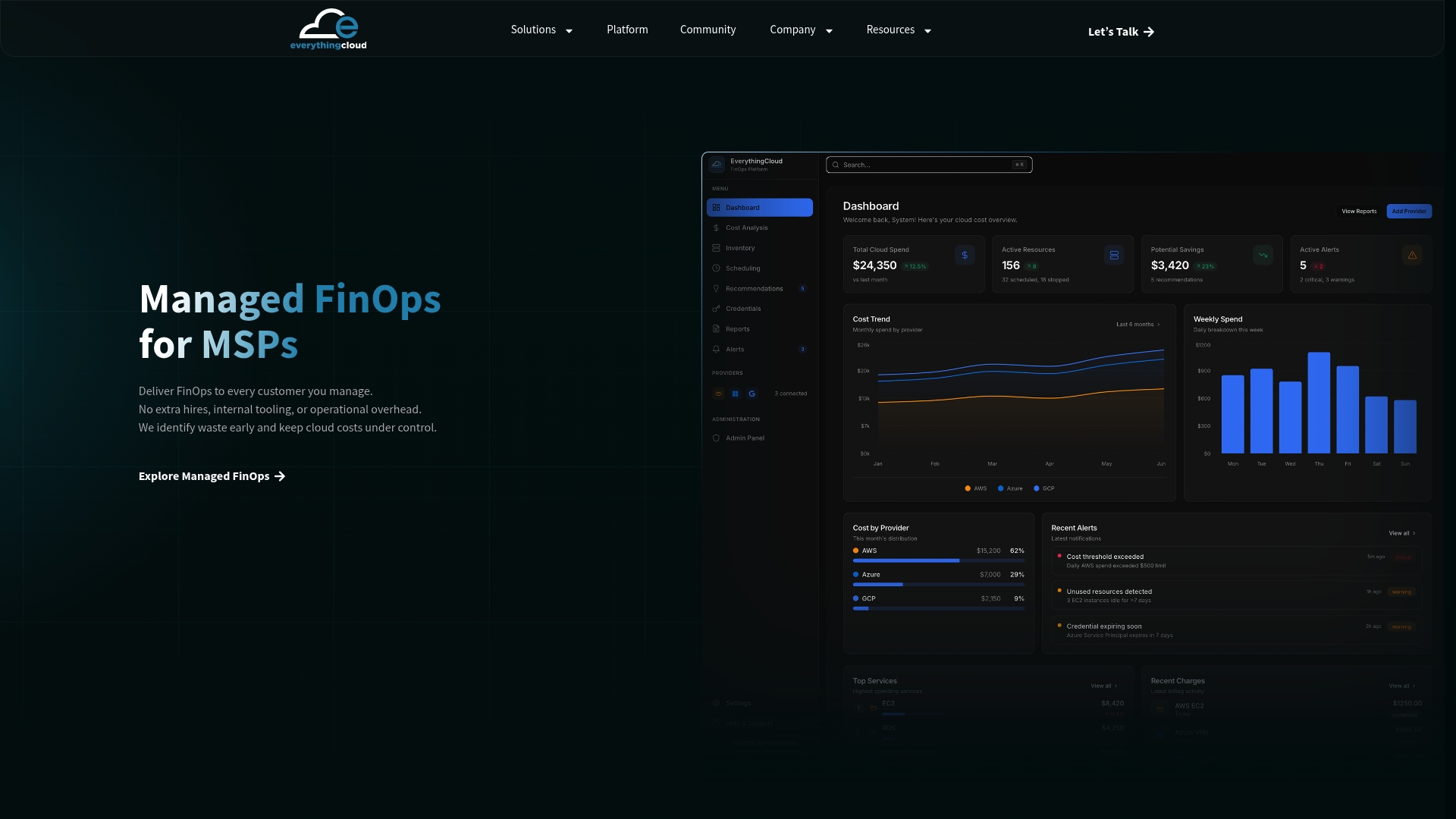
EverythingCloud is a platform that works through MSPs, cloud partners and distributors. You keep the customer relationship, and we help deliver the service behind it. One multi-tenant workspace covers Microsoft 365 license optimization, Azure, AWS, Google Cloud, AI spend such as OpenAI and Anthropic, and security posture, with white-label monthly reports and findings turned into tracked work. It can also be deployed in Canada, which matters for customers with data residency requirements.
If you want to start small, the Founding MSP Program is a small partner cohort built for MSPs adding this kind of service. You can also look at the platform, or get in touch about working through one of your own customers first.
FAQ
How often should we run Microsoft 365 license optimization?
Monthly for inactive users, unassigned seats and new add-ons. Quarterly for plan fit by role and for upcoming renewals. A yearly review alone lets the waste build up for eleven months.
Where do I see unused Microsoft 365 licenses?
In the Microsoft 365 admin center. Billing > Licenses shows assigned and unassigned seats, and Reports > Usage shows activity across apps for periods from 7 to 180 days, as Microsoft Learn describes. Compare the two for a first picture.
Does optimizing licenses cut into our own revenue as a CSP?
It can reduce seat counts on a single invoice. In exchange, you add a recurring service with its own margin and give customers a reason to stay. Partners who find the waste first keep the trust that renewals depend on.
What should I check before removing a license?
Confirm who the account belongs to, whether data or retention rules apply, whether it’s an admin or service account, and what the subscription term allows. Get the customer’s approval first, then verify the result on the next bill.
Sources
- Microsoft Learn: Microsoft 365 Education usage and assessment support
- CIS Microsoft 365 Foundations Benchmark v5.0.0
- Ampersand: OpenAI vs Azure OpenAI