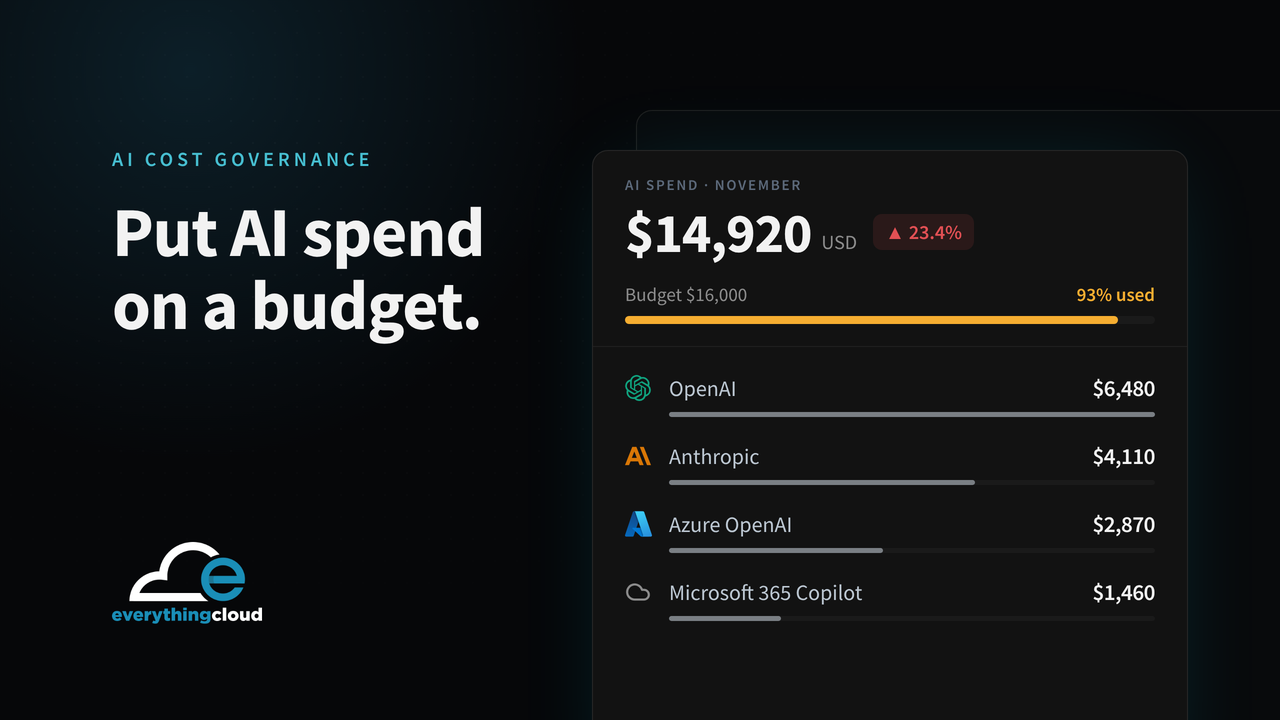
Short answer: you add AI cost governance by extending the FinOps service you already run. Find every source of AI spend (model APIs, cloud AI services and AI licences like Copilot), give each one an owner, set budgets and limits, cut the waste and report monthly on what it costs against what it delivers. The easiest way to sell it is as a tiered add-on to managed cloud or FinOps. Start with visibility, then move to enforcement and optimization.
Customers are asking because AI bills don’t behave like the rest of IT. Token pricing moves with usage, teams switch on new tools without asking anyone, and Copilot and other AI licences sit outside the cloud bill completely. Most finance teams can’t answer a simple question: what are we spending on AI, and who’s spending it?
That’s a recurring service waiting to be built around customers you already have.
What AI cost governance covers
| Area | What you do |
|---|---|
| Discovery | Inventory model APIs (OpenAI, Anthropic, Azure OpenAI, Amazon Bedrock, Google Vertex AI), AI workloads in cloud accounts, and AI licences such as Microsoft 365 Copilot |
| Allocation | Tie each cost to a team, application, project or customer through tags, API keys, projects and inference profiles |
| Guardrails | Budgets, alerts, quotas, approved model lists and an approval step for new AI tools |
| Optimization | Right-size model choice, cut wasted tokens, use caching and batching, shut down idle GPU capacity, reclaim unused AI licences |
| Reporting | Monthly spend, forecast, anomalies and cost per outcome, in language finance understands |
Five steps to add it to your services
1. Find the spend
AI costs live in three places: cloud bills (Azure OpenAI, Bedrock, Vertex AI, GPU instances), direct model provider accounts (OpenAI, Anthropic) and licence portals (Microsoft 365 Copilot and other AI add-ons). Expect to find accounts nobody in IT knew existed. You almost always do.
2. Give every dollar an owner
Spend without an owner never gets fixed. Map each API key, project and subscription to a team or application. Then report how much AI spend is still unallocated. Getting that number down is an early win the customer can see.
3. Put guardrails in place
Set budgets and alerts per team and per application. But be clear with the customer: a budget alert isn’t a limit. It tells you after the money’s spent. Where they need real enforcement, use provider quotas, gateway rate limits or approval workflows, and test them.
4. Optimize
The biggest savings usually come from a few simple moves: a smaller model where it does the job, shorter prompts and context, caching repeated requests, batching work that isn’t urgent and shutting down idle GPUs. On the licence side, take back AI seats that are assigned and not used.
5. Report monthly, in business terms
Token counts mean nothing to a CFO. Report total AI spend, spend by application and team, budget variance, forecast, savings delivered and, where you can, cost per outcome. Cost per resolved support ticket lands a lot better than tokens per day.
How to package and price it
| Tier | What’s included | Typical buyer |
|---|---|---|
| AI spend visibility | Discovery, allocation, monthly dashboard, budget alerts | Customers just getting started with AI |
| Managed AI cost governance | Visibility plus guardrails, anomaly investigation, forecasting and monthly recommendations | Customers with several AI tools in production |
| AI FinOps and optimization | All of the above plus model and token optimization, licence reclamation and quarterly value reviews | Customers with serious AI spend |
Charge a fixed monthly fee per customer, or fold it into a FinOps service priced on spend under management. Add a one-time assessment to set the baseline. Keep it simple enough that the customer can say yes in one meeting.
What to put in the monthly report
- Total AI spend and the change from last month
- Spend by model, application and team
- Unallocated AI spend as a share of the total
- Budget variance and the month-end forecast
- Anomalies found and fixed
- Savings delivered this month and year to date
- Cost per outcome for the main AI use cases
Common mistakes
- Treating it as a one-time audit. AI usage changes every month. Governance only holds if it’s continuous.
- Only watching the cloud bill. Direct OpenAI and Anthropic accounts and AI licences are often the bigger, less visible share.
- Treating alerts as limits. An alert tells you after the money’s gone.
- Reporting tokens instead of value. Customers renew when they can see what AI costs against what it delivers.
Where EverythingCloud fits
We work through MSPs, CSPs and distributors, and you own the customer. EverythingCloud tracks AI model spend, including OpenAI and Anthropic, next to Azure, AWS, Google Cloud and Microsoft 365 licences in one multi-tenant workspace. You see every customer’s AI and cloud costs together, get alerts on unusual usage and send the monthly report under your own brand.
Findings become tracked work, so the savings actually happen. The dashboard helps, but someone still has to own the work, and that’s the part we help you deliver.
If you already sell managed cloud or FinOps, AI cost governance is the obvious next service line. Have a look at the Founding MSP Program, read our MSP cloud governance framework, or get in touch about trying it with one of your customers.
A FinOps platform for the channel.
EverythingCloud is a multi-tenant FinOps platform for MSPs, CSPs and distributors. It brings every customer’s cloud and licence costs into one workspace, finds the waste, ranks fixes by savings and effort, and produces the monthly reports your customers read.
- Your team runs the service
- EverythingCloud provides the platform and FinOps expertise