
Shared cost allocation is the process of splitting charges that serve several teams, products or customers, such as a shared Kubernetes cluster, a network hub, a commitment discount or an AI platform, and assigning each owner a fair portion. You do it by naming the shared pool, choosing a driver (usage, headcount, revenue, or a fixed percentage), applying it consistently, and reporting the result to the people who own the budget.
Done well, it turns one unexplained invoice into numbers each team recognizes. Done badly, it hides margin erosion, starts arguments between engineering and finance, and lets waste compound quietly. This guide walks through what counts as a shared cost, how the main methods work, how to handle spend you cannot tag, and how to extend the same logic to SaaS and AI.
TL;DR
- Shared costs are charges used by more than one owner, application or product. Direct costs go to one owner; shared costs need a rule.
- Three methods cover most cases: proportional, even and fixed. Pick the one your teams can explain in one sentence.
- Tags and account structure get you most of the way. A defined process for untagged spend closes the rest.
- SaaS and AI spend can use the same approach, with seats, API keys or token counts as the drivers.
- Publish the rule, review it on a schedule, and measure allocation coverage as a standing metric.
Table of Contents
- What counts as a shared cost
- Why shared costs deserve their own rule
- The three core allocation methods
- Choosing a driver you can defend
- Tags, accounts and metadata: the foundation
- Handling untagged and unmeasurable spend
- Extending the model to SaaS and AI spend
- From allocation to showback, chargeback and unit economics
- Governance that keeps the model honest
- Our perspective
- How EverythingCloud supports shared cost allocation
- FAQ
- Sources
What counts as a shared cost
The FinOps Foundation defines shared costs as charges utilized or attributed to multiple owners, applications, or products. Its working group lists common types: third-party SaaS and marketplace services, cloud infrastructure delivered through managed services, custom-built internal services, and commitment-based discounts.
Google Cloud’s FinOps whitepaper goes further. It names enterprise discounts and licenses, organizational functions such as a Cloud Center of Excellence or SRE, shared technology like data lakes and AI/ML platforms, shared network, storage and compute, support, and marketplace services as typical shared pools.
In practice, most mid-market and enterprise environments carry a mix like this:
- A production Kubernetes cluster that runs workloads for six product teams.
- A central logging and monitoring stack.
- Transit gateways, firewalls and egress charges.
- Enterprise support plans billed to the payer account.
- Reserved Instances, Savings Plans or committed use discounts bought centrally.
- Microsoft 365 or other SaaS licenses billed once for the whole company.
- A central AI platform or model API account used by many features.
The same FinOps source notes that what qualifies as shared varies with company size and maturity. A 150-person company may treat its entire observability bill as overhead. A 5,000-person company will usually want it split by business unit. Neither is wrong, as long as the choice is deliberate and written down.
Why shared costs deserve their own rule
Cost allocation in general is, per the FinOps Foundation, the process of identifying, categorizing and assigning cloud costs to users, departments, projects or other groupings using hierarchies, tags and labels, whether from the cloud provider or from third-party tooling. Direct costs fall out of that process naturally: a tagged database belongs to the team in the tag.
Shared costs do not. There is no tag that says “one third of this cluster.” Without an explicit rule, they land in one of three places: a central IT cost center that grows every quarter, an “unallocated” bucket that nobody owns, or the team that happened to create the resource. All three distort unit economics. If a product looks profitable only because its share of the platform bill sits somewhere else, pricing and roadmap decisions follow the wrong signal.
For MSPs the stakes are sharper. When you resell or manage cloud for customers, a commitment bought for the whole portfolio has to be divided across tenants, or margin disappears without anyone seeing it leave. That cloud margin leak is rarely dramatic in one month. It is the pattern that repeats every month.
The three core allocation methods
Google Cloud’s whitepaper sorts shared-cost distribution into three categories: proportional, even and fixed. They are simple, and that is the point.
| Method | How it works | Best when | Watch for |
|---|---|---|---|
| Proportional | Shared cost is divided in proportion to each group’s direct costs | Usage tracks direct spend closely | Teams that cut direct spend see their share shrink while others’ shares grow |
| Even | The pool is split equally across business units | Smaller organizations with similar-sized teams | Feels unfair to the smallest consumers |
| Fixed | Business-defined percentages that sum to 100% | Stable, negotiated arrangements | Percentages go stale as usage shifts |
Proportional allocation
This is the default for most FinOps teams. Say the shared network and support pool costs $60,000 in a month, and three product lines have direct cloud spend of $200,000, $100,000 and $100,000. Their shares of direct spend are 50%, 25% and 25%, so they absorb $30,000, $15,000 and $15,000 of the pool.
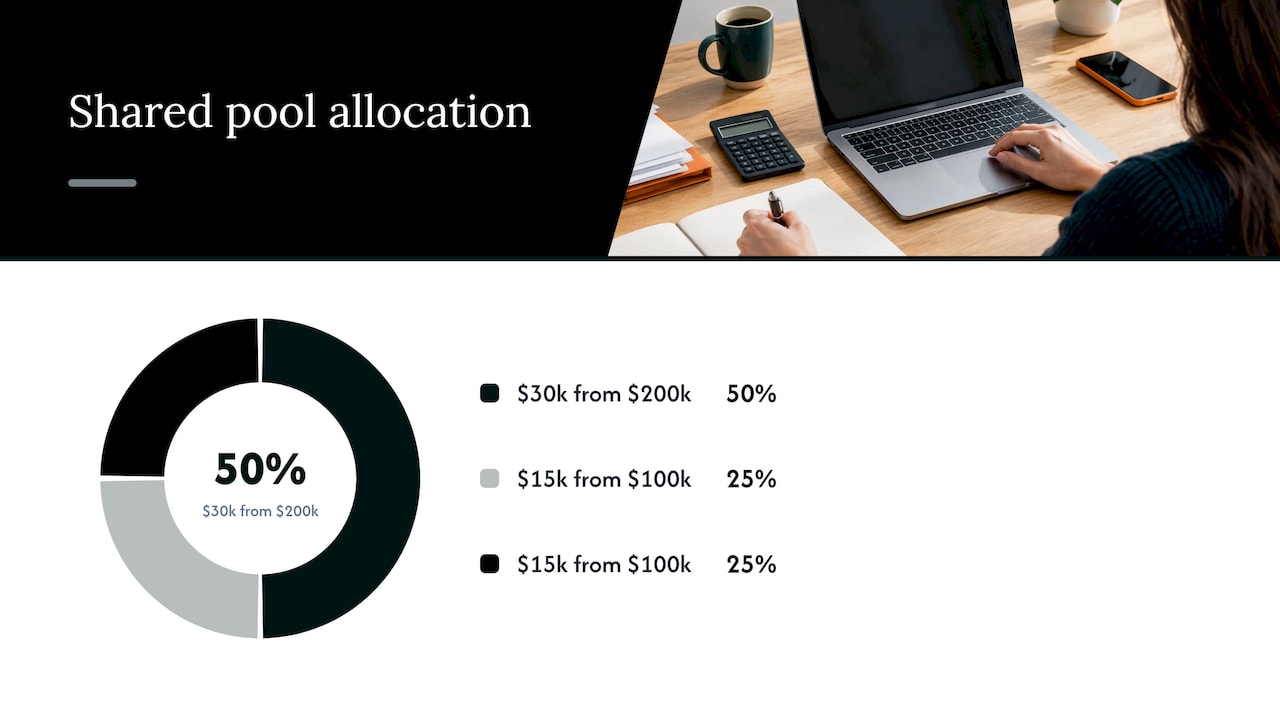
It is easy to compute and easy to defend. Its weakness is that direct spend is a proxy. A team that runs a cheap but network-heavy workload will be undercharged for the shared network it leans on.
Even allocation
Splitting equally is the lowest-effort option, and the Google whitepaper notes it is popular in smaller organizations. It works for a pool like a company-wide security tool that every group needs in roughly equal measure. It breaks down once one unit is ten times the size of another.
Fixed allocation
A fixed split uses coefficients the business agrees on, for example 45%, 35% and 20%. It gives finance predictability and removes monthly noise. The cost is maintenance: if nobody revisits the percentages, they drift away from reality, and the first team to notice will challenge the whole model.
Choosing a driver you can defend
The method says how to divide. The driver says what to divide by. A good driver is measurable every month, correlated with consumption, and understandable without a spreadsheet tour.
Numeric’s expense allocation guide lists common drivers by pool: facilities by square footage, HR by headcount, software licenses by seat count, IT infrastructure by usage metrics or ticket volume, and corporate overhead by revenue share. Those translate well to cloud:
- Shared compute and Kubernetes: CPU and memory requests or actual usage per namespace.
- Shared network and egress: bytes transferred per application, where flow data exists; otherwise proportional to direct spend.
- Enterprise support: proportional to each account’s spend, since support plans are usually priced as a percentage of it.
- Observability and security tooling: ingest volume, host count or an even split.
- Commitment discounts: the usage that actually consumed the covered capacity.
- SaaS licenses: seat count or active users.
- Central AI platforms: requests, tokens or API keys per consumer.
To pick between candidates, ask three questions. Can we measure it from data we already collect? Would the largest consumer agree it reflects reality? Can we explain it to a VP in one sentence? If a driver fails the third test, it will be disputed at every review, however accurate it is.
Tags, accounts and metadata: the foundation
Allocation depends on data about who owns what. The FinOps Foundation says an important prerequisite is a metadata strategy that covers tag and label categories, why each one matters, example values such as business unit, cost center, application, service and product, and whether a tag is required for compliance or regulatory reasons.
Microsoft’s FinOps framework describes allocation as attributing, assigning and redistributing shared cost and usage using accounts, tags and other metadata to create accountability among teams and projects. It recommends keeping a mapping of costs to each attribute, applying governance policies so resources are tagged before they run, and defining a process for tagging gaps and misses.
A practical starting set looks like this:
- Account or subscription structure that mirrors your organization: one per environment or business unit where possible.
- A short list of required tags: owner, cost center, application, environment.
- A shared tag value such as “shared-platform” for resources that intentionally serve many consumers, so they are visible as a pool instead of vanishing into untagged spend.
- Policy enforcement at deployment time, not after the invoice arrives.
Each cloud handles this a little differently, and the details change, so check the provider’s own documentation for current behavior. In general, AWS tags must be activated as cost allocation tags before they appear in billing reports, Google Cloud labels flow into the billing export, and Azure tags on a resource group do not automatically pass to the resources inside it. We cover the mechanics and the coverage targets in our guide to cost allocation tags and in our piece on allocation for cloud cost visibility.
Handling untagged and unmeasurable spend
No tagging program reaches 100%. The U.S. General Services Administration’s FinOps best practices document states that not every resource on an invoice can be tagged. Untaggable resources are still associated with the right sub-account or subscription, so the cost reaches the business unit, though some granularity is lost.
That suggests a three-layer fallback:
- Direct by tag. Anything with a valid owner tag goes to that owner.
- Direct by account. Untagged resources inherit the owner of the account or subscription that contains them.
- Shared pool. What remains is allocated with a published driver, usually proportional to direct spend.
Track the size of layer three every month. If it is 5% of spend, the model is healthy. If it is 30%, you have a tagging problem, not an allocation problem, and no driver will make the numbers trustworthy. Treat the unallocated percentage as a coverage metric with an owner and a target, and report it alongside the allocated figures.
A final point on fairness: the goal is not perfect precision. It is a rule that is consistent, transparent and good enough that teams act on the numbers instead of arguing about them.
Extending the model to SaaS and AI spend
Cloud bills are only part of the picture. SaaS subscriptions and AI usage often arrive with less structure, and they are where unallocated spend tends to grow fastest.
SaaS licenses
Most SaaS contracts are billed to one entity but used by many. Seat count is the usual driver, and it is usually available from the admin console or identity provider. For Microsoft 365, that means assigning license cost by the department of the licensed user. Where usage data is thin, fall back to headcount per department, which is crude but explainable. Add active-use data when you have it, so that departments paying for idle seats see the cost.
AI platforms and token spend
AI is the hardest case because purchasing often happens outside procurement and usage can spike within hours. FinOps Foundation guidance on direct model provider spend says to start by inventorying accounts and API keys, then use provider attribution or a proxy to allocate spend, and to allocate the surrounding infrastructure too so that unit costs reflect the full feature.
A workable approach when data is limited:
- One key per consumer. Issue separate API keys or projects per team or product so the provider’s usage report doubles as an allocation report.
- Proxy or gateway logging when you cannot separate keys: tag each request with a team or feature and sum tokens by tag.
- Proportional fallback. Where you cannot attribute at all, divide by request volume or by the direct cloud spend of the consuming teams, and label it as an estimate.
- Include supporting infrastructure. Vector databases, GPUs and data pipelines belong in the same allocation, otherwise the AI feature looks cheaper than it is.
Capacity you reserve centrally is a pooled cost like any other. Reserved AI inference capacity, for example, serves several applications from a single commitment, so each consumer’s share should follow measured requests or tokens, the same way a compute commitment follows measured usage. If you are exploring the buying side, reserved AI inference capacity is one way organizations structure that commitment, and the allocation rule you set determines who carries its cost.
From allocation to showback, chargeback and unit economics
Allocation is the calculation. What you do with it depends on maturity.
Showback reports each owner’s allocated cost without moving money. It is the right first step: it builds trust in the numbers and exposes disputes before they matter.
Chargeback moves the cost into each unit’s budget. It requires a stable, agreed method and an approval path for disputes, which is why most organizations run showback for a few cycles first.
Unit economics uses allocated cost as the numerator. Cost per customer, per transaction or per environment only makes sense when shared costs are in the calculation. Our cloud unit economics playbook shows how allocation feeds that math.
Commitments deserve a specific note. Savings from Reserved Instances, Savings Plans or committed use discounts are shared by nature. If you pass the discount only to the team that happened to buy the commitment, others look more expensive than they are. Allocate the benefit by who consumed the covered usage, and keep utilization high. Our guides to AWS commitment management and GCP committed use discounts cover utilization targets by provider.
Governance that keeps the model honest
A model that is right in January can be wrong by June. Four habits keep it credible:
- Write the rule down. One page: each shared pool, its driver, its method, its owner.
- Review on a schedule. Quarterly is common. Fixed percentages and even splits are most likely to go stale.
- Measure coverage. Report the share of spend allocated to an owner, and the share sitting in the shared pool.
- Define dispute handling. Who rules when a team challenges its share, and how fast.
Make changes prospective. Restating prior months erodes trust faster than any imperfect driver.
Our perspective
Most allocation programs fail in the same place: the model is fine, and the execution is manual. A team builds a spreadsheet, splits the shared pool, presents it once, and by the next quarter the tags have drifted, a new commitment has been bought, and nobody has updated the rule.
We built EverythingCloud around the idea that allocation should be continuous, not a quarterly project. It gives real-time visibility across AWS, Azure, Google Cloud, SaaS and AI spend, so shared pools show up as pools and not as surprises on the invoice. It automates execution of optimization actions rather than stopping at recommendations, and we verify savings outcomes against invoice-level billing.
For MSPs, the problem is sharper. A portfolio-wide commitment has to be divided across tenants, and doing that by hand is where margin quietly leaks. Our multi-tenant controls and unified reporting are designed so you can deliver that allocation as a service without adding staff.
Ask a simple question of your own environment: if one shared cost doubled next month, could you say whose budget it belongs in? If the answer takes a meeting, the rule needs to be automated.
Dan
How EverythingCloud supports shared cost allocation
If you manage cloud, SaaS or AI budgets for your own organization, our Continuous Cloud Optimization service and Managed FinOps team apply allocation, governance and optimization on an ongoing basis, with spend allocation, executive reporting, anomaly detection and commitment management in one place.
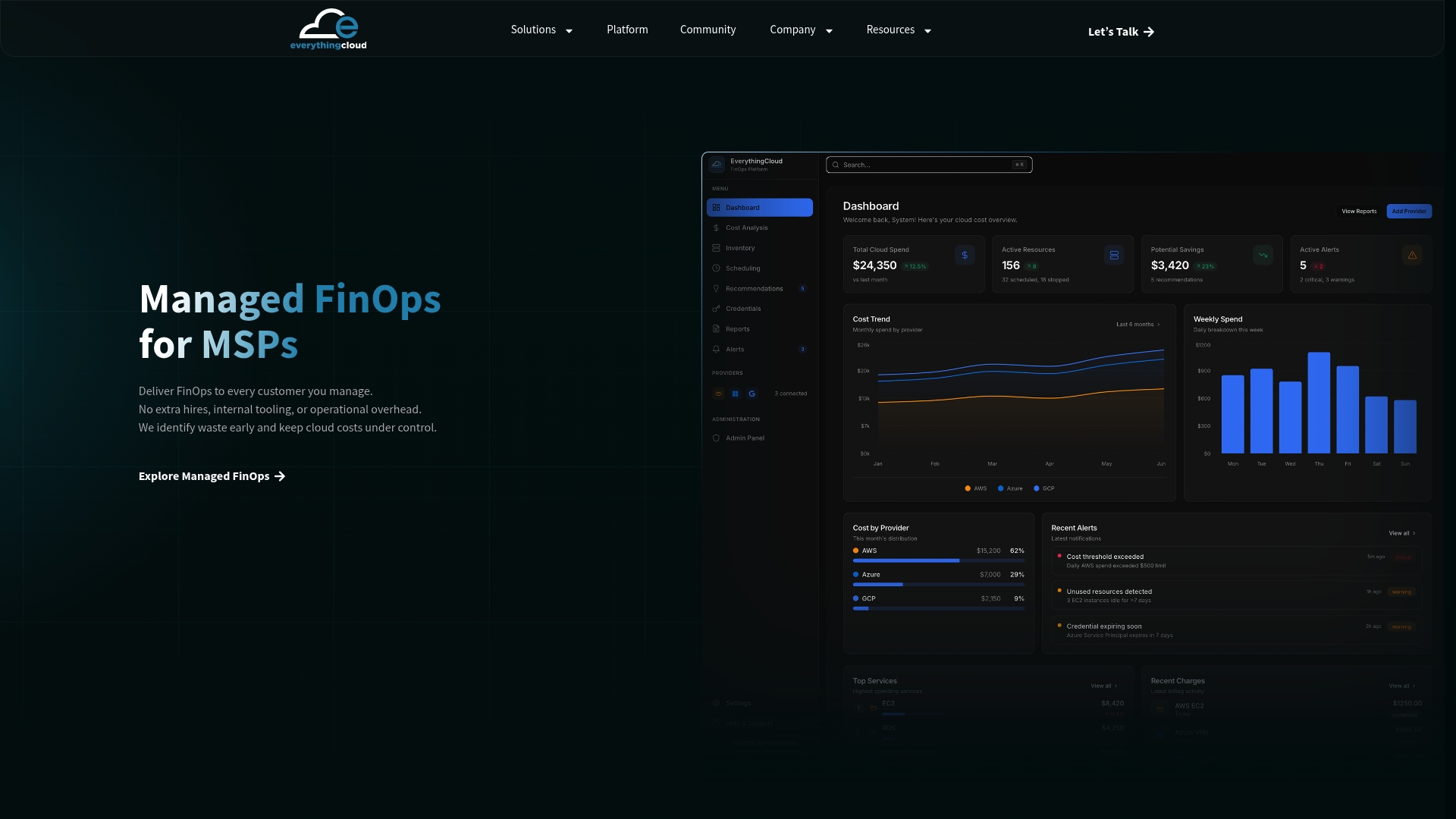
If you are an MSP or channel partner, The Platform is the foundation of our FinOps in a Box approach, so you can launch managed FinOps without building your own tooling. The Founding Partner Membership is $500 per month. To talk through your environment, contact us.
FAQ
What is the difference between direct and shared costs?
A direct cost can be traced to a single owner, such as a tagged database that belongs to one application. A shared cost serves several owners, such as a network hub or an enterprise support plan. Direct costs are assigned by tag or account, while shared costs need a driver and a method to divide them.
Which allocation method should we start with?
Most teams start with proportional allocation, because it needs only data you already have: each group’s direct spend. Even splits suit small organizations with similar teams, and fixed percentages suit stable, negotiated arrangements. Whichever you choose, document it and review it quarterly.
How do we allocate costs we cannot tag?
Assign them to the account or subscription owner first, then spread any remainder across owners using a published driver, usually proportional to direct spend. Track the remainder as a coverage metric. If it keeps growing, fix tagging policy at deployment time rather than adjusting the driver.
Can we allocate AI and token costs the same way?
Yes. Use separate API keys or projects per team where you can, or log requests through a gateway and tag them by team or feature. Where attribution is impossible, divide by request volume or by consuming teams’ direct spend and mark the figure as an estimate.
Should we use showback or chargeback?
Begin with showback so teams see their numbers and challenge them before money moves. Move to chargeback once the method is stable, coverage is high and there is a clear process for disputes.
Sources
- Managing Shared Cloud Costs, FinOps Foundation
- Cloud FinOps Shared Services Cost Allocation Whitepaper, Google Cloud
- Cloud Cost Allocation, FinOps Foundation
- Allocation, Microsoft Learn FinOps framework
- Expense Allocation in Accounting, Numeric
- Operational Best Practices, U.S. General Services Administration
- Managing AI Token Costs, FinOps Foundation