
EBS rarely shows up as the headline line on an AWS invoice, which is exactly why it leaks. Volumes outlive the servers they were built for, snapshots pile up behind them, and nobody owns the cleanup. To reduce EBS costs, you do four things in order: find volumes nobody uses, right-size what remains, move eligible volumes from gp2 to gp3, and put retention rules on snapshots. Then you put governance in place so the waste does not return next quarter.
This guide walks through each step, what to check before you touch anything, and how to make the savings stick across many accounts, including when you manage them for customers.
TL;DR
- EBS is billed on what you provision, not what you use, so idle and oversized capacity costs the same as busy capacity.
- The fastest wins are unattached volumes, legacy gp2 volumes that can move to gp3, and snapshots with no retention rule.
- Check performance needs and compliance requirements before you delete, resize or archive anything.
- Tagging and automated snapshot lifecycle policies keep the savings from eroding.
- Doing this by hand across dozens of accounts does not scale. Automation and invoice-level verification do.
Table of Contents
- What an EBS bill is made of
- Where the money leaks
- Step 1: Find unattached and underused volumes
- Step 2: Right-size capacity, IOPS and throughput
- Step 3: Move eligible volumes from gp2 to gp3
- Step 4: Control snapshot storage
- Tools that track EBS savings
- Perspective: why EBS savings fade
- Keeping the savings from coming back
- How EverythingCloud helps
- FAQ
- Sources
What an EBS bill is made of
Before you cut anything, know what you are paying for. According to AWS’s EBS pricing page, an EBS bill comes from two main places: volume storage and snapshot storage. Volumes are charged per GB provisioned per month, with extra charges for provisioned IOPS or throughput where the volume type calls for them. Snapshots are charged per GB-month of stored data.
The key word is provisioned. A 1 TB volume that holds 80 GB of data bills as 1 TB. That single fact explains most EBS waste: teams size for a worst case on day one, and the volume never shrinks. EBS volumes cannot simply be shrunk in place, so the oversized capacity stays on the bill until someone migrates the data to a smaller volume.
The AWS Free Tier does include 30 GB of EBS storage, 2 million I/Os and 1 GB of snapshot storage, according to the same pricing page. That is a useful buffer for new or eligible accounts. It is not a factor in a production environment, so do not count on it.
Snapshots deserve their own mention. AWS documents that Standard-tier snapshots are billed for the changed blocks stored, while Archive-tier snapshots are billed for all blocks stored. That difference matters later, when we get to archiving.
Where the money leaks
Storage costs accumulate silently. AWS’s own EKS guidance points to orphaned volumes, oversized persistent volume claims and legacy gp2 volumes as the usual culprits, in its EBS volume optimization guidance. In practice we see the same pattern in nearly every environment we review:
- Unattached volumes. An instance is terminated, a test cluster is torn down, a migration finishes. The volume stays, and so does the charge.
- Oversized volumes. Provisioned capacity far above actual use, often because someone padded the request “just in case.”
- Over-provisioned performance. Paying for IOPS and throughput the workload never touches.
- Legacy volume types. Older gp2 volumes that were never revisited after gp3 arrived.
- Snapshot sprawl. Backups with no expiry, kept years past any recovery need.
None of these is dramatic on its own. The pattern starts compounding quietly. One forgotten volume is a rounding error. Four hundred of them across twenty accounts is margin erosion, and if you are an MSP absorbing the cost under a fixed-fee contract, it is cloud margin leak.
Step 1: Find unattached and underused volumes
Start with discovery, because you cannot cut what you cannot see. AWS says Trusted Advisor checks can identify underutilized and unattached volumes, and that Trusted Advisor produces volume cost-saving recommendations based on configuration and usage patterns. Run that first. It gives you a candidate list in minutes.
Then go a level deeper. A candidate list is not a delete list. For every unattached volume, ask three questions:
- Who created it, and for which application?
- When was it last attached?
- Is there a compliance or retention reason to keep the data?
That second step is where tagging pays off. AWS recommends tagging strategies that organize volumes by application or owner, which makes it far easier to audit unnecessary or unattached resources and delete them safely. Volumes with no owner tag are your first conversation. If you have not built a tagging standard yet, our guide to cost allocation tags covers how to get to high allocation coverage.
Delete safely, not quickly
Deletion is irreversible, so the order matters. AWS advises verifying compliance requirements and backing up important data before deleting unattached volumes, for example to Amazon S3 or as a snapshot, so you can restore later if needed. The same AWS guidance frames this as the safeguard that makes cleanup low risk.
A practical sequence looks like this:
- Export the candidate list with tags, creation date and last attachment.
- Send it to the owning team, or to the account owner where tags are missing, with a response deadline.
- Snapshot anything with doubt attached, then delete the volume.
- Set a reminder to review and expire those safety snapshots, so you do not swap one leak for another.
That last step is the one people skip. A safety snapshot is cheaper than a volume, but it is not free, and it will sit on the bill indefinitely if nobody owns it.
Step 2: Right-size capacity, IOPS and throughput
Because AWS prices by provisioned resources rather than actual usage, the pricing model itself creates the incentive to right-size. Every GB, IOPS and MB/s you provision and do not use is paid-for idle capacity.
Right-sizing an EBS volume has two parts.
Capacity. Compare provisioned size with actual used space over a meaningful window, not a single day. Month-end processing, batch jobs and seasonal peaks can make a quiet volume look oversized. Because a volume cannot be shrunk in place, the fix is a new, smaller volume and a data migration. That carries a maintenance window and a rollback plan, so reserve it for volumes where the savings justify the effort. A 50 GB reduction on one volume rarely does. A 2 TB reduction across a fleet of identical database hosts often does.
Performance. Look at peak IOPS and throughput against what you provisioned. If a volume pays for provisioned performance well above its observed peak, you can usually lower it without touching capacity, which is a much simpler change than a migration. Keep headroom. Right-sizing to the average is how you create an incident at the next peak.
This is where recommendations and judgment have to meet. A tool can tell you a volume looks oversized. Only the team that runs the workload knows whether the spare room is a mistake or a deliberate buffer for a database that grows in bursts.
Step 3: Move eligible volumes from gp2 to gp3
For many teams this is the cleanest win, because it often needs no downtime and no data migration.
The two General Purpose SSD types are priced differently. According to AWS’s pricing page, gp2 volumes charge only for provisioned GB, while gp3 volumes include a free baseline of 3,000 IOPS and 125 MB/s throughput, with additional performance provisioned independently of size. AWS states that moving from gp2 to gp3 can save up to 20% per GiB, and that gp3 gives a minimum of 3,000 IOPS and 125 MiBps at any volume size.
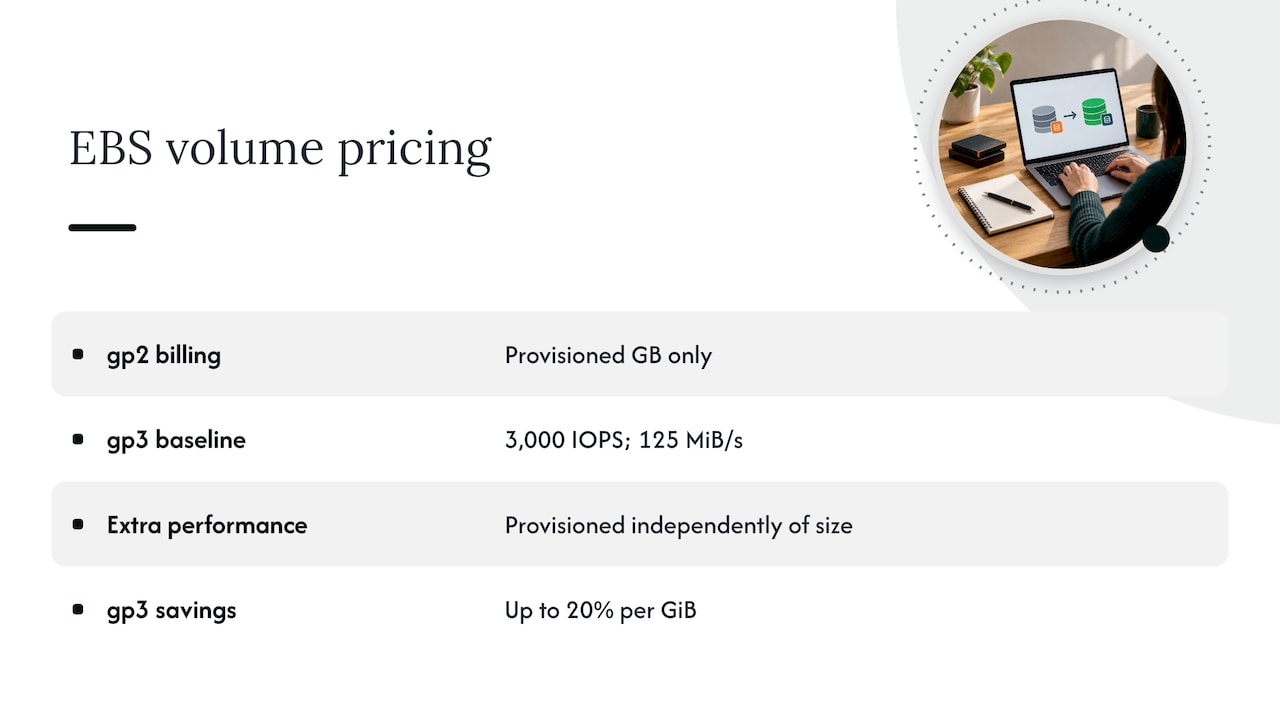
Notice the phrase “up to.” The saving depends on your volumes, so model it before you commit. The AWS Pricing Calculator can estimate costs before you change a volume or backup configuration, per the same AWS guidance.
What to check first
Before converting, review each volume against these points:
| Check | Why it matters |
|---|---|
| Current performance needs | gp2 performance scales with volume size, gp3 starts from a fixed baseline. Confirm the workload’s real peaks fit the gp3 baseline or budget for added IOPS and throughput. |
| Large, busy volumes | Volumes that lean on gp2’s size-based performance may need extra provisioned performance on gp3, which narrows the saving. |
| Change windows | Even low-risk changes deserve a ticket, an owner and a rollback plan. |
| Infrastructure as code | If Terraform or CloudFormation still declares gp2, the next deployment can quietly revert your change. Update the templates too. |
The last row is the one that bites. We often see a gp3 conversion done in the console, followed by a pipeline run that restores gp2 a month later. Fix the source of truth, not just the resource.
Step 4: Control snapshot storage
Snapshots are where good intentions turn into long-term spend. Backups are essential, and nobody wants to be the person who shortened retention before an incident. But a snapshot taken in 2022 with no expiry date is rarely a recovery point anyone intends to use.
Two facts help. First, snapshots are incremental: the first one stores all data blocks, and later ones store only changed blocks. That keeps routine backups economical, but it also means deleting one snapshot does not always free as much space as you expect, because later snapshots may depend on its blocks. Second, the same AWS guidance says retention policies can automatically delete old backups, and moving infrequently accessed snapshots to the Archive tier can save as much as 75% for snapshots retained longer than 90 days.
Remember the billing difference from earlier: Archive-tier snapshots are billed for all blocks stored, not only changed ones. That is why archiving suits long-retained, rarely restored snapshots and not a chain of frequent short-term ones. Check the volume’s change rate and your restore-time needs before moving anything.
Automate the lifecycle
Do not manage retention by hand. AWS recommends using Amazon Data Lifecycle Manager to automate snapshot creation and retention, along with regular reviews of backup and retention policies so they still match business needs and cost goals. A sensible setup:
- One policy per tier of data criticality, not one per application.
- Retention set by recovery objective and compliance rules, with the reasoning written down.
- Tag-based targeting, so new volumes join the right policy automatically.
- A quarterly review of what the policies actually keep.
Where regulation or contract requires long retention, archive rather than delete. The aim is to pay the right price for the backups you truly need, not to have fewer of them.
Tools that track EBS savings
AWS gives you enough to start without buying anything. Per AWS’s EBS cost guidance, Trusted Advisor surfaces volume recommendations, AWS Cost Explorer lets you monitor snapshot costs, and the AWS Pricing Calculator estimates the effect of configuration changes before you make them.
These tools share a limit: they are built to show you things, and acting on what they show is still manual, account by account. That is manageable for a single account and painful for thirty. If you run many accounts, the gap between a recommendation and an executed change is where savings go to die.
EBS is also only one line. If you are working through your whole AWS bill, our three-phase playbook for reducing AWS costs puts storage in context, and the same discipline applies to S3 storage costs, nonproduction RDS compute and data transfer charges. Running Kubernetes? Oversized persistent volume claims often trace back to resource requests, which we cover in our EKS cost optimization guide.
Perspective: why EBS savings fade
We review a lot of AWS environments, and EBS cleanup follows a predictable arc. Someone runs a one-time sweep. Savings appear. Six months later the bill drifts back, because the process that created the waste never changed. New projects launch with generous volumes, engineers spin up test instances and move on, and a pipeline template still says gp2.
The lesson is that EBS optimization is not a project. It is a loop: detect, decide, act, verify. Most tools handle the first step and stop. Recommendations pile up in a dashboard, nobody has the hours to work through them, and the waste continues. That is why we built EverythingCloud around executing optimization actions, not only listing them, and why we check savings against invoice-level billing rather than trusting an estimate.
For MSPs the stakes are sharper. When customers pay a flat managed fee, every idle volume comes straight out of your margin, and you rarely see it until the quarter closes. Ask your team a simple question: could you say today how many unattached volumes sit across your customer accounts, and what they cost? If the answer is “we would have to look,” that is the leak.
— Dan
Keeping the savings from coming back
A cleanup holds only if the habits behind it change. Four controls do most of the work.
Tag at creation. Make owner and application tags required, so an unattached volume always has someone to ask. Enforce it in your provisioning pipeline, not in a policy document.
Set defaults. Make gp3 the default volume type in your templates and modules. New waste is cheaper to prevent than old waste is to remove.
Review on a schedule. A monthly pass through unattached volumes and a quarterly pass through snapshot retention takes little time once the lists are generated for you.
Verify against the invoice. Estimated savings are not realized savings. Compare the actual EBS line on the bill before and after each change, so you know what the work delivered and can defend it to finance.
How EverythingCloud helps
If you manage cloud for many customers, or your own estate spans many accounts, manual EBS sweeps are a recurring tax on your engineers. Our platform gives you visibility into AWS, Azure, Google Cloud, SaaS and AI spend, flags waste such as idle storage, and automates the cost-saving actions rather than leaving them as tickets. Savings are verified against invoice-level billing, and governance aligns with CIS and NIST. You can see how it works on the platform page.
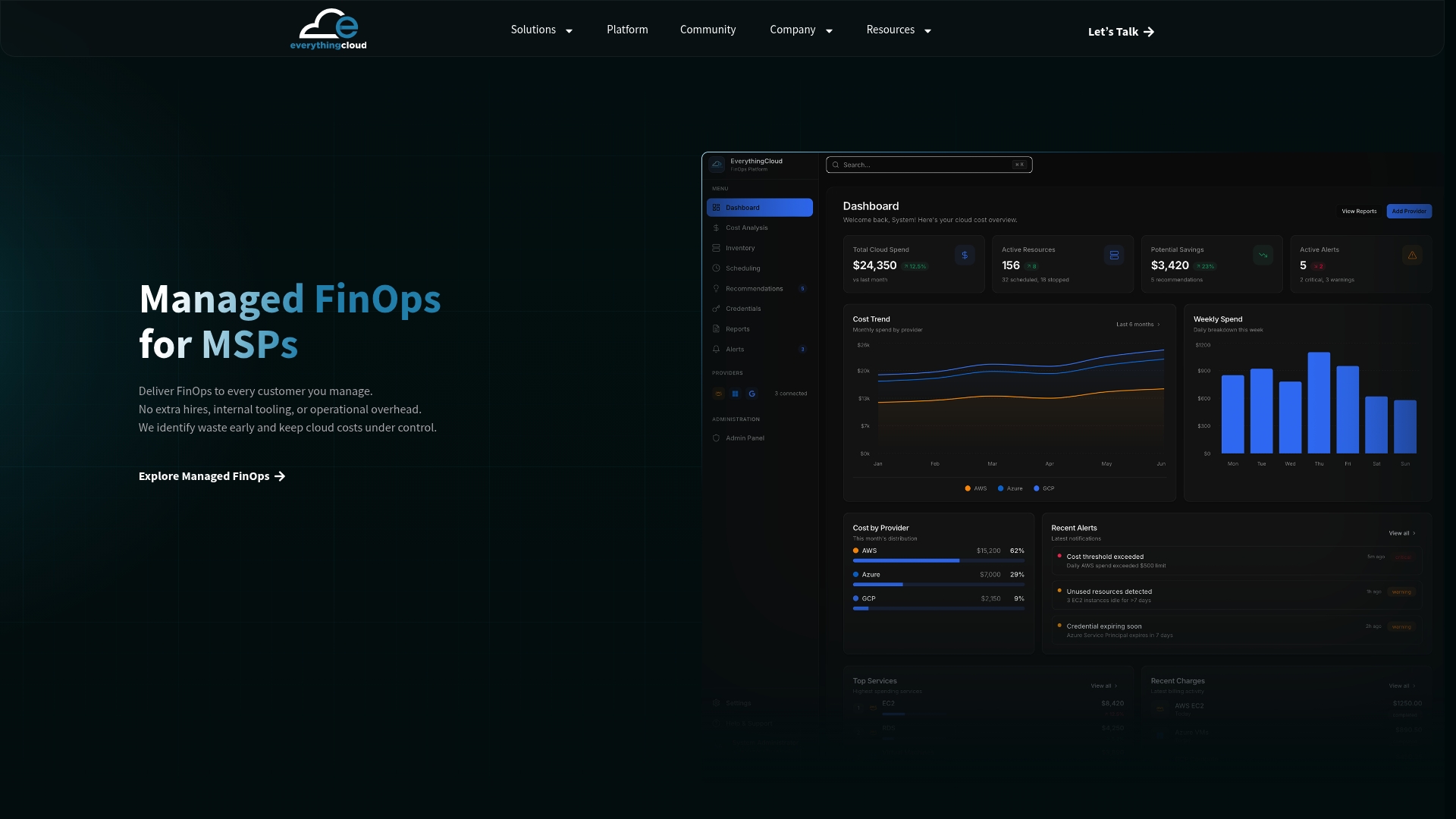
For organizations that would rather have experts run the loop, Managed FinOps puts a team behind the platform, and Continuous Cloud Optimization keeps the review cycle going month after month. MSPs can launch their own managed FinOps offering through the Founding Partner Membership, which is listed at $500 per month.
FAQ
Why am I still paying for EBS after deleting my EC2 instance?
EBS is billed on the volumes and snapshots that exist, not on whether an instance is running. A volume left behind after an instance is removed still bills for its provisioned size, and so do any snapshots. Check for unattached volumes with Trusted Advisor, confirm the owner, then back up and delete.
How much can moving from gp2 to gp3 save?
AWS says the move can save up to 20% per GiB, and gp3 provides at least 3,000 IOPS and 125 MiBps at any size. Your actual result depends on whether your volumes need performance beyond that baseline, so estimate with the AWS Pricing Calculator and confirm on the next invoice.
Is it safe to delete unattached EBS volumes?
It is safe when you do it in the right order. Verify compliance requirements, identify the owner through tags, and back up anything uncertain to a snapshot or S3 first. Deletion cannot be undone, so never clean up from a list alone.
How do I reduce EBS snapshot costs without losing backups?
Automate retention with Amazon Data Lifecycle Manager so old snapshots expire on schedule, and move rarely accessed snapshots to the Archive tier. AWS says archiving can save up to 75% on snapshots kept longer than 90 days. Keep recovery points your compliance and restore-time needs require.
Can I shrink an EBS volume that is too big?
Not in place. The usual route is to create a smaller volume, migrate the data, and retire the original, ideally in a planned maintenance window. Weigh the savings against the effort, and start with the largest, emptiest volumes.
Sources
- Amazon EBS pricing
- Reduce costs for Amazon EBS volumes, AWS re:Post
- Delete unattached Amazon EBS volumes, AWS Prescriptive Guidance
- Modify Amazon EBS snapshots, AWS Prescriptive Guidance
- EBS volume optimization, AWS Prescriptive Guidance for EKS